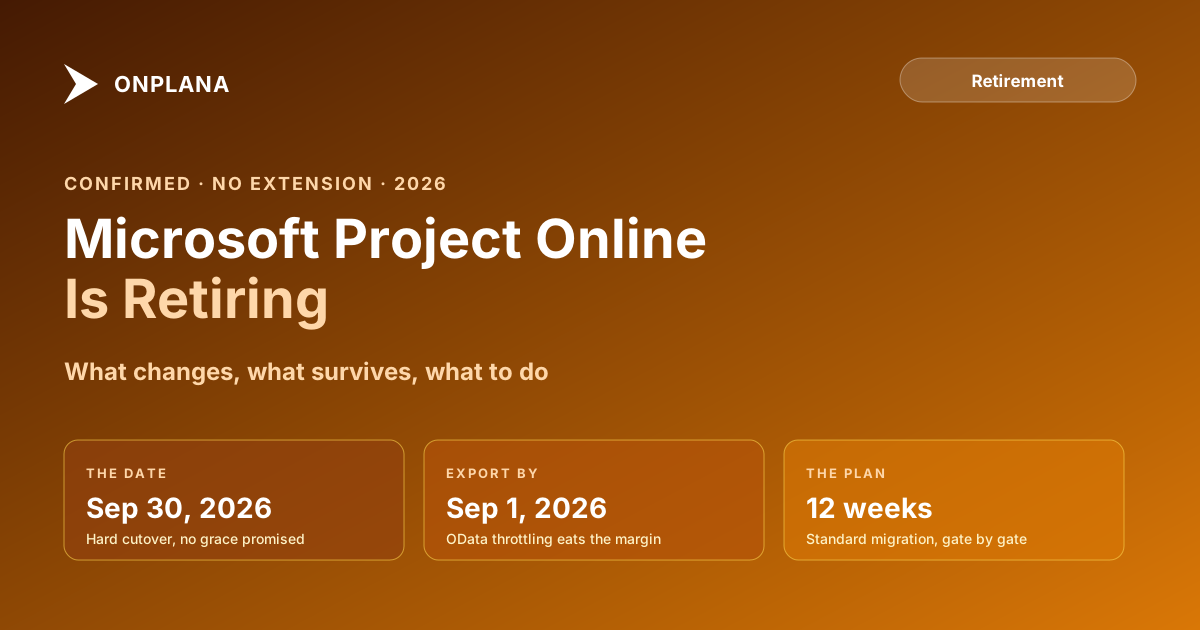
Microsoft Project Online Is Retiring September 30, 2026
Microsoft Project Online is retiring on September 30, 2026. What stops working that day, what survives, who is affected, and the three realistic paths forward.
Yes: Microsoft Project Online is retiring, and the date is fixed. September 30, 2026. Microsoft confirmed the retirement and has announced no extension, no successor upgrade path, and no exception process. If your PMO runs on Project Online today, this is not a rumor to monitor. It is a deadline to plan against.
This post is the short orientation: what changes on the day, what survives, who is affected, and the three realistic paths forward. The deeper guides for each step are linked throughout; if you only read one page about the retirement before briefing your team, make it this one.
Project Online retires September 30, 2026. On that day PWA stops serving, the OData feed returns 410 Gone, the desktop client's sync breaks, timesheets stop, and the Enterprise Resource Pool becomes unreachable. SharePoint project sites survive; everything in the scheduling database does not, unless you exported it first. There is no guaranteed read-only window, so the practical export deadline is September 1. Three paths forward: Planner Premium for light teams, a modern PM platform for schedule-driven PMOs, or a custom build for engineering-heavy edge cases. A standard migration takes 12 weeks, which means the comfortable start window is closing now.
What changes on September 30, 2026
The retirement is a hard cutover, not a gradual wind-down. These services stop simultaneously:
Everything on the left breaks at once, because it all depends on the same service. There is no partial mode where the schedules stay readable but the timesheets stop. When the service retires, the scheduling database behind it becomes unreachable from the live tenant.
The full hour-by-hour breakdown of the shutdown sequence is in what actually happens after Project Online retires, and Microsoft's own statement is worth reading in the original for stakeholder conversations.
What this means in practice
Every PMO on Project Online is affected, but not equally. The heaviest impact lands on organizations using the parts of Project Online that have no equivalent in Microsoft's successor products: multi-project portfolios with governance gates, costed timesheets driving billing, the Enterprise Resource Pool, Enterprise Custom Fields with lookup tables, and Power BI dashboards built against the OData feed.
The export deadline is earlier than the retirement date. OData is throttled, and every Project Online customer on the planet will be exporting in September. The practical deadline to have your data fully extracted and verified is September 1, 2026. The data export deadline analysis covers the throttling math; the step-by-step .mpp export procedure and the OData export guide are the how-to companions, and the complete data export pillar covers the full extraction scope end to end.
There is no in-place upgrade. Microsoft's positioning points customers toward the new Planner, but that is a different product on a different architecture, not an upgrade. Whatever you choose, this is a migration project with an inventory, a destination decision, a pilot, and a cutover.
Your three realistic paths
Three honest options exist, and the right one depends on how your organization actually uses Project Online today:
- Microsoft Planner Premium (the rebranded Project for the Web). A real option for teams that used Project Online as a rollup of simple task lists, and a more capable scheduler than it is often given credit for: all four dependency types with lead and lag, a critical path in the timeline view, and a baseline. Where it stops short for schedule-driven PMOs is scale and the layers above a single plan: a 3,000-task ceiling, 10 custom fields, one baseline against Project Online's 11, no enterprise resource pool, no timesheets, and no stage-gate governance. The honest Project Online vs Planner comparison covers the gap feature by feature.
- A modern PM platform built for the migration. For PMOs that need scale and the enterprise layers (schedules past 3,000 tasks, multiple baselines, a shared resource pool with capacity planning, timesheets, stage-gate governance), the realistic path is a third-party platform that imports your
.mppfiles and OData exports. Onplana is purpose-built for this case; the broader alternatives roundup scores the market honestly. - A custom build. Defensible only for engineering-heavy organizations with genuinely idiosyncratic needs and the appetite to maintain internal tooling for a decade. For everyone else, the build vs buy math rarely favors building.
The clock, counted backwards
A standard Project Online migration runs about 12 weeks for a 50-500 project PMO: inventory, evaluate, pilot, cutover prep, cutover, stabilise. Counting back from a cutover with safety margin (end of August, leaving September as buffer), the comfortable start window is now. Later starts compress the pilot, and a compressed pilot is the single most common cause of failed cutovers.
If you are starting today, three links do most of the work:
- The plan: the 90-day migration plan with weekly checklists and phase gates.
- The inventory: the 35-item migration checklist covering the projects, fields, workflows, and integrations admins most often miss, with a free interactive version.
- The budget: the six-category cost breakdown with a free calculator that produces a CFO-ready estimate.
For the widest view, the complete Project Online migration guide covers the whole journey, and the migration hub is the entry point to every resource. The retirement itself is one of three related Microsoft retirements landing in 2026; the consolidated retirement timeline maps all three, and the definitive retirement FAQ answers the questions this overview deliberately keeps short.
The one-sentence version for your leadership
If you need to compress this entire page into a briefing line: Project Online stops working on September 30, 2026, with no extension and no upgrade path; our data must be out by September 1, and a standard migration takes twelve weeks, so the decision clock is running now.
That sentence has moved more migration projects off dead center than any feature comparison. The deadline is not negotiable; the only variable is how prepared you are when it arrives.
Microsoft Project Online™ is a trademark of Microsoft Corporation. Onplana is not affiliated with Microsoft.
Frequently asked questions
Is Microsoft Project Online really retiring?
Yes. Microsoft confirmed that Project Online service availability ends on September 30, 2026. There is no extension and no in-place upgrade path; every customer must move to a successor platform before that date.
What exactly stops working when Project Online retires?
On September 30, 2026, Project Web App (PWA) stops serving pages, the OData reporting endpoint at /_api/ProjectData returns 410 Gone, the desktop client's sync connection breaks, timesheet workflows stop, and the Enterprise Resource Pool becomes unreachable. Power BI reports and Power Automate flows built on the OData feed break at the same moment.
What survives the Project Online retirement?
SharePoint project sites and their document libraries persist as normal SharePoint content. Your Microsoft 365 tenant, Teams, and the rest of the suite are unaffected. Everything inside Project Online's scheduling database (schedules, baselines, custom fields, timesheets, the resource pool) becomes unreachable unless you exported it first.
Is there a grace period after September 30, 2026?
Microsoft has not guaranteed one. Historical patterns for SaaS retirements suggest an informal read-only window of roughly 90 days may follow, but no contract promises it. The practical planning assumption is that September 30 is the last day of data access, with exports completed by September 1.
Is the new Microsoft Planner a full replacement for Project Online?
For light teams, often yes. Planner Premium carries all four dependency types with lead and lag, a critical path, and a baseline. For PMOs the gaps are elsewhere: a 3,000-task ceiling per plan, 10 custom fields, only one baseline where Project Online holds 11, no enterprise resource pool, no timesheets, no stage-gate governance, and no OData reporting feed. Schedule-driven PMOs need either a third-party platform or a significant scope reduction.
How long does a Project Online migration take?
Twelve weeks is the realistic standard for a 50-500 project PMO: inventory, evaluate, pilot, cutover prep, cutover, stabilise. Smaller portfolios compress to six weeks; 1,000+ project estates extend to sixteen. Counting back from a September cutover with buffer, a migration starting later than early July 2026 is already in the compressed zone.
Ready to make the switch?
Start your free Onplana account and import your existing projects in minutes.