Status Report Writing: Cut 90 Minutes a Week Down to 10
Most PMs spend 60-120 minutes weekly on a status report nobody reads twice. Why they take so long, and how AI-assisted drafting cuts the cycle to 10 minutes.
The math is ugly. A project manager running five projects in parallel writes five weekly status reports. Each one takes 60-120 minutes from "time to write the report" to "report sent." That's 5-10 hours per week, a full day or more, spent on documentation of work rather than work itself. Scale that across a 20-person PMO and you're spending 100-200 person-hours per week on status reports alone.
For most PMOs the actual number is higher, because status reports are rewritten. The first draft gets edits from the PM who realizes the tone was too blunt. Then the director asks for a sentence change. Then the sponsor asks for "a bit more detail on the risks." The report that started as a one-hour task becomes two hours by the time it ships.
If you only need the layout, the project status report template gives the six lines to copy. And here's the uncomfortable part: most of this work is wasted. Steering committees glance at the first page. Sponsors read the RAG and the ask. Team members often don't read them at all because they were in the meeting that produced the information. The marginal reader value of paragraph three is close to zero for most reports.
This post is about fixing that. Not by eliminating status reports (they solve a real communication problem) but by cutting the writing cost by 80% without losing the signal. At the end there's a free AI Status Report Writer that does exactly this: you bring the raw signal, and it produces a polished, audience-matched report in about 10 seconds.
The three costs hiding in every weekly report
Data gathering. Before the PM writes anything, they have to know what happened this week. Project-management tools capture some of it (tasks marked done, status changes), but most of the signal lives in Slack threads, 1:1 notes, steering-committee decisions captured verbally, and direct conversations. A typical PM spends 20-30 minutes hunting this signal down before the cursor starts moving. Where those decisions happen in a recorded meeting, AI meeting notes to tasks extraction can pull the accomplishments and blockers straight from the transcript instead of the PM reconstructing them from memory a week later.
Tone calibration. The same underlying status ("the API integration slipped by a week because the vendor hit an auth issue") needs different framing depending on audience. Sponsor: "schedule at risk, mitigation underway, details below." Team: "vendor hit auth issue, we're triaging Monday, no action needed." Steering committee: "schedule risk medium, two-week impact contained, vendor engagement escalated." Same facts, three paragraphs, each requiring its own rewrite. Most PMs iterate 3-4 times on the RAG paragraph alone.
Review cycle. The first draft goes to the PMO director or a peer for sanity check. Comments come back. Revisions happen. This is often the longest wait of the week because directors read reports in batches; your Tuesday draft gets read Thursday morning. By the time it ships Friday, the status is mildly stale.
Cutting the first two costs (gathering and calibration) is where AI-assisted tools earn their keep. Review stays with humans; it should.
What a good status report actually contains
The common mistake is writing the sections in chronological order (what happened this week, then what's happening next, then what's blocking, then the RAG buried at the end). Readers scan top-down and stop when they feel caught up. If the RAG is on page 3, they missed it. If the ask is in paragraph 7, you didn't get it.
Structure reports by reader priority, not author chronology:
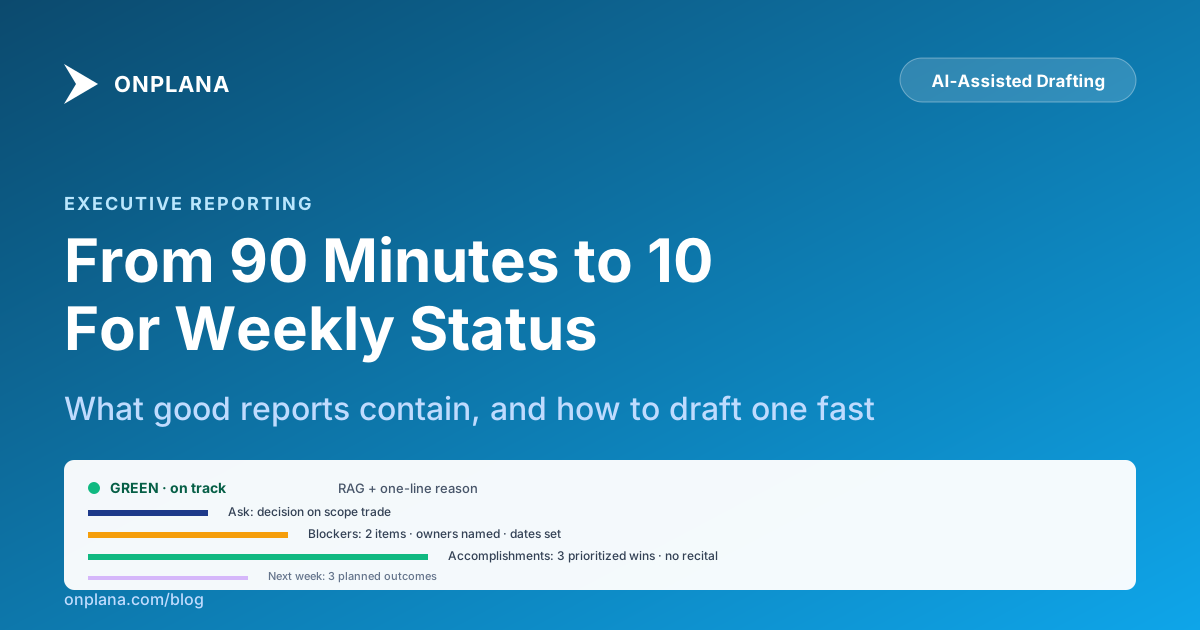
RAG status first. Green / yellow / red plus one sentence explaining why. "GREEN, on track, no significant changes" is legitimate and short. "RED, API integration slipped two weeks due to vendor auth issue, recovery plan below" is also legitimate and equally short. Don't pad. What each color should actually mean is worth defining in writing before the first report ships, since a "RED" that means something different in every report is the reason sponsors stop trusting the line.
The ask second. What do you need from the reader? A decision on scope trade? A sign-off on a change request? Nothing (just FYI)? Being explicit about "nothing needed from you this week" is itself useful; it tells the sponsor they can stop scanning.
Blockers third. Each blocker gets owner + target date. "Vendor not responding, escalated to director Mary Kim, expected response by April 26" is a blocker. "Vendor integration is tricky" is noise. If you can't name an owner, the blocker isn't being managed. When a blocker should turn into a formal escalation, rather than just a line in the report, comes down to the same aging and impact thresholds a tiered escalation framework defines.
Accomplishments fourth. Maximum 3-5 items, ranked by what the reader will care about. Not a full task recital: if the tool of record shows 24 tasks completed this week, you don't list all 24. You list the 3 that moved the project forward meaningfully and skip the rest.
Next week fifth. Planned outcomes, not activities. "Ship v2 auth" is an outcome. "Work on v2 auth" is an activity. Activities don't commit to anything; outcomes do.
Appendix last (optional). Decisions made, KPIs, change requests, full task lists for the technical reader. Collapses or links out. Most readers won't reach this section; that's fine. They're the readers who only needed the first two sections.
Three tone variants you should maintain
Concise-executive. For sponsors and execs. Bullet points, short paragraphs, no project-management jargon. If it can be said in one line, it's one line. Reads in under 60 seconds. This is the default for most weekly distributions.
Detailed-technical. For steering committees, architecture review boards, and deep-in-the-weeds technical reviewers. Adds specificity: named risks with impact/probability, dependency maps, named architectural decisions. Reads in 5-10 minutes. Use when the audience is accountable for technical judgment, not just portfolio-level approval.
Friendly-team. For internal team distribution (usually Slack or email). Conversational tone, wins celebrated, next-sprint focus, open questions called out. Less formal than the executive version because the audience was in the meetings; they need orientation, not briefing.
The right model isn't "pick one tone and stick with it." It's "maintain three variants": one base report, three renderings. AI-assisted drafting makes this cheap because you author the inputs once and re-render each tone in seconds.
The AI-ghostwriter division of labor
The skeptical question is: "If AI writes the status report, doesn't that mean AI replaces the PM's judgment?"
No. The judgment and the prose are different work. The PM's judgment call is whether the project is green, yellow, or red; that's a product of weeks of context, team conversations, sponsor dynamics, and gut read. No AI has that context. The PM's prose work (translating the judgment into a paragraph that lands the right way on a Thursday morning for a CFO who skims six reports before the 9 AM meeting) is translation work. That's what AI is good at.
The right division of labor:
PM decides. RAG status, which blockers matter, what the ask is, what went well, what's next. These are judgment calls that require context the AI doesn't have.
PM inputs. A bulleted list, a voice memo transcript, a quick paragraph, whatever format is cheapest to produce. Typical input for a 1-page executive report: 8-15 short bullets, maybe 100 words total.
AI drafts. Takes the inputs, the chosen tone, and produces the formatted report. Typical output: 350-500 words in the concise-executive tone, properly structured, audience-matched.
PM reviews. Reads the draft, catches anything off, adjusts. Takes 3-5 minutes for a well-formed input. Ships.
Total time: 10-12 minutes including the original thinking. That's 80% below the 60-120 minute baseline.
When NOT to use AI-assisted drafting
Board-level reports. Quarterly or annual board reports are strategic documents that influence large decisions. The writing work is the thinking work at that level; you want the PM or director authoring directly, not editing a draft. AI is good for weekly cadence and less appropriate for strategic-cadence reports.
Crisis communications. When a project goes red in a way that requires sponsor escalation, the tone and precise wording matter enormously. Draft that one yourself. AI can help with subsequent weekly reports during recovery, but the initial "here's what happened" message should be human-authored.
Reports to regulators or auditors. Compliance contexts have specific language requirements. Don't route through AI without legal review.
Reports where the input data is thin. If you don't actually know what happened this week (new PM, first week on a project, missed the team stand-ups), AI can't invent signal from nothing. It will produce plausible-sounding prose that misleads the reader. Fix the input signal first.
Try the writer
The Status Report Writer tool is free. Paste your raw inputs (bullets, notes, whatever format is fastest to produce), pick a tone, and get a polished report in about 10 seconds. Your input text is never stored; only a short hash for rate-limiting. Read our privacy documentation for the details.
For PMs who want the full setup: Onplana's AI project-management features include status-report generation wired to live schedule data, so the "data gathering" phase shrinks further. The tool knows what tasks completed this week, what slipped, and what's blocked. You bring judgment; it brings the mechanical work. That's the right division of labor for status reports, and it's why most PMOs that adopt AI-assisted drafting don't go back to longhand.
Frequently asked questions
Why do status reports take so long to write?
Three costs stack. First, data gathering: pulling the week's task status, blockers, and decisions from email, Slack, the tool of record, and conversations requires 20-30 minutes of hunting. Second, audience-matching: the same underlying status has to work for the sponsor (wants RAG + asks), the steering committee (wants milestones + risks), and the team (wants decisions + next-week plan). Third, tone calibration: politely surfacing a red status without panicking the sponsor is writing work, and most PMs iterate 3-4 times on that paragraph alone. Add the review and send cycle and you're at 60-120 minutes per report per week per project.
Is the goal to stop writing status reports?
No. Status reports solve a real problem: they're a low-friction way for a sponsor to stay informed without a standing meeting. Eliminating them usually results in ad-hoc check-ins that take more time than the report did. The goal is to keep the communication function while reducing the writing cost. AI-assisted drafting does that: you bring the signal (status, blockers, decisions), and the tool turns it into a polished document that matches your chosen tone.
What makes a good status report vs a bad one?
A good report answers four questions unambiguously: Are we on track (RAG)? What did we accomplish? What's blocking us? What do we need from the reader? A bad report answers 'Are we on track' with a paragraph of vague reassurance, recites every task completed without prioritizing, lists blockers without owners or dates, and buries the ask on page 3. Good reports are shorter than bad ones; they require more thought per word.
How should I handle a red RAG status politically?
Red is a signal that the plan as scoped can't hit the target. That's information the sponsor needs. The political mistake is lying about it (painting red as yellow to avoid a difficult meeting), not the red status itself. Every PM goes red at some point; the ones who recover are the ones who surfaced the red early with a specific recovery plan. Say red, name the specific blocker, name the recovery action, name when the re-read happens. A sponsor who trusts your reds trusts your greens.
What tone should the report be written in?
Match the recipient. Concise-executive tone for sponsors (bullet points, short paragraphs, action-oriented language). Detailed-technical tone for steering committees who want to dig into the details. Friendly-team tone for internal stand-up summaries. The common mistake is writing one version and sending it to everyone: the executive version bores the team, and the technical version overwhelms the sponsor. Our AI status report writer lets you toggle the tone and re-generate in seconds, which is how most PMs end up keeping 2-3 tone variants per report.
How does AI-generated status compare to human-written?
Same signal, different labor profile. A human-written report takes 60-120 minutes including data gathering, drafting, tone work, and review. An AI-assisted report takes 10 minutes: the PM feeds in the weekly signal as bullet points or a voice memo transcript, the tool produces a polished document, and the PM reviews and edits. The quality is comparable when the inputs are good. A bad-input AI report is worse than a bad-input human report because humans improvise with judgment and AI doesn't. Garbage in, polished garbage out.
Does AI replace the PM's judgment?
No, it replaces the PM's typing. The judgment (which blockers matter, how red is red, what the ask should be) stays with the PM. The AI handles the translation from judgment to prose. That's the right division of labor: the human calls the shots, the machine formats them for the audience.
Ready to make the switch?
Start your free Onplana account and import your existing projects in minutes.