Onplana Deployment Options vs Project Online: Cloud-Agnostic vs Azure-Only
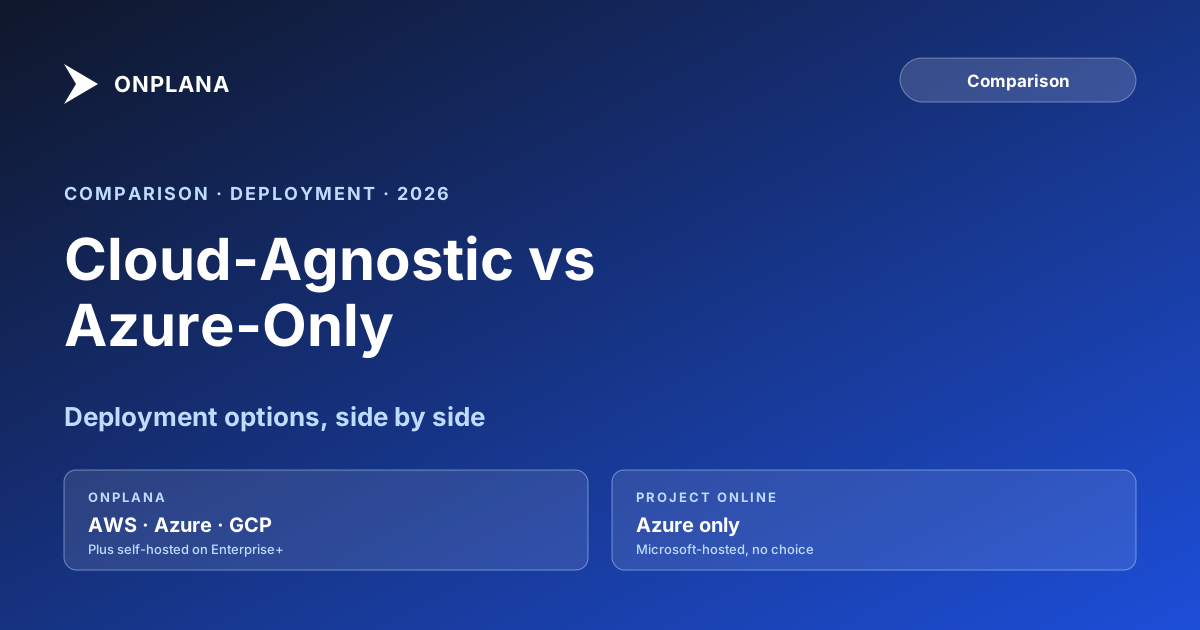
Project Online is Azure-only. Onplana deployment options include AWS, Azure, GCP, and self-hosted. Which deployment model fits your PMO's compliance needs?
Your project schedule data lives in Microsoft's cloud. Every task, every dependency, every baseline, every resource assignment, every Enterprise Custom Field value. That constraint becomes visible in the Onplana deployment options comparison: Onplana gives you a choice of cloud provider, and Project Online gives you one, and only one. It was never advertised as a limitation, but it is one, and it surfaces the moment your compliance team, security officer, or data governance policy puts a requirement on where project data can be stored.
Project Online's architecture was built for the Microsoft 365 tenant model: SharePoint Online hosts the PWA site, SQL Azure hosts the project data, and Azure Active Directory handles identity. That stack is capable and well-maintained, but it offers no variation. If your PMO needs data in a specific geography not covered by your Microsoft tenant region, in a different cloud provider's infrastructure, or inside your own network entirely, Project Online has no path to that outcome.
TL;DR: Project Online is Azure-only with no self-hosting option. Onplana deployment options include SaaS on AWS (Onplana-hosted), customer-hosted on AWS, Azure, or GCP, Docker Compose for on-premises, and Kubernetes for enterprise-scale deployments. For most organizations, the SaaS tier is the right choice. For regulated industries, government, defense, and organizations with strict data residency requirements, the self-hosted paths matter significantly.
How Project Online's Azure Infrastructure Works
Project Online runs on Microsoft's SharePoint Online infrastructure, which is hosted on Microsoft Azure. Data is provisioned to the tenant's geographic region (for example, a tenant provisioned in the EU stores data in Microsoft's European datacenters), but customers have no choice of underlying cloud provider, datacenter facility, or infrastructure configuration. This is a fixed architectural constraint, not a configuration option, as Microsoft confirmed when announcing the retirement: the legacy architecture was the primary reason Project Online could not evolve to support modern capabilities.
This works well for the vast majority of organizations. Microsoft Azure is a mature, well-secured platform, and Microsoft 365's compliance certifications (SOC 1/2, ISO 27001, FedRAMP at certain tiers) cover a wide range of regulatory environments.
Where it stops working:
Organizations that cannot use Microsoft Azure. Defense contractors with CMMC or FedRAMP High requirements sometimes operate in environments where only government-managed cloud infrastructure (DoD IL4/IL5, AWS GovCloud, Azure Government) is acceptable. Microsoft Azure Government exists, but Project Online is not available in Azure Government. Organizations in this position have no compliant path for Project Online.
Non-EU/US organizations with local data residency laws. Some countries require project data involving government contracts or sensitive industries to remain within national borders on domestic infrastructure. Microsoft tenant regions do not always align with national data residency requirements, and there is no mechanism to redirect Project Online data to a specific national datacenter.
Organizations with infrastructure consolidation policies. Some IT policies require all enterprise applications to run in the organization's chosen cloud provider (AWS or GCP, for example), specifically to consolidate security monitoring, identity management, and cost reporting on a single infrastructure platform. Project Online requires M365 on Azure and cannot be moved.
Onplana Deployment Options
Onplana was designed from the start to run on any standard cloud infrastructure. The four deployment paths:
SaaS (Onplana-hosted on AWS). This is the default and the right choice for most organizations. Onplana manages the infrastructure, handles upgrades, and provides the SLAs. Your data is in your tenant namespace within Onplana's AWS environment. Setup takes minutes.
Customer-hosted on AWS, Azure, or GCP. Deploy Onplana into your own cloud account using the deployment packages for each provider. Your data stays within your cloud account, subject to your own IAM policies, security controls, and billing. This is the path for organizations that need PM data under their own cloud security perimeter without running on-premises infrastructure.
Docker Compose (on-premises). A single Docker Compose configuration file brings up the full Onplana stack: application, API, background workers, database, and reverse proxy. This runs inside your own network, with no outbound data to Onplana's infrastructure. Used by organizations with strict air-gapped requirements or data residency laws requiring on-premises storage.
Kubernetes (enterprise self-hosted). For organizations running Kubernetes clusters on their own infrastructure or in private cloud environments, Onplana provides Helm charts for a production-grade deployment with high availability, horizontal scaling, and standard observability integrations. This is the deployment model for large-scale regulated deployments.
All four paths run the same software version with identical features. Self-hosted deployments are not a stripped-down edition; the full product (governance gates, SSO/SCIM, AI features, reporting, integrations) runs identically whether you are on Onplana's SaaS or your own Docker host. More on the self-hosted path is at /features and the security and compliance overview.
Deployment Comparison: Onplana vs Project Online
The diagram below shows which deployment options each product supports.
The table below summarizes the deployment comparison in a scannable format:
| Deployment option | Project Online | Onplana |
|---|---|---|
| Microsoft Azure SaaS (vendor-hosted) | Yes, only option | Yes |
| AWS SaaS (vendor-hosted) | No | Yes (default) |
| Customer-hosted AWS / GCP / Azure | No | Yes |
| Self-hosted Docker (on-premises) | No | Yes |
| Kubernetes enterprise scale | No | Yes |
| Customer controls data residency | No | Yes (self-hosted) |
| Air-gapped / no-internet deployment | No | Yes (self-hosted) |
| M365 subscription required | Yes | No |
When Deployment Flexibility Actually Matters
For most PMOs, this comparison ends quickly: the Onplana SaaS tier (hosted on AWS) is the right choice, and the question of cloud flexibility is not a decision variable. If your organization has no data residency requirements and no constraint on cloud provider, the SaaS tier is faster to set up and cheaper to run.
Deployment flexibility becomes a hard requirement in four situations:
Regulated government and defense work. Contracts with certain government agencies require project data to remain within government-controlled infrastructure (FedRAMP High, DoD Impact Level 4/5, classified environments). These requirements cannot be satisfied by commercial SaaS offerings regardless of the vendor. Organizations in this situation need self-hosted on accredited infrastructure.
National data residency laws. Several countries (Germany under DSGVO, Brazil under LGPD, China, Russia, and others) impose requirements that project data covering certain categories of work must remain physically within the country. Microsoft's tenant regions cover most major markets, but Project Online's specific data-at-rest guarantees are governed by Microsoft's data residency policies and do not always satisfy the most stringent national requirements. Self-hosting on domestic infrastructure is the only path that fully satisfies these laws.
Cloud provider consolidation policy. IT departments that have committed to a single hyperscaler (for example, all enterprise applications on AWS for unified cost reporting, identity management, and security monitoring) face friction when adding a Microsoft-Azure-only application. The Microsoft 365 add-on to support Project Online requires a separate Azure identity, separate billing, and separate security policy enforcement, none of which plugs cleanly into the existing AWS-centric operations model. Onplana's customer-hosted AWS path eliminates this friction.
Zero-trust / network segmentation environments. Organizations running zero-trust architectures that prohibit outbound project data flows to the internet require on-premises or private cloud deployments. Project Online is incompatible with these environments by design. Onplana's Docker Compose deployment runs entirely within the network perimeter.
Regulated Industries: The Data Residency Problem in Detail
The data residency problem is most acute in healthcare, financial services, and defense, and it affects migrations in ways that are often discovered late in the evaluation process.
In healthcare, HIPAA applies to electronically protected health information (ePHI). For most healthcare PMOs, project data is not ePHI: task names, resource assignments, and milestone dates do not typically include patient data. But some project management contexts in clinical systems involve ePHI-adjacent data (clinical trial timelines, pharmacy project schedules, hospital system implementation projects). When those boundaries are unclear, legal and compliance teams default to requiring on-premises or private cloud deployment rather than auditing each project individually. Onplana's Docker deployment satisfies this requirement; Project Online has no equivalent.
In financial services, regulations like SOX (US), GDPR (EU), and MAS TRM (Singapore) impose different data governance requirements, but a common thread is the need for audit logs stored outside the application vendor's control. For financial services PMOs, an audit trail that only exists in Microsoft's Azure is a risk: it is subject to Microsoft's retention policies, accessible under US legal process, and not independently verifiable. Self-hosted Onplana with audit logs written to the organization's own storage (S3, Azure Blob, GCP Cloud Storage) satisfies the independence requirement.
For a detailed breakdown of compliance architecture across both deployment models, the security and compliance overview covers audit logs, SSO/SCIM, IP allowlisting, and customer-managed encryption keys at the ENTERPRISE tier.
What Self-Hosting Onplana Costs and What It Gets You
The Onplana license price is the same regardless of deployment model. The additional cost of self-hosting is infrastructure and operations.
For a Docker Compose deployment on a single VM or bare-metal server:
- Minimum hardware: 4 vCPU, 16GB RAM, 100GB storage
- Equivalent AWS/Azure/GCP instance: $150 to $300/month for a production-grade VM
- Storage at typical PMO scale (500 projects, five years of history): $20 to $50/month
- Operations overhead: 2 to 4 hours per month for updates and monitoring (can be automated)
For a Kubernetes deployment at enterprise scale:
- Infrastructure costs vary by workload size; a 500-seat deployment typically requires a cluster running $1,500 to $3,000/month in infrastructure
- DevOps overhead for Kubernetes operations: 10 to 20 percent of one DevOps engineer's time
These numbers are real costs that do not apply to the SaaS tier. The tradeoff is explicit: self-hosting costs more in infrastructure and operations, and in return your organization has complete control over the data, the runtime environment, and the security perimeter.
Which Deployment Model Fits Your PMO?
A simple decision framework:
SaaS (Onplana-hosted): Most PMOs. No data residency requirements, no air-gap requirement, standard security posture. This is the fastest path to a running system and the lowest total cost.
Customer-hosted on AWS, Azure, or GCP: PMOs with a cloud-provider consolidation policy ("everything must be in AWS") or those that want project data within their own cloud account's security perimeter without managing on-premises infrastructure. This requires a cloud account and some DevOps capacity but is otherwise operationally similar to SaaS. Before finalizing the deployment model, run the free Migration Preview to see a feature-by-feature compatibility report for your .mpp export: the report flags any features that require the ENTERPRISE tier or self-hosted configuration, which is useful input for the deployment decision.
Docker Compose (on-premises): PMOs in regulated environments with air-gap requirements or national data residency laws requiring on-premises storage. This is the highest-control option and the right choice for defense, classified work, or organizations under strict data sovereignty requirements.
Kubernetes (enterprise): Large-scale deployments (1,000+ seats) that need high availability, horizontal scaling, and integration with existing Kubernetes observability infrastructure. Typically used by organizations with a mature DevOps practice already operating Kubernetes clusters.
For PMOs planning migration from Project Online before the September 30, 2026 retirement deadline, deployment model selection is one of the early decisions that affects timeline. SaaS tier deployments can be productive in days. Self-hosted Docker deployments on new infrastructure take one to two weeks to provision and harden. Enterprise Kubernetes deployments require more infrastructure lead time. Build deployment model selection into the migration planning timeline, not as an afterthought. The migration planning guide covers this as part of the discovery phase.
Continue the comparison: Onplana vs Project Online AI covers the seven AI surfaces the two platforms ship (Project Online ships zero), Onplana vs Project Online extensibility covers the REST API and webhook surface for builders, and Onplana vs Project Online pricing covers 3-year TCO at 50, 250, and 1,000 seats.
Explore the migration path for your organization The free Migration Preview takes a .mpp export and produces a feature-by-feature compatibility report against Onplana, including notes on deployment options that apply to your feature usage. No signup required. Open Migration Preview
Microsoft Project Online™ is a trademark of Microsoft Corporation. Onplana is not affiliated with Microsoft.
Frequently asked questions
Where does Project Online store data?
Project Online stores all data inside your Microsoft 365 tenant on Microsoft Azure infrastructure. The specific datacenters depend on the tenant's provisioned region, and customers have no choice of cloud provider.
What deployment options does Onplana support?
Onplana supports SaaS (Onplana-hosted on AWS), customer-hosted on AWS, Azure, or GCP, Docker Compose for on-premises, and Kubernetes for enterprise-scale self-hosted deployments. All options include full feature parity with the SaaS tier.
Can I self-host Onplana behind my own firewall?
Yes. The Docker Compose deployment path runs Onplana entirely within your infrastructure. No data leaves your environment. This is the path used by organizations with air-gapped requirements, such as defense contractors and government entities.
Does Onplana work without a Microsoft 365 subscription?
Yes. Onplana does not require Microsoft 365 or SharePoint. It integrates with M365 if you have it, but the product runs entirely independently of the Microsoft stack.
When does deployment flexibility actually matter?
It matters most for regulated industries (defense, healthcare, financial services, government), organizations with data residency requirements in specific countries, and teams whose IT policy prohibits placing project data in a vendor's shared cloud.
Does self-hosting Onplana cost more than the SaaS tier?
The Onplana license cost is the same regardless of deployment model. You add infrastructure costs for the hosting environment, plus the operational overhead of managing the deployment. For small teams on standard infrastructure, this adds $200 to $600/month in cloud costs.
Ready to make the switch?
Start your free Onplana account and import your existing projects in minutes.