Project Online Migration Consultant: When to Hire and When to DIY
Hiring a Project Online migration consultant at the wrong time costs more than hiring too late. Know the thresholds, rates, and red flags before you decide.
Here's the pattern that plays out every time a PMO director decides against hiring a Project Online migration consultant. The consulting quote comes in at $50,000 to $100,000. The director decides the team can handle the migration internally. The pilot runs on a quiet Saturday. The import works. The decision looks right for six weeks. Then the Power BI OData connections break, two integration owners escalate to the steering committee, and IT discovers that the custom field definitions don't match the HR system. An emergency consulting firm gets called in. The rate is 40 percent higher than the original quote.
The question of whether to hire a Project Online migration consultant is not really about budget: it is about where the risk sits in your specific migration. The right answer depends on your PMO's scale, technical capability, and how much of the complexity lives in integrations versus raw schedule files. This post gives you the decision framework, the rates to expect, and the engagement structure that maximizes what a consultant delivers.
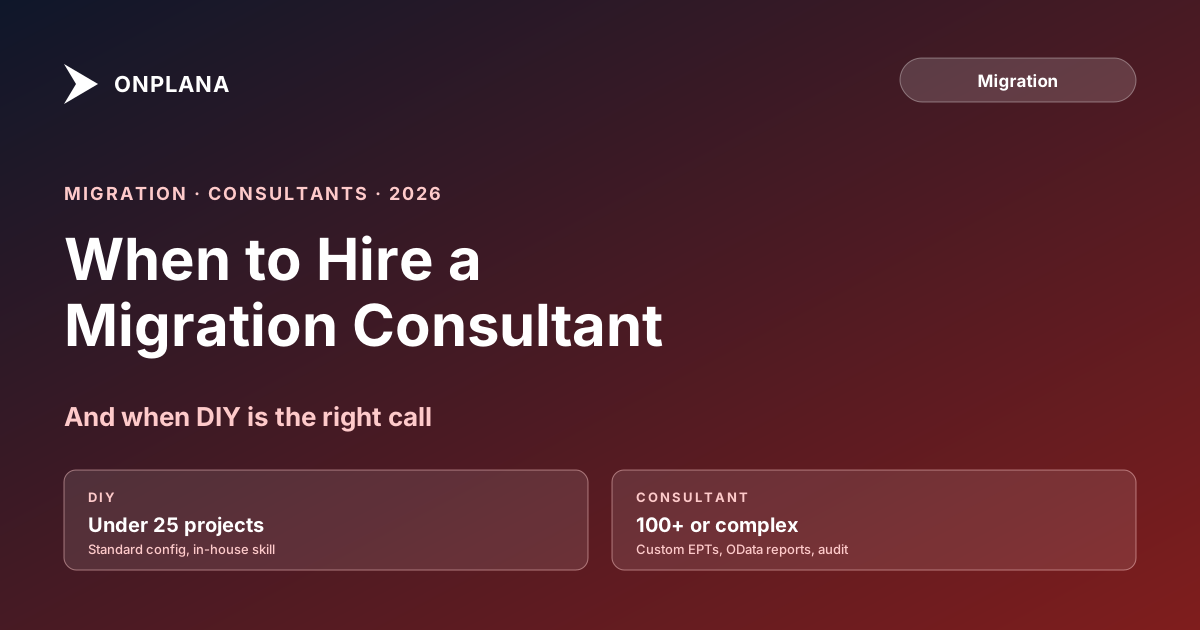
TL;DR. In-house migration is viable for PMOs with fewer than 50 active projects, no custom OData-driven reporting, and a dedicated technical owner with PM tool experience. Above those thresholds, a qualified consultant typically delivers positive ROI within the first month of a smoother migration. Budget $35,000 to $120,000 for a planned engagement. Emergency rates run 30 to 50 percent higher. Hire before inventory, not after a failed go-live.
The diagram below maps the hire-vs-DIY decision against the three variables that most accurately predict whether a PMO needs outside help.
What a Project Online Migration Consultant Actually Does
Before you evaluate whether you need one, you need to know what a Project Online migration consultant actually delivers. The scope varies by firm, but a qualified engagement covers six work areas.
Inventory and discovery. This is the highest-value contribution a consultant brings. A good consultant has run the inventory checklist on previous PWA tenants and knows which data structures are commonly miscounted: custom enterprise fields stored in lookup tables, resource calendars that differ from project calendars, Power BI datasets that don't appear in the OData schema documentation, and SharePoint document libraries tied to project sites. Your team can run an inventory, but a consultant who has done it twenty times will find the things your first pass misses, before they become surprises at cutover.
Data-fidelity validation. Once the destination tool is selected, the consultant validates that your actual projects, not demo data, round-trip through the import without degradation. Dependency lag values, baseline sets, enterprise custom field types, and resource assignments all have known failure points in common destination tools. The Project Online Inventory Checklist surfaces these issues early, but a consultant runs the destination-side validation and documents exactly what survived and what needs remediation.
Pilot project design. Selecting the right pilot project is a skill. The wrong pilot teaches you nothing because it was too simple. A good consultant picks three to five projects that are representative of your portfolio's complexity: one with many dependencies, one with a complex resource assignment pattern, one with a heavily customized status report. You validate data fidelity on these, then run the production migration with confidence.
Training design and delivery. Training delivered three days before cutover is too late. A consultant structures the training to start three weeks before go-live, uses your actual project data rather than generic examples, and builds a power-user cohort that becomes the internal support layer. This is the single biggest driver of whether PMs revert to spreadsheets after cutover.
Cutover planning and execution. The cutover runbook, the freeze window communications, the rollback triggers, the go/no-go decision framework, the hypercare plan for the first two weeks. A consultant who has run cutovers knows which things break first and has a response protocol ready.
Integration remediation. Power BI reports, SharePoint connectors, custom .NET exporters: these all need repointing after the data source changes. A consultant with integration experience handles the technical reconnection while your team handles the PM workflow side.
The In-House Threshold: When Your Team Can Handle It
In-house migration is viable when all three of these conditions are true.
Active project count below 50. Below 50 projects, the scope is manageable for a dedicated technical owner. Above 50, the wave planning, the validation effort, and the cutover coordination create enough complexity that the risk of overlooking something critical rises significantly.
No OData-dependent reporting. If your Power BI reports pull from the PWA OData endpoint and your finance team relies on them, you have an integration problem, not just a schedule-migration problem. OData reconstruction is technical work that requires API mapping experience. If your reporting is entirely built inside PWA's native views, you don't have this problem.
A dedicated technical owner is available. Someone who can own the migration full-time for 12 to 16 weeks, not someone fitting it around their project delivery responsibilities. This person needs PM tool experience (ideally in your destination tool) and enough technical fluency to run a PowerShell OData export and validate output.
If any of these conditions doesn't hold, the risk profile tips toward hiring. That doesn't mean you can't succeed DIY, but you should price the consultant option before deciding, because the emergency rate after a failed go-live will exceed the planned-engagement cost by 30 to 50 percent.
What Consultants Charge (And Why Rates Vary)
Migration consultant rates for Project Online work fall into two tiers.
Independent specialists and boutique firms: $150 to $225 per hour. These are typically ex-Microsoft or ex-partner consultants with deep PWA knowledge. Strong on inventory and data fidelity, variable on training delivery and change management.
Microsoft partner firms and system integrators: $200 to $300 per hour, or fixed-price engagements in the $50,000 to $120,000 range for a mid-size PMO. Partners bring a broader team, more structured methodology, and usually include hypercare. They also have more overhead.
Emergency rates (Q3 2026): Add 30 to 50 percent to any of the above. Consultant capacity in Q3 2026 will be heavily committed. PMOs that start procurement in July will find limited availability and pricing power sitting entirely with the consultant.
The Migration Cost Calculator lets you model the full budget including consultant fees alongside data migration labor, training, parallel operation, and integration rework. Most PMOs discover the consultant fee is not the largest line item once the model runs.
The Four Engagement Models
Full-scope engagement. The consultant owns the migration from inventory through cutover and hypercare. Best for PMOs above 100 projects or with complex integration landscapes. Expect $60,000 to $120,000 for a 100-project PMO, more for higher complexity.
Advisory engagement. Your team runs the migration; the consultant provides a structured methodology, reviews your work at key milestones, and is available for escalations. Best for PMOs with a strong technical owner and fewer than 75 projects. Typically 30 to 40 percent of a full-scope cost.
Cutover-only engagement. The consultant owns the go-live weekend and the first two weeks of hypercare. Your team handles inventory, pilot, and training. Best when you have internal expertise but want experienced backup for the highest-risk phase. Typically $15,000 to $35,000.
Emergency engagement. You had a failed go-live and need recovery. This is the most expensive model and the one with the fewest options. Data may be partially migrated, PMs may be working in shadow spreadsheets, and the consultant is triaging rather than planning. Avoid this engagement model by hiring before inventory.
Red Flags in a Consultant Proposal
Before signing an engagement, evaluate the proposal against five criteria.
No pilot phase. A proposal that moves from inventory directly to cutover is hiding the validation step that catches data-fidelity problems before they reach production. Reject it or explicitly add the pilot to scope.
"We import your .mpp files." This is a technically true and operationally insufficient migration plan. .mpp import handles schedule structure. It does not handle OData-dependent reporting, resource pools, custom enterprise field types, workflows, or SharePoint document libraries. An import-only plan leaves 40 to 60 percent of the migration work unplanned.
No OData validation in scope. If the proposal doesn't mention OData at all, the consultant either doesn't know the stack or is scoping around the hardest part. Either way, it will appear as a change order.
Fewer than 8 weeks for a 100-project portfolio. An aggressive timeline without explanation is a sign that the scope is too compressed for validation. One missed problem in a fast migration can extend the recovery phase well beyond what a slower planned migration would have cost.
No references for Project Online specifically. Ask for three comparable Project Online migration references and contact them. PWA has unusual data structures (enterprise resource pool, calendar layers, workflow foundation, OData schema) that don't exist in generic PM tool migrations. Generic migration experience doesn't transfer cleanly.
Getting Maximum Value From a Consultant
If you hire well, there are three decisions that separate migrations that finish on time from those that don't.
Hire before inventory, not after. The consultant's highest-leverage contribution is running the inventory before you have committed to a destination tool and a timeline. If you discover scope problems at that stage, you can adjust. If you discover them at cutover, you can't.
Keep the power-user cohort internal. The consultant should not be the only person who understands the migration. Identify five to eight PMs who will get hands-on access to the destination tool during the pilot phase. They become the internal training layer and the go-live support tier when the consultant rolls off.
Define rollback triggers in writing before go-live. Know exactly what signals trigger a rollback before you start the cutover weekend. The why migrations fail analysis shows that rollback failures usually trace to undefined triggers: teams keep trying to recover past the point where a clean stop would have been faster.
The 90-day migration framework at /migration walks through the full phase structure, including where consultant involvement fits across planning, pilot, cutover, and hypercare. The cost of migrating post covers all six budget categories in detail if you are building the business case for executive approval.
Run the free Migration Cost Calculator Model your PMO's full migration budget across six categories (labor, licenses, training, parallel operation, integrations, cleanup) and produce a low/mid/high scenario PDF in about three minutes. No signup required. Open the calculator
Microsoft Project Online™ is a trademark of Microsoft Corporation. Onplana is not affiliated with Microsoft.
Frequently asked questions
How much does a Project Online migration consultant cost?
Expect $150 to $300 per hour for a qualified migration specialist, or $35,000 to $120,000 for a fixed-scope engagement at a mid-size PMO. Emergency rates in late Q3 2026 typically run 30 to 50 percent higher than planned-engagement rates.
Can we migrate off Project Online without a consultant?
Yes, if your PMO has fewer than 50 active projects, no OData-dependent reporting, and a dedicated technical owner with PM tool experience. Above those thresholds, the ROI of a good consultant typically exceeds the fee within the first month of a smoother migration.
What does a migration consultant actually do on a Project Online project?
Inventory (custom fields, resource pools, workflows, integrations), data-fidelity validation on the destination tool, pilot project design, training delivery, and cutover planning. A good consultant brings a checklist built from previous migrations, not one they are assembling for yours.
When is the worst time to hire a Project Online migration consultant?
After a failed go-live. Emergency consulting to recover a broken migration runs 30 to 50 percent more than a planned engagement, and the options available to you are narrower. Hire before inventory, not after cutover fails.
How do I evaluate a migration consultant's proposal?
Ask for at least three comparable Project Online migrations they have completed, a sample of their inventory checklist, and whether they offer fixed-price or time-and-materials engagement. Reject proposals that omit a pilot phase.
What red flags should I watch for in a consultant proposal?
No pilot phase in scope, no mention of OData validation, 'we import your .mpp files' as the entire migration plan, or a timeline shorter than 8 weeks for a portfolio above 100 projects.
Ready to make the switch?
Start your free Onplana account and import your existing projects in minutes.