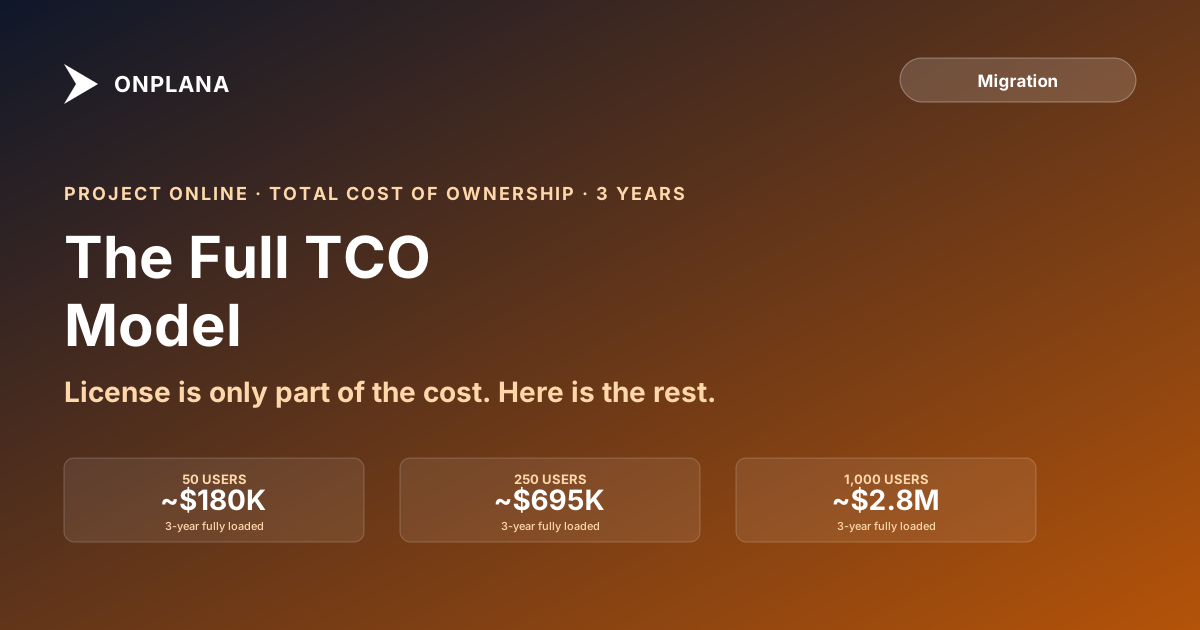
Project Online TCO: The 3-Year Total Cost Model at Three PMO Scales
Project Online TCO is consistently understated: most models skip M365 overhead, SharePoint admin, and Power BI costs. The full three-year model at three scales.
The most commonly wrong number in a Project Online business case is the TCO comparison. Not because the math is hard, but because most models cite only the Project Online per-seat license and compare it directly against a destination tool's per-seat price. That comparison is missing the platform: the M365 subscription that Project Online requires, the SharePoint infrastructure it runs on, the PWA administrator who keeps it operational, and the Power BI layer that most PMOs have built to produce the reports their executives actually read. A 50-user PMO paying $30 per seat per month for Project Plan 3 is not spending $1,500 per month on project management. It is spending meaningfully more, and the gap widens at scale.
This post builds the full three-year TCO model for a Project Online deployment, identifies the supporting-stack costs most models miss, and shows how the numbers change at 50, 250, and 1,000 users. The companion Migration Cost Calculator runs these numbers for your specific PMO profile, but the model structure matters as much as any specific output: what you need from a CFO is a defensible line-item budget, not a total.
TL;DR: Project Online TCO has five layers: the primary license (Project Plan 3 or 5), the required M365 subscription, SharePoint infrastructure, a PWA administrator, and a Power BI reporting investment. At 50 seats on Plan 3, the three-year fully loaded cost runs roughly $150,000 to $210,000 depending on reporting depth and admin staffing. At 250 seats it runs $700,000 to $1,100,000. At 1,000 seats the range is $2.6M to $4.2M. Against these numbers, most modern alternatives (including Onplana) break even before the end of year two even when migration cost is included. The driver is not just the license delta: it is the supporting-stack costs that Project Online requires and a purpose-built replacement does not.
What Project Online TCO Actually Includes
A defensible TCO model has five components. Three are visible on invoices. Two are not.
The visible costs:
Project Online license. Project Plan 3 at $30 per user per month or Project Plan 5 at $55 per user per month. This is the number everyone cites. It is also the smallest slice of the real cost at large PMO scales.
M365 subscription. Project Online is not a standalone product. It runs on top of Microsoft 365, and every user who accesses the PWA site needs an M365 license. Most organizations have M365 already, but the Project Online deployment typically requires M365 Business Standard or higher (for SharePoint access and the desktop client). If those licenses were already purchased for other reasons, the incremental cost is zero. If Project Online drove the M365 tier upgrade, the incremental cost belongs in the TCO.
SharePoint storage overage. Project Online project data lives in a SharePoint site collection. Large PMOs with extensive document libraries and historical project archives regularly trigger SharePoint storage overages. The baseline allocation is 1TB plus 10GB per M365 Business license; PMOs with hundreds of archived projects and attached documents frequently exceed this.
The invisible costs:
PWA administrator. Project Online requires ongoing administrative attention: user provisioning, permission group management, enterprise custom field maintenance, lookup table updates, OData-feed health monitoring, and periodic SharePoint site collection maintenance. At a 50-user PMO this is roughly a quarter-FTE of ongoing effort. At 250 users it is a half-FTE. At 1,000 users it is typically one to two dedicated administrators, sometimes supplemented by an external SharePoint consultant. At a blended internal rate of $80 to $100 per hour, this is a significant recurring cost that does not appear on any Project Online invoice.
Power BI and reporting infrastructure. Most PMOs that have run on Project Online for more than two years have built a Power BI reporting layer on top of the OData feed. The OData feed is the only supported way to query portfolio-level data from Project Online, and the Power BI reports that run on it require ongoing maintenance: schema changes when fields are added, report refreshes when data model elements shift, and credential rotation when service accounts change. Each report rebuild costs two to five person-days. A PMO with ten active Power BI reports and quarterly refresh cycles is spending 20 to 50 person-days per year on reporting maintenance alone.
The 3-Year TCO at Three PMO Scales
The following model uses Plan 3 pricing ($30 per user per month) as the baseline and assumes the PMO has:
- Named M365 Business Standard licenses for project team members (valued at the M365 portion of the Project Plan bundle cost where applicable)
- A dedicated SharePoint environment for Project Online within the M365 tenant
- An internal administrator at a blended rate of $90 per hour
- An active Power BI reporting layer with five to fifteen reports depending on scale
The diagram below shows the cost composition at each scale.
The 50-User PMO
At 50 users on Project Plan 3, the headline license cost is $30 per user per month times 50 times 36 months, which equals $54,000 over three years. The full picture:
| Cost layer | Low | High | Notes |
|---|---|---|---|
| Project Plan 3 license | $54,000 | $54,000 | Fixed at $30/user/month |
| M365 incremental | $12,000 | $24,000 | Depends on existing M365 footprint |
| PWA administrator (0.25 FTE) | $42,000 | $70,000 | $80-100/hr blended, 6 hrs/week |
| Power BI reporting (5 reports, maintenance) | $24,000 | $48,000 | 2-5 hrs/report/quarter, quarterly refresh |
| SharePoint storage and maintenance | $6,000 | $14,000 | Storage overage + annual site collection maintenance |
| 3-year total | $138,000 | $210,000 |
The midpoint is roughly $174,000. Against this, the equivalent Onplana Business deployment (at $20 per user per month) costs $36,000 in license over three years plus one-time migration cost of roughly $30,000 to $60,000 for a 50-user PMO. Even at the high end of migration cost, the three-year total lands near $96,000, a saving of roughly $78,000 against the Project Online midpoint. The break-even falls in year one.
The 250-User PMO
At 250 users the license scales linearly, but the supporting-stack costs do not. The administrator load grows to a half-FTE or more. The Power BI reporting layer typically has 10 to 15 reports at this scale, each requiring quarterly maintenance.
| Cost layer | Low | High | Notes |
|---|---|---|---|
| Project Plan 3 license | $270,000 | $270,000 | Fixed |
| M365 incremental | $36,000 | $72,000 | Depends on M365 tier in place |
| PWA administrator (0.5 FTE) | $168,000 | $280,000 | Half-FTE to full-FTE at this scale |
| Power BI reporting (10 reports) | $80,000 | $160,000 | 10 reports × quarterly maintenance |
| SharePoint storage and maintenance | $18,000 | $36,000 | Larger archive, more site collections |
| 3-year total | $572,000 | $818,000 |
At 250 users, the administrator cost becomes the single largest variable. A PMO with a lean admin operation (a part-time SharePoint-savvy PM) lands near the low end. A PMO with a dedicated PWA admin plus a SharePoint consultant on retainer lands near the high end.
Onplana Business at 250 seats runs $180,000 in license over three years. Migration cost at this scale runs $80,000 to $200,000 depending on integration complexity (see the detailed migration cost breakdown for the per-category math). Total three-year cost on Onplana: $260,000 to $380,000, against a Project Online midpoint of $695,000. The saving is $315,000 to $435,000 over the window.
The 1,000-User PMO
At 1,000 users, Project Online's TCO model changes character. The license cost at Plan 3 is $1.08M over three years. Organizations at this scale are frequently on Plan 5 ($55 per seat per month), which brings the license cost to $1.98M before supporting-stack costs.
| Cost layer | Low (Plan 3) | High (Plan 5) | Notes |
|---|---|---|---|
| Project Online license | $1,080,000 | $1,980,000 | Plan 3 vs Plan 5 baseline |
| M365 at scale | $120,000 | $240,000 | Incremental tier differential |
| PWA administrator (1.5–2 FTE) | $540,000 | $900,000 | Multiple admins typical at this scale |
| Power BI reporting (15+ reports) | $240,000 | $480,000 | Large reporting estate |
| SharePoint at enterprise scale | $60,000 | $120,000 | Multiple site collections, storage |
| 3-year total | $2,040,000 | $3,720,000 |
The Plan 5 scenario approaches $4M. At this scale, even a migration cost of $500,000 to $1,000,000 (the realistic range for a 1,000-user enterprise migration with complex integrations) produces a three-year saving of $1M to $2.5M against continuing on Project Online.
The Costs That Will Surprise Your Finance Team
Three specific cost categories reliably produce budget-review surprises when a PMO builds its first Project Online TCO model.
Admin labor in the model, not in the current budget. Most PMOs do not track the administrator cost as a distinct line item. It is absorbed into existing headcount: a SharePoint admin who also handles Project Online, a PMO analyst who manages lookup tables, an IT generalist who handles user provisioning. When those hours are fully loaded at market rates and projected over three years, the number is uncomfortable. The right response is not to exclude it from the model: that just hides the real cost. The right response is to show it explicitly so the migration business case reflects the cost the organization is actually incurring.
Power BI maintenance is an ongoing, not one-time, cost. Business cases that include Power BI report builds as a migration cost often fail to budget the recurring maintenance. A report built once on the Project Online OData schema requires maintenance each time the OData schema changes (which it does when Enterprise Custom Fields are added or modified), each time Power BI gateway credentials rotate, and each time Microsoft makes a version change to the Project Online OData endpoint. Across a 1,000-user enterprise with 15 active reports, this can run 100 to 200 person-days per year.
Plan upgrades are invisible in the initial budget. PMOs that started on Plan 3 and added features over time often migrated to Plan 5 without a formal budget decision: the upgrade was approved at department level, the invoice changed, and finance did not update the TCO model. A three-year TCO model should include the realistic forward rate, not the current rate, especially for organizations that have historically upgraded tiers as their PMO matured.
How the Comparison Looks Against Modern Alternatives
The useful comparison is not just Project Online versus Onplana. It is the full Project Online TCO (license plus supporting stack) against the full replacement cost (new tool license plus migration plus new tool's own supporting-stack costs).
Modern purpose-built PM tools, including Onplana, typically have lower supporting-stack costs than Project Online for three reasons. First, the web-based architecture eliminates the SharePoint dependency and its associated administration. Second, reporting is built into the product rather than bolted on via OData and Power BI. Third, the per-seat pricing typically includes features that Project Online charges as add-ons (portfolio rollups, resource management, governance workflows).
The Migration Cost Calculator runs this full comparison: Project Online three-year TCO versus Onplana three-year total (migration plus ongoing) with sensitivity analysis showing which inputs drive the break-even timing. The inputs that matter most are current Microsoft tier, PMO size, admin staffing model, and integration complexity.
For the CFO's question about when the migration pays back: at the 50-user scale the break-even is typically in year one. At the 250-user scale it is in year one to two. At the 1,000-user scale with a large integration estate it can extend to year two or three, but the absolute dollar savings over the window are proportionally larger.
Building the Model for Your CFO
The structure of a defensible TCO comparison has four parts, in order.
Part one: The current-state cost, using the five-layer model above. Do not use the per-seat license alone. Finance will ask what else they are paying for, and if the model does not show it, the conversation stalls until someone rebuilds the model with the full picture.
Part two: The future-state cost on the destination tool: license plus one-time migration cost plus ongoing supporting-stack costs. For Onplana specifically, visit /pricing for the current per-seat rates and the migration cost breakdown for the one-time migration categories. Supporting-stack costs on Onplana are typically lower than on Project Online: no SharePoint administration, no OData-to-Power-BI maintenance, no separate admin function for lookup tables and custom fields.
Part three: The break-even analysis. At what month do the cumulative future-state costs drop below the cumulative current-state costs? For most mid-market PMOs this falls between month 12 and month 24.
Part four: The risk-adjusted view. Project Online retired on September 30, 2026 per Microsoft's official retirement announcement. Staying is no longer an option, so the current-state column is a record of what the old platform cost, not a scenario you can continue. The CFO's real question is now "how fast can we bring in what we exported?" Project Online Data: Import What You Exported covers that step, and the Migration Preview shows what an exported file brings across.
The three-year TCO model and the CFO business case framework together give the finance team the answer to both questions on the same page.
Run the numbers for your PMO in three minutes The free Migration Cost Calculator produces a six-category cost breakdown for your specific PMO profile: license delta, migration labor, training, parallel operation, integration rework, and cleanup. No signup required. Open the Migration Cost Calculator
Microsoft Project Online™ is a trademark of Microsoft Corporation. Onplana is not affiliated with Microsoft.
Frequently asked questions
What does Project Online TCO actually include?
License (Project Plan 3 or 5 plus the underlying M365 subscription), SharePoint storage, a PWA administrator, Power BI infrastructure for reporting, and an ongoing training load as PMs join and leave. Most TCO models cite only the per-seat Project Online license and miss the supporting stack.
How much does Project Online cost per user per year at the Plan 3 tier?
The Project Plan 3 subscription lists at $30 per user per month ($360 per year). That does not include the M365 Business Standard license most organizations require alongside it, the SharePoint storage overage, or the admin and reporting infrastructure. The fully loaded per-seat cost typically runs 1.5 to 2 times the headline license price.
What is a realistic 3-year TCO for a 50-user Project Online PMO?
Roughly $140,000 to $220,000, depending on whether the organization is on Plan 3 or Plan 5, the size of the historical project archive, and how extensively Power BI reporting has been built out. The wide range reflects whether the PMO has a dedicated admin and a custom reporting investment.
How does Project Online TCO compare to Onplana over three years?
At 50 seats on Project Plan 3 with a realistic supporting stack, the three-year Project Online cost is roughly $150,000 to $210,000. Onplana Business at the same seat count runs roughly $36,000 in license over three years, plus roughly $20,000 to $40,000 in one-time migration cost. The break-even typically falls in year one or early year two.
What drives the most variance in a Project Online TCO model?
Two factors dominate: whether the organization has a dedicated PWA administrator (a half-FTE to full-FTE cost depending on PMO size), and how extensively Power BI reporting has been customized. Both are invisible in the per-seat license price and both are real recurring costs.
Should I include migration cost in the TCO model?
Model them separately. The Project Online TCO is the cost of staying. The migration cost is the cost of moving. They are mutually exclusive options. The comparison that matters to a CFO is: what do we spend over three years if we stay, versus what do we spend over three years if we move? Run them as parallel scenarios, not a sum.
When does a Project Online migration pay back?
For most mid-market PMOs, the migration break-even falls between month 12 and month 24 of the three-year window, after accounting for one-time migration costs and ongoing license savings. The exact timing depends on PMO size, current Microsoft tier, and destination tool pricing.
Ready to make the switch?
Start your free Onplana account and import your existing projects in minutes.