Project Risk Management: A Practical Guide for 2026
Practical project risk management, five-step process, 5×5 risk matrix, real risk register templates, and how AI predicts risks 1–3 weeks before they hit.
Every project has risks. The question isn't whether something will go wrong, it's whether you'll see it coming and have a plan to deal with it.
Yet in practice, risk management is often the most neglected part of project planning. Teams create a risk register at kickoff, review it once, and then forget about it until a risk actually hits. By then, it's no longer a risk, it's a fire.
This guide covers a practical, no-fluff approach to project risk management that actually works in real-world projects.
TL;DR: Risk management in 30 seconds
- Identify what could go wrong, brainstorm with the team, don't do it alone.
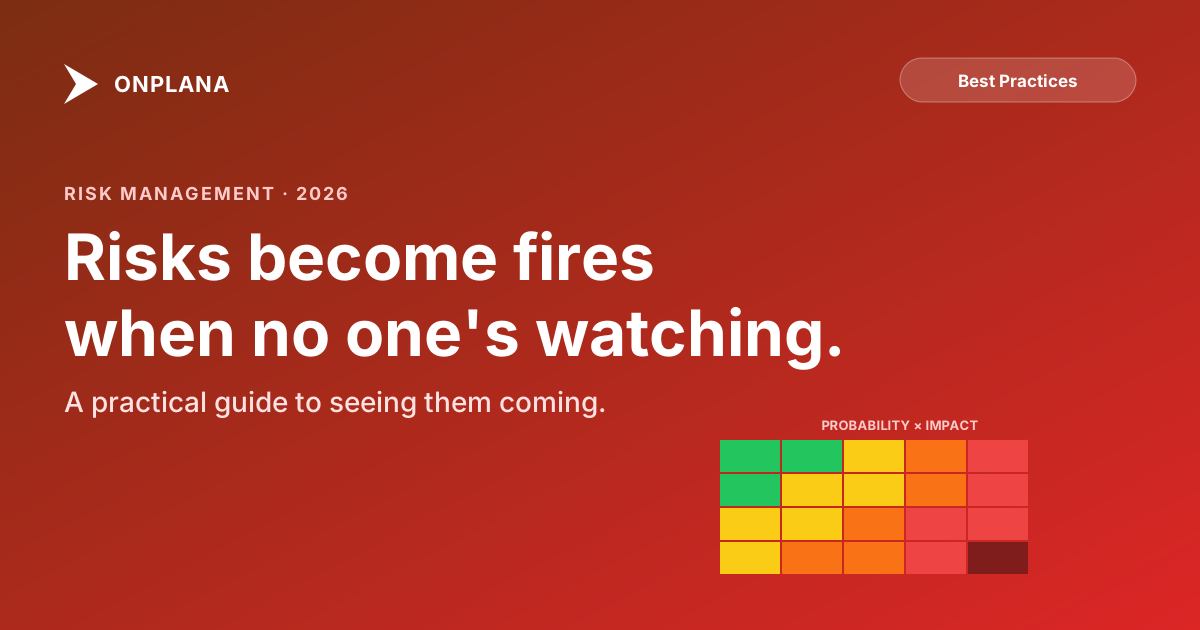
- Assess using a 5×5 risk matrix: probability × impact = risk score.
- Respond with one of four strategies: avoid, mitigate, transfer, or accept.
- Own every risk with a named individual; PMs own the register, not the risks.
- Review weekly. Risks shift as the project progresses, a frozen register is worse than no register.
Why Most Risk Management Fails
Before diving into what works, let's acknowledge why the traditional approach doesn't:
The "Check the Box" Problem
Many organizations require a risk register as a project governance artifact. So PMs create one to satisfy the requirement, not because they'll use it. It becomes a document, not a practice.
The Once-and-Done Trap
Risks are identified at the start of a project when you know the least. As the project progresses and you learn more, the risk register stays frozen in time.
Vague Risks
"Schedule may slip" isn't a useful risk statement. It doesn't tell you why the schedule might slip, what would trigger it, or what you'd do about it. Vague risks lead to vague responses.
No Ownership
Risks listed without owners are risks that nobody manages. If everyone is responsible, nobody is.
A Practical Framework
Here's a risk management approach that balances rigor with pragmatism:
Step 1: Identify Risks That Actually Matter
Forget brainstorming 50 risks. Focus on the 5-10 that could actually derail your project.
Use these categories as prompts:
Schedule risks:
- Are there external dependencies (approvals, deliveries, third-party work)?
- Are any tasks on the critical path estimated with low confidence?
- Is there a hard deadline with no flexibility?
For projects already in flight, the schedule itself often hides risks the team hasn't named yet: dangling tasks, broken dependencies, constraint conflicts. The free Schedule Health Check runs seven analyzers against any .mpp file and surfaces the specific tasks driving silent risk, useful both for the risk register and for catching the issues that won't survive a tool migration.
Resource risks:
- Are any key contributors single points of failure?
- Is the team working on multiple projects simultaneously?
- Are there planned absences during critical phases?
Scope risks:
- Are requirements fully defined or still evolving?
- Is there a history of scope creep with this stakeholder?
- Are there technical unknowns that could expand scope?
Technical risks:
- Are you using new technology or frameworks the team hasn't worked with?
- Are there integration points with external systems?
- Are there performance or scalability requirements that haven't been tested?
Budget risks:
- Is the budget fixed with no contingency?
- Are there cost estimates based on assumptions that could change?
- Are vendor costs locked in or subject to change?
Stakeholder risks:
- Is executive sponsorship strong and consistent?
- Are there competing priorities that could pull resources away?
- Is there organizational change (reorgs, layoffs) that could impact the project?
Step 2: Write Good Risk Statements
A good risk statement follows the "If-Then" format:
Template: If [condition/event], then [impact on project].
Bad examples:
- "Schedule risk", Too vague
- "We might run out of budget", No cause identified
- "Technical complexity", Not actionable
Good examples:
- "If the API vendor delays their v3 release past June 15, then our integration testing phase will be blocked for 2-3 weeks, pushing the go-live date into August."
- "If the lead backend developer takes paternity leave as planned in July, then the authentication module (which only they understand) will have no active maintainer during the security audit phase."
- "If the client adds the reporting dashboard to scope (discussed but not yet confirmed), then the project will need an additional 120 hours of frontend development, exceeding the budget by approximately $18,000."
Step 3: Assess Likelihood and Impact
Use a simple 3-point scale. More granularity creates false precision.
Likelihood:
- High: More likely to happen than not (>60%)
- Medium: Could go either way (20-60%)
- Low: Unlikely but possible (<20%)
Impact:
- High: Would derail the project (>2 weeks delay, >20% budget overrun, or critical quality failure)
- Medium: Significant but manageable (1-2 weeks delay, 10-20% budget impact)
- Low: Minor inconvenience (<1 week delay, <10% budget impact)
The Priority Matrix
| Low Impact | Medium Impact | High Impact | |
|---|---|---|---|
| High Likelihood | Monitor | Mitigate | Mitigate urgently |
| Medium Likelihood | Accept | Mitigate | Mitigate |
| Low Likelihood | Accept | Monitor | Monitor |
Focus your active mitigation efforts on the top-right quadrant. Don't waste time creating elaborate plans for low-likelihood, low-impact risks.
For a risk with a real dollar figure attached, expected monetary value turns probability times impact into a number finance can act on directly, rather than a Low, Medium, or High label a budget review can't add up.
Step 4: Plan Your Response
For each risk that needs mitigation, define one of four response strategies:
Avoid: Change the plan to eliminate the risk entirely. Example: "Instead of depending on the vendor's unreleased v3 API, we'll build against v2 which is stable and add a migration layer for v3 later."
Mitigate: Reduce the likelihood or impact. Example: "Cross-train a second developer on the authentication module before July so we're not dependent on a single person."
Transfer: Shift the risk to someone else. Example: "Move the reporting dashboard to a fixed-price subcontract so budget overrun risk sits with the vendor."
Accept: Acknowledge the risk and prepare to respond if it occurs. Example: "If the client adds reporting to scope, we'll present a change request with the additional cost and timeline impact."
Step 5: Monitor Continuously
This is where most teams fall off. Risk management isn't a phase, it's an ongoing practice.
Weekly risk check (5 minutes in standup):
- Has the likelihood of any known risk changed?
- Have any new risks emerged this week?
- Are any mitigation actions overdue?
Sprint/phase reviews (15 minutes):
- Review the full risk register
- Close risks that are no longer relevant
- Add new risks identified during the phase
- Reassess likelihood and impact based on new information
Trigger-based reviews:
- Scope change requested → reassess scope and budget risks
- Key team member departure → reassess resource risks
- External dependency delayed → reassess schedule risks
- Technology issue discovered → reassess technical risks
Risk Register Template
Here's a practical template you can use immediately:
| ID | Risk Statement | Category | Likelihood | Impact | Priority | Owner | Response Strategy | Mitigation Actions | Status | Last Reviewed |
|---|---|---|---|---|---|---|---|---|---|---|
| R1 | If [condition], then [impact] | Schedule/Resource/Scope/Technical/Budget | H/M/L | H/M/L | Urgent/Active/Monitor/Accept | Name | Avoid/Mitigate/Transfer/Accept | Specific actions | Open/Mitigating/Closed | Date |
Tips for maintaining the register:
- Keep it in your PM tool, not a separate spreadsheet. If it's not where the team works, it won't get updated.
- Limit to 10-15 active risks. If you have more, you're either on a very complex project or tracking too many low-priority items.
- Review every 1-2 weeks minimum. A risk register that's reviewed monthly is mostly useless.
How AI Changes Risk Management
Traditional risk management is reactive, you identify what might happen based on experience and judgment. AI adds a proactive layer by analyzing project data for patterns humans miss.
What AI Risk Detection Does
Modern AI-powered PM tools (like Onplana) continuously analyze:
- Task progress patterns: Is a task taking longer than similar past tasks? Is the daily progress rate declining?
- Dependency chains: If Task A slips by 2 days, which downstream tasks are affected and by how much?
- Resource loading: Is a team member overcommitted? Are they consistently underestimating their availability?
- Historical comparisons: How did similar projects perform at this stage? Are we tracking better or worse?
What AI Can't Replace
AI is excellent at pattern-based risk detection. It's not good at:
- Political risks, "The sponsor might lose interest because their competitor for the VP role just launched a bigger initiative"
- Black swan events: Unprecedented risks that have no historical pattern to match
- Qualitative judgment, "The team seems demoralized after the last sprint review" requires human observation
The best approach combines AI-detected risks (data-driven, continuous) with human-identified risks (context-aware, judgment-based).
Common Project Risks by Type
For teams building their first risk register, here are common risks organized by category:
Software Development Projects
- Integration with legacy systems takes longer than estimated
- Performance requirements aren't met until late-stage testing
- Security vulnerabilities discovered during penetration testing
- Key library/framework has a breaking change or vulnerability
- Scope expansion from user feedback during UAT
Infrastructure / Migration Projects
- Data quality issues discovered during migration
- Downtime window insufficient for full migration
- Rollback plan doesn't work under real conditions
- Legacy system has undocumented dependencies
- Users resist the new system despite training
Marketing / Creative Projects
- Brand guidelines change mid-project
- Stakeholder feedback introduces contradictory requirements
- External agency delivers assets late or off-brief
- Legal/compliance review adds unplanned revision cycles
- Campaign launch date moved due to business priorities
Construction / Physical Projects
- Permit approval delayed by regulatory review
- Material costs increase due to supply chain issues
- Weather delays during critical outdoor phases
- Subcontractor availability conflicts
- Design changes after construction begins
Measuring Risk Management Effectiveness
How do you know if your risk management is working? Track these metrics:
Leading indicators (predictive):
- Number of risks identified before they become issues (higher is better)
- Average time between risk identification and mitigation start (lower is better)
- Percentage of risks with active mitigation plans (higher is better)
Lagging indicators (retrospective):
- Number of issues that were previously identified as risks vs. surprises
- Impact of realized risks (were they mitigated, reducing impact?)
- Budget and schedule variance attributable to unmanaged risks
Target: In a mature risk management practice, 70-80% of issues that occur were previously identified in the risk register, and their impact was reduced by proactive mitigation.
Once the register exists, the money behind it needs an owner too: contingency reserve vs management reserve explains which reserve covers the risks you have listed and which one needs a sponsor's sign-off.
Getting Started Today
Pick your top 5 risks right now. Don't wait for a formal session. Open your current project and write down the 5 things that keep you up at night. Use the If-Then format.
Assign an owner to each. If you're the PM, you can own most of them initially. But risks related to specific domains (technical, vendor, regulatory) should be owned by the person closest to the action.
Set a recurring review. Add a 5-minute risk review to your weekly standup or team meeting. Consistency beats thoroughness.
Use your PM tool's risk features. If your tool has risk tracking built in, use it. If it doesn't, a shared spreadsheet works. The tool matters less than the habit.
Consider AI assistance. If you're managing complex projects with many dependencies and resources, AI-powered risk detection can surface issues you'd miss in manual reviews.
Surface the schedule risks already hiding in your
.mppSeven analyzers, per-task severity, real critical path, dangling-task detection: the free Schedule Health Check runs in 30 seconds. No signup, no credit card. → Run the Schedule Health Check
Onplana includes built-in risk tracking for all plans and AI-powered risk detection for Business plans and above. Try it free →
Related reading: How AI Is Transforming Project Management in 2026 | Best Microsoft Project Alternatives
Microsoft Project Online™ is a trademark of Microsoft Corporation. Onplana is not affiliated with Microsoft.
Frequently asked questions
What are the steps in the project risk management process?
Five steps: identify (brainstorm what could go wrong), assess (probability × impact), plan responses (avoid, mitigate, transfer, accept), assign owners (each risk needs a single accountable person), and monitor weekly (status reviews, risks that don't get reviewed regularly always bite).
What is a risk matrix?
A 5×5 grid of probability versus impact. Each risk is plotted by its likelihood (1=rare, 5=almost certain) and its consequence if it occurs (1=trivial, 5=catastrophic). The product is the risk score; scores ≥15 demand active mitigation, scores 8–14 need a contingency plan, and scores <8 are accepted and monitored.
How often should we review the risk register?
Weekly during execution, daily during high-stakes phases (like a release), and at every stage gate. Risk registers reviewed once at kickoff and then ignored are the single most common reason teams get blindsided, risks shift as the project progresses.
Who owns project risks?
Each risk needs exactly one named owner, the person responsible for monitoring it and triggering the response plan. The PM owns the register itself; individual risks are owned by whoever is closest to the relevant work (engineering lead for technical risks, vendor manager for supplier risks, etc.).
What's the difference between a risk and an issue?
A risk is something that might happen; an issue is something that has happened. The transition matters, once a risk becomes an issue, you stop monitoring it and start managing the impact. Items often miss this transition and stay on the risk register long after they've materialised.
Ready to make the switch?
Start your free Onplana account and import your existing projects in minutes.