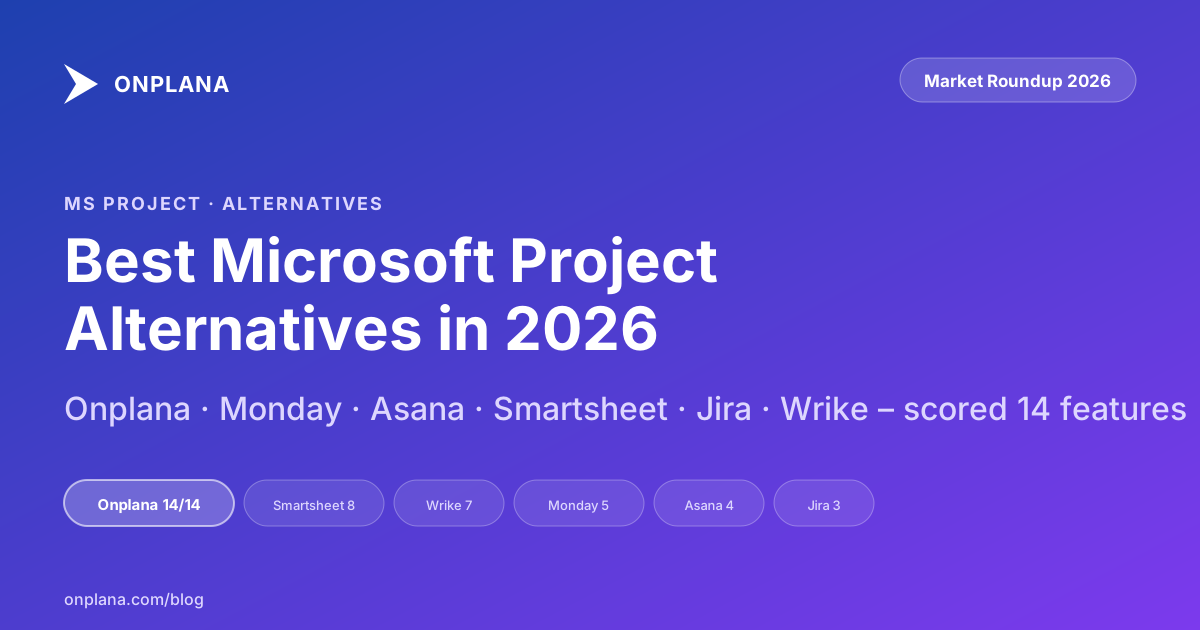
Microsoft Project Alternatives After the Retirement
The best Microsoft Project alternative after the retirement is scored on schedule fidelity first: dependencies, critical path, and .mpp import, then AI.
TL;DR: Pick by the work you do
- PMO replacing Project Online (Gantt + governance + .MPP import) → Onplana
- Visual project tracking, smaller teams → Monday Work Management
- Cross-team task management at scale → Asana Enterprise
- Spreadsheet-style planning + reporting → Smartsheet
- Software dev teams going fully agile → Jira
- Marketing or professional-services teams → Wrike
Detailed feature matrix, pricing, and migration support per tool below.
The best Microsoft Project alternative after the retirement is still decided on schedule fidelity, not on which tool shipped an AI agent first. Ten "Best Microsoft Project Alternatives" lists rank for this query in 2026, and the same six tools cycle through them in slightly different order. None of those lists scored each tool on what survives a real .mpp import (the dependency lag values, the enterprise custom fields, the resource pool), which is the only test that matters whether you ran your Project Online migration before the September 30, 2026 retirement or are picking a replacement now, with no live tenant left to export from.
This guide is that test. Six alternatives, scored on schedule fidelity, resource management, enterprise governance, AI and agent capability, and migration support, with explicit "pick this if…" guidance per tool. If the constraint is budget rather than PMO depth, the separate comparison of MS Project alternatives that are free covers the five tools that stay free forever.
Onplana positioning: the comprehensive why teams pick Onplana page covers this topic end-to-end; this post compares Onplana against the alternative tools side-by-side. For the upstream license decision (which Microsoft Project SKU should you be on), see the Microsoft Project SKU decision tree.
What to Look For in a Microsoft Project Replacement
Before diving into specific tools, here's what to prioritize if you're coming from Microsoft Project:
Must-Have Features
- Gantt charts with dependency types: You need FS, SS, FF, and SF. Many tools only support FS (finish-to-start).
- Critical path analysis: If you manage complex schedules, this is non-negotiable.
- Baseline tracking: Compare planned vs. actual dates and effort.
- Resource management: Assign people to tasks, track capacity, manage workload.
- .mpp file import: Your existing project files need to come with you.
Nice-to-Have Features
- AI-powered planning: Risk detection, plan generation, natural language task creation.
- Governance workflows: Proposal pipelines, gate reviews, change control.
- Multiple views: Gantt, Kanban, Calendar, List, Burndown.
- SSO/SCIM: Enterprise identity management.
- API & webhooks: Integration with your existing tools.
The Contenders
This list focuses on the six tools we see most often in head-to-head Microsoft Project replacement evaluations. For a wider read across the project management software market in 2026, including Linear, Notion, ClickUp, and the spreadsheet-oriented tools that fit teams with lighter PPM needs, see the full 10-tool comparison for 2026.
1. Onplana
Best for: Direct Microsoft Project replacement with AI upgrade
Onplana is a purpose-built Microsoft Project alternative for teams leaving Microsoft Project Online. It offers the same enterprise PM capabilities: Gantt charts, all four dependency types, baselines, resource management, plus AI-powered features that Project never had.
Key Strengths:
- Migration-first design, .mpp and Project XML file import built into the product, on every plan
- Scheduling parity: FS, SS, FF, SF dependencies with lag, critical path, baselines, milestones
- AI-native: Risk detection, plan generation, NL task creation, intelligent recommendations (powered by Claude and GPT-4 via Azure OpenAI, with Onplana managing which provider serves each request)
- Enterprise governance: Proposal pipelines with gate reviews, change control boards, multi-reviewer approval workflows
- Full project lifecycle: Gantt, Kanban, Calendar, Burndown, Sprint, and Backlog views in one platform
- Generous free tier: Start for free, import your projects, upgrade when ready
Pricing:
- Free: 2 projects, up to 5 members, all four dependency types, Gantt chart with critical path, Kanban and calendar views, .mpp import, AI chat and task suggestions
- Professional: $12/user/month, sprints, resource capacity planning, whiteboards, wikis, automations
- Business: $20/user/month, portfolios, advanced AI (risk detection, portfolio insights), webhooks
- Enterprise: $29/user/month, governance pipeline, SSO/SCIM, audit logs, scenario planning
Migration Support: Built-in file import for .mpp, .mpx, Project XML, Primavera P6 .xer, ProjectLibre .pod, GanttProject .gan, and Excel or CSV, up to 50 MB, on every plan. Costs come across, and a .mpp or Project XML file imported into a new project brings its baseline as a baseline in Onplana. The most comprehensive migration path of any tool on this list.
Compare Onplana with Microsoft Project →
2. Monday.com
Best for: Visual project management for non-technical teams
Monday.com offers a colorful, intuitive interface with strong automation capabilities. It's popular with marketing, operations, and creative teams.
Key Strengths:
- Highly visual board-based interface
- Strong no-code automation builder
- 200+ integrations
- Workload management views
- Good mobile apps
Limitations for MS Project Users:
- No advanced dependencies: Only basic FS dependencies; no SS, FF, SF
- No critical path: Can't identify the longest chain of dependent tasks
- No .mpp import: You'll need to manually recreate project plans or use CSV
- No baseline tracking: Can't compare planned vs. actual schedules
- Limited resource leveling: Basic workload views but no automatic leveling
Pricing: Starting at $9/seat/month (Standard). Pro plan at $16/seat/month for Gantt and time tracking.
Verdict: Great for teams that want to simplify their PM approach, but not a like-for-like replacement for enterprise project scheduling.
3. Asana
Best for: Team task management with portfolio oversight
Asana excels at task management and cross-team visibility. Its Timeline view is a simplified alternative to Gantt charts.
Key Strengths:
- Clean, fast interface
- Strong task management with subtasks and dependencies
- Portfolio overview for multiple projects
- Goals and OKR tracking
- Good integrations ecosystem
Limitations for MS Project Users:
- Basic dependency types: Only FS dependencies
- No critical path: Timeline view doesn't calculate critical path
- No .mpp import: CSV import only
- No baseline comparison: No way to track planned vs. actual
- No resource capacity planning: Workload view shows assignments but no capacity management
- No governance workflows: No built-in proposal or change control processes
Pricing: Free for individuals. Premium at $10.99/user/month, Business at $24.99/user/month.
Verdict: Strong for collaborative task management but lacks the scheduling depth that Project managers need.
4. Smartsheet
Best for: Spreadsheet-oriented teams who want Gantt capabilities
Smartsheet combines a familiar spreadsheet interface with project management features. It's the closest to Microsoft Project's "grid + Gantt" layout.
Key Strengths:
- Spreadsheet-style interface (familiar for Excel/Project users)
- Gantt chart with dependencies
- Resource management (add-on)
- Strong reporting and dashboards
- Good Microsoft 365 integration
Limitations for MS Project Users:
- Limited dependency types: FS and FF only; no SS or SF
- No .mpp import: XML import with limitations, or manual recreation
- Resource management is a paid add-on: Not included in base plans
- No AI capabilities: No intelligent planning or risk detection
- No governance workflows: No proposal pipelines or gate reviews
- Can get expensive: Add-ons for resources, reporting, and connectors add up
Pricing: Pro at $7/user/month, Business at $25/user/month. Resource Management add-on priced separately.
Verdict: The most similar UI paradigm to Microsoft Project, but missing advanced scheduling features and requires expensive add-ons for enterprise capabilities.
5. Jira
Best for: Software development teams using agile methodologies
Jira dominates in software development PM. If your team is moving toward agile or already uses Jira for dev work, consolidating here can reduce tool sprawl.
Key Strengths:
- Unmatched agile/scrum features
- Powerful workflow customization
- Massive marketplace of add-ons
- Strong for software teams
- Good API and automation
Limitations for MS Project Users:
- No native Gantt chart: Requires third-party add-ons (Tempo, BigPicture)
- No traditional scheduling: Built for agile sprints, not waterfall project scheduling
- No .mpp import: Completely different paradigm
- No resource management: Needs Tempo or similar add-on
- Steep learning curve: Complex configuration required for non-software projects
- No baseline tracking: Sprint-based, not schedule-based
Pricing: Free for up to 10 users. Standard at $7.75/user/month, Premium at $15.25/user/month.
Verdict: Excellent for software teams going agile, but a poor replacement for traditional project scheduling.
6. Wrike
Best for: Marketing and professional services teams
Wrike offers a balance of project management features with strong collaboration tools. It's popular in marketing, consulting, and creative agencies.
Key Strengths:
- Gantt chart with dependencies
- Resource management and workload balancing
- Time tracking built-in
- Custom request forms (intake)
- Good reporting and dashboards
Limitations for MS Project Users:
- Basic dependency types: FS only in most plans; advanced deps in higher tiers
- No .mpp import: CSV and Microsoft Project XML with limitations
- No critical path (except highest tier)
- No governance workflows: No proposal pipelines or gate reviews
- Expensive for full features: Enterprise features locked behind Pinnacle plan ($25+/user/month)
- No AI project planning: Limited AI features (mostly content generation)
Pricing: Free for basic use. Team at $10/user/month, Business at $25/user/month.
Verdict: A solid middle-ground tool, but you'll need their most expensive plan to get features that match Project Online, and you'll still have gaps.
If You Still Receive .mpp Files: Onplana Schedule
Every tool above is a place to run new work. None of that helps with the .mpp files already sitting in your inbox and your archive, and a replacement that cannot read them is not a replacement yet.
Onplana Schedule is a free desktop app for Windows and Mac that opens them without a Microsoft Project licence. It reads .mpp, .mpx and Project XML, and Primavera P6 .xer, ProjectLibre .pod and GanttProject .gan, and it draws the Gantt with critical path and float rather than a flattened task list. You can edit the plan and save the result as Project XML, which Microsoft Project opens natively; the save writes a new file beside the original rather than over it, and it exports a PDF for anyone who will not install anything.
It is not a portfolio tool and it is not competing with the platforms compared above. It is the piece that keeps the files you already have readable while you move.
Feature Comparison Table
| Feature | Onplana | Monday | Asana | Smartsheet | Jira | Wrike |
|---|---|---|---|---|---|---|
| Gantt Chart | Yes | Yes | Timeline | Yes | Add-on | Yes |
| FS Dependencies | Yes | Yes | Yes | Yes | Add-on | Yes |
| SS/FF/SF Dependencies | Yes | No | No | FF only | No | Higher tiers |
| Critical Path | Yes | No | No | Yes | No | Pinnacle only |
| Baselines | Yes | No | No | No | No | Higher tiers |
| .mpp Import | Yes | No | No | Limited | No | Limited |
| Free desktop app that opens and edits .mpp | Yes (Onplana Schedule) | No | No | No | No | No |
| Resource Management | Yes | Basic | Basic | Add-on | Add-on | Yes |
| AI Planning | Yes | Basic | Basic | No | Basic | Limited |
| AI Agent (assign work to it) | Yes | Yes | Yes | No | Beta | Yes |
| Agent acts on dependencies + critical path | Yes | No | No | No | No | Higher tiers only |
| Governance/Gate Reviews | Yes | No | No | No | No | No |
| Change Control Board | Yes | No | No | No | No | No |
| Sprints/Agile | Yes | Yes | Yes | Limited | Yes | Yes |
| Free Tier | Yes | No | Yes | No | Yes (10 users) | Yes |
| SSO/SCIM | Enterprise | Enterprise | Business | Business | Premium | Business |
Do These Alternatives Have AI Agents in 2026?
Yes, most of them, and that's new since this guide first published. Atlassian shipped Rovo agents into Jira in open beta in February 2026, Asana's AI Studio lets teams build and assign work to agents inside existing processes, Monday.com ships seven prebuilt PMO agents covering planning and workload balancing, and Wrike's agent builder produces autonomous multi-step agents with a visible reasoning log. Smartsheet is the exception: its AI is assistive (Smart Assist, Smart Agents for form and workflow help) rather than autonomous.
So "does it have an agent" stopped being the differentiating question. The question that still separates these tools is what the agent has to work with. Jira's, Asana's, and Monday's agents act on a task or board data model that, per the table above, mostly caps out at FS dependencies with no critical path. Hand one of those agents a reschedule and it moves a due date; it has no dependency chain to respect and no baseline to compare against. Onplana's agent, whether triggered in-app or connected externally over MCP to Claude, ChatGPT, or Cursor, reads and writes against the same FS/SS/FF/SF dependencies, critical path, and baselines a Project Online migration needs to survive intact. For a PMO coming from Project Online, that's the gap that matters, not whether a competitor's agent exists.
Choosing a Microsoft Project Alternative After the Retirement
Choose Onplana if:
- You need a direct Microsoft Project replacement with scheduling parity
- .mpp and Project XML import are important
- You want AI-powered project management
- Enterprise governance (proposals, gate reviews, CCB) is a requirement
- You're budget-conscious and want a generous free tier
Choose Monday.com if:
- Your projects are relatively simple (no critical path needed)
- Visual, colorful interfaces appeal to your team
- You need extensive third-party integrations
- You're okay manually recreating your project plans
Choose Asana if:
- You're primarily a task management team
- Cross-team visibility and goals alignment matter most
- You don't rely on advanced scheduling features
- You want a clean, fast interface
Choose Smartsheet if:
- Your team loves spreadsheets and wants a familiar grid+Gantt layout
- You don't need all four dependency types
- You're willing to pay for resource management add-ons
- Microsoft 365 integration is a priority
Choose Jira if:
- You're a software development team going agile
- You already use Atlassian products
- Traditional project scheduling isn't needed
- You have budget for marketplace add-ons
Choose Wrike if:
- You're a marketing or professional services team
- You need built-in time tracking and resource management
- Intake forms and request management are important
- You're okay with limited scheduling depth
Detailed head-to-head comparisons
For PMOs that have already narrowed the shortlist to a specific tool, three head-to-head comparisons cover the ones that come up most often in migration evaluations:
- Project Online vs ClickUp: ClickUp's breadth and pricing are compelling, but PMOs that depend on schedule depth will hit structural limits. Where each fits.
- Project Online vs Celoxis: Celoxis has shipped PPM software since 2001 and starts at $10 per user. The honest PMO-shortlist comparison.
- Project Online vs Primavera P6: P6 is the capital-project heavyweight; Project Online was the enterprise PMO default. Which fits depends on your project type.
The Bottom Line
The Microsoft Project Online retirement was a forcing function for modernization. Rather than finding the closest replica of what you had, consider what you actually need going forward.
If you need enterprise project scheduling with AI superpowers, Onplana was built for exactly this moment. If you're looking to simplify and go lighter, tools like Asana or Monday might be the right call.
Whatever you choose, test it against what you exported: open an exported .mpp or run it through the Migration Preview before you commit.
Start your free Onplana account →
Related reading, the MS Project migration stack:
- MS Project vs Onplana: Complete Feature Comparison for 2026, deep head-to-head on pricing: AI, governance, and migration fidelity
- Project Online Retirement: Dates, What Stops, What to Export, Microsoft's retirement announcement and timeline
- How to Migrate from Microsoft Project Online, step-by-step execution guide
- Project Online Migration Checklist (2026): 35 Items Admins Miss, pre-migration inventory
- Cost of Migrating from MS Project Online in 2026, six-category cost breakdown
- Before You Migrate Your MS Project File: 9 Compatibility Checks Nobody Runs, the pre-migration .mpp audit
- Migrate Microsoft Planner to Onplana, for teams already on the new Planner surface, with optional live sync via Graph webhooks
- Import Microsoft Project for the Web (Premium) into Onplana, Dataverse-backed importer for the rich-schedule Premium tier
- Microsoft To Do Sync With Onplana, bi-directional per-user mirror of assigned tasks to phone/watch/Outlook
Interactive tools (free, no account required):
- Migration Preview, upload your .mpp and get a feature-by-feature compatibility report in 30 seconds
- Migration Cost Calculator, 3-year migration cost estimate across six categories
Landing pages:
- /ms-project-alternative, Microsoft Project replacement hub with product tour
- /compare, side-by-side comparison with live filter
- /pricing, all six Onplana tiers with annual discount
- /migration, full 5-step migration plan
The Microsoft Project replacement hub walks through the exact steps for a Project Online replacement.
Microsoft Project Online™ is a trademark of Microsoft Corporation. Onplana is not affiliated with Microsoft.
Frequently asked questions
What is the best alternative to Microsoft Project in 2026?
It depends on what you're optimizing for. For direct Microsoft Project Online replacement with feature parity (Gantt, all four dependency types, baselines, portfolios, stage gates, .mpp and Project XML import), Onplana is purpose-built for this migration and the closest match. For simpler visual PM on smaller teams, Monday.com is a strong alternative. For cross-team task management, Asana. For spreadsheet-familiar users, Smartsheet. For software teams going agile, Jira. For marketing / professional services, Wrike. The six-way feature matrix below shows exactly what each tool supports.
Why was Microsoft Project Online retired?
Microsoft announced in July 2024 that Project Online would retire, and it retired on September 30, 2026. The platform is SharePoint-based and Microsoft is consolidating its PM strategy around Planner + Project Plan 3/5 (both Azure-backed). The replacement doesn't yet have full parity with Project Online's PPM capabilities (Enterprise Project Types, stage gates, resource pool), which is why most Project Online customers are evaluating alternatives rather than waiting for Microsoft's rebuild to mature. Full detail at /blog/microsoft-project-retirement-timeline-2026.
Can any Microsoft Project alternative import .mpp files?
Very few. Onplana imports .mpp binaries directly (via an MPXJ-based parser) without requiring an XML conversion step, and also imports .mpx, Project XML, Primavera P6 .xer, and Excel or CSV files. Smartsheet accepts Microsoft Project XML but with limitations. Monday: Asana, Jira, and Wrike require CSV or manual recreation. If .mpp fidelity is a must-have, the shortlist narrows dramatically, run your own file through /tools/migration-preview to see exactly which features survive in Onplana before committing.
How do these tools compare on price?
Monday.com Standard is $9/seat/mo, Pro $16. Asana Premium $10.99, Business $24.99. Smartsheet Pro $7, Business $25. Jira Standard $7.75, Premium $15.25. Wrike Team $10, Business $25. Onplana Pro $12, Business $20, Enterprise $29. Direct comparison is tricky because feature bundles differ, e.g. Smartsheet's base price doesn't include resource management (paid add-on), Jira needs marketplace add-ons for Gantt, and Wrike's critical path is locked to the top Pinnacle tier. Detailed breakdown at /pricing + head-to-head at /compare.
What scheduling features does Microsoft Project have that most alternatives don't?
Four dependency types (FS / SS / FF / SF), automatic critical path calculation, baseline tracking with variance columns, timephased resource leveling, and multi-project consolidation. Onplana supports all of these. Smartsheet supports critical path + FS/FF but not SS/SF. Monday, Asana, and Jira only support FS dependencies and have no native critical path. Wrike supports critical path only in the top-tier Pinnacle plan. The feature matrix later in this post is the full lookup.
Which alternative has the best AI features?
By 2026 every tool on this list except Smartsheet ships real AI agents, so the question that matters isn't whether a competitor has agents, it's what the agent acts on. Jira's Rovo agents, Asana's AI Studio agents, Monday's prebuilt PMO agents, and Wrike's agent builder all operate against a task or board data model that mostly lacks dependency types beyond FS and has no critical path. Onplana's agent (in-app and via MCP for Claude, ChatGPT, or Cursor) acts on the same FS/SS/FF/SF dependencies, critical path, and baselines a Project Online migration needs preserved. Smartsheet's AI is assistive, not autonomous. The walkthrough at /blog/ai-project-management-guide has concrete use cases.
Does a Microsoft Project alternative need AI agents in 2026?
Not as a hard requirement, but it's no longer a differentiator by itself: agents shipped broadly across the category in 2026. What still separates tools is whether the agent has a real schedule to act on. An agent that can reprioritize a Kanban card isn't doing the same job as one that can re-baseline a critical path without breaking a dependency chain.
How long does it take to migrate from Project Online?
2-4 weeks for a 20-project PMO with standard Project Online configuration. 8-16 weeks for enterprise programs with 100+ projects and heavy EPT / custom-field usage. Migration time scales with portfolio complexity more than seat count. The 35-item pre-migration inventory at /blog/project-online-migration-checklist-2026 identifies the specific scope drivers; /tools/migration-cost-calculator produces a 3-year cost + timeline estimate.
Ready to make the switch?
Start your free Onplana account and import your existing projects in minutes.