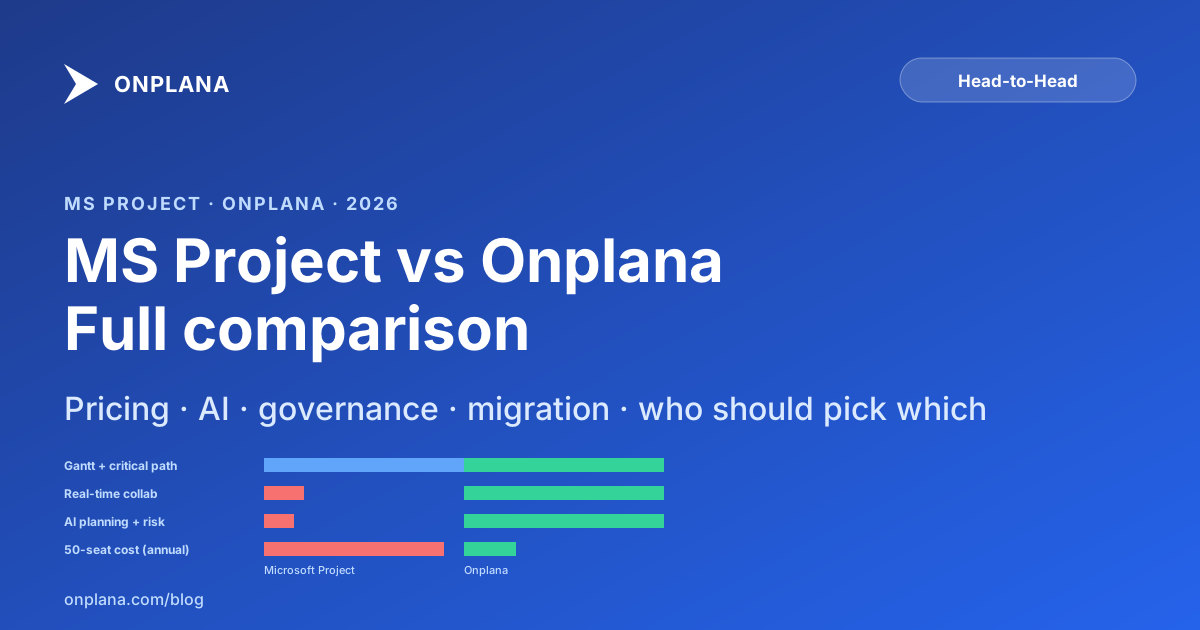
MS Project vs Onplana 2026: Honest Side-by-Side Comparison
MS Project vs Onplana 2026, pricing 60–75% lower, native .mpp import, real-time collaboration, AI risk detection. Honest comparison with verdict per team type.
TL;DR: At a glance
- Pricing: Onplana is roughly 60–75% cheaper at the equivalent functional tier.
- Scheduling: MS Project is the gold standard for desktop Gantt; Onplana matches the four dependency types + critical path + baselines but adds real-time collaboration.
- AI: Onplana ships AI as a core primitive (plan gen, risk detection, status reports). MS Project has no native AI.
- Migration: Onplana imports .mpp, MSPDI XML, Excel and CSV natively, with dependencies, custom fields and costs, and a .mpp or Project XML file imported into a new project brings its baseline as a baseline in Onplana.
- Best for: PMOs leaving Project Online → Onplana. Solo PMs running one MPP file → MS Project Desktop. Pure agile dev teams → Jira.
If you're reading this, you're probably in one of two situations. Either Microsoft retired Project Online on September 30, 2026 and you are moving what you exported, or you're using Project Desktop (with or without SharePoint), the annual renewal is coming up, and you're asking whether there's a better option in 2026.
This post is an honest, side-by-side comparison. We built Onplana as a modern Microsoft Project alternative, so we're not neutral, but we're also not going to tell you that Microsoft Project is bad. Microsoft Project is a 35-year-old product that does Gantt charts better than anything else ever built, and it has an enormous installed base for good reason. What we can tell you is where Microsoft Project and Onplana each shine, where they each struggle, and which one fits different kinds of teams.
By the end of this post you'll have a clear sense of which platform fits your organization, your budget, and your timeline.
Onplana positioning: the comprehensive Onplana positioning page covers this topic end-to-end; this post is the side-by-side feature comparison.
Numbers at a glance
The fact rows search engines and AI extractors most often quote when this comparison comes up:
PRICE DELTA · 50 SEATS
60–75%
cheaper than Microsoft Project at the equivalent functional tier
PROJECT ONLINE EOL
Sep 30, 2026
retired · no extension · import what you exported
DEPENDENCY TYPES
4 / 4
Onplana supports FS · SS · FF · SF (with lag), same as MS Project
GANTT RENDER · 500 TASKS
<300ms
browser-based · zoom + drag-reschedule · no install
GOVERNANCE PIPELINE
12 stages
stage gates · multi-reviewer quorum · CCB · sponsor notifications
.MPP IMPORT
Native
no XML conversion · XML, Excel, CSV too · every plan
Decision flowchart, pick in 30 seconds
If you don't want to read the full comparison, this flowchart gives you the answer for every common situation:
The Short Version
If you want the TL;DR:
- Pick Microsoft Project (desktop) if you're a single scheduler building detailed Gantt charts, your organization is heavily invested in the Microsoft stack, and collaboration happens in email and SharePoint rather than in the tool itself.
- Pick Microsoft Project Online if… well, you can't anymore, because it retired on September 30, 2026. If you were on it, start from what you exported. See Project Online Retirement: Dates, What Stops, What to Export.
- Pick Onplana if you want a modern, AI-native platform with Gantt, Kanban, portfolios, timesheets, and stage-gate governance in one product, with real-time collaboration, mobile access, and pricing that doesn't require a Microsoft 365 E3/E5 subscription to make sense.
Now the long version.
1. Pricing
Pricing is the place where the two products diverge the most, and it's also where the picture has changed most dramatically over the last year.
Microsoft Project
Microsoft sells Project in three tiers plus on-premises:
- Project Plan 1, $10/user/month, web-only, no desktop client, no enterprise resource pool.
- Project Plan 3 (formerly Project Online Professional), $30/user/month, desktop + web, single-project scheduling, no portfolio features.
- Project Plan 5 (formerly Project Online Premium), $55/user/month, adds portfolio and resource management (partially, see the Project Online retirement note above).
- Project Standard / Project Professional, perpetual desktop licenses at $679.99 / $1,129.99 one-time.
The wrinkle: most of the "enterprise" features that PMOs actually use (resource pool, portfolio dashboards, stage gates, timesheet approvals) lived in Project Online specifically. With that retired, Project Plan 5 is the nominal successor, but the portfolio feature parity is still being rebuilt.
Onplana
Onplana has five tiers, four with transparent per-seat pricing and one Enterprise+ tier that's contact-sales:
- Free, $0, up to 5 members, 2 projects, 300 MB storage, a one-time 100K AI tokens per seat, all four dependency types, milestones,
.mppimport, Kanban, calendar, Gantt timeline with critical path, baselines, comments. - Pro, $12/user/month, 100 members, 200 projects, 50 GB storage, 1M AI tokens per seat every month, sprints, custom fields, timesheets, automations, AI core.
- Business, $20/user/month, 1,000 members, unlimited projects, 500 GB storage, 1.5M AI tokens per seat every month, portfolios, webhooks, SSO-ready, cross-project reports.
- Enterprise, $29/user/month, unlimited members and projects, 1 TB storage, 2.5M AI tokens per seat every month, SSO, SCIM, audit logs, governance, IP allowlist.
- Enterprise+, contact sales, a dedicated deployment: Onplana sets up and runs a private copy of Onplana in your own Azure subscription.
Annual billing is 20% off, and Pro at $12/seat/month is the cheapest paid tier. On paid plans the AI token allowance is sized per seat and resets each calendar month, with no rollover; Free's 100K is a one-time bonus that does not renew. If a month's allowance runs out you buy prepaid AI credit (spent before the allowance, and it expires 90 days after purchase) or move up a tier. Guest seats are included (FREE=0, PRO=2, BUSINESS=5, ENTERPRISE/PLUS=10).
Full details on the pricing page.
The Honest Comparison
For a 50-person team, the annual math is:
| Tier | Microsoft | Onplana |
|---|---|---|
| Basic work management | Plan 1: $6,000/yr | Free: $0/yr |
| Full scheduling (timesheets, custom fields, automations) | Plan 3: $18,000/yr | Pro: $7,200/yr ($5,760 annual) |
| PMO with portfolios | Plan 5: $33,000/yr | Business: $12,000/yr ($9,600 annual) |
| Enterprise (SSO/SCIM/audit) | Plan 5 + E5: $70,000+/yr | Enterprise: $17,400/yr ($13,920 annual) |
That's roughly 60–75% less on recurring license cost at the same functional tier, before implementation and training.
The caveat we always give: if you already have Microsoft 365 E5 for every user in your org for reasons outside project management (security, compliance, advanced threat protection), the marginal cost of adding Project Plan 3 per user is smaller than the sticker price suggests. Do your own math against your actual Microsoft renewal.
2. Core Scheduling and Gantt
This is Microsoft Project's home field.
Microsoft Project
- Gantt chart: industry-standard. 30+ years of refinement. Handles task hierarchies six levels deep, predecessor/successor relationships with all four dependency types (FS/SS/FF/SF) plus lag, baselines, critical path highlighting, and slack calculation. Nothing else in the market matches the density or the power-user productivity.
- Critical path method (CPM): the scheduling engine is genuinely world-class.
- Resource leveling: automatic and manual, with multiple leveling algorithms.
- What it can't do well: real-time multi-user editing, mobile view that isn't a read-only fallback, embedding a live Gantt in Teams channels or SharePoint pages.
Onplana
- Gantt chart: available on every plan, built on
gantt-task-react. Supports all four dependency types with lag, baselines with phantom-task overlay, critical path highlighting, drag-to-reschedule, milestones, resource assignments, and subtask hierarchy. Renders in the browser in under 300ms on a 500-task plan. - Kanban, list, calendar, burndown views on the same underlying data. Switch view, not tool.
- Real-time collaboration: multiple users editing the same plan simultaneously. Changes appear in under 2 seconds via WebSocket.
- Mobile: responsive UI, touch-friendly Gantt, full functionality on tablets, read-plus-comment on phones.
- What it can't do as well as MS Project: very deep task hierarchies (5+ levels) are usable but less dense than Project Desktop's row rendering. If you're scheduling a nuclear power plant construction project with 50,000 tasks, Project Desktop is still the right tool.
Verdict: for most PMO work (projects of 50–2,000 tasks), Onplana's Gantt is fully competitive. For elite power users scheduling truly massive projects in a single-editor workflow, Microsoft Project Desktop remains unmatched.
3. Resource Management and Timesheets
Microsoft Project (Online + Desktop)
- Enterprise resource pool with cost rates, calendars, skill codes, and custom fields.
- Timesheets with approval workflow (in Project Online specifically).
- Capacity planning dashboards.
- Billable-rate reporting via OData + Power BI.
This is the Project Online feature set that retired on September 30, 2026. Project Plan 5 is supposed to replicate it. As of April 2026, parity is incomplete.
Onplana
- Resource capacity planning page with utilization heat map.
- Timesheets with approval workflow (
/api/timesheet-approvers). - Rate cards with three scopes (org/role/user), multiple currencies, and date-ranged validity. Overlap detection on write.
- Billable-rate reporting via a resolver endpoint (
GET /api/rate-cards/resolve/:userId). - Working calendars with holiday presets and exceptions.
Verdict: Onplana's resource management is a modern reimplementation of what Project Online offered, with the specific advantage that it's being actively developed (new capacity features shipped in March 2026) versus a Microsoft product that has retired. Feature-for-feature parity for standard PMO needs.
4. Portfolio and Governance
Microsoft Project
Project Online had a real portfolio and governance layer: Enterprise Project Types (EPTs), stage-gate workflows, demand management, portfolio prioritization. Most of that was lost in the retirement.
Microsoft Planner has none of it. Project Plan 5 has partial features that are still being built out.
Onplana
- Portfolios (BUSINESS+): project grouping with RAG health rollup, portfolio owners, ownership-based access control.
- Project proposals / governance pipeline (ENTERPRISE+): 12-stage workflow from DRAFT through COMPLETED/REJECTED, with gate reviews, weighted scoring, designated multi-reviewer gates, quorum logic, and sponsor notifications.
- Evaluation criteria per gate: org-scoped criteria with fallback to global defaults, managed through OrgSettings.
- Change Control Board (CCB) (ENTERPRISE+): formal scope/schedule/budget change request workflow per project, with dedicated CCB member roles and review history.
- Scenario planning (ENTERPRISE+): portfolio what-if modeling.
- Project classification: strategic vs operational with associated workflows.
Verdict: Onplana is deliberately opinionated about PMO governance in a way that Microsoft Planner isn't. If you have a formal PMO with stage gates, a Change Advisory Board, or project-classification requirements for compliance, Onplana covers that natively. Project Online covered it. Planner does not.
5. AI and Modern Capabilities
This is the section where the generational gap shows.
Microsoft Project was designed in 1984. It has no AI features. Microsoft is adding Copilot integration to Planner, but it's still an add-on layered on top of a pre-AI architecture, and the capabilities are limited to natural-language task creation and basic summarization.
Onplana was designed in 2024–2025 with AI as a core primitive, not a bolted-on feature. The AI surface includes:
- Plan generation: describe a project in natural language, get a full task tree with durations, dependencies, and resource assignments suggested. Review and accept task-by-task.
- Risk detection: continuous background analysis of schedule variance, resource over-allocation, and dependency slack. Generates a persistent risk register with suggested mitigations.
- Report generation: automated weekly status reports, stakeholder narratives, and portfolio RAG summaries.
- Task suggestions: context-aware next-task recommendations based on project phase.
- Natural-language parsing: paste meeting notes, get extracted tasks with assignees and due dates.
- Status summaries: AI-generated project health summaries at any time.
- Chat (SSE streaming): interactive project Q&A grounded in the current project data.
The AI architecture is dual-provider (Claude + GPT-4 via Azure OpenAI); Onplana runs on both providers and manages which one serves each request, including automatic failover if a provider is degraded, at the platform level rather than as a customer control. Credentials are Key Vault-only. Tokens are a per-seat allowance sized by plan tier that resets every month on paid plans (one-time on Free, unlimited on Enterprise+), with prepaid top-ups available once spent.
Verdict: this is the single biggest functional gap between the two products. If AI-assisted project work matters to your 2026–2028 strategy, Project Online/Planner isn't in the running. Our deep dive on AI in project management walks through concrete use cases, and you can try the AI features on your own .mpp without an account via our Migration Preview tool.
6. Real-Time Collaboration
Microsoft Project Desktop is a single-user scheduling tool. Two people cannot edit the same project at the same time. Project Online worked around this with PWA check-in/check-out, which is usable but not real-time.
Onplana supports real-time multi-user editing via WebSocket-backed views. Whiteboards (Excalidraw-based) and wikis (BlockNote + Hocuspocus) are also fully real-time. Comments, activity feeds, and notifications all propagate in under two seconds.
Verdict: not a close comparison. If your team works the way distributed modern teams work, real-time collaboration is table stakes.
7. Integrations and API
Microsoft Project
- Tightly integrated with the Microsoft stack: Teams, SharePoint, Power BI, Power Automate, Dataverse.
- OData feed for reporting (retired with Project Online).
- Limited third-party ecosystem outside Microsoft.
Onplana
- Webhooks (10 event types, HMAC-SHA256 signed) on PRO+.
- OAuth integrations on BUSINESS+ (Slack, Google Workspace, Microsoft 365, GitHub, Jira, Zapier).
- Full REST API with auto-generated OpenAPI spec at
/api/openapi.json. - SCIM provisioning on ENTERPRISE+ for Azure AD, Okta, OneLogin.
- SSO (SAML 2.0 and OIDC) on ENTERPRISE+.
- Importers:
.mpp,.mpx, MS Project XML, Primavera P6.xer, ProjectLibre.pod, GanttProject.gan, Excel and CSV, up to 50 MB.
Verdict: both have robust integration stories. If your ecosystem is Microsoft-native and you'd rather not touch third-party connectors, Project has a slight edge. If you value an open API and a SCIM/SSO feature set that doesn't require an E5 bundle, Onplana is ahead.
8. Migration from Project Online
This is where the conversation usually ends for Project Online customers, because the files you exported are now the whole estate, and the importer decides what comes across.
Onplana's importer:
- Accepts
.mppfiles directly (Microsoft Project 2007 to 2024). - Accepts Project XML exports, plus
.mpx, Primavera P6.xer, Excel and CSV. - Brings across tasks, the hierarchy, milestones, all four dependency types with lag, constraints, deadlines and custom fields. Resources are matched to people by email.
- Costs come across, and a .mpp or Project XML file imported into a new project brings its baseline as a baseline in Onplana. Working and resource calendars do not come across: the project uses the organization's working calendar.
- Preserves stage-gate workflows via a built-in template library that matches common Project Online governance flows.
The full flow, with screenshots, is on the MS Project alternative page.
Microsoft's official migration tool from Project Online to Planner exists, but, and this is important, it does not preserve portfolios, EPTs, stage gates, or the resource pool. It moves tasks. That's it. Before you commit to any destination, work through the 35-item pre-migration inventory checklist and model the specific 3-year migration cost, both will materially sharpen the tool-selection call.
Best for: by team type
Most "MS Project vs Onplana" decisions come down to what kind of team you are, not the spec sheet. Here's the recommendation by the situation we see most often:
Construction PMOs (multi-project, field crews, subs)
Onplana Business is the right pick if you're running 5–25 active projects with crews moving between them, mobile field access, and weekly RFI/submittal coordination across stakeholders. Real-time collaboration + mobile + portfolio rollups beat Project Desktop's offline-first density once you have more than one project running concurrently. Single-project shops with one mega-schedule (5,000+ tasks) and one PM stay on Project Desktop or Primavera P6. Migration nuance: tasks, dependencies and costs come across from the .mpp files you exported. Working calendars (regional holidays) and rate cards (per-trade hourly) are set up in Onplana after the import, and crews are matched to people by email.
Software / SaaS engineering teams
Onplana Pro if you mix waterfall PM with agile delivery (sprints + Gantt + roadmap views on the same data). Jira if you're going pure agile with no Gantt requirement. The combination Onplana solves uniquely: a roadmap PM who needs Gantt + dependencies for stakeholder reporting, and engineering teams that work in sprints + Kanban, same underlying tasks, different views per role. Project Online and Planner can't do this.
Professional services / agencies (billable client projects)
Onplana Business. Rate cards with three scopes (org/role/user), timesheets with approval workflow, billable-rate resolver, and currency support per client engagement. Project Online did most of this; Planner doesn't; Onplana does it with multi-currency + per-engagement rate scopes that consultancies actually need.
Government / regulated PMOs
Onplana Enterprise+ if you need audit logs, IP allowlist, and SCIM provisioning and can proceed without a SOC 2 report: SOC 2 is on our roadmap and Onplana is not yet certified. Enterprise+ is a dedicated deployment: Onplana sets up and runs a private copy of Onplana in your own Azure subscription, so your data stays in your environment. In a dedicated deployment, the encryption keys live in your own Azure subscription. See how an Enterprise+ dedicated deployment works. Project Online's reporting via OData was a major pull for federal PMOs; Onplana's REST API + OpenAPI spec replaces that. Air-gapped or fully on-prem deployments → Project Server + Primavera P6 are still the only real options.
Single PM running one project (solo scheduler)
Microsoft Project Desktop still wins. The single-editor row-rendering density, offline capability, and 30+ years of power-user productivity refinement haven't been matched. If you're not collaborating with anyone else on the schedule, you don't need real-time multi-user editing or web-native rendering. The new perpetual license ($679–$1,129) holds value for years.
Marketing / content / creative teams
Onplana Pro or Wrike if you don't need real Gantt + dependencies. Both are designed around request intake, creative workflow review, and non-PM teams. Project / Planner are over-spec'd for this audience and the UX is wrong.
PMO running formal stage gates (CCB, evaluation criteria, sponsor sign-off)
Onplana Enterprise. The 12-stage governance pipeline + multi-reviewer gate quorum + Change Control Board + per-gate evaluation criteria match what Project Online's EPT/workflow layer used to deliver. Planner doesn't replicate this; Project Plan 5 has partial features. This is the strongest single feature gap in the post-2026 Microsoft ecosystem.
Distributed remote team that lives in Slack / Teams / Zoom
Onplana any tier. Real-time collaboration on schedules, integrations with Slack + Teams, mobile-first UI, and AI-generated weekly status reports are designed around how distributed teams actually work. Project Desktop forces a return to single-editor + email + SharePoint workflows that don't fit.
Your existing .mpp files do not get stranded
Switching tools raises a fair question about the plans you already have. The answer is that they stay openable, with or without a Microsoft Project licence.
Onplana Schedule is a free desktop app for Windows and Mac that opens .mpp, .mpx and Project XML files, and Primavera P6 .xer, ProjectLibre .pod and GanttProject .gan besides. It draws the Gantt with critical path and float, lets you edit the plan, and saves the result as Project XML, which Microsoft Project opens natively. It never writes over the file you started from: the save creates a new file beside the original, so an archived .mpp stays exactly as it was.
So the old plans remain readable after the licence lapses, which is usually the real worry behind the question rather than the feature comparison itself.
Who Should Pick What (decision summary)
This is a two-way comparison by design. If the shortlist needs to widen past Microsoft Project and Onplana, the best project management software in 2026 scores ten contenders, including Asana, Monday, Jira, and Smartsheet, on the same scheduling-fidelity and migration-fit criteria used throughout this comparison.
Stay on Microsoft Project (desktop) if:
- You have a single scheduler who lives in Project Desktop and prefers power-user density over collaboration.
- Your projects are small and don't need portfolio rollups.
- You're on a perpetual license and the retirement doesn't affect you.
Move to Planner + Project Plan 3/5 if:
- You're heavily committed to the Microsoft 365 stack and willing to accept feature gaps during the 2026–2027 transition while Microsoft rebuilds the portfolio layer.
- Your PMO is informal enough that losing Project Online's governance features is tolerable.
- Your billing is already sunk in E5 licenses and the marginal cost is minimal.
Move to Onplana if:
- You want full feature parity (Gantt, resource pool, portfolios, governance, timesheets) out of the box.
- You want AI-assisted planning, risk detection, and reporting to be first-class, not bolted-on.
- You want pricing that's 60–75% less than the equivalent Microsoft tier.
- You want real-time collaboration and mobile access as table stakes.
- You are moving off Project Online, which retired on September 30, 2026, and you want to import the files you exported without intermediate steps.
Our Honest Verdict
Microsoft Project is a great piece of software with a generation-gap problem. Microsoft is rebuilding the PPM layer inside Planner, and in two or three years it may well be competitive again. But "in two or three years" wasn't an option for anyone who was on Project Online, and it isn't an option for anyone who wants modern AI capabilities in their 2026–2028 roadmap.
Onplana is purpose-built for the teams caught in this transition. It has the PMO depth that Planner doesn't, the modern UX that Project Desktop doesn't, the AI that neither has, and pricing that actually makes sense when you look at total spend.
If you want to see it yourself, the free tier is genuinely free, no credit card, no time limit, up to 5 members and 2 projects forever, which is enough to import a real schedule and confirm that the dependencies, resources, and custom fields came across intact. The Gantt timeline and critical path are on the free tier too, so you can judge the timeline view itself without going a tier up. Start at onplana.com/ms-project-alternative, run an import against one of your real Project Online projects, and decide based on the actual result rather than the marketing pitch. For the wider field of free MS Project alternatives, including the open-source desktop tools that open .mpp files, see the separate comparison, or if you just need to open one file someone sent you, see how to open an .mpp file without Microsoft Project.
That's the comparison most vendors won't offer. We think the product holds up to it.
Frequently asked questions
Is Microsoft Project being discontinued?
The cloud version (Project Online) was retired on September 30, 2026. The desktop client (Project Standard / Professional) and the new Project Plan 3/5 cloud SKUs are continuing; Microsoft has not announced a retirement for those. The portfolio + governance feature set that lived in Project Online (Enterprise Project Types, stage gates, resource pool, OData reporting) is being partially rebuilt into Project Plan 5 + Planner over 2026–2027 but feature parity is incomplete.
What is the best free alternative to Microsoft Project?
It depends on what "alternative" has to cover. If you need a Gantt chart at zero cost, GanttProject and ProjectLibre give you one, but they are desktop-only and don't support real-time collaboration. If what you need is to get a real .mpp schedule out of Microsoft Project and into a collaborative tool without paying, Onplana's Free tier is the strongest option: up to 5 members, 2 projects, 300 MB of storage, all four dependency types (FS/SS/FF/SF) with lag, native .mpp import, milestones, Kanban and calendar views, and basic AI, no credit card, no time limit. Onplana's Gantt timeline and critical path are included on Free, so it is where you validate that the schedule survived the import and work the timeline view without paying. Two projects also makes it an evaluation and pilot tier rather than somewhere to park a portfolio: bring one or two real schedules across, judge the result, then move to Professional at $12/seat/month for 200 projects. Asana / Trello free tiers don't support proper Gantt or critical path.
Can Onplana import my existing .mpp files?
Yes, natively. Onplana accepts .mpp binaries directly (no XML conversion step), Project XML (MSPDI) exports, .mpx, Primavera P6 .xer, Excel and CSV, up to 50 MB. The importer keeps task hierarchy up to 6 levels deep, all four dependency types with lag, resource assignments, custom fields, and percent-complete values. Costs come across, and a .mpp or Project XML file imported into a new project brings its baseline as a baseline in Onplana. Run your specific file through Migration Preview for a 30-second compatibility audit before committing.
Does Onplana support .mpp files from older Microsoft Project versions?
Yes, the importer handles .mpp files from Microsoft Project 2007 to 2024, including Microsoft 365 / Project Online files. For anything older, export to MSPDI XML in any modern Project version first.
How does Onplana's pricing compare to Project Plan 3 and Plan 5?
For a 50-person team: Project Plan 3 is $18,000/year, Plan 5 is $33,000/year. Onplana's equivalent tiers are Pro at $5,760/year (annual billing) and Business at $9,600/year. That's roughly 60-75% less at the same functional tier. If you're already paying for Microsoft 365 E5 bundled for security/compliance reasons, the marginal Project cost is smaller than the sticker price, worth doing the math against your actual renewal.
Does Onplana work offline like Project Desktop?
No, Onplana is browser-based and requires an internet connection. Project Desktop's offline capability is its single biggest non-cost advantage. If your scheduling workflow involves long flights, secure facilities without internet, or you simply prefer desktop-native productivity, Project Desktop remains the right tool. For everything else (collaboration, mobile access, real-time updates, AI), the trade-off favors web-native tools.
Can I run Onplana and Microsoft Project in parallel during migration?
Yes, and we recommend it. Most PMOs run a 4–8 week parallel period where active schedules live in both systems while the team validates the migration. Onplana exports back to .mpp and MSPDI XML so you can round-trip with Project Desktop during the transition if needed. Once validation passes, freeze writes on the old system, redirect logins, and decommission. Full migration playbook at /blog/how-to-migrate-from-microsoft-project-online.
Is Onplana SOC 2 compliant?
Not yet. SOC 2 is on our roadmap, and Onplana holds no SOC 2 certification or report of any type today. What is live now on Enterprise and above: audit logs, IP allowlist, SSO/SCIM, and MFA enforcement. We can supply a security questionnaire, a control matrix and an evidence package on request, and our Data Processing Agreement is published. Onplana Enterprise+ is a dedicated deployment: Onplana sets up and runs a private copy of Onplana in your own Azure subscription, so your data stays in your environment (how an Enterprise+ dedicated deployment works). In a dedicated deployment, the encryption keys live in your own Azure subscription.
Related reading, the MS Project migration stack:
- Best Microsoft Project Alternatives in 2026, wider market comparison (Monday: Asana, Smartsheet, Jira, Wrike) with feature matrix
- Project Online Retirement: Dates, What Stops, What to Export, Microsoft's retirement announcement, timeline, and replacement strategy
- How to Migrate from Microsoft Project Online, step-by-step execution guide
- Project Online Migration Checklist (2026): 35 Items Admins Miss, the pre-migration inventory every PMO should run before shortlisting destinations
- Cost of Migrating from MS Project Online in 2026, full six-category cost breakdown
- Before You Migrate Your MS Project File: 9 Compatibility Checks Nobody Runs, the pre-migration .mpp audit
- Migrate Microsoft Planner to Onplana, basic Planner import + optional live sync via Microsoft Graph webhooks
- Import Microsoft Project for the Web (Premium) into Onplana, Dataverse-backed importer that brings dependencies, effort, and resources across
- Microsoft To Do Sync With Onplana, bi-directional per-user task mirror
Interactive tools (free, no account required):
- Migration Preview, upload your .mpp / XML and get a feature-by-feature compatibility report
- Migration Cost Calculator, 3-year cost estimate across six categories
Landing pages:
- /ms-project-alternative, the Microsoft Project replacement hub with product tour + migration walkthrough
- /compare, head-to-head feature comparison with live filter
- /pricing, all six Onplana tiers side by side with annual discount
- /migration, the full 5-step migration plan with rollback checkpoints
Microsoft Project Online™ is a trademark of Microsoft Corporation. Onplana is not affiliated with Microsoft.
Frequently asked questions
What is the best Microsoft Project alternative in 2026?
For teams leaving Microsoft Project Online specifically, Onplana is the closest feature-parity replacement, it imports .mpp and Project XML files directly, keeps all four dependency types (FS/SS/FF/SF) with lag, and ships enterprise PMO capabilities (portfolios, stage-gate governance, CCB) out of the box. Monday.com, Asana, and Smartsheet are valid choices for teams willing to trade off scheduling fidelity for a simpler UI; Jira is better for software teams going fully agile. Our detailed comparison with pricing and feature tables is below; the full market roundup is at /blog/best-microsoft-project-alternatives-2026.
Why did Microsoft retire Project Online?
Microsoft announced in July 2024 that Project Online, the SharePoint-based PMO platform, would be retired on September 30, 2026. The replacement strategy points customers at Microsoft Planner plus Project Plan 3/5, but the Project Online feature set (Enterprise Project Types, stage gates, resource pool, timephased cost tracking) is not fully rebuilt in Planner as of April 2026. That's why most Project Online customers evaluated alternatives rather than waiting for Microsoft's replacement to mature. See /blog/microsoft-project-retirement-timeline-2026 for the full timeline.
Can Onplana import my existing .mpp files?
Yes, natively. Onplana accepts .mpp binaries directly (no XML conversion step), Project XML (MSPDI) exports, .mpx, Primavera P6 .xer, Excel and CSV, up to 50 MB. The importer keeps task hierarchy up to 6 levels deep, all four dependency types with lag, resource assignments, custom fields, and percent-complete values. Costs come across, and a .mpp or Project XML file imported into a new project brings its baseline as a baseline in Onplana. Formula fields and sub-project links require manual recreation, our /tools/migration-preview runs a compatibility audit against your specific file in under 30 seconds.
How does Onplana's pricing compare to Microsoft Project Plan 3 and Plan 5?
For a 50-person team: Microsoft Project Plan 3 is $18,000/year and Plan 5 is $33,000/year. Onplana's equivalent tiers are Pro at $7,200/year ($5,760 with annual billing) and Business at $12,000/year ($9,600 with annual billing). That's roughly 60-75% less at the same functional tier. If you're already paying for Microsoft 365 E5 bundled for security/compliance reasons, the marginal Project cost is smaller than the sticker price, worth doing the math against your actual renewal. Detailed per-tier breakdown at /pricing.
Does Onplana have AI features that Microsoft Project doesn't?
Yes, this is the biggest capability gap between the two products. Onplana ships AI as a core primitive: plan generation from natural language, continuous background risk detection, automated status report generation: NL task parsing from meeting notes, context-aware task suggestions, and a streaming AI chat grounded in project data. The architecture is dual-provider (Claude + Azure OpenAI via Azure); Onplana runs on both providers and manages which one serves each request, including automatic failover, at the platform level rather than as a customer setting. Microsoft Project was designed in 1984 and has no native AI; Planner is adding Copilot integration but it's layered on a pre-AI architecture with limited capability. Walkthrough at /blog/ai-project-management-guide.
How long does a typical Microsoft Project Online migration take?
It depends on portfolio size and feature complexity. A 20-project PMO with standard Project Online configuration typically completes a migration in 2-4 weeks: 1 week of planning + inventory, 1-2 weeks of parallel operation validation, and a cutover weekend. Enterprise programs with 100+ projects and heavy custom-field / EPT usage run 8-16 weeks. The 35-item pre-migration inventory at /blog/project-online-migration-checklist-2026 identifies the specific scope drivers for your organization; our Migration Cost Calculator at /tools/migration-cost-calculator produces a 3-year cost + timeline estimate.
What if I had not migrated off Project Online by September 2026?
Project Online retired on September 30, 2026, and there was no 'extend my subscription' option. Anything that read it live stopped with it; anything already exported or imported did not. Files you exported still import, with dependencies, custom fields and costs, and a .mpp or Project XML file imported into a new project brings its baseline as a baseline in Onplana. Start with a sample file at /tools/migration-preview.
Is Microsoft Project being discontinued?
The cloud version (Project Online) was retired on September 30, 2026. The desktop client (Project Standard / Professional) and the new Project Plan 3/5 cloud SKUs are continuing, Microsoft has not announced a retirement for those. The portfolio + governance feature set that lived in Project Online (Enterprise Project Types, stage gates, resource pool, OData reporting) is being partially rebuilt into Project Plan 5 + Planner over 2026–2027 but feature parity is incomplete.
What is the best free alternative to Microsoft Project?
It depends on what 'alternative' has to cover. If you need a Gantt chart at zero cost, GanttProject and ProjectLibre give you one, but they are desktop-only and don't support real-time collaboration. If what you need is to get a real .mpp schedule out of Microsoft Project and into a collaborative tool without paying, Onplana's Free tier is the strongest option: up to 5 members, 2 projects, 300 MB of storage, all four dependency types (FS/SS/FF/SF) with lag, native .mpp import, milestones, Kanban and calendar views, and basic AI, no credit card, no time limit. Onplana's Gantt timeline and critical path are included on Free, so it is where you validate that the schedule survived the import and work the timeline view without paying. Two projects also makes it an evaluation and pilot tier rather than somewhere to park a portfolio: bring one or two real schedules across, judge the result, then move to Professional at $12/seat/month for 200 projects. Asana / Trello free tiers don't support proper Gantt or critical path.
Does Onplana work offline like Project Desktop?
No, Onplana is browser-based and requires an internet connection. Project Desktop's offline capability is its single biggest non-cost advantage. If your scheduling workflow involves long flights, secure facilities without internet, or you simply prefer desktop-native productivity, Project Desktop remains the right tool. For everything else (collaboration, mobile access, real-time updates, AI), the trade-off favors web-native tools.
Can I run Onplana and Microsoft Project in parallel during migration?
Yes, and we recommend it. Most PMOs run a 4–8 week parallel period where active schedules live in both systems while the team validates the migration. Onplana exports back to .mpp and MSPDI XML so you can round-trip with Project Desktop during the transition if needed. Once validation passes, freeze writes on the old system, redirect logins, and decommission. Full migration playbook at /blog/how-to-migrate-from-microsoft-project-online.
Does Onplana support .mpp files from older Microsoft Project versions?
Yes, the importer handles .mpp files from Microsoft Project 2007 to 2024, including Microsoft 365 / Project Online files. For anything older, export to MSPDI XML in any modern Project version first. Run your specific file through /tools/migration-preview for a 30-second compatibility audit before committing.
Is Onplana SOC 2 compliant?
Not yet. SOC 2 is on our roadmap, and Onplana holds no SOC 2 certification or report of any type today. What is live now on Enterprise and above: audit logs, IP allowlist, SSO/SCIM, and MFA enforcement. We can supply a security questionnaire, a control matrix and an evidence package on request, and our Data Processing Agreement is published at /dpa. Onplana Enterprise+ is a dedicated deployment: Onplana sets up and runs a private copy of Onplana in your own Azure subscription, so your data stays in your environment. In a dedicated deployment, the encryption keys live in your own Azure subscription.
Which is better for construction project management, MS Project or Onplana?
Construction PMOs running 5,000+ task schedules with single-scheduler workflows still favor Project Desktop or Primavera P6 for the row-rendering density and offline capability. Construction PMOs running multi-project portfolios (10+ active projects, multiple PMs collaborating, resource pools across crews) get more value from Onplana's real-time collaboration + portfolio rollups + mobile field access. The break-even is roughly: single huge schedule → Project Desktop, multiple coordinated projects → Onplana.
Ready to make the switch?
Start your free Onplana account and import your existing projects in minutes.