Onplana Now Speaks MCP: Connect Your Project Portfolio
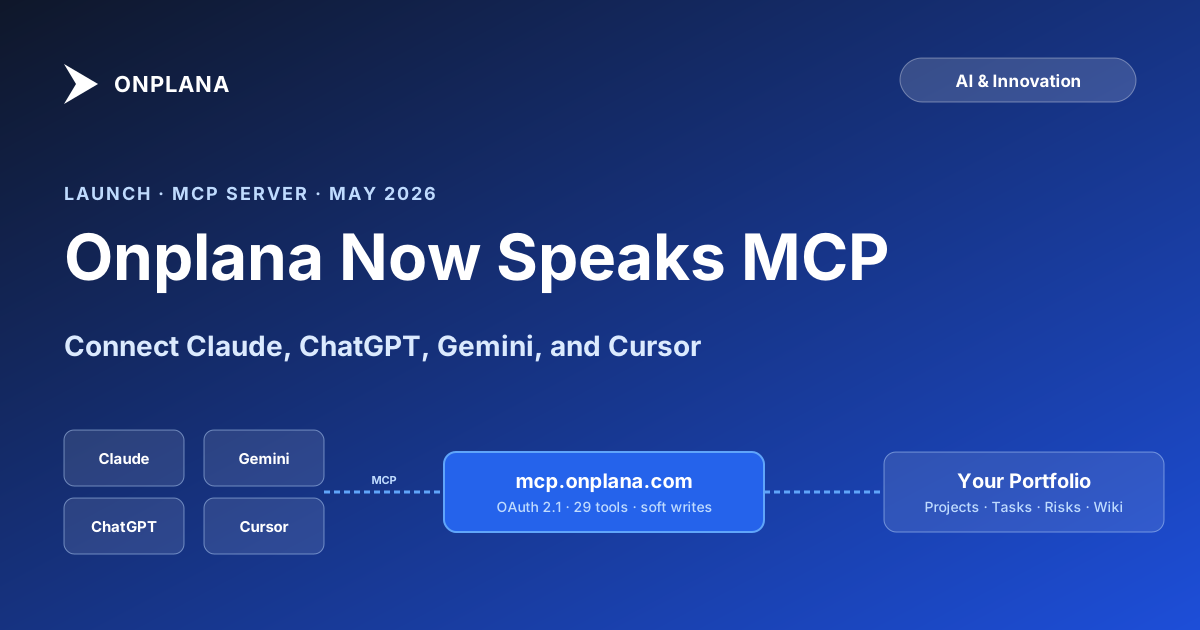
Onplana's Model Context Protocol server is live: connect Claude, ChatGPT, Gemini, or Cursor with OAuth 2.1 and reach 29 tools across your project portfolio.
Project management lives downstream of where decisions actually get made. Those decisions increasingly happen in AI chat windows. Someone asks Claude about a stuck initiative, drafts a status report in ChatGPT, plans a sprint in Cursor, then types or copies the result back into a PM tool. The round-trip is the bug.
We built Onplana to remove it. As of this week, every Onplana org ships with a public Model Context Protocol server at https://mcp.onplana.com/mcp. Any MCP-aware client (Claude Desktop, Claude.ai, ChatGPT, Gemini CLI, Cursor, GitHub Copilot, or anything else that speaks Streamable HTTP) can connect with OAuth 2.1, or with a Personal Access Token for headless agents, and reach 29 curated tools spanning projects, tasks, sprints, risks, comments, and wiki content. The full marketing page and the connect-flow walkthrough live at onplana.com/mcp.
This post is the announcement. The companion engineering deep-dive on how the server is built is at /blog/how-we-built-our-mcp-server. Here we cover what shipped, the five product-shape decisions we want every caller to know about, and how this fits the broader push toward a Microsoft Project Online alternative, now that Project Online retired on September 30, 2026.
Deeper read on Onplana's AI: see the how AI runs project management at Onplana for a direct feature-by-feature breakdown.
Narrative companion: the comprehensive narrative companion at /mcp/how-we-built-it covers this topic end-to-end; this post zooms in on one aspect.
What "Onplana speaks MCP" actually means
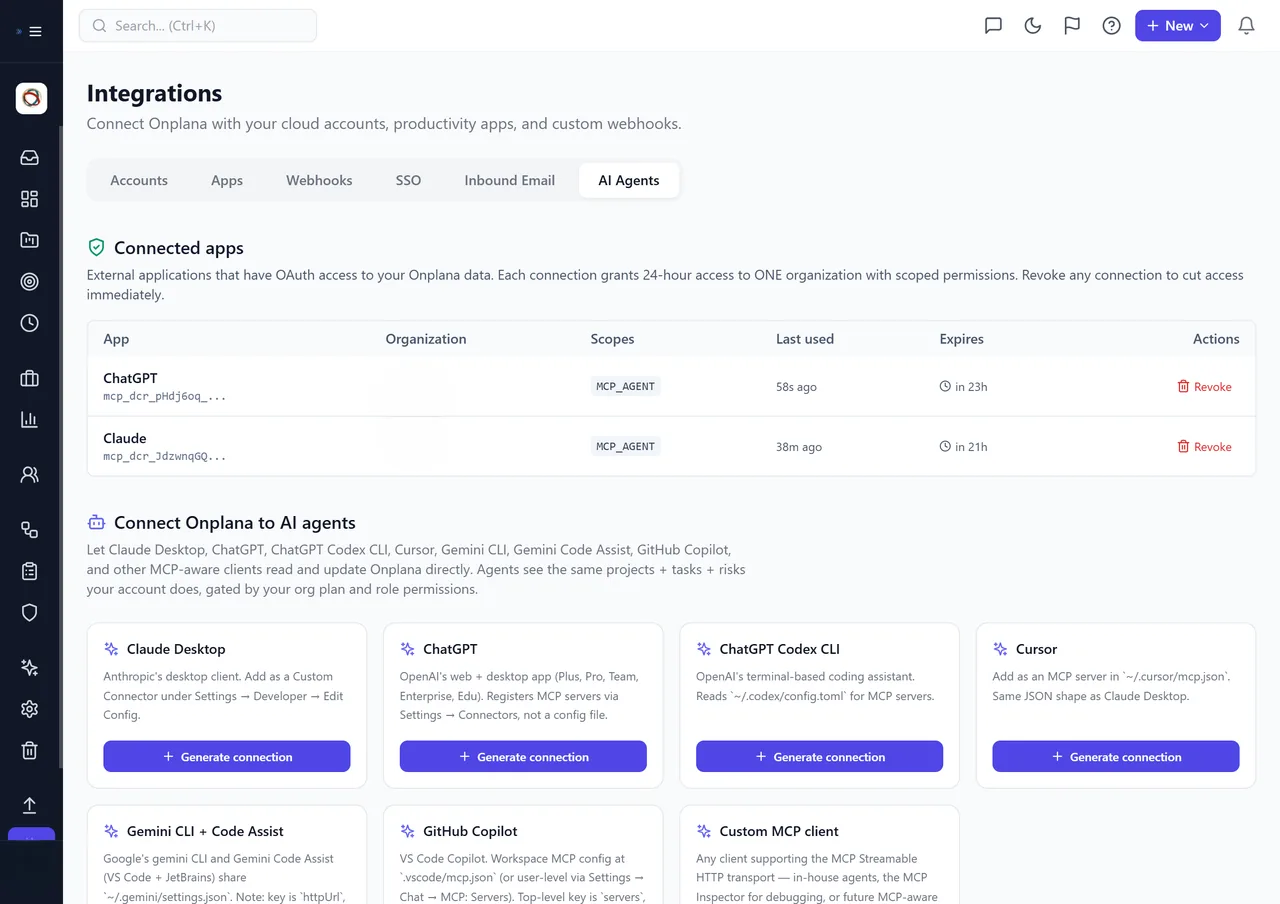
The AI Agents integrations tab: every MCP client the user has authorised, with the scopes it received and a one-click revoke. Same surface for Claude, ChatGPT, Cursor, Gemini, and Copilot.
Pick a chat client you already use. Add a new MCP server in its settings (each client's UX differs slightly, but the inputs are the same everywhere). Point it at https://mcp.onplana.com/mcp. The client opens a browser tab, you authorise the connection inside your Onplana session, you approve which scopes the client may use, and the connection lands. From the next prompt onward, the model can directly ask for your projects, your at-risk tasks, your sprint backlog, the wiki page about your incident-response runbook, or any of 29 other things, without you copying anything between windows.
For machine-to-machine agents the same surface is reachable with a Personal Access Token. Mint one at app.onplana.com/integrations, give it the MCP_AGENT scope, and hand it to whatever agent runtime you use. The token authorises against the same tenant boundary as the web app: the agent sees exactly what the issuing user can see, and nothing else.
The catalog covers reads (list_projects, find_tasks, search_org_content, read_wiki_page, analyze_project_risks, generate_status_report) and writes (create_task, update_task_status, add_comment, update_risk, add_wiki_page, archive_task). The full reference with input and output schemas lives at api.onplana.com/api/docs; the server itself is open-source at github.com/Onplana/onplana-mcp-server, and it is listed in the MCP Registry as io.github.Onplana/mcp-server.
Five things we built carefully
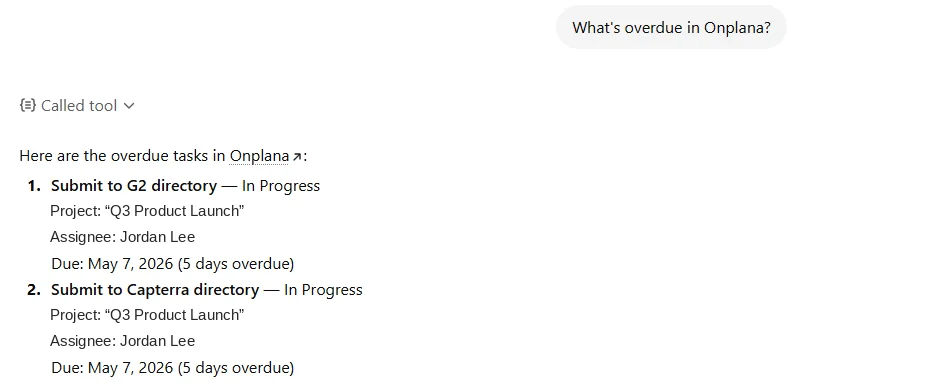
A real call: ChatGPT asks "what's overdue?" through the Onplana MCP server. The structured response (project, owner, days late) lands back inside the same chat. No copy-paste between windows.
A handful of product-shape decisions deserve calling out, because they are the ones we would not have made if we had treated MCP as "expose the existing REST API to a model."
1. Hybrid search across your org's indexed content
search_org_content runs BM25 for keyword precision and a vector model for semantic recall, then merges the two ranked lists into a single result set. The index covers projects, tasks, comments, risks, and wiki pages. A query like "find risks mentioning vendor API rate limits" returns the right risks regardless of whether the person who logged them typed "rate limit," "throttle," or "429 too many requests." The semantic recall layer catches the synonyms; the BM25 layer keeps exact-string matches at the top when that is what the model needs. We picked this design after watching agents waste tool calls on list_* cycling when a single search would have answered the question.
2. Plan-gated and role-gated, server-side
The MCP server does not trust the client. Whatever your Onplana plan allows, and whatever the connected user's role permits, that is what is available to the agent. Nothing more. If you are on the Pro plan and your role does not include risk editing, no MCP client gets to call update_risk on that connection, even if the model decides it should. The gating is in the server, not the schema delivered to the client, because we expect MCP clients to proliferate into a sprawling integration surface and we want one place that enforces what an organisation is paying for. Upgrading a plan or a role takes effect on the next tool call, with no client-side reconfiguration required.
3. Auditable end to end
Every tool call records who, what, when, from which client, and what changed, into the same audit log your admins already use for the web app. The AiOperation table in Postgres carries the tenant ID, user ID, tool name, request payload, response payload, client identifier (Claude Desktop vs ChatGPT vs a custom agent), and outcome. Admins filter by user, by client, by date, or by tool. There is no separate "AI activity" pane that lives in a different system: agent actions and human actions appear in the same place because they are the same actions, taken through different surfaces.
4. Soft deletes only
Onplana's MCP tools update and create; they never hard-delete. Tools that sound destructive (archive_task, close_project, remove_risk) set status flags rather than removing rows. Even a reviewer agent with full write scope cannot accidentally drop a project, a task, or a wiki page. This was a deliberate design constraint, not a temporary one. Agents are not yet good enough at reading their own tool descriptions for us to expose destructive operations across this seam, and we are comfortable saying so explicitly.
5. OAuth 2.1 with Dynamic Client Registration
There is no partner gating and no client whitelist. Any MCP client can hit the /register endpoint on the OAuth discovery document, identify itself, and request scopes. The user inside Onplana sees the registration on the authorisation page, approves which scopes are connected, and revokes the connection later from Settings → Integrations with a single click. Tokens carry the tenant scope and expire on a rolling refresh. We chose Dynamic Client Registration because the alternative, maintaining a list of approved clients, would slow down the long tail of MCP agents that we believe will exist over the next two years. The protocol-level detail (PKCE flow, discovery document, scope set) is in the engineering post at /blog/how-we-built-our-mcp-server.
Built for the Microsoft Project Online migration
Microsoft retired Project Online on September 30, 2026. We have spent the last several months building a modern Microsoft Project alternative that imports your .mpp files with your scheduling logic (all four dependency types with lag, constraints, custom fields, and costs, and a .mpp or Project XML file imported into a new project brings its baseline as a baseline in Onplana), and meets your team where it actually works today, which is inside an LLM chat as often as it is inside a PM tool.
The MCP server is the second half of that bet. Migrating off Project Online is not just a tool swap; it is a chance to rebuild your project workflow around the assumption that agents are reading and writing alongside humans. If your team is evaluating destinations for the migration, the question worth asking is not just "does this tool import my files?" but "does this tool let the AI you already pay for actually touch your portfolio?" For the cost side of that decision, the companion Migration Cost Calculator produces a defensible three-year line-item budget in about three minutes.
Getting started
- Marketing page with full docs and the connect-flow walkthrough: onplana.com/mcp
- API reference and tool catalog: api.onplana.com/api/docs
- Open-source MCP server, for self-hosting or auditing: github.com/Onplana/onplana-mcp-server
- Listed in the MCP Registry as:
io.github.Onplana/mcp-server - Engineering deep-dive (architecture, schema, OAuth implementation): /blog/how-we-built-our-mcp-server
If you are already on Onplana, mint a PAT at app.onplana.com/integrations and you are connected in under a minute. If you are not, the free tier covers MCP access from day one.
Shoaib Younus, founder, Devsoft Solutions.
Frequently asked questions
What is Onplana's MCP server and what can I connect with it?
Onplana's MCP server is a public Streamable-HTTP Model Context Protocol endpoint at mcp.onplana.com/mcp, protected by OAuth 2.1, that exposes 29 tools across projects, tasks, sprints, risks, comments, and wiki content. Any MCP-aware client (Claude Desktop, Claude.ai, ChatGPT, Gemini CLI, Cursor, GitHub Copilot, or any other) can connect, authorise a user via OAuth with PKCE or via a Personal Access Token, and call those tools directly without screen-scraping a REST API.
Do I need a paid plan to use the MCP server?
No. MCP access is included on every Onplana plan, including the free tier. Plan and role gating apply: the tools available to a connected agent equal what the authorising user is allowed to do in the web app, nothing more. If a tool would require a paid plan or a permission your role does not include, the server returns a permission error rather than executing the call.
How does authentication work for headless AI agents without a browser?
Personal Access Tokens. Mint one at app.onplana.com/integrations, scope it with MCP_AGENT, and pass it as a Bearer token on the MCP connection. Tokens are tied to the issuing user's tenant, so a headless agent sees exactly the same data the issuing user can see, and they can be revoked from the same settings page at any time.
Can an MCP client delete projects or tasks in my Onplana org?
No. The MCP tool surface is read-and-write but writes are soft only. There are no destructive tools: archive_task, close_project, and similar operations set status flags rather than removing data. Even a reviewer agent with full write scope cannot drop a project, a task, or a wiki page. This is a deliberate design constraint, not a temporary limitation.
Is the MCP server source code available for self-hosting or audit?
Yes. The server is open-source at github.com/Onplana/onplana-mcp-server and listed in the MCP Registry as io.github.Onplana/mcp-server. Customers can audit the source, build it locally, or run a self-hosted copy against the same Onplana API.
How does this announcement relate to the September 30, 2026 retirement of Microsoft Project Online?
Onplana is a purpose-built Microsoft Project Online alternative: it imports .mpp files with the four dependency types, custom fields, and costs, plus the file's baseline in a new project, and meets teams inside the LLM chat windows where modern project decisions actually get drafted. The MCP server is the second half of that bet: migrating off Project Online is a chance to rebuild the workflow around the assumption that AI agents are reading and writing alongside humans.
Ready to make the switch?
Start your free Onplana account and import your existing projects in minutes.