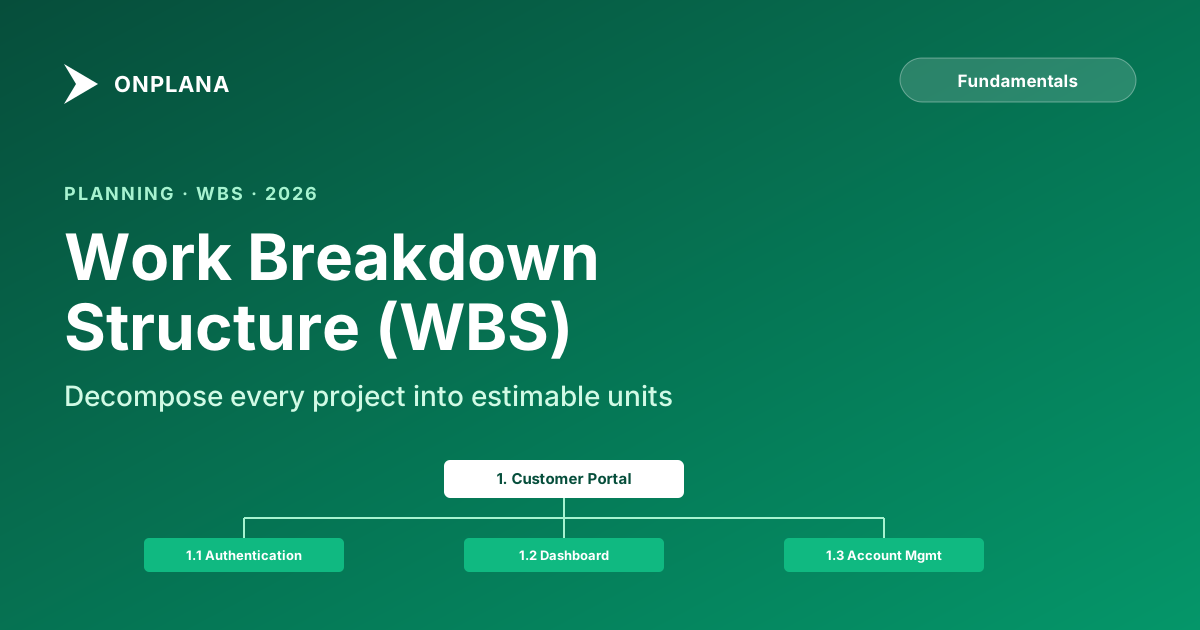
Work Breakdown Structure (WBS): How to Plan Any Project
How to build a Work Breakdown Structure step by step, three templates (software, marketing, office move), the 100% rule, common mistakes, and how to avoid them.
A Work Breakdown Structure is a hierarchical decomposition of a project into smaller, manageable pieces. It takes a complex scope ("build a customer portal") and breaks it into phases, deliverables, and tasks that a team can actually estimate, assign, and track.
If the project plan is the roadmap, the WBS is the list of every road, intersection, and landmark on that map. Without it, you're navigating by feel.
TL;DR: WBS in 30 seconds
- What it is: a hierarchical breakdown of the project into deliverables → work packages → tasks.
- Stopping rule: decompose until items are 1–10 days of effort. No further.
- The 100% rule: each parent's children must account for ALL the work in the parent. No gaps.
- Structure by deliverables, not activities: "Login Module" not "Coding."
- Build it collaboratively: PMs in isolation miss invisible work (testing, docs, deployment, project management itself).
Why Every Project Needs a WBS
It Prevents the "Forgot About That" Problem
When you decompose work systematically, you're less likely to miss things. Ad-hoc task lists generated in kickoff meetings inevitably forget tasks, usually the unglamorous ones like data migration, documentation, or environment setup.
It Makes Estimation Possible
You can't accurately estimate "Build the customer portal." You can estimate "Create the login page" (3 days), "Implement password reset flow" (2 days), and "Set up CI/CD pipeline" (1 day). The WBS gets you to estimable units. A single guessed number per unit still hides the estimator's real uncertainty; running each one through PERT's three-point estimation formula turns that guess into a defensible range instead.
It Creates Shared Understanding
When the team sees every piece of work laid out hierarchically, everyone understands the full scope. No more "I didn't realize we were also doing X."
It Enables Tracking
You can't track progress on "Phase 2 Development." You can track progress on 15 specific tasks within Phase 2. The WBS is the foundation of all schedule and progress tracking.
Anatomy of a WBS
A WBS has 3-4 levels of decomposition:
Level 1: Project
└── Level 2: Phases / Major Deliverables
    └── Level 3: Deliverables / Work Packages
        └── Level 4: Tasks / Activities (optional)
Level 1: The Project
The top of the hierarchy. One box representing the entire project.
Level 2: Phases or Major Deliverables
The major chunks of the project. These can be organized by:
- Phase: Planning, Design, Development, Testing, Deployment
- Deliverable: Login System, Dashboard, Admin Panel, Mobile App
- Feature: User Management, Reporting, Integration, Notifications
Choose the organization that makes the most sense for your project. Phase-based is the most common for waterfall; deliverable-based is common for agile.
Level 3: Work Packages
The lowest level of deliverables. Each work package:
- Is small enough to estimate accurately (1–10 days of effort)
- Is assignable to a single person or small team
- Has a clear definition of "done"
- Produces a tangible output
Level 4: Activities (Optional)
Individual tasks within a work package. Many teams stop at Level 3 for the WBS and decompose further in their task management tool. A work package is the deliverable; the activities beneath it are tasks, and neither one is a milestone, a distinction worth pinning down precisely before it muddies your status reporting.
Level 3 is also where the WBS stops being a scope document and needs to become a schedule: each work package still needs a duration, dependency links, and a named owner before a tool can sequence it, and grouping work packages into control accounts is the layer that sits above the work package and below the project for budget and schedule reporting.
How to Build a WBS: Three Approaches
Top-Down Decomposition
Start with the project goal, break into phases, break phases into deliverables, break deliverables into tasks.
Best for: Experienced PMs who've done similar projects before. You know the shape of the work.
Process:
- Write the project name at the top
- Identify 4-7 major phases or deliverables
- For each, ask: "What must be delivered to complete this phase?"
- For each deliverable, ask: "What tasks are needed to produce this?"
- Stop when tasks are 1–10 days of effort
Bottom-Up Brainstorm
Brainstorm every task the team can think of, then organize them into logical groups and hierarchies.
Best for: New or unfamiliar project types where the team collectively knows more than any one person.
Process:
- Gather the team (or key contributors)
- Everyone writes tasks on sticky notes (or digital equivalent)
- Group related tasks into clusters
- Name each cluster (these become your Level 2/3 elements)
- Organize clusters into a hierarchy
- Check for gaps: are there tasks missing from any cluster?
Template-Based
Start with a WBS template for your project type and customize it.
Best for: Common project types (software development, marketing campaigns, office moves) where proven templates exist.
WBS Examples
Software Development Project
1. Customer Portal
   1.1 Planning
       1.1.1 Requirements workshops (3 sessions)
       1.1.2 Technical architecture document
       1.1.3 Project plan creation
       1.1.4 Environment setup (dev, staging, prod)

   1.2 Authentication
       1.2.1 Login page (email + password)
       1.2.2 OAuth integration (Google, Microsoft)
       1.2.3 Password reset flow
       1.2.4 Two-factor authentication
       1.2.5 Session management

   1.3 Dashboard
       1.3.1 Dashboard layout and navigation
       1.3.2 Activity feed component
       1.3.3 Analytics widgets
       1.3.4 Notification center

   1.4 Account Management
       1.4.1 Profile editing
       1.4.2 Billing & subscription management
       1.4.3 Team/organization settings
       1.4.4 API key management

   1.5 Testing
       1.5.1 Unit test suite
       1.5.2 Integration tests
       1.5.3 End-to-end test suite
       1.5.4 Performance testing
       1.5.5 Security audit
       1.5.6 User acceptance testing

   1.6 Deployment & Launch
       1.6.1 Production deployment
       1.6.2 DNS and SSL configuration
       1.6.3 Monitoring and alerting setup
       1.6.4 User documentation
       1.6.5 Launch communications
Marketing Campaign Project
1. Product Launch Campaign
   1.1 Strategy & Planning
       1.1.1 Market research and competitive analysis
       1.1.2 Target audience definition
       1.1.3 Messaging framework
       1.1.4 Channel strategy
       1.1.5 Budget allocation

   1.2 Content Creation
       1.2.1 Landing page copy and design
       1.2.2 Blog posts (3 articles)
       1.2.3 Email sequences (nurture + launch)
       1.2.4 Social media content (30 posts)
       1.2.5 Video production (product demo)
       1.2.6 Press release

   1.3 Design & Production
       1.3.1 Brand assets and templates
       1.3.2 Landing page development
       1.3.3 Email template design
       1.3.4 Social media graphics
       1.3.5 Video editing and post-production

   1.4 Launch Execution
       1.4.1 Email campaign deployment
       1.4.2 Social media scheduling
       1.4.3 PR outreach
       1.4.4 Paid advertising setup
       1.4.5 Partner/influencer coordination

   1.5 Measurement & Optimization
       1.5.1 Analytics dashboard setup
       1.5.2 A/B testing
       1.5.3 Weekly performance reports
       1.5.4 Campaign retrospective
Office Relocation Project
1. Office Move to New Location
   1.1 Planning & Logistics
       1.1.1 New office lease finalization
       1.1.2 Move timeline creation
       1.1.3 Moving company selection
       1.1.4 Budget approval
       1.1.5 Employee communication plan

   1.2 New Office Setup
       1.2.1 Floor plan and desk assignments
       1.2.2 Furniture procurement
       1.2.3 IT infrastructure (network, servers)
       1.2.4 Phone system setup
       1.2.5 Security system installation
       1.2.6 Kitchen and common area setup

   1.3 IT Migration
       1.3.1 Internet and network provisioning
       1.3.2 Server room setup
       1.3.3 Printer and AV equipment installation
       1.3.4 Access card system programming
       1.3.5 Testing all systems

   1.4 Physical Move
       1.4.1 Packing materials distribution
       1.4.2 Department-by-department packing
       1.4.3 Moving day coordination
       1.4.4 Unpacking and setup
       1.4.5 Old office cleanup and handover

   1.5 Post-Move
       1.5.1 Address change notifications
       1.5.2 Wayfinding and signage
       1.5.3 Issue resolution (first 2 weeks)
       1.5.4 Employee feedback survey
The 100% Rule
The most important principle of WBS construction: every level of decomposition must account for 100% of the work in its parent element.
Once a work package is too big to track, splitting it into subtasks, or adding collaborators instead, is the next decision.
If "Testing" is a Level 2 element, the tasks underneath it must represent ALL the testing work, not just the obvious ones. Ask: "If we complete every child element, is the parent truly done?"
Common items that get missed:
- Project management overhead (meetings, reporting, administration)
- Environment setup and configuration
- Data migration and cleanup
- Documentation and training materials
- Deployment and infrastructure tasks
- Defect fixing and rework buffer
WBS Numbering
Use a hierarchical numbering scheme for easy reference:
1.0     Phase 1
1.1       Deliverable 1
1.1.1       Task 1
1.1.2       Task 2
1.2       Deliverable 2
2.0     Phase 2
This lets you reference any task precisely ("task 1.3.2") in meetings, status reports, and issue logs without ambiguity.
Common WBS Mistakes
1. Confusing Deliverables with Activities
A WBS should be structured around deliverables (what you're producing), not activities (what you're doing).
- Wrong: "1.1 Coding" → What's the output? Unclear.
- Right: "1.1 Login Module" → The deliverable is clear.
2. Going Too Deep
If you're at Level 6 with tasks like "open IDE" and "write unit test for function X," you've gone too far. Stop when tasks are 1–10 days of effort.
3. Not Going Deep Enough
If every Level 3 item is "Phase 1 development" (200 hours), you haven't decomposed enough. You can't estimate, assign, or track effectively.
4. Missing the Invisible Work
Testing, documentation, deployment, project management, training: these are real work that takes real time. Include them.
5. Building It Alone
The PM shouldn't build the WBS in isolation. The people doing the work know what tasks are needed. Collaborative WBS creation is more accurate and builds team buy-in.
From WBS to Project Plan
Once your WBS is complete, the next steps flow naturally:
- Estimate each task: Duration and effort for every Level 3/4 item
- Identify dependencies: Which tasks must happen before others?
- Assign resources: Who does what?
- Build the schedule: Enter tasks, durations, and dependencies into a Gantt chart
- Identify the critical path: Which sequence of tasks determines the project timeline?
- Set baselines: Save the planned schedule before work begins
Once the WBS and schedule are built, run a free schedule health check to catch broken dependencies, resource overallocation, and constraint conflicts before the plan goes to stakeholders.
In Onplana, you can build your WBS directly as a task hierarchy, then switch to Gantt view to see the schedule visualized with dependencies and critical path highlighted automatically.
Related: How to Create a Project Plan | What Is a Gantt Chart? | Critical Path Method Explained
Frequently asked questions
What is a Work Breakdown Structure?
A WBS is a hierarchical decomposition of a project into phases, deliverables, work packages, and tasks. The top of the hierarchy is the project itself; the bottom is small enough that a single person can estimate it (1–10 days of effort).
How many levels should a WBS have?
Three to four levels for most projects: Project → Phases/Deliverables → Work Packages → optional Tasks. Stop decomposing when items are 1–10 days of effort. More than five levels usually means you've over-decomposed and should manage the rest in a task tracker.
What is the 100% rule in WBS?
Every level must account for 100% of the work in its parent. If 'Testing' is a Level 2 element, the items underneath must cover ALL testing work, not just the obvious ones. Items commonly missed: project management overhead, environment setup, data migration, documentation, deployment.
Should the WBS be organized by phase or deliverable?
Phase-based WBS (Plan: Design, Build, Test, Deploy) suits waterfall projects with clear stage gates. Deliverable-based WBS (Login System, Dashboard, Mobile App) suits agile teams that ship features in parallel. Pick whichever makes the work easier to estimate and assign.
What's the difference between a WBS and a task list?
A WBS is hierarchical and structured around deliverables; a task list is flat and structured around activities. The WBS lets you reason about scope ('have we covered everything?'); the task list lets you assign work day-to-day. You build the WBS first, then derive the task list from its leaf nodes.
Ready to make the switch?
Start your free Onplana account and import your existing projects in minutes.