How to Read a Project Online Archive After Shutdown
You can read a Project Online archive after shutdown, but the format decides what you need: a license for .mpp, a script for OData, nothing for CSV.
It's 2029. A compliance officer needs the approved baseline for a project that closed in 2025, three years after Project Online retired. The migration team that ran the export left the company two years ago. This is the moment that decides whether you can actually read a Project Online archive after shutdown or just point at a folder and hope. What's left is a folder called po_archive_final_v2, sitting on a file share, that nobody has opened since the week it was created.
The direct answer: you can read a Project Online archive after shutdown, but what you need to do it depends on the format that folder is actually holding. A structured export (Parquet or documented CSV) opens in any spreadsheet or SQL tool, no license and no server required. A raw OData JSON export needs a script or a data tool to turn into something queryable, still no license required, just parsing work. A .mpp file needs a licensed desktop copy of Microsoft Project or a compatible viewer, and even then you only get that one project's data, not anything that lived at the tenant or resource-pool level.
You can read a Project Online archive after shutdown, but what it takes depends on the format. Parquet or documented CSV opens in any spreadsheet or SQL tool with no license and no server. Raw OData JSON needs a script or ETL tool to become queryable. A .mpp file needs a licensed desktop copy of Microsoft Project and only holds that one project, not tenant-level or resource-pool data. None of that substitutes for the archive being queryable in the first place: a folder of raw exports is a liability dressed up as a safety net until someone actually needs it.
Can You Read a Project Online Archive After Shutdown? Format by Format
Yes, but the answer to "what do I need" changes with the file sitting in front of you. The table below covers the four formats a post-retirement archive typically holds and what opening each one actually requires once the tenant is gone.
| Format | Needs a license? | Needs a tool or script? | What you actually get |
|---|---|---|---|
| Parquet | No | Any modern data tool (DuckDB, a warehouse, most BI tools) | Full schema fidelity, queryable across projects |
| Documented CSV | No | Any spreadsheet or SQL tool | Same data as Parquet, slower at scale |
| Raw OData JSON | No | A short script or ETL tool to flatten it into rows | Complete, but unreadable until parsed |
| .mpp file | Yes, a desktop Microsoft Project license or compatible viewer | The desktop app itself | Project-level schedule only, no tenant or resource-pool data |
| PDF or report snapshot | No | None, opens as-is | Whatever was on the report the day it was generated, nothing more |
If your archive is only a folder of .mpp files and there's no server left to point at, you can still open each one individually in a licensed copy of Microsoft Project, or a compatible third-party viewer that reads the .mpp format. What you cannot do is query across them, because a .mpp file is a single project's schedule, not a dataset. Enterprise-level information that only ever lived at the Project Web App layer, the shared resource pool across projects, portfolio-level custom fields, OData-only computed columns, was never written into any individual .mpp file, so it is gone regardless of what tool you point at the archive. OData export before retirement is the reason this matters: the .mpp-only archive is what's left for anyone who skipped a structured export before the deadline, and it's a strictly smaller dataset than what Project Online actually tracked.
Why "We Exported It" Isn't the Same as "We Can Access It"
Most PMOs treat archiving as a single verb, tucked into the last week of the migration: export the data, check the box, move on to the next task. That framing stops at exactly the point where the real risk begins. An export is a snapshot in a moment; access is the ability to retrieve a specific, correct answer from that snapshot years later, under time pressure, possibly without the person who created it still around to help.
The difference matters because the failure mode is silent until it isn't. A poorly structured archive looks identical to a good one on the day it's created: both are a folder with files in it. The gap only becomes visible when someone tries to actually use it, typically during a real compliance request years after the fact, at which point discovering the archive is unusable is no longer a process fix, it's a data-recovery emergency with no live tenant to fall back on.
Our Project Online archive strategy post covers how to choose an archive approach before the retirement date. This post picks up from the other side: assuming you already archived something, how do you make sure it's actually retrievable when the request comes, and how do you retrieve it when it does.
How to Access Project Online Data After Retirement: What Makes an Archive Queryable
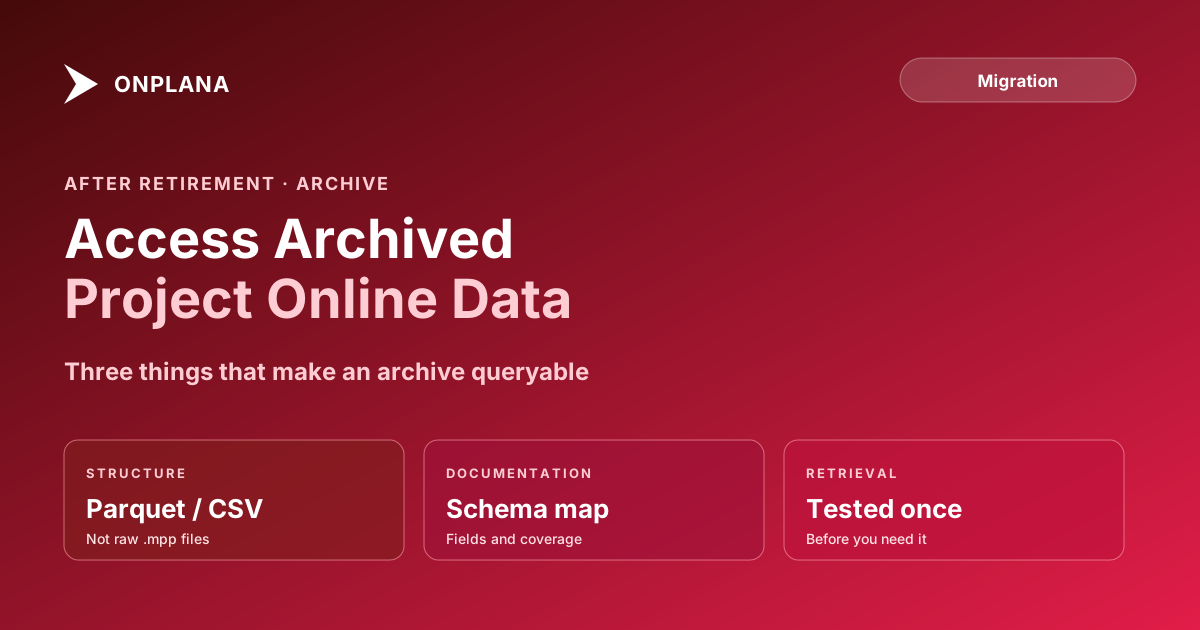
Three properties separate an archive you can use from one you can only look at.
Structure. A raw OData JSON dump or a stack of individually exported .mpp files preserves the data but not a queryable shape. A structured export, flattened into Parquet or CSV with clearly named columns matching the original OData entity sets (Projects, Tasks, Assignments, Baselines, Timesheets), can be loaded into a query tool in minutes instead of requiring someone to write a custom parser first.
Documentation. The archive needs a schema reference: which fields map to which OData entity, what date range each export covers, and which projects are included. Without this, a person years later has to reverse-engineer the structure before they can even start answering the actual question they were asked.
Tested retrieval. An archive nobody has queried since it was created is an assumption, not a capability. Running a practice retrieval, pulling a specific project's baseline and confirming the answer is correct, at least once before you actually need it, is the only way to know the archive works rather than hoping it does.
The diagram below shows the difference between an archive that only has the first property and one that has all three: only the second is actually accessible when a request arrives.
How Do You Read a Cold Project Online OData Snapshot?
If your archive is a raw OData export, someone still needs to parse it before it's usable. The OData snapshot exports as JSON entity collections, one per table (Projects, Tasks, Assignments, and so on), with field names matching PWA's schema exactly.
To make it queryable: load each entity collection into a table in a lightweight database or a data warehouse, using the entity name as the table name and the JSON fields as columns. Preserve the original field names rather than renaming them during load; a future request will be phrased in terms of the field a PM or auditor remembers ("what was BaselineFinish on Baseline 0"), and renamed columns just add a translation step under time pressure. Once loaded, a standard SQL query against the project ID answers most audit requests directly.
If the export predates any structuring effort and exists only as raw .mpp files, OData export is no longer an option now that Project Online has retired; the .mpp files themselves have to be opened individually in a compatible tool, which is exactly the slow, manual process a structured archive exists to avoid. This is why structuring the archive while Project Online was still live mattered so much, covered in more depth in the OData export guide.
Answering a Compliance Request Without a Live Tenant
A compliance request years after retirement follows a predictable shape, and having a runbook ready turns a scramble into a routine task.
- Identify the specific ask. Compliance requests are usually narrow: one project's baseline, one resource's timesheet history, one custom field's value on a specific date. Resist the urge to pull everything; a targeted query is faster and less error-prone.
- Locate the project in the archive index. A documented archive includes an index of which projects, and which date ranges, are covered. Without this, step one turns into a manual search through raw files.
- Query the structured store directly. If the archive was built correctly, this is a single query against the relevant table, filtered by project ID and date.
- Cross-reference against a second source if the stakes are high. For a request tied to a legal or financial matter, confirm the archived value against any secondary source that survived migration, such as a PDF snapshot or a report that was generated before retirement.
- Document the retrieval. Note the archive source, export date, and query used to produce the answer. This becomes the evidence trail if the same request, or a related one, comes up again.
- Deliver with context, not just a number. A compliance officer needs to know not just what the baseline value was, but how confident you are in the archive's completeness for that project.
Treat this runbook as a living document, not a one-time write-up. Update it the first time you actually use it for a real request, because that's when you'll discover the steps that were harder in practice than they looked on paper.
Why a Folder of .mpp Files Isn't a Real Archive
A stack of individually saved .mpp files feels like due diligence: every project got exported, every file has a sensible name, the folder looks complete. It fails the actual test of an archive for three specific reasons.
First, .mpp files aren't queryable as a set. Answering "which projects had a budget over $500,000" means opening every file individually; there's no way to filter across them without a tool that reads .mpp natively, and that tool may not exist or may not be licensed anymore by the time you need it.
Second, .mpp files don't preserve everything Project Online tracked. Enterprise-level data like resource pool assignments across projects, portfolio-level custom fields, and OData-only computed columns don't round-trip into a single project's .mpp file, so the archive is incomplete in ways that aren't obvious until a specific request exposes the gap.
Third, .mpp is a proprietary binary format tied to Microsoft Project's own version compatibility. An archive built to last five to seven years for compliance purposes is betting on a specific desktop application remaining available and license-current for that entire window, which is a real risk given that Microsoft Project itself is part of the same retirement wave affecting the broader ecosystem.
What Format Survives Best: Parquet, CSV, or a Warehouse?
| Format | Queryable without extra tooling | Preserves full schema fidelity | Best fit |
|---|---|---|---|
| Raw .mpp files | No | Partial (project-level only) | Never, as a sole archive strategy |
| CSV export | Yes, with any spreadsheet or SQL tool | Yes, if schema is documented | Small PMOs, lower compliance bar |
| Parquet | Yes, with any modern data tool | Yes, with native typing | Mid-size to large PMOs, regulated industries |
| Data warehouse (loaded from OData) | Yes, natively queryable | Yes, plus supports joins across entities | Enterprise PMOs with existing BI infrastructure |
For most enterprise PMOs, Parquet or a warehouse-loaded export both outperform CSV at scale because they preserve field typing (a date stays a date, not a string that needs reparsing) and support the kind of cross-entity joins a real compliance request often needs, such as matching a resource's timesheet history against the project's baseline dates.
Building the Retrieval Runbook Before You Need It
The single highest-leverage thing a PMO can do with an archive is test it before there's a real request riding on it. Schedule one retrieval drill within 30 days of completing the archive:
- Pick a real, closed project at random.
- Ask someone who was not involved in building the archive to retrieve its baseline and its final resource assignments, using only the documentation available.
- Time how long it takes and note every step that required guessing or asking someone else for help.
- Fix the documentation gaps the drill surfaces, then repeat with a second project to confirm the fix worked.
A drill that takes an afternoon and finds three documentation gaps is a successful investment. A drill you skip because "the export clearly worked" is how PMOs end up needing weeks to answer a request that should have taken an hour, discovering the gap only when the compliance officer is already waiting.
Run the free Project Online Inventory Checklist against what you exported to check that every project, resource pool, and custom field that compliance might eventually ask about is actually captured in the archive, not just the ones that were top of mind during the migration crunch.
Run the free Project Online Inventory Checklist Walk every project, resource pool, and custom field in about 10 minutes, so you know what your archive holds before a future audit asks for it. No signup required. → Open the checklist
Microsoft's Project Online lifecycle page confirms the service retired September 30, 2026, with no extended access afterward. Everything in this post assumes the export happened before that date; what changed when Project Online retired covers what stopped working when the deadline passed.
Microsoft Project Online™ is a trademark of Microsoft Corporation. Onplana is not affiliated with Microsoft.
Frequently asked questions
Can you access Project Online data after retirement?
Only from an archive you exported before the September 30, 2026 retirement date. Anything that read the live service, such as the OData feed and PWA, stopped with it; anything already exported or imported did not.
What format should a Project Online archive use to stay queryable years later?
A structured, columnar format such as Parquet, or at minimum CSV with a documented schema, loaded into a queryable store like a data warehouse or a simple SQL database. A folder of raw .mpp files or PDF exports is readable by a person but not queryable at audit speed.
How do you answer a compliance request without a live Project Online tenant?
Query the archived dataset directly using the same field names and structure it was exported with, cross-reference the specific project or baseline requested, and produce the result with a note on the export date and source. Document the retrieval steps once and reuse them for every future request.
What is the biggest mistake PMOs make when archiving Project Online data?
Treating the export itself as the finish line. An export that lands in a folder nobody indexes, documents, or tests retrieval against is not an archive; it's a liability that looks like a safety net until someone actually needs it.
How long should a Project Online archive be retained?
Most compliance frameworks require five to seven years for project and financial records; regulated industries like defense, healthcare, and financial services often require longer. Confirm the specific retention period with your compliance team before building the archive, not after.
Can Onplana or another modern PM tool read an old Project Online OData export?
Not directly. Project Online's OData schema is proprietary to PWA, so a cold export needs either a script that maps its columns into a queryable table or a data warehouse layer; no modern PM tool imports the raw OData structure natively.
Can I open a Project Online .mpp export without a server or an active license?
You need a licensed desktop copy of Microsoft Project (or a compatible viewer) to open the file itself, but not a live Project Online tenant or server. What you get is project-level schedule data only; enterprise-only data like the shared resource pool across projects never made it into that single .mpp file.
Do I need special software to read an OData JSON export after shutdown?
You need something that parses JSON into rows and columns, not a Project Online license. A short script or an ETL tool does this in minutes; opening the raw file in a text editor works for a quick look but isn't usable for answering a real question.
Ready to make the switch?
Start your free Onplana account and import your existing projects in minutes.