Project Online No Longer Available: Now What
Project Online becomes no longer available on September 30, 2026. What breaks that day, what four migration situations cost you, and what to do next.
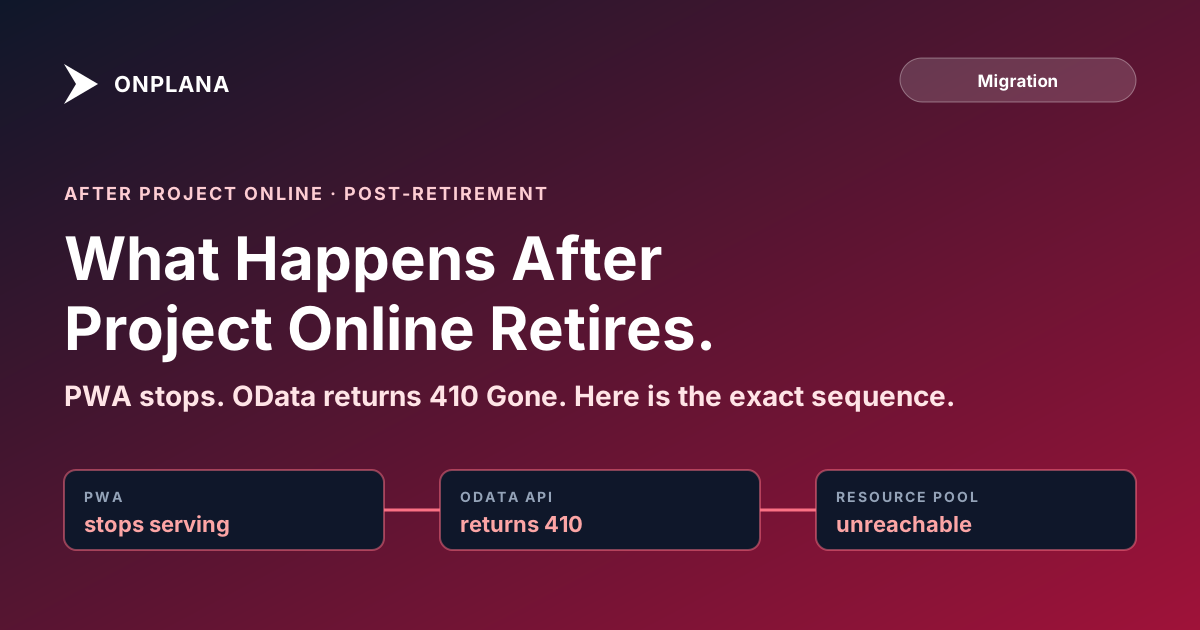
Project Online becomes no longer available on September 30, 2026, and it happens as a hard stop, not a phased sunset. Project Web App fails to load, the OData API returns 410 Gone, and the enterprise resource pool disconnects, all in the same hour, while Project Plan 3 and Plan 5 subscriptions keep billing until an admin cancels them manually. That combination, a dead service with a live invoice, is what catches PMOs who assumed retirement meant an automatic wind-down.
Understanding the post-retirement sequence (the last event in the 2026 Microsoft retirement timeline) is not just useful for contingency planning; it shapes how you prioritize your migration work and which data types you move first. The answer matters whether you are 90% done or have barely started.
Project Online becomes no longer available on September 30, 2026: PWA goes dark, OData returns 410 Gone, and the enterprise resource pool becomes unreachable, all at once. Any read-only window afterward is not guaranteed, so treat September 1, 2026 as your practical export deadline. Which of four situations you're in when the date arrives, fully migrated, partway, not started, or export missed, decides how much of that data you actually keep; SharePoint sites and Project Plan billing survive regardless, but the scheduling database and its timesheets do not unless you extracted them first.
The diagram below shows the five phases of the post-retirement timeline, from the last days of full service through the point where all access is permanently gone.
The dashed segment between September 30 and the eventual permanent shutdown is the piece that trips up most migration plans. Teams see "~90 days of read-only access" repeated in migration write-ups and mentally give themselves until December to finish. That reasoning is why migrations fail.
What "Retirement" Actually Means for an Enterprise SaaS Product
When Microsoft retires a SaaS product, the infrastructure that runs it stops being maintained and eventually stops being provisioned. It is not the same as end-of-support, where a product continues running but no longer receives updates. Retirement means the service literally stops.
For Project Online, that means the SharePoint framework component that hosts Project Web App, the SQL backend where your project data lives, the authentication broker for the OData API, and the workflow orchestration layer for timesheets all get decommissioned on the same date. Microsoft confirms the September 30, 2026 retirement date on its Project Online lifecycle page. There is no partial sunset where some features keep working while others are deprecated. The cutover is simultaneous.
The operational difference from a customer's perspective: one day your PMO directors log into PWA, check portfolio status, approve timesheets, and run OData-backed Power BI reports. The next day, all of that fails. There is no degraded mode, no read-limited mode, no warning banner. The service stops, and the question of what happens next is the one this post answers.
What Breaks First: Project Online After September 30, Day One
On September 30, 2026, the following stop working immediately and simultaneously, except licensing, which keeps running on purpose.
| Component | Status after September 30, 2026 |
|---|---|
| PWA sign-in | Fails immediately; site collection is decommissioned |
OData API (/_api/ProjectData) |
Fails immediately; returns HTTP 410 Gone |
| Desktop Client live features (publish, checkout, ERP sync) | Fails immediately |
| Desktop Client, local .mpp files already saved | Continue to open; no server connection |
| Timesheet submissions and approvals | Frozen; periods in flight do not complete |
| SharePoint project sites (non-PWA) | Unaffected |
| M365 admin center Project Online tile | Disappears |
| Project Plan 3 / Plan 5 billing | Continues until an admin cancels it, see the Project Online licensing cancellation guide |
PWA site collection access. Every user who navigates to your PWA URL (https://[tenant].sharepoint.com/sites/pwa or whatever alias you've configured) receives a service-unavailable or resource-not-found response. The PWA site collection is decommissioned, not just disabled.
OData API endpoint. The endpoint at /_api/ProjectData returns 410 Gone. This is the signal that the resource no longer exists and will not return. Power BI reports, Excel workbooks with OData connections, custom dashboards, and any application consuming this feed stop refreshing. If those reports drive executive steering meetings, those meetings start with broken data on day one unless you've rebuilt the reports against a different data source.
Project Online Desktop Client online features. The desktop application itself continues to function for locally saved .mpp files. What stops is everything that requires a live PWA connection: checking out a project from the server, publishing an updated schedule, syncing resource assignments from the enterprise resource pool, submitting work actuals. If your PMs habitually publish their schedules to Project Online, that publish button stops working.
Resource pool synchronization. Any project open in the Desktop Client that has resources assigned from the enterprise resource pool will no longer be able to update those resource assignments from the server. The local copy of the project retains the resource names, but the connection to the ERP is severed.
Timesheet system. The timesheet web application inside PWA stops. Active timesheet periods that have not been submitted, approved, and locked will be in an indeterminate state. Time entries accumulated up to September 30 but not yet approved are stuck. This is the category that causes the most immediate operational pain if not handled before the cutover.
Stage gates and governance workflows. Any projects in mid-approval (a PDP form submitted, a stage gate awaiting sponsor decision) will have their workflow suspended. The workflow engine that drives Project Online's governance features is decommissioned with the rest of the service.
The Read-Only Window: What It Covers and What It Doesn't
After the hard retirement date, Microsoft may (emphasis on may) maintain a limited read-only access window for data retrieval. Microsoft's historical behavior with SaaS retirements gives rough precedent for a 60 to 90 day window, but the important qualifier is that this is never formalized in the Project Online service agreement. It is not an SLA commitment.
During a read-only window, if Microsoft provides one, you would presumably be able to retrieve data via the OData API and possibly download .mpp files. You would not be able to make changes: no new projects, no timesheet submissions, no workflow actions.
Three reasons not to plan around this window:
Throttling. Even if the read-only API is available, every organization that missed the September export deadline hits it simultaneously. Microsoft's servers face enormous concurrent load. Exports that take three days in May will take two to three weeks in October, if they complete at all.
No guarantee on scope. Microsoft may provide read access to some data types but not others. Timesheet history, for example, might not be accessible even if project schedules are.
It delays everything else. A team waiting for the read-only window to "finish their export" is not finalizing their destination platform configuration, not training users, and not stabilizing processes. The migration gets pushed another three months while the new platform sits idle.
The Project Online retirement 90-day plan is built around a September 1 practical deadline specifically to avoid this trap.
What Happens to Historical Project Data Long-Term
Once the read-only window expires (whether that is 60 days, 90 days, or some other period), all access to Project Online's database ends permanently.
This is the part that is difficult to communicate to stakeholders who haven't managed a SaaS sunset before. The data is not deleted by Microsoft in the sense of being overwritten. It is simply no longer accessible. The servers are decommissioned, the databases are taken offline, and the authentication infrastructure that would allow any client to query them is shut down. There is no "request your data" path after that point, no backup restoration service, no support ticket that retrieves a deleted project. The data is effectively gone for any practical purpose.
For organizations with audit, compliance, or contractual requirements around project record retention (SOX controls, ISO 9001 quality records, government contract documentation, client billing evidence), this is a hard deadline, not a soft one. If those records need to exist in 2028, they need to be in a system you control before September 2026.
The practical implication: historical projects that your organization would normally archive rather than actively migrate still need to be exported and stored somewhere before the cutover. Walk through the data extraction window for the full list of fields, from custom fields to baselines, that need a deliberate export step rather than a routine save. Archiving to Azure Blob Storage, S3, or an internal document management system in structured formats like CSV, Parquet, or XML is appropriate for this use case. You're not migrating those projects to a new PM tool; you're preserving the audit record.
Which Permissions and Integrations Break First
The sequence matters for organizations that are partially migrated when the retirement date arrives.
Power BI and Excel connections break day one, since they depend on the OData API. An organization that has migrated 80% of its active projects but still has reporting built on Project Online's OData feed will have broken dashboards from day one of retirement.
Power Automate flows using the Project Online connector stop. Flows that route timesheet approvals, trigger gateway notifications, or sync data to other systems will fail silently: they won't throw errors that propagate to users; they simply won't execute. Discovering broken flows weeks after retirement is a common post-mortem finding.
SharePoint permissions on PWA-derived sites remain intact, because those sites are SharePoint Online sites. Users who had contributor access to the PWA site collection will lose access when the site collection is decommissioned, but their permissions on the project-specific SharePoint sites (the ones that hosted issue lists and document libraries) are unaffected.
Azure AD / Entra ID app registrations that use the Project Online API scope will continue to exist but will receive 410 responses when they attempt to query the service. If you have service accounts or daemon applications polling Project Online for data, they will need their configurations updated or decommissioned.
M365 Group memberships associated with Project Online sites survive. The Groups themselves are not decommissioned with the PWA site collection, so users in those groups remain members. This is largely irrelevant after the PWA site is gone, but it does mean lingering licensing implications if those group memberships were tied to Project Online seats.
What the M365 Admin Sees on and After Retirement Day
From the M365 admin center perspective, the experience is clean from Microsoft's side. The Project Online service tile disappears from the admin center. The PWA site collection shows as decommissioned or simply absent from the SharePoint admin's site collection list. Provisioning scripts that reference Project Online APIs will throw errors.
License reclamation is a separate administrative action. Project Online Professional and Premium licenses attached to users in your tenant do not auto-reclaim when the service is retired. You need to manually remove those license assignments (typically via the M365 admin center, PowerShell, or your Microsoft licensing agreement terms) to avoid continuing to pay for license seats that serve no function. For the broader retirement timeline, replacement-product gaps, and migration-path framing this sits inside, see the Project Online retirement guide.
SharePoint admin operations on PWA-derived site collections should be completed before the retirement date. Operations like content migration off those sites, changing permissions, or downloading site inventories should not wait until after September 30.
The Four Situations, and What Each One Costs
Where you stand on September 30 determines what "Project Online is no longer available" actually costs you, not just whether it's true. Four situations cover nearly every tenant, and the gap between the best and worst one is not close.
| Your situation on September 30 | What you can still do | What it costs | What's lost |
|---|---|---|---|
| Fully migrated, data exported | Use your new platform as the system of record; Project Online is simply gone | The migration effort already spent, nothing further | Nothing, if the export covered all six asset categories |
| Migration in progress, most data exported | Finish moving what's already exported; no new pulls from Project Online | Time reconciling two systems instead of one | Anything created or changed in Project Online after your last export ran |
| Not started, exporting during an informal read-only window | A throttled, unguaranteed export race against every tenant that also waited | Weeks instead of days per export, if the window exists at all | Timesheet history and workflow state most likely, possibly more |
| No export attempted, before or after retirement | Whatever SharePoint document libraries or offline .mpp files already existed outside PWA | Rebuilding project history from email, meeting notes, and memory | The entire scheduling database: schedules, baselines, dependencies, assignments, timesheets |
The first two situations are recoverable by definition: the export happened before the database went away. The second two depend on a window Microsoft has never formally committed to, which is why the retirement FAQ treats "wait and see" as the riskiest strategy in this cluster, not a neutral one. If you're reading this after the date and searching for what's still reachable, accessing archived Project Online data after retirement covers what a queryable archive needs to contain before anyone can search it, and what your options are if you don't have one.
Planning Your Cutover Backward from the Retirement Date
The practical insight from this post is that after Project Online retires, you have limited options and no guaranteed recovery path. Planning a migration timeline backward from that reality:
September 30: Retirement date. Hard stop.
September 1: Practical export and cutover deadline. All project data exported. All active projects running on the destination platform. Project Online in read-only mode for reference only.
August 15: Final go/no-go checkpoint. If active migration is not substantially complete by this date, every remaining day is a data-loss risk, not a scheduling inconvenience.
Now (late July): the roughly six-week window before that go/no-go checkpoint. If your organization has not started active migration by this point, you are already behind, not early.
The teams that hit September 1 calmly are the ones that started migrating months earlier. The teams arriving at September 30 in crisis mode are the ones still finishing inventory in August. That gap is not recoverable in the weeks that remain.
The Project Online end-of-life overview covers the full data impact in more detail. When you're ready to run your inventory before committing to a migration scope, the Project Online migration checklist covers all six asset categories that migrations consistently undercount. And the Project Online inventory checklist tool gives you an interactive version you can run on your actual tenant data today. Once you've narrowed the destination shortlist, Onplana's Project Online-style PPM is the most-evaluated like-for-like target.
Run the free Project Online Inventory Checklist Map every project, resource pool, and custom field you actually need to keep before September 30 arrives. About 10 minutes, no signup required. → Open the checklist
Microsoft Project Online™ is a trademark of Microsoft Corporation. Onplana is not affiliated with Microsoft.
Frequently asked questions
Is Project Online no longer available right now?
Not yet. It retires on September 30, 2026, and stays fully functional until that date. After the 30th, PWA and the OData API fail immediately, and any read-only access afterward is not guaranteed, so plan as if 'no longer available' means completely gone starting October 1.
Can I still sign in to Project Online after September 30, 2026?
No. The PWA site collection is decommissioned, not just locked, so sign-in attempts fail with a service-unavailable or resource-not-found response starting the retirement date.
Can I still export data after September 30, 2026?
Don't count on it. Microsoft has not guaranteed a read-only export window, and if one exists it will be throttled by every tenant that missed the deadline exporting at once. Treat September 1, 2026 as your real export deadline.
Is my Project Online data deleted after retirement?
Not deleted so much as permanently unreachable: the servers and databases are decommissioned, with no support ticket or backup-restore path afterward. SharePoint document libraries attached to projects survive; the scheduling database does not.
Can I get an extension past September 30, 2026?
No formal extension exists in the Project Online service agreement. Any informal grace period Microsoft allows is undocumented and not something to plan a migration around.
Do Project Online licenses stop billing when the service retires?
No. Project Plan 3 and Project Plan 5 subscriptions keep charging until an admin cancels them in the Microsoft 365 admin center; retirement ends the service, not the invoice.
Ready to make the switch?
Start your free Onplana account and import your existing projects in minutes.