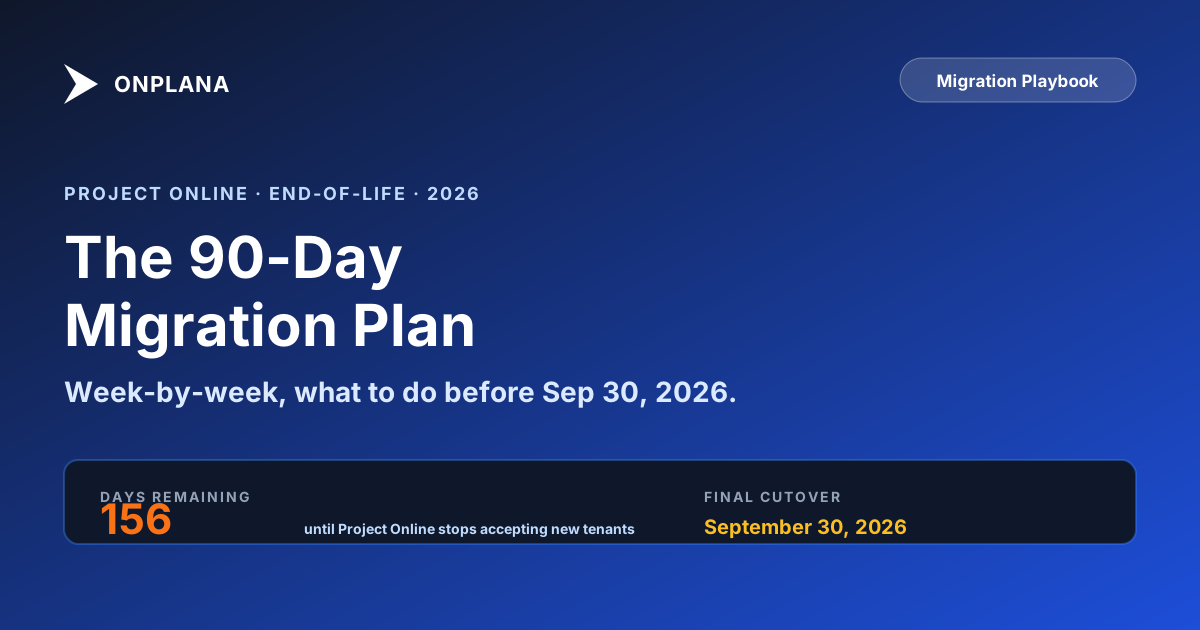
Project Online Retirement: A 90-Day Plan to Migrate in Time
Project Online retires September 30, 2026. A 12-week, six-phase plan with exit criteria, what to do if you miss the date, and a free read-only estate check.
Microsoft Project Online retires on September 30, 2026, the third event in Microsoft's 2026 retirement timeline. That sentence has been repeated enough that it's lost its bite, but the calendar doesn't care. By the time you read this, every PMO still on Project Online is counting the runway in weeks, or has already run out of it.
This post isn't another "what to know" piece. The internet has plenty of those (including our own). This is the operational counterpart: a concrete 12-week plan, six phases, with explicit exit criteria for each gate and the one failure mode that catches most teams.
If your migration hasn't started yet, today is week one. If week one begins with weeks rather than months left, read the honest disclaimer at the end of this post first: the plan below still applies, but the scope does not. Migrate the active portfolio and export the rest.
The 30-Second Summary
- 12 weeks, six phases: Inventory → Evaluate → Pilot → Prep → Cutover → Stabilise.
- Don't skip Phase 3. A 2-week pilot on 3–5 representative projects is the difference between a clean go-live and a hypercare nightmare.
- Sep 30, 2026 is the final cutover. There is no committed read-only window after it, so anything not exported by then should be treated as gone.
- Cost ramps non-linearly toward the deadline. An early migration runs ~3× cheaper than a panic-cutover in the final weeks.
- Exit criteria, not dates. Every phase has a gate. If the gate doesn't clear, don't move on.
- Start with the estate, not the tool. The free, read-only Project Online estate assessment counts your projects, custom fields, and resources before Week 1 starts, with nothing written to your tenant.
The Phase Gate Discipline
Every phase in this plan has a written exit criterion at its top. A gate that does not clear does not advance, regardless of which calendar week the team is in. That is the discipline that separates a 12-week migration from a 12-week plan that takes 20.
The shorthand is the Phase Gate Discipline: six gates, six exits, no exceptions. If the inventory is not complete, evaluation does not start. If the pilot has open data-fidelity gaps, cutover prep does not start. If the validation team has not signed off, go-live is rolled. The temptation to "start prep in parallel while we close out pilot" is exactly the pattern that produces the Pilot-skip failure mode on go-live weekend. It looks like progress and it is technical debt.
Steering committees that adopt this discipline have a simpler reporting model: every week, the status is the current phase, the exit criteria, and the gate's binary state (cleared / not cleared). That single sentence beats a Gantt-chart status update because it surfaces blockers in a form that demands a decision.
Why the Timing Matters More Than the Tool
Most posts focus on which tool to migrate to. That's the wrong starting question. The harder question, the one that determines whether the project succeeds, is when you migrate, not what you migrate to.
Two things rise non-linearly as you approach the deadline:
- Risk, vendor support windows tighten, consultants get booked, and your own team's stress levels reduce decision quality. A migration scheduled for July is fundamentally different from the same migration scheduled for September.
- Cost, by Q3, every PMO consultant in your region is double-booked. Day rates rise. Hypercare overtime stacks up. Integration vendors push back on bookings.
Past Sep 30, you are in the danger zone. Microsoft has not committed to a read-only window, a grace period, or any post-retirement retention, so whatever was not exported is not something to plan on recovering. Teams that delay past the deadline are not paying twice; they are rebuilding from whatever they exported.
The sweet spot was migrating to a usable state with two months of buffer for hypercare, training, and the inevitable surprises, which meant starting the 12-week clock in the spring. If that window has closed for you, the phases below still apply; the scope does not. Migrate the active portfolio on the plan, export the archived portfolio to read-only storage, and treat the honest disclaimer at the end as the main path rather than the fallback.
Phase 1, Inventory (Weeks 1–2)
Exit criteria: documented project list, integration map, user roster, and a quantified data-volume estimate.
You can't plan what you don't measure. Most PMOs underestimate their Project Online footprint by 30–50%, usually because nobody has counted the orphan projects, the OData feeds wired to Power BI, or the SharePoint document libraries linked to Project Web App. The free Project Online Inventory Checklist walks the 35 items most tenants miss in this phase, with notes/owners per item and a PDF export for the steering committee.
Week 1 checklist
- Pull the full project list from Project Online (active + archived). Tag each project with status, owner, last-modified date, and approximate task count. The free, read-only Project Online estate assessment pulls this list with task and milestone counts per project in one pass, with nothing written to your tenant.
- Identify all OData consumers, Power BI dashboards, custom .NET reports, Excel data connections. While the feed still answers, take the snapshot itself: the OData export walkthrough covers the endpoints and the paging.
- Map every integration: timesheet system, financials, identity provider, document libraries, Power Automate flows.
- Roster every Project Online user, by role, by license tier, by time-zone.
Week 2 checklist
- Categorise projects: active (will migrate), archived (will export to read-only storage), retire (won't migrate at all).
- Document custom fields. Project Online's "Enterprise Custom Fields" with calculated formulas and lookup tables are the most common migration trip-wire, and the field-by-field migration guide sets out which types survive a move and which have to be rebuilt.
- Measure data volume, total tasks, total assignments, total custom-field values. This drives the import-tool selection in Phase 2.
- Confirm sponsor + executive owner. The migration is going to surface organizational debt; have someone authorised to make decisions when it does.
Don't skip: the integration map. Migrations fail more often because of an unknown OData consumer than because of the project data itself.
Phase 2, Evaluate (Weeks 3–4)
Exit criteria: shortlisted tool, data-fidelity spike completed against your real export, security/compliance sign-off.
Two weeks. No more. Many PMOs get stuck here for months running parallel evaluations on tools that fundamentally don't fit. Get to a shortlist of three by end of week 3.
Week 3, Shortlist
Use the alternatives roundup as a starting filter. Apply your hard requirements:
- Does it support all four dependency types (FS/SS/FF/SF) with lag? Most "modern" tools don't, they only do FS without lag.
- Does it ingest .mpp files natively or via XML? Direct .mpp parse is rare; XML is universal.
- Does it support baselines and critical-path analysis?
- Does it offer SSO + SCIM at the tier you need?
- Does it match your data-residency requirements?
If a tool fails any hard requirement, it's out. Keep three.
Week 4, Data-fidelity spike
Pick three real, complex projects from your inventory. Export them. Import them into each shortlisted tool. Compare against the original side-by-side.
What you're testing: not whether the tool can import .mpp, but whether your projects round-trip with their critical path intact, dependency lag preserved, baselines surviving, and custom field types mapping correctly. This is the moment that disqualifies tools, and it's much cheaper to find out in week 4 than in week 11.
Don't skip: the security review. Your security team will ask for SOC 2 docs: SSO configuration, audit-log capability, and data-retention policies. Get those answers documented before you commit. (Onplana publishes a full security & compliance overview for exactly this reason.)
Don't skip the budget either. End of week 4 is when finance starts asking for a 3-year number. Run the inventory you built in Phase 1 through the free Migration Cost Calculator: it produces low/mid/high scenarios across the six cost categories (license delta, data-migration labor, training, parallel operation, integration rework, cleanup) and exports a CFO-ready PDF. Defensible numbers beat round numbers when the steering committee asks. Pair the calculator output with the playbook for defending the migration budget to a CFO: the numbers tell the story, the framing keeps the meeting from getting derailed by "did we look at cheaper options" questions in the first ten minutes.
Phase 3, Pilot (Weeks 5–6)
Exit criteria: 3–5 projects migrated, validated, and running in production on the new tool. UAT sign-off from project owners. Documented gap list with mitigations.
This is the phase teams skip. Don't.
The pilot is where you discover that one custom field type doesn't translate cleanly, that the OData feed your CFO uses for monthly reporting needs a workaround, that your power users have hotkey muscle memory you didn't plan training for. Each of these is cheap to fix in week 5; expensive in week 11.
The import itself is the mechanic this phase rehearses. The video below shows the import wizard end to end, from uploading a Microsoft Project file to matching resources and importing.
Pilot project selection
Pick projects that collectively cover your portfolio's complexity:
- One large schedule-driven project (1,000+ tasks, multiple baselines)
- One agile/hybrid project (sprints + milestones)
- One small simple project (the "easy win" sanity check)
- One project with all four dependency types
- One project with significant resource leveling
If a project owner won't cooperate, swap it. Volunteers > conscripts.
What "validated" actually means
Walk each pilot project against its Project Online twin, line by line, with the project owner. Confirm:
- All tasks present, with correct dates
- All dependencies (especially SS/FF/SF and lag) intact
- Baselines preserve historical variance
- Custom fields populated and computed correctly
- Resources assigned with the same allocation percentages
- Critical path matches (or, common, the new tool surfaces a better critical path because Project Online had a bug)
Document any gap. Decide: fix in tool, fix in import script, fix in process, or accept.
Phase 4, Cutover Prep (Weeks 7–9)
Exit criteria: bulk export verified, mapping rules documented, training delivered, rollback plan signed off, integration cutover plan agreed with vendors.
By now you've migrated five projects manually. Phase 4 is industrialising that for the rest.
Week 7, Mapping and scripts
Your pilot taught you the mapping rules: which custom fields go where, how lag values translate, how to handle resource pool migration. Codify these into the import script your migration partner (or your team) will run for the bulk cutover.
Week 8, Training
PMs need 90 minutes hands-on. Stakeholders need 30. Executives need a 15-minute walkthrough of the dashboard. Schedule them now while everyone has bandwidth, three weeks before cutover, not three days. The role-based Project Online training plan breaks the same hour budgets into session agendas per audience, with the retraining traps senior PMs hit when a decade of muscle memory meets a new tool.
Week 9, Integration coordination
Every Power BI dashboard, OData consumer, and timesheet hook needs a cutover window. Get those windows agreed with the consuming teams. Don't assume Power BI will "just keep working", it won't, because the OData URL is different.
Don't skip: the rollback plan. It should be one page. If we fail to validate by Sunday 18:00, revert to Project Online (still live in read-only mode), reschedule cutover to weekend N+1, communicate via the standing comm channel. Sponsors love a written rollback plan; they trust the team that has one.
Phase 5, Cutover (Weeks 10–11)
Exit criteria: all active projects migrated, all integrations wired up, validation team sign-off, hypercare team in place.
This is the visible phase. Done right, it's anticlimactic. Done wrong, it's a Monday morning all-hands.
The 60-hour window
Friday 17:00   Freeze writes on Project Online (admin-only mode)
Friday 18:00   Bulk export from Project Online begins
Friday 22:00   Bulk import to new tool begins
Saturday all   Validation team walks each project, flags variance
Sunday all     Hypercare team monitors audit log + integration health
Monday 06:00   PMs log in to the new tool; migration war-room on standby
Keep the window under 60 hours. Past that, fatigue corrupts decisions and small mistakes compound.
The validation pass
Two-person teams, each project: one person on the new tool, one on the (read-only) Project Online view. Spot-check task dates, dependency arrows, critical path, custom-field values. A two-person team can validate ~30 projects/day. Plan capacity accordingly.
Communications
Status updates every 4 hours during the window: Slack channel, email digest, or whatever your org uses. The opposite of a successful migration weekend isn't a failed one; it's a successful one where leadership doesn't know it succeeded until Monday afternoon.
Phase 6, Stabilise (Week 12)
Exit criteria: hypercare ticket queue cleared, retrospective held, Project Online tenant archived for compliance, lessons documented.
The first week post-cutover is hypercare. Expect 3–10× normal support load. Staff for it.
Hypercare priorities
- Critical: anything blocking a project owner from updating their schedule. Resolve same-day.
- High: dashboard / report regressions. Fix within 48 hours.
- Medium: cosmetic differences vs Project Online. Document and triage.
- Low: feature requests. Park for the post-migration backlog.
Archive Project Online
Once the new tool is the source of truth, lock Project Online for read-only. Schedule the tenant deactivation per your data-retention policy, typically 90 days post-cutover, but check the retention preset that matches your obligation.
Retrospective
Hold it within 7 days while memory is fresh. Two questions:
- What worked that we should keep?
- What didn't, that the next migration (or the next vendor migration in 5 years) should avoid?
Publish both internally. Migration debt stays paid down only if it's documented.
Tier variations: pick your timeline by portfolio size
The 12-week plan is calibrated for a 50 to 500-project PMO. Smaller and larger orgs need a different cadence. The table below shows the recommended phase durations by tier; the Phase Gate Discipline is identical across tiers (every gate clears before the next phase starts), only the timeboxes change.
| Tier | Portfolio size | Total weeks | Phase 1 (Inv) | Phase 2 (Eval) | Phase 3 (Pilot) | Phase 4 (Prep) | Phase 5 (Cutover) | Phase 6 (Stabilise) |
|---|---|---|---|---|---|---|---|---|
| Compact | < 50 projects | 6 weeks | 0.5 wk | 0.5 wk | 2 wks | 1 wk | 1 weekend | 1 wk |
| Standard | 50-500 projects | 12 weeks | 2 wks | 2 wks | 2 wks | 3 wks | 2 wks | 1 wk |
| Enterprise | 500-1,000 projects | 14 weeks | 2 wks | 2 wks | 3 wks | 3 wks | 3 wks | 1 wk |
| Large enterprise | 1,000+ projects | 16 weeks | 2 wks | 2 wks | 4 wks (2 pilot waves) | 3 wks | 4 wks (2 cutover wknds) | 1 wk |
| Multi-region | Federated tenants | 14-18 wks | Unified | Unified | Per-region or unified | Unified | Per-region | Unified retro |
The pilot doubles on Enterprise+ tiers because a single pilot wave does not cover enough portfolio diversity at that scale to derisk the bulk cutover. The cutover doubles because two-weekend windows let you split the portfolio in half and learn from the first weekend before committing the second. Phase 3 is the load-bearing phase in every tier; the Phase Gate Discipline forbids compressing it below 2 weeks even on the Compact tier.
What to Do This Week
If you haven't started:
- Today: Schedule the kickoff for Monday morning. 60 minutes. Sponsor + PMO lead + IT lead.
- Tomorrow: Pull the project list. Send to the kickoff invitees as the pre-read. If you have weeks rather than months, export everything now and migrate the active portfolio first: start with the .mpp export, the one step that cannot be done after September 30.
- End of week: Inventory complete. Phase 2 begins Monday.
If you've started but lost momentum:
- Today: Audit your phase. Are exit criteria met for the previous phase? If not, you're behind your own definition. Don't paper over it, go back.
- This week: Re-baseline the timeline against Sep 30. If you can't make the deadline with current scope, descope the projects that can wait or hire help. Both are cheaper than missing the deadline.
The Honest Disclaimer
Some PMOs will not make Sep 30. The calendar is the calendar; ambition isn't velocity.
If your shortlist still has 7 tools, your phase 3 (Pilot) hasn't started, and there are weeks rather than months left: scope down. Migrate the active portfolio first. Send the archived portfolio to read-only storage and migrate those projects post-deadline. Better a clean cutover on a smaller scope than a chaotic one on the full one.
The goal isn't moving every project. It's preserving the schedule integrity of the projects that matter, and giving your PMO a tool worth using for the next decade.
Two free tools to anchor Phase 1 and Phase 2 Inventory the scope, then build the budget. No signup, runs on your real data, both export PDFs you can hand to the steering committee. → Project Online Inventory Checklist · Migration Cost Calculator
Onplana is purpose-built for PMOs migrating off Project Online, native .mpp + Project XML import, all four dependency types with lag, baseline shadows on the Gantt, and a free starter tier so you can run Phase 2 (Evaluate) without a procurement cycle. Start a free evaluation or book a migration walkthrough.
Related: Microsoft Project Online End-of-Life: What You Need to Know · How to Migrate from Microsoft Project Online · Best Microsoft Project Alternatives in 2026 · Cost of Migrating from MS Project Online · Why Most Project Online Migrations Fail
Microsoft 365 integration paths (if some teams keep working in the new Microsoft surfaces): Migrate Microsoft Planner to Onplana with optional live sync · Import Project for the Web Premium from Dataverse · Microsoft To Do bi-directional sync
Microsoft Project Online™ is a trademark of Microsoft Corporation. Onplana is not affiliated with Microsoft.
Frequently asked questions
When exactly does Microsoft Project Online retire?
September 30, 2026. After that date PWA, the OData feed, and timesheet workflows stop, and Microsoft has not committed to a read-only window, a grace period, or any post-retirement retention, so treat it as the last day the data is reachable. A team that has not migrated with weeks left is in the danger zone: export everything now and migrate the active portfolio first.
Why is 12 weeks the right migration window?
Calibrated for a 50–500-project PMO. Smaller orgs can compress to 6 weeks by collapsing Phases 1–2 (Inventory, Evaluate). Larger PMOs (1,000+ projects, multiple OData feeds, custom Project Web App workflows) typically extend Phase 3 (Pilot) by 2 weeks for additional UAT cycles. Below 50 projects, a single PM can run the whole thing in two weeks. Above 1,000, expect 16.
What's the most common Project Online migration failure?
Skipping Phase 3 (Pilot). Teams jump from Evaluate straight to Cutover, find data-fidelity gaps on go-live weekend (custom field types, dependency lag, baseline shadows), and have no rollback path because Project Online is read-only by then. The pilot phase exists specifically to surface those gaps in a 2-week window where you can still fix them or change tools.
Should I just use Microsoft's recommended Planner replacement?
Only if your projects fit Planner's model, flat task lists, no Gantt baselines, no critical-path analysis, no resource leveling, no governance gates. That's a real fit for marketing teams and 5-person agile squads but a poor fit for traditional PMOs running schedule-driven projects. We have a [head-to-head comparison](/blog/microsoft-project-online-vs-planner) covering the gaps in detail.
Can I migrate in stages, project-by-project?
Yes, and you should, if you have more than ~20 projects. The Pilot phase is exactly that: 3–5 representative projects migrated first, validated against the original Project Online data, then production usage on the new tool while the rest of the portfolio stays on Project Online for 2–4 weeks. Cutover happens portfolio-wide once the pilot proves the toolchain. Avoid a single 'big-bang' migration with 200 projects in one weekend; the failure radius is too wide.
What gets exported from Project Online, and what doesn't?
Native exports cover .mpp files (per project) and the OData feed (cross-project). Tasks, dependencies (FS/SS/FF/SF + lag), baselines, custom fields, resources, and assignments come out cleanly. What's harder: enterprise resource pool data: Project Web App workflows, custom timesheet configurations, and SharePoint-linked deliverables. Plan a dedicated workstream for those.
What does a successful go-live weekend look like?
Friday 17:00: freeze writes on Project Online (admin-only mode). Friday 18:00–22:00: bulk export + import to the new tool. Saturday: validation team walks each project against the original Project Online view, flagging variance. Sunday: hypercare team monitors the audit log + integration health. Monday morning: PMs log in to the new tool, the migration team is on standby in a war-room. The whole window stays under 60 hours from freeze to user-ready, with a rollback plan that points back to Project Online's read-only data.
How much does a 12-week migration cost?
Direct migration cost lands between $30K (50 projects, in-house) and $400K (1,000+ projects, consulting-led with custom integrations). The dominant variable isn't tool license, it's labor for inventory, mapping, and parallel running. Our [cost breakdown](/blog/cost-of-migrating-from-ms-project-online-2026) walks through all six categories with a calculator.
Ready to make the switch?
Start your free Onplana account and import your existing projects in minutes.