Project Management Software for Manufacturing PMOs
Manufacturing project management needs ERP-linked capex tracking, fixed-date turnaround scheduling, and NPI phase-gates. Here's what to require from a PM tool.
Most manufacturing PMOs get evaluated on the same checklist as any other PMO: Gantt charts, task assignment, a dashboard. Then the capex team asks whether the ERP cost code survives a schedule revision, the turnaround lead asks whether a one-day slip shows up before the shift starts, and the quality team asks whether a phase-gate can actually be blocked until sign-off happens. A generic PM tool answers none of those, because none of those questions come up in a normal corporate PMO evaluation.
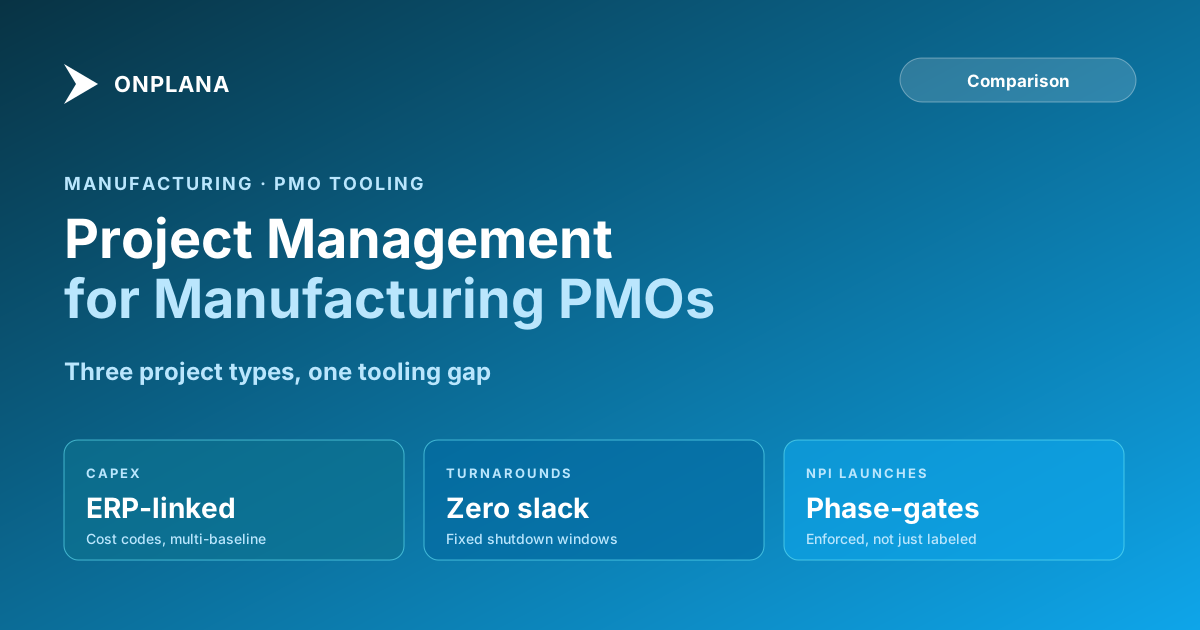
Manufacturing PMOs run three project types that look nothing alike on paper. Capital expenditure projects are tied to ERP cost accounting and run over multiple years. Plant turnarounds compress months of work into a fixed shutdown window with zero tolerance for slip. New product introduction projects move through formal phase-gates that quality and regulatory teams expect to be enforced, not just documented. A PM tool evaluated only on scheduling basics will handle all three the same way, which is exactly the problem.
TL;DR. Manufacturing project management software needs to handle three project types most generic PM tools were not built for: capex projects with ERP cost-code linkage and multi-baseline tracking, plant turnarounds with fixed-date, resource-loaded critical path scheduling, and NPI projects with enforced phase-gate approvals. Add shop-floor resource sharing, where the same technicians and engineers are needed for both projects and live production, and the evaluation criteria diverge sharply from a standard corporate PMO checklist. See how a free resource heatmap surfaces shop-floor conflicts before they cause a missed date.
Why Manufacturing PMOs Need Different Tooling Than Corporate PMOs
A corporate PMO runs projects that mostly compete with each other for the same pool of office-based staff and budget. A manufacturing PMO runs projects that compete with production itself for people, equipment, and shutdown windows, and that changes what the PM tool has to surface.
Three structural differences drive the tooling gap. First, manufacturing projects reference financial systems directly: capex projects carry ERP cost codes that finance reconciles against, and losing that linkage during a schedule change breaks the connection between the PMO's plan and the accounting system's record. Second, manufacturing projects run on fixed external calendars set by production, not by the PMO. A turnaround window does not move because a task ran long; the plant reopens on the scheduled date regardless. Third, manufacturing projects are governed by formal phase-gate processes, particularly for new product introduction, that quality and regulatory functions expect to be enforced rather than tracked as a milestone label.
A generic PM tool, built for software teams or cross-functional business projects, handles none of these well by default. Teams compensate with spreadsheets tracking cost codes separately, calendar reminders standing in for real critical path variance tracking, and email chains substituting for enforced phase-gate approval. That compensation layer is real cost, even when nobody labels it that way.
Capital Expenditure Tracking: What a PM Tool Must Integrate With
Capex projects in a manufacturing PMO carry an approved capital budget that finance tracks in the ERP system, typically as a SAP WBS element or an Oracle project number. The PM tool does not need to become an accounting system, but it does need to hold that cost code as a persistent, visible field on the project record, one that survives schedule revisions rather than living in a separate spreadsheet the PMO maintains by hand.
Multi-baseline support matters more here than in most PMOs. A capex project typically needs to compare the originally approved capital budget against a revised estimate and against the current forecast, three distinct snapshots that finance expects to reconcile independently. A PM tool that preserves only the most recent baseline forces the PMO to keep the historical comparison in a separate document, which is exactly the kind of shadow record-keeping that breaks down during an audit of capital project controls.
The practical requirement: a custom field type that holds the ERP cost code without truncation or reformatting, at least two preserved baselines beyond the current plan, and an export path that finance can consume without a manual reformatting step.
Plant Turnaround Scheduling: Fixed Dates, Zero Slack
A plant turnaround compresses months of maintenance, inspection, and upgrade work into a shutdown window that has a hard start and a hard end, set by the production calendar rather than by the project team. Every day the plant stays down past the scheduled restart date is lost production, at a cost that dwarfs almost any other project overrun a manufacturing PMO will see.
This changes what "on schedule" needs to mean. A static Gantt chart that shows tasks as green or red after the fact is not enough; a turnaround needs resource-loaded critical path tracking that surfaces schedule risk while there is still time to react; before a delay on the critical path becomes an unrecoverable slip against the restart date. The PM tool needs to calculate critical path with actual resource constraints factored in, not just logical dependency order, because a turnaround's real bottleneck is usually crew availability, not task sequencing.
Turnaround scheduling also benefits from tight integration between the schedule and daily shift reporting. A PM tool that requires a separate end-of-day update process, disconnected from the live schedule, adds a lag between what is actually happening on the shop floor and what the schedule shows, and that lag is exactly when a recoverable one-day slip turns into an unrecoverable one.
Does the Tool Support NPI Phase-Gate Governance?
New product introduction projects move through formal phase-gates, typically concept, design, validation, and launch, each requiring documented sign-off before the project proceeds. Most PM tools track a phase-gate as a milestone: a date on the schedule with a label. That is not governance. A milestone label does not stop a project team from moving into the next phase before sign-off actually happens; it just means the schedule shows the gate as passed regardless of whether anyone approved it.
Real phase-gate governance requires an approval workflow that blocks progression until a designated approver signs off, and a record of that approval that survives independently of the schedule itself. For manufacturing PMOs whose NPI process ties into quality management or regulatory requirements, this is not a nice-to-have. Many manufacturing PMOs previously ran this approval logic through SharePoint 2013 workflows inside Project Online, a mechanism that retired on April 2, 2026, ahead of Project Online's own broader retirement. Any NPI governance process still depending on those workflows needs a replacement, either rebuilt in Power Automate or moved to a PM tool with native governance capability.
Shop-Floor Resource Sharing and Capacity Conflicts
Manufacturing projects share resources with production in a way that most corporate PMOs never have to account for. The process engineer running a capex project's commissioning phase may be the same person production calls when a live process deviation needs troubleshooting. The maintenance technician scheduled for turnaround prep work this week may also carry an unplanned repair on the production floor tomorrow.
A PM tool that shows resource assignment only within a single project cannot surface this. What manufacturing PMOs need is a cross-project view that shows a named resource's total committed load across every active capex project, turnaround, and NPI initiative simultaneously, with a clear flag when an assignment would push someone past their available capacity. Without that view, the first sign of a conflict is usually a missed date, discovered after the fact rather than flagged before the assignment was made.
The diagram below shows how the three manufacturing project types converge on the same resource pool and the same ERP and shop-floor systems, which is why a manufacturing PMO cannot evaluate a PM tool on scheduling alone.
Manufacturing PM Tool Comparison
The table below compares three common approaches for manufacturing PMO tooling.
| Dimension | Generic PM tools (Asana, Monday) | Legacy enterprise PPM (Project Online) | Onplana |
|---|---|---|---|
| ERP cost code field persistence | Manual, via custom field workarounds | Enterprise Custom Field | Native custom field, persists across revisions |
| Multi-baseline support | No | Yes (up to 11 per project) | Multiple baselines preserved |
| Resource-loaded critical path | No | Yes | Yes, with float propagation |
| Cross-project resource conflict view | Limited | Enterprise Resource Pool | Resource heatmap, cross-project |
| Phase-gate approval enforcement | Milestone label only | SharePoint workflow (retired April 2026) | Native governance pipeline |
| Deployment in your own environment | No | No (Microsoft cloud only) | Dedicated deployment in your own Azure subscription (Enterprise+) |
| Learning curve for shop-floor users | Low | Moderate to high | Moderate |
| Pricing | $10-25/user/month | $30-55/user/month plus M365 | Free to $29/user/month |
Legacy enterprise PPM tools like Project Online covered most of these dimensions reasonably well, which is exactly why manufacturing PMOs relied on them for years, but the governance layer for NPI phase-gates ran through SharePoint workflows that retired in April 2026, and the platform itself retired in September 2026. Generic PM tools are cheaper and easier to roll out but fail the capex, turnaround, and phase-gate requirements outright.
What Happens When You Evaluate a Manufacturing PMO Like Any Other PMO?
The failure pattern is consistent. A manufacturing PMO runs a standard PM tool evaluation, weighs scheduling features and price, and picks a tool that scores well on both. Three months into rollout, the capex team discovers the ERP cost code does not survive a schedule revision and has to maintain a shadow spreadsheet. The turnaround lead discovers the critical path view does not account for crew availability and only shows the delay after it has already happened. The quality team discovers the NPI phase-gate is a checkbox anyone can click, with no actual approval behind it.
None of these failures show up during a standard demo, because a standard demo does not test for them. They show up during the first live capex revision, the first turnaround with a crew conflict, or the first NPI audit, at which point the PMO is stuck with a tool that fits everywhere except where manufacturing actually needed it to fit.
Making the Call
Manufacturing project management software has to answer three questions a generic evaluation checklist never asks: does the ERP cost code survive a schedule revision, does the critical path view account for crew availability under a fixed shutdown date, and does the phase-gate approval actually block progression until sign-off happens. A tool that answers yes to all three, and can show shop-floor resource conflicts across every active project at once, fits the actual shape of a manufacturing PMO's portfolio rather than an idealized one.
For manufacturing PMOs bringing the Project Online data they exported into a new tool, the manufacturing sector guide covers the migration sequence for capex, turnaround, and NPI projects in more depth, including what happens to ERP cross-references during cutover. The Microsoft Project alternatives overview covers the broader replacement landscape if your shortlist extends beyond a single vendor.
Run the free Resource Allocation Heatmap Upload a .mpp or MSPDI XML file and see cross-project resource conflicts in about 30 seconds, the same conflicts that turn into missed turnaround dates when they go unnoticed. No signup required. → Open the Resource Heatmap
Microsoft Project Online™ is a trademark of Microsoft Corporation. Onplana is not affiliated with Microsoft.
Frequently asked questions
Why is manufacturing project management different from a generic corporate PMO?
Manufacturing PMOs run three project types that a generic PM tool was not built for: capital expenditure projects tied to ERP cost codes, plant turnarounds with fixed shutdown windows, and new product introduction projects governed by phase-gate approvals. Each has different tooling requirements that a scheduling-only PM tool does not cover.
What does a manufacturing PM tool need for capex tracking?
A field for the ERP project or cost code (SAP WBS element, Oracle project number) that stays attached to the schedule, plus multiple baselines so approved budget, revised estimate, and current forecast can be compared without losing history.
How is plant turnaround scheduling different from normal project scheduling?
A turnaround has a fixed, non-negotiable end date set by the production calendar, and every day of delay carries a direct cost in lost production. Turnaround scheduling needs resource-loaded critical path tracking and real-time schedule variance visibility, not just a static Gantt chart.
What is an NPI phase-gate and does every PM tool support it?
New product introduction phase-gates are formal approval checkpoints (concept, design, validation, launch) that require sign-off before a project moves to the next phase. Most task-management tools track phase-gates as milestones only, with no enforced approval workflow, which lets a project move forward without the sign-off actually happening.
Why do manufacturing PMOs care about shop-floor resource sharing?
Manufacturing projects often share the same engineers, technicians, and operators the production floor depends on. A PM tool that cannot show cross-project resource conflicts lets a project team double-book someone who is also needed for a live production issue, which shows up as a missed date with no warning.
What happened to SharePoint 2013 workflows that many manufacturing PMOs used for approvals?
SharePoint 2013 workflows, which many manufacturing PMOs used to power NPI phase-gate approvals inside Project Online, retired on April 2, 2026. Any phase-gate approval process still depending on them needs to move to Power Automate or to the PM tool's own governance workflow.
Ready to make the switch?
Start your free Onplana account and import your existing projects in minutes.