Project Online Manufacturing Migration: Capex, Turnarounds
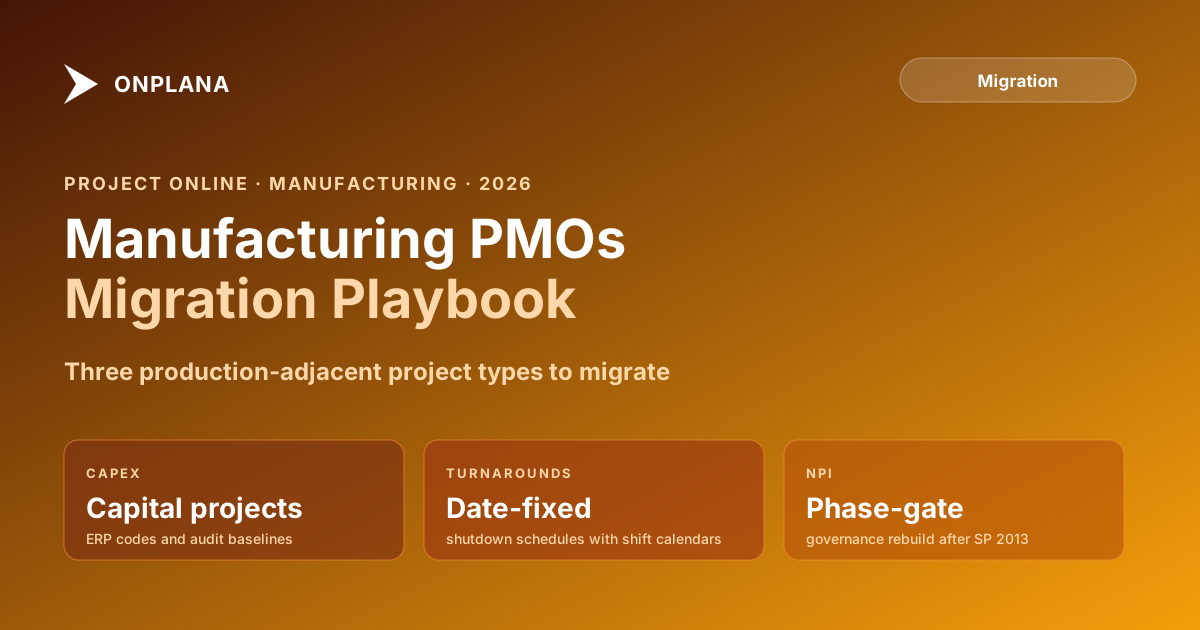
Project Online manufacturing PMOs use PWA for capex, plant turnarounds, and NPI. Here is what makes these projects harder to migrate than typical portfolios.
Here is the pattern Project Online manufacturing PMOs run into. A large industrial manufacturer uses Project Online for three distinct project types: capital expenditure projects tied to SAP WBS codes, annual plant turnaround projects with fixed shutdown windows, and new product introduction projects governed by a phase-gate process. The migration team draws up a schedule that treats all three the same way. By week three of the pilot, the phase-gate workflows have stopped running, the capex baselines have lost all but the current snapshot, and the SAP project codes are visible in the destination tool but the finance team's ERP query still points at the PWA OData feed.
All three failures were predictable. None were on the migration team's radar.
Project Online manufacturing configurations look like generic PMO deployments from the outside. They are not. The projects in a manufacturing PMO sit adjacent to production: they share resources with the shop floor, they carry ERP cross-references that tie into capital accounting, and they are governed by workflows that are either broken already (as of April 2, 2026, when SharePoint 2013 workflows retired) or will break at the Project Online retirement in September. The migration plan for a manufacturing PMO has to account for all three project types explicitly, or one of them will produce a war room.
TL;DR Manufacturing PMOs run three distinct project types on Project Online: capital expenditure projects with ERP linkage, plant turnarounds with fixed-date shutdown schedules, and NPI projects governed by phase-gate workflows. Each type has migration risks that a generic migration guide misses. This post covers those risks and the migration sequence that handles all three correctly before September 30, 2026.
How Project Online Manufacturing PMOs Work Differently
Corporate PMOs use Project Online primarily for schedule and status. Manufacturing PMOs use it for those things plus three production-adjacent functions that complicate migration.
Capital expenditure tracking. Capex projects carry approved capital budgets that appear in both the PMO system and the ERP. Project Online stores the ERP project code as an Enterprise Custom Field, and the finance team queries that field to reconcile capex spend between systems. The PMO system and the ERP are joined at the project level.
Plant turnaround coordination. Turnarounds are planned shutdowns of a production line or facility for maintenance, upgrade, or inspection. They have fixed-date windows determined by production planning, not by project management. The schedule is date-constrained at both ends: the line goes down on a specific date, and it must be back up by a specific date. The Project Online schedule for a turnaround is therefore driven primarily by hard date constraints, which interact badly with the default scheduling logic in most destination tools.
New product introduction governance. NPI projects follow a phase-gate model: a product idea passes through Development, Feasibility, Definition, Implementation, and Launch phases, each with a gate review that must be approved before the project advances. Many manufacturing PMOs built those gate reviews as SharePoint 2013 workflows inside Project Online. Those workflows stopped running on April 2, 2026, which means NPI phase gates are already broken for many firms. The migration is an opportunity to rebuild the governance model in a modern system.
Capital Expenditure Projects: The Audit Trail Problem
Capital projects in manufacturing are subject to capital project controls: the initial capital appropriation request, the approved capital budget, the revised estimate if scope changes, and the final cost. Each of these represents a distinct baseline that an auditor or finance controller may query.
Project Online supports up to eleven baselines per project. A typical capex project in a mature manufacturing PMO will use three to five: the capital appropriation baseline, the approved budget baseline, the baseline updated at the end of engineering, and the current forecast. Each baseline is a snapshot in time that supports audit and variance reporting.
Most migration tools preserve only one baseline. The eleven that Project Online supports reduce to one in most destination tools, silently, with no warning during migration. For regulated capital programs subject to internal audit, external audit, or SEC reporting (for public manufacturers), losing baseline history is not a data quality issue: it is a compliance problem.
The fix is to export each baseline separately before migration. For each project in the capex portfolio, export the active schedule and each historical baseline as a separate .mpp or MSPDI XML file. Archive those exports in a document management system that will be accessible to auditors. The current-state data migrates to the new tool; the baseline history migrates to the archive. This is not ideal, but it is the correct outcome given that most destination tools cannot match Project Online's baseline depth.
Before accepting this limitation, verify it explicitly during the pilot phase. The free Migration Preview will show which baselines survive migration from your actual files. If the destination tool supports multi-baseline migration with the number your capex program requires, document that capability and test it thoroughly.
Plant Turnarounds: Schedule-Critical, Date-Fixed
Turnaround projects have a scheduling characteristic that makes them unusually sensitive to migration. The start date and end date are fixed before the project schedule is built: production planning determines when the line goes down, and the schedule is built backward from the required restart date. Every task in the schedule has either a hard start constraint or a hard finish constraint that enforces this window.
The diagram below shows the constraint-driven structure of a typical plant turnaround schedule and the two failure points that appear in migration.
Constraint type coercion. Project Online supports eight constraint types. Several destination tools support fewer, or handle type coercion differently. A task with Must Start On may migrate as Start No Earlier Than in the new tool, which changes scheduling behavior: the task shifts to the earliest available slot given its dependencies, rather than holding its fixed position. For turnaround tasks, this can silently move tasks outside the planned shutdown window.
Shift calendar loss. Turnaround work runs on shift calendars: 12-hour shifts, 24-hour continuous coverage, or 6-day weeks to compress the window. Project Online's enterprise calendar system supports these patterns precisely. Many destination tools default to the standard 5-day, 8-hour workweek unless shift calendars are explicitly recreated before import. A task with a 3-day duration in Project Online's shift calendar becomes a 6-day task in the new tool's 8-hour calendar, doubling the schedule at import.
Both failures are detectable in the pilot phase if you use a real turnaround schedule rather than a simplified sample. Create the shift calendars in the destination tool first, then import the schedule and validate task durations and start dates against the source.
New Product Introduction and Phase-Gate Governance
Manufacturing NPI projects have a governance structure that most PM tools do not natively support: a formal phase-gate model where each phase boundary requires explicit approval before the project can advance. The gate review verifies that required deliverables are complete, that quality criteria are met, and that the business case for continuing the project still holds.
In Project Online, many firms built NPI phase gates as SharePoint 2013 workflows: the project reaches a gate milestone, the workflow triggers a review notification, approvers respond, and the workflow either advances the project to the next phase or puts it on hold. As of April 2, 2026, those workflows have stopped running. Any NPI project that has reached a gate milestone since that date is sitting in a governance limbo: the gate notification never sent, the approval never happened, and the project either advanced anyway or stalled without explanation.
The migration is an opportunity to fix this, not just move the data. A destination tool with native governance capabilities can replace the SharePoint workflow with a structured gate review process that does not depend on the SharePoint 2013 workflow engine. The rebuild takes longer than a data migration, but it also produces a governance system that is more reliable and maintainable than what it replaces.
If the destination tool does not have native phase-gate governance, Power Automate is the fallback, connecting to the destination tool's API for project status updates. Either path requires at least two to four weeks to design, build, and test. That work belongs in Phase 3 alongside the data pilot, not in a separate follow-on project after go-live.
ERP Integration After Migration
Manufacturing PMOs with SAP, Oracle, or equivalent ERP systems typically have Project Online ERP project codes cross-referenced through Enterprise Custom Fields. A capex project in PWA carries the SAP WBS element or Oracle project number that finance uses to book capital expenditure. When the migration moves the custom field values, those codes move with them.
What does not move automatically: any ERP integration that reads the project codes from the PWA OData feed. ERP integration scripts, Power Automate flows, and Power BI reports that connect to Project Online's data source need to be reconfigured to point at the new tool's API or data export.
The failure mode looks identical to the engineering PMO failure described in other migration guides: after cutover, the custom field data exists in the new tool but the ERP query still points at the dead OData feed. Finance spends two or three weeks unable to reconcile capex spend before someone diagnoses the root cause.
The mitigation is the same: include the ERP integration team in Phase 1 scope, document every system that queries PWA data, and confirm that each one has a tested path to the new data source before the cutover weekend.
The Manufacturing Migration Sequence
Manufacturing PMOs should run a modified version of the standard five-phase migration that accounts for all three project types.
Phase 1: Inventory. Standard inventory plus: classify all active projects as capex, turnaround, or NPI, document the ERP project code mappings, identify which NPI phase-gate workflows stopped working on April 2 and which gates are currently unresolved, document all shift calendars in use, and list all ERP integrations that read from the PWA OData feed. Use the Project Online Inventory Checklist as the starting framework and extend it with manufacturing-specific columns for each of these items.
Phase 2: Tool selection. Standard evaluation plus: verify multi-baseline support for capex programs, test constraint type fidelity on a turnaround schedule, assess native phase-gate governance capability for NPI, confirm the ERP integration path (API format, authentication, data schema) matches what the ERP team needs. Do not select the tool without running all four tests on real data.
Phase 3: Pilot. Run three parallel pilots, one for each project type. Use a complete capex project, a complete turnaround, and a complete NPI cycle. Validate baseline preservation, constraint fidelity, shift calendar accuracy, and gate workflow behavior for each. Fix every gap or accept it explicitly before proceeding. The general guidance in why Project Online migrations fail applies here: the pilot is the step that every behind-schedule migration team wants to cut. Do not cut it.
Phase 4: Wave migration. Sequence matters. Migrate NPI projects first because their phase-gate workflows are already broken and the governance rebuild cannot wait. Migrate turnaround projects next, prioritizing any turnaround with an active shutdown window scheduled before December 2026. Migrate capex projects last because their risk is lower (data fidelity) compared to the operational risk of turnaround projects with active work.
Phase 5: ERP handoff. Validate the first ERP reconciliation report after cutover with the finance team before any invoices or capital appropriation reports are produced. This validation confirms that project codes are being read from the new source and that the reconciliation logic produces correct results.
Per Microsoft's lifecycle documentation, Project Online retires September 30, 2026. Manufacturing PMOs that plan the ERP handoff, rebuild the NPI governance, and schedule their turnaround pilots before July will have a manageable cutover. Teams that start the migration without accounting for these three project types will discover the gaps during a live shutdown window or a quarterly capital audit, which are the worst possible moments for a migration problem to surface.
The full migration guide covers the governance framework for deciding which project types move in which sequence. The project online migration checklist covers the general inventory items to extend with manufacturing-specific columns.
Run the free Migration Preview on a capex or turnaround schedule Upload a real .mpp file from your manufacturing portfolio and see which baselines, constraints, and shift calendars survive migration. The preview reports data gaps before you commit to a tool. No signup required. Open Migration Preview
Microsoft Project Online™ is a trademark of Microsoft Corporation. Onplana is not affiliated with Microsoft.
Frequently asked questions
Why do manufacturing PMOs use Project Online differently from other industries?
Manufacturing PMOs use Project Online for capital expenditure projects, plant turnarounds, and new product introduction workflows that are tightly coupled to production schedules and ERP systems. These linkages make migration more complex than a typical corporate PMO move.
What happens to plant turnaround projects if they are in Project Online at the retirement date?
They enter read-only mode. The schedule cannot be updated, resources cannot be reassigned, and progress cannot be logged. For a turnaround project running at retirement on September 30, 2026, this is a serious operational problem. Turnaround projects must be migrated or completed before the deadline.
How do ERP project codes survive a Project Online migration?
ERP project codes (SAP WBS elements, Oracle project numbers) stored in Project Online Enterprise Custom Fields migrate with the custom field data. However, any ERP integration that reads those codes via the PWA OData feed must be reconfigured to read from the destination tool. The code values migrate; the integration does not.
Can NPI phase-gate workflows be rebuilt after the SharePoint 2013 retirement?
Yes. SharePoint 2013 workflows that powered NPI phase-gate approvals stopped running on April 2, 2026. The rebuild path is Power Automate flows connected to the destination PM tool's approval API, or the destination tool's native governance workflow engine. Either approach requires planning; rebuilding after September 30 leaves NPI governance dark for months.
What is the biggest scheduling risk for manufacturing firms migrating capex projects?
Losing baseline history. Capex projects often require multiple baselines to track the approved capital budget versus the revised estimate versus the current forecast. Most migration tools preserve only one baseline. Losing the others breaks audit trail requirements for capital project controls.
Should manufacturing firms migrate during a planned plant shutdown?
No. Planned shutdowns are when turnaround projects run at full intensity, and PMO staff are focused on delivery rather than migration. The migration window should be scheduled during a low-activity period, typically between a completed turnaround and the planning phase of the next one.
Ready to make the switch?
Start your free Onplana account and import your existing projects in minutes.