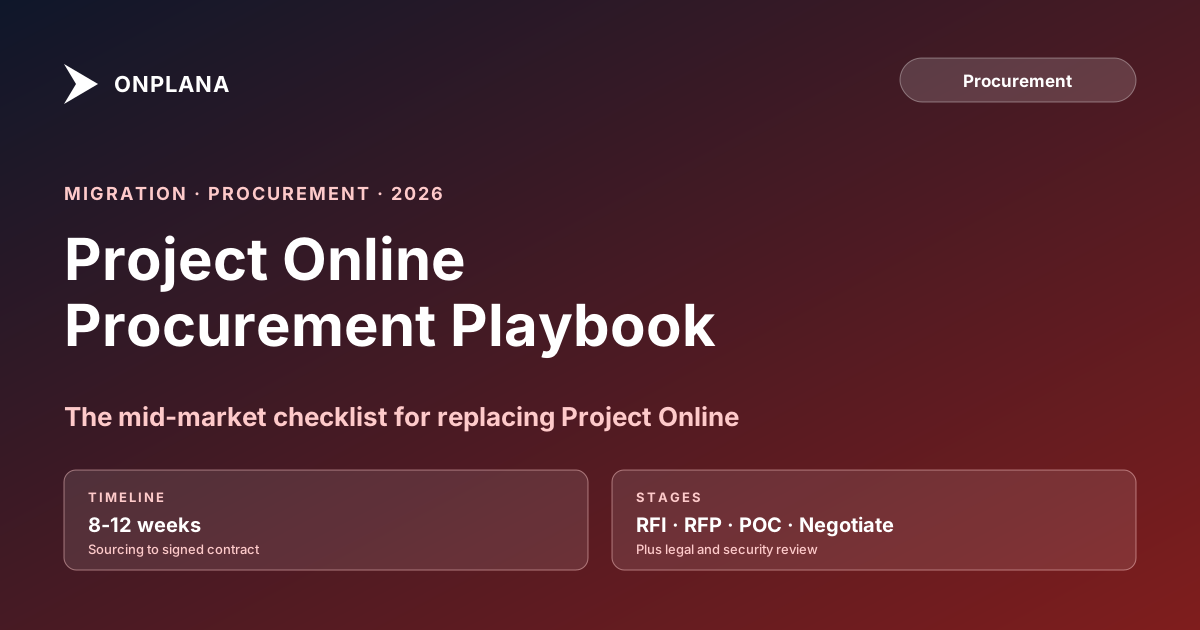
Project Online Procurement: Steps for Replacing It in a Mid-Market Company
Project Online procurement takes 14-20 weeks. Miss the legal queue by one month and your September 30 deadline slips. Here is the phase-by-phase timeline.
Here is the pattern that derails more mid-market Project Online procurements than any other single mistake: the PMO runs a clean, thorough evaluation through week eight, selects a vendor, and then hands the contract to legal. Legal has a four-week queue before review even starts. The contract itself takes another six weeks because the vendor's standard data processing agreement does not meet the company's requirements. By week twenty, the PMO is back at the negotiating table with a signed contract but only ten weeks left before the September 30, 2026 retirement date and a migration that needs at least twelve.
The mistake is not choosing the wrong vendor. It is treating Project Online procurement as a tool evaluation when it is a procurement program, and procurement programs have phases that the PMO does not control.
The short version
- Project Online procurement for a mid-market PMO (50-500 users) takes 14 to 20 weeks from kickoff to signed contract.
- Five phases: requirements definition (weeks 1-2), longlist and shortlist (weeks 3-4), RFP and demos (weeks 5-8), security review (weeks 9-12), and contract close (weeks 13-16+).
- Phases 4 and 5 are outside the PMO's control. Legal and IT security run on their own timelines. Budget for it.
- Legal review alone runs four to eight weeks for most SaaS enterprise agreements.
- IT security typically has a two-to-four-week queue before review starts.
- The only way to protect your September 30 deadline is to start procurement no later than February 2026, and to run security review in parallel with contract negotiation wherever your internal policy allows.
The Five-Phase Project Online Procurement Timeline
The diagram below shows the full procurement sequence from requirements through contract close.
Two of the five phases sit outside PMO control. That is the fact that most procurement plans fail to account for, and it is the reason teams that start in March still miss September 30.
Phase 1: Requirements Definition (Weeks 1-2)
Requirements definition is the phase most PMOs rush through in order to get to demos faster. That is the wrong priority. A vague requirements document produces a shortlist that includes tools you will disqualify in week nine for reasons you could have identified in week one.
For a mid-market PMO of 50-500 users running 50-500 active projects, the requirements document needs to cover five areas.
Functional requirements. List the specific capabilities your current Project Online workflows depend on. Start with the Project Online inventory checklist to ensure you capture dependency types, baseline structures, custom enterprise fields, and resource pool configurations before you build your vendor scoring grid.
Integration requirements. Document every system that consumes Project Online data today: Power BI dashboards, OData feed consumers, Excel connections, and any custom .NET or API integrations. These are your make-or-break criteria and the most common source of late-stage disqualifications.
Licensing and cost model. Microsoft Project Online Plan 3 runs $30 per user per month at list price. Any replacement evaluation needs a full 3-year TCO comparison, not just per-seat sticker price. The Project Online migration budget template has the line items you need for a complete cost model.
Compliance and security baseline. Which data residency regions are required? What certifications does your information security team require (SOC 2 Type II, ISO 27001, FedRAMP)? Gather these before the shortlist phase, not during security review.
Success criteria. Define what a successful migration looks like in measurable terms: X percent of projects migrated with data fidelity validated, Y integrations reconnected, Z users trained before cutover. Vague success criteria make it impossible to evaluate vendor demos objectively.
Two weeks is tight for this phase. Use the inventory checklist to accelerate it rather than skipping line items.
Phase 2: Building the Longlist and Shortlist (Weeks 3-4)
Your longlist should include every credible PM tool that could serve a 50-500 user PMO. Aim for eight to twelve names. Sources include G2, Gartner Peer Insights, your existing vendor relationships, and peer recommendations from the PMO community.
Score each longlist vendor against your requirements document on a simple three-point scale: meets, partially meets, does not meet. Disqualify any vendor that does not meet your integration requirements or your security baseline. Most longlists collapse to five or fewer candidates at this stage.
Your shortlist should be three to five vendors. Fewer than three removes your negotiating leverage in Phase 5. More than five stretches demo scheduling and scoring across more weeks than you have.
Confirm with each shortlisted vendor that they can participate in your RFP timeline before you issue the RFP. A vendor who cannot respond within three weeks is not a realistic option given your September 30 deadline.
Phase 3: RFP and Demos (Weeks 5-8)
This is the phase with the highest PMO effort and the most leverage over your final outcome. The RFP document sets the terms of evaluation. The demos are where data fidelity claims get tested against your actual projects. If you want a starting document rather than a section list, the copy-ready Project Online RFP template contains the full question set with the follow-ups that expose gaps in vendor answers.
What to include in the PMO RFP
A PMO RFP for a Project Online replacement should cover six sections:
- Company and project context. User count, active project count, current Project Online plan, integration list, timeline constraints.
- Functional requirements. The scored requirements from Phase 1, with must-have versus nice-to-have designations.
- Migration requirements. What the vendor must demonstrate: import of a .mpp file with dependencies preserved, baseline visibility on the Gantt, custom field type fidelity, and resource pool structure. Require vendors to run this demonstration live during the demo, not via a pre-recorded video.
- Security and compliance requirements. Certifications required, data residency requirements, penetration test cadence, access control model.
- Commercial terms. Pricing model, multi-year contract structure, SLA requirements, data portability terms.
- Evaluation process. Scoring weights, demo format, reference customer requirements, and your decision timeline.
The migration requirements section is the one most RFPs omit or underspecify. Vendors who cannot demonstrate live .mpp import with your own files during the demo should be disqualified, regardless of their feature marketing. The Migration Preview tool lets you validate each shortlisted vendor's data fidelity claims against a real project file before the formal demo, which makes the demo scoring conversation much more concrete.
Running demos that produce comparable scores
Schedule all demos within the same two-week window so evaluators have fresh recall of each. Use a consistent scoring rubric across all vendors. Require every vendor to demonstrate the same five scenarios using a .mpp file you provide, not a canned demo file they control.
The five required scenarios for any Project Online replacement demo: (1) import a complex .mpp file with multiple dependency types and lag values; (2) display baseline dates as a Gantt shadow bar; (3) show a custom enterprise field preserved with its original type; (4) demonstrate the resource pool or equivalent; (5) show the integration path for at least one of your existing Power BI or OData connections.
After demos, score independently before comparing notes. The most common scoring error is anchoring on the vendor who presented first and adjusting subsequent scores toward or away from that anchor.
Phase 4: IT Security Review (Weeks 9-12)
Security review is the phase that most procurement plans underestimate, both in queue time and in review duration.
The queue problem comes first. Most enterprise IT security teams operate a formal intake process with a two-to-four-week queue before review even begins. If your PMO assumes review starts the day you submit the vendor's security documentation, you will be three weeks behind by the time you realize the queue exists.
The review itself typically requires: vendor-completed security questionnaire (CAIQ or equivalent), current SOC 2 Type II or ISO 27001 report, penetration test summary, data processing agreement (DPA) review, and subprocessor list. If any of these are missing or outdated, the review clock restarts.
What you can do to compress this phase:
- Submit the intake request to IT security at the end of Phase 2, before the shortlist is final. Pre-submit your top two candidates and let security review them in parallel.
- Provide IT security with a vendor security packet template at the start of Phase 3 so vendors can assemble documentation while you are running demos.
- Confirm with your IT security lead whether conditional approval is available. Some teams will issue a conditional approval (pending DPA redlines) that lets contract negotiation begin before security review closes.
The goal is overlap, not compression. You cannot make IT security review faster, but you can start it earlier.
Phase 5: Contract Negotiation and Close (Weeks 13-16+)
This is where most procurement timelines blow up for teams that did not plan for it.
Legal review of a SaaS enterprise agreement typically takes four to eight weeks from submission to signed contract. The variation comes from three sources: (1) the vendor's DPA does not align with your data residency or subprocessor requirements, triggering a round of redlines; (2) your legal team has a backlog that delays first review; (3) indemnification and liability cap terms require escalation beyond the legal team.
Plan for four rounds of redlines. The first submission rarely produces a clean contract. Legal teams on both sides flag issues, send revised drafts, and require internal sign-off on each version. Budget four weeks minimum from first submission to final signature, six to eight weeks if your requirements include non-standard data residency terms.
To protect your September 30 deadline: present the vendor's standard agreement to your legal team in week eight, concurrent with the final demo scoring. This gives legal the document four to five weeks earlier than most PMOs do, which is the difference between a signed contract in week sixteen and a signed contract in week twenty.
The financial case for prioritizing the procurement timeline is straightforward. Refer to the CFO-proof business case framework for how to quantify the cost of a delayed contract close when it pushes your migration past September 30.
What Happens After the Contract Is Signed
A signed contract does not mean your migration starts immediately. It means your migration program can begin. The migration itself, for a 50-500 user PMO, typically requires twelve to sixteen weeks of parallel running, data validation, user training, and cutover coordination.
If you are starting procurement in May 2026, you are running a very tight race. A fourteen-week procurement ending in mid-August leaves eight weeks for migration before September 30. That is not enough buffer for a PMO with complex integrations or a large active project portfolio.
This is why the Project Online retirement 90-day plan exists: it maps the migration phases assuming you already have a vendor selected. If you do not have a vendor selected yet, add the procurement timeline on top of it. The math is unforgiving.
The why migrations fail analysis shows that late-starting procurement is one of the top three predictors of a missed September 30 deadline. The others are underestimating integration complexity and skipping the pilot phase. Procurement timeline is the only one you can fully control right now.
How to Accelerate Without Cutting Corners
There are four legitimate ways to compress the 14-20 week window without introducing risk.
Start security review in Phase 2, not Phase 4. Submit your top two vendors to IT security as provisional candidates before the shortlist is final. Confirm this approach with your IT security lead first. Done correctly, it can compress four weeks of queue time into overlap time.
Pre-brief legal in Phase 3. Share the vendor's standard agreement with your legal team during demos, not after vendor selection. Legal can begin reviewing the structure while you are still scoring demos. This does not commit you to the vendor, but it eliminates the first-review lag.
Require vendors to provide completed security documentation before the demo. A vendor who cannot produce a current SOC 2 report and a completed CAIQ before the demo is telling you something important about their security posture. Eliminate them from the shortlist rather than waiting to discover this in Phase 4.
Parallelize wherever your internal policy allows. Legal review and security review can often run concurrently if you confirm the approach with both teams upfront. The common failure is treating them as sequential steps because the procurement checklist lists them that way.
None of these shortcuts touch the vendor evaluation quality. They all operate on the administrative overhead that surrounds a thorough evaluation.
Keeping the Procurement on Track
Procurement programs for PM tools have a specific failure mode that does not appear in software projects: key stakeholders treat each phase as someone else's problem until it lands on their desk.
IT security does not know the September 30 deadline has teeth until the PMO tells them. Legal does not know the contract is on the critical path until the PMO escalates it. Scheduling a thirty-minute kickoff with IT security and legal in week one, reviewing the timeline and the deadline, is not process overhead. It is the single most effective thing you can do to protect the schedule.
Assign a named owner for each phase. The PMO runs phases 1 through 3. IT security owns phase 4. Legal owns phase 5. The PMO owns communication with both and escalation when either falls behind.
Track the procurement timeline on a weekly status call with the same rigor you would apply to a project on the critical path. Because it is.
Run the free Migration Preview before your RFP demos Upload a .mpp file to see exactly how Onplana handles your data before you commit to an evaluation. No signup required. → Open the Migration Preview
Microsoft Project Online™ is a trademark of Microsoft Corporation. Onplana is not affiliated with Microsoft.
Ready to make the switch?
Start your free Onplana account and import your existing projects in minutes.