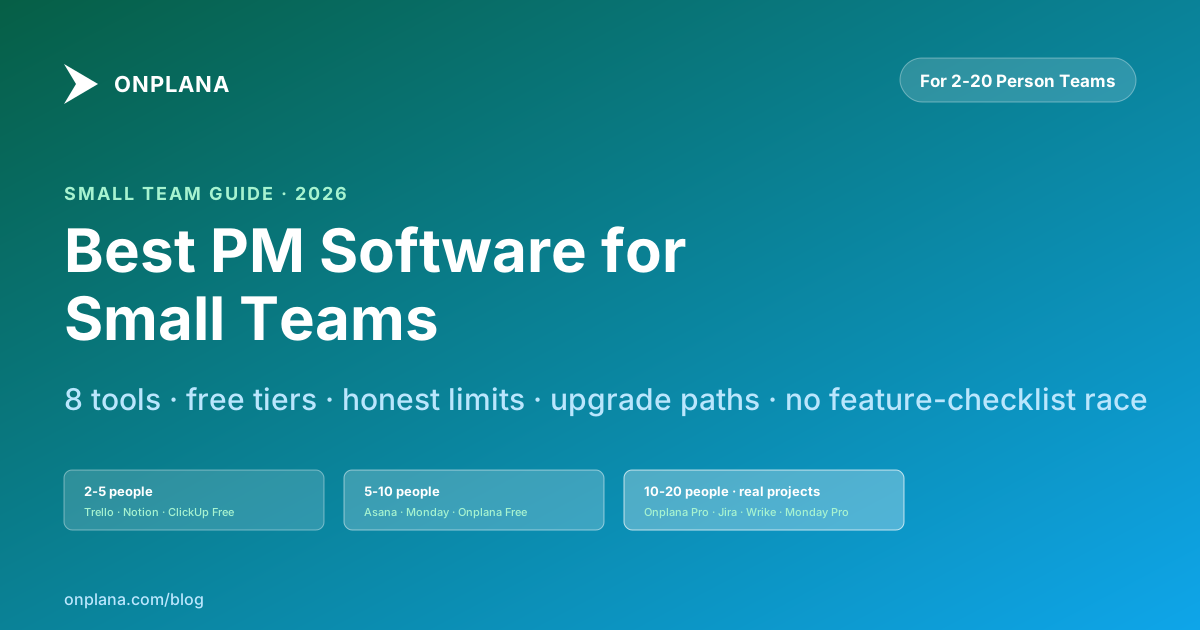
Best Project Management Software for Small Teams in 2026
Best project management software for small teams in 2026: eight tools ranked on free-tier fit, setup time and room to grow, plus the limit each hits first.
The best project management software for a small team is the one whose free-tier limit you hit last, and for most mixed teams of 2 to 20 people that is Asana or Trello for coordination and a scheduling tool such as Onplana once real deadlines and dependencies appear. The ranking below puts all eight tools through the same three tests and says where each one stops working.
In short. Ranked on free-tier fit, setup time and room to grow: Asana, Trello, Onplana, ClickUp, Monday.com, Jira, Linear, Notion. The order changes with the work: a software team should move Jira and Linear up, and a team delivering dated client projects should move Onplana up. Onplana is third here, and the section on it says what it is not the best at.
We build Onplana, so read its entry with that in mind. The free-tier figures for Onplana were rechecked against its pricing page on 2026-10-16 (Free: 5 members, 2 projects, 300 MB; Professional: $12 per seat per month). Competitor limits come from each vendor's own pricing page and change often, so confirm them before you commit. We did not run a controlled test of all eight; the notes on each tool describe what its plan includes and where its limits sit, not benchmark results. If the budget is zero rather than small, which Microsoft Project alternatives are free forever is the comparison to read first, and the honest comparison of five free tiers shows which limit each vendor draws first.
How were the eight tools ranked?
Small teams do not need enterprise governance, portfolio rollups or audit logs. They need three things, and each tool was scored on them in this order:
- Free-tier fit. Does the free or cheapest plan cover real small-team work without a surprise cap in week two?
- Setup time. Can a non-technical person have a live project running in an afternoon?
- Room to grow. Does the tool scale when the team does, or force a switch at year two?
Two questions then decide where your team sits. First, is the work project-shaped (a start, an end, a deliverable) or ongoing (content publishing, support, operations)? Second, do task dependencies matter, so that task A slipping moves the deadline on B through F? If yes, you need a tool that computes it (Gantt plus critical path); if not, any board works. Most small teams overestimate their scheduling needs: a 5-person startup rarely has multi-week dependency chains, while a 10-person consulting firm running four client engagements absolutely does.
| Tool | Free-tier fit | Setup time | Room to grow | Gantt and dependencies | Best for |
|---|---|---|---|---|---|
| Asana | Strong, up to 10 users | Fast | Plateaus at true PPM | Premium tier, finish-to-start only | Cross-team coordination |
| Trello | Strong, unlimited users | Fastest | Ceiling at mid-size | None | 2-5 person task boards |
| Onplana | Good, 5 members and 2 projects | Moderate | Same product to enterprise | All plans, four dependency types, critical path | Dated projects with dependencies |
| ClickUp | Strong, unlimited users | Slower, cluttered | Scales | Limited on free | One tool for everything |
| Monday.com | Weak, 2 users | Fast | Scales | Pro tier, finish-to-start only | Visual automation teams |
| Jira | Strong for software | Slow outside dev | Scales in software | Needs add-on | Agile software teams |
| Linear | Strong for software | Fast | Plateaus around 30 engineers | None | Lean product teams |
| Notion | Good, docs-first | Fast | Does not reach PPM | None | Docs-heavy light PM |
The 8 best tools for small teams
1. Asana, best for cross-team coordination
Free tier: Up to 10 users, unlimited projects, List / Board / Calendar views, basic reporting.
Best for: 5-10 person teams coordinating across functions (engineering + marketing + ops). Teams that want Portfolios and Goals visibility without paying for PPM.
Why it fits small teams: Clean UI, fast onboarding, strong task hierarchy with subtasks. Premium tier at $10.99/user unlocks Timeline (simplified Gantt), custom fields, and advanced reporting.
Limits: Only FS dependencies, no critical path, no .mpp import, no resource capacity planning. Scales to 50-person teams but plateaus on true PPM.
2. Trello, best for 2-5 person teams, task-board focus
Free tier: 10 boards per workspace, unlimited cards, unlimited users, basic automation, 10MB per file.
Best for: Tiny teams coordinating task lists without formal project structure. Marketing, content calendars, simple ops.
Why it fits small teams: Fastest to adopt of anything on this list. Literally zero learning curve for non-technical users. The free tier is genuinely free; you can run a 5-person team on it indefinitely.
Limits: No Gantt, no dependencies, no critical path, no baselines. When your work becomes project-shaped (with deadlines and interdependencies), Trello starts to strain.
3. Onplana, best for small teams with real projects (scales with you)
Free tier: 5 members, 2 projects, 300 MB storage, AI chat (one-time 100K-token-per-seat bonus), native .mpp import, Kanban + List + Calendar views, real-time collaboration.
Best for: 2-5 person teams running discrete projects with deadlines; consulting firms; product teams; construction / architecture practices with dependency-driven work.
Why it fits small teams: Free forever (no time limit), no credit card required, full Gantt with critical path on the free tier, AI features work on free tier. The upgrade path is clean: same product, more features unlock, no forced migration.
Limits: the 2-project cap on the free tier is the binding constraint. Free is sized for evaluating Onplana on a real project or two, not for running a portfolio, so a third live project already means upgrading. Professional ($12/user) raises it to 200 projects and 100 members. It is also not the best pick for a team that only needs a task board: Trello and Asana are faster to set up for that, and sprints and burndown start on Professional.
Try it: Free account · Schedule Health Check if you're bringing a .mpp file.
4. ClickUp, best for one-tool-for-everything small teams
Free tier: Free Forever with unlimited users, unlimited tasks, 100MB storage, basic features.
Best for: Small teams wanting tasks + docs + goals + chat in one product. Teams that don't want to pay for Slack + Notion + Asana separately.
Why it fits small teams: Broadest free tier in this list. Unlimited users on free. Good fit for early-stage startups consolidating tool sprawl.
Limits: Feature breadth hurts depth; individual capabilities are less polished than specialists. No Gantt dependencies on free. Can feel cluttered to new users.
5. Monday.com, best for visual, automation-heavy teams
Free tier: Up to 2 users (effectively a trial, not usable for teams >2).
Best for: 5-20 person teams in marketing, operations, HR, creative agencies. Non-technical users who prefer colorful boards to clinical UIs.
Why it fits small teams: Highly visual, strong no-code automation builder (good for marketing ops), 200+ integrations. Standard tier ($9/user) unlocks the full experience.
Limits: Free tier capped at 2 users means you're on paid from day 3. No Gantt on Standard (requires Pro at $16/user). Only FS dependencies.
6. Jira, best for software teams on agile
Free tier: Up to 10 users, 2GB storage, unlimited goals + projects.
Best for: 3-10 person software development teams using Scrum or Kanban.
Why it fits small teams: Free up to 10 users is real (not a trial). Agile workflow is industry-standard. Massive marketplace for extensions if needed.
Limits: Software-specific. Not suitable for non-software PM. No native Gantt (needs BigPicture or Structure add-on). Steep learning curve for non-developers.
7. Linear, best for lean, fast-moving product teams
Free tier: Up to 10 users, 2 teams, unlimited members on community plans.
Best for: Software startups and small product teams prioritizing speed and keyboard-driven workflows over formalism.
Why it fits small teams: Fastest UI in the category. Opinionated defaults reduce decision fatigue. Strong GitHub/GitLab integration.
Limits: Software-only (issue tracking, not project scheduling). No Gantt. No PPM features. Plateaus at ~30 engineers.
8. Notion, best for docs-first teams with light PM needs
Free tier: Unlimited pages + blocks for personal use, 5MB file upload, 7-day page history.
Best for: Small docs-heavy teams (consulting, writing, research) where PM is a side activity, not the primary workflow.
Why it fits small teams: Flexible database + page model lets you build custom PM systems. Strong template community. Good for teams that want "our docs and our tasks in the same place."
Limits: Not a real PM tool. No Gantt, no critical path, no .mpp, task views are database queries not dedicated PM surfaces. Breaks down above ~8 people or when work becomes time-critical.
Quick decision matrix
The free-tier trap (and how to avoid it)
Free tiers are how every tool on this list acquires users. That means the tier-2 upgrade path matters almost as much as the free features. Two traps:
Trap 1: Hidden seat limits. Monday.com's free tier caps at 2 users, unusable for most small teams from day 3. Trello free is genuinely unlimited users. Asana free caps at 10. Onplana free caps at 5. Read the fine print before inviting your team.
Trap 2: Forced migration at scale. Some tools (Trello, Linear, Notion) have ceilings you'll hit as you grow. Others (Onplana, Monday, Asana, ClickUp) scale from 5 to 500. If you expect growth, pick a tool with a clear enterprise tier from the start. Switching tools at 50 people means rebuilding projects, views and integrations while both tools run in parallel.
What to do in the next hour
- Identify your work shape (project-driven vs ongoing, with or without dependencies)
- Pick 2 tools from the matrix above
- Run a real week in each, not a demo, not a checklist review. Bring one real project.
- Check the upgrade path, when will you outgrow the free tier, and what does paid cost? The honest comparison of five free project management tiers shows which limit each vendor draws first.
If you're in the "5-20 person team with real projects" bucket, try Onplana free on a live project, no credit card, no time limit, 5 members and 2 projects, then step up to Professional as the team and the project list grow; the full Gantt with critical path is included from the free plan. If you already have a Microsoft Project file, the Schedule Health Check audits your .mpp file in 30 seconds to surface the issues that won't survive the move.
Related reading:
- Best Project Management Software in 2026: Complete Buyer's Guide, the full market view (enterprise included)
- MS Project vs Onplana: Complete Feature Comparison, if migrating off Microsoft Project
- Best Microsoft Project Alternatives in 2026, narrower MS Project focus
- What Is a Gantt Chart? The Complete Guide for Project Managers, if you're not sure whether you need one
- How to Create a Project Plan, methodology-agnostic walkthrough
- Work Breakdown Structure Guide, the first thing to do after picking a tool
- Waterfall vs Agile, which methodology fits your team
Free tools (no account required):
- Schedule Health Check, audit any
.mppfor hidden issues - Status Report Writer, AI-polished reports from bullet-point inputs
Landing pages:
- /pricing, all six Onplana tiers, annual discount
- /features, full capability inventory
- /compare, side-by-side filter
- /ms-project-alternative, if moving from Microsoft Project
Microsoft Project™ is a trademark of Microsoft Corporation. Onplana is not affiliated with Microsoft.
Frequently asked questions
What is the best project management software for small teams in 2026?
It depends on whether you're team-first (coordination) or project-first (scheduling). For 2-5 person teams coordinating tasks, Trello and Asana Free are hard to beat. For 5-20 person teams running real projects with deadlines and dependencies, Onplana is the scheduling-first pick: its Free tier (5 members, 2 projects, no credit card) is sized for trying it on a live project, and Professional at $12/seat opens it to 100 members and 200 projects. For developers, Jira Free (up to 10 users) or Linear Free. For docs-heavy workflows, Notion. The eight tools in this post cover every small-team shape.
Is free project management software actually good enough for small teams?
Yes, for most small teams, evaluate before assuming you need a paid plan. Free tiers in 2026 support real multi-user work: Onplana Free has Kanban / list / calendar views + all four dependency types + 2 projects + AI chat with a one-time 100K-token-per-seat bonus, plus the Gantt timeline with critical path. Asana Free handles task management for up to 10 users without limits on project count. Trello Free supports unlimited cards. ClickUp Free Forever has no user limit. The cost of jumping to paid comes from specific needs: advanced permissions: SSO, larger storage, or enterprise governance, not day-to-day PM functionality.
When should a small team upgrade from free to paid?
Three triggers move most teams off free tiers: (1) you hit a hard limit, 2 projects on Onplana Free, 100MB storage on Trello Free, 15 users on Asana Free. (2) you need an advanced feature: sprints and resource capacity on Onplana (Pro tier), Gantt on Monday (Pro tier), resource management on Wrike, custom roles on Onplana (Business tier). (3) you need admin controls: SSO, audit logs, enterprise identity management. If none of those triggers apply, stay free. Don't pay for features you won't use.
What's the difference between team management and project management for small teams?
Team management tools (Monday, Asana, Trello) focus on 'who does what when.' Project management tools (Onplana, Microsoft Project, Smartsheet) add 'and how do these tasks connect into a deliverable with a deadline.' Small teams working on ongoing operations (marketing calendar, content pipeline, sales ops) typically want team management. Small teams delivering discrete projects with schedules (product launches, client engagements, construction jobs) want project management. Pick based on whether your work has defined start and end dates.
Does every small team need Gantt charts?
No, and forcing a Gantt on a team that doesn't need one creates friction. Gantt charts shine when your project has real task interdependencies and you need to see 'if task A slips 2 days, does the launch date move?' Teams running continuous workstreams (content publishing, customer support, recurring ops) often don't need Gantt. Teams delivering client projects or product launches usually do. If your current tool is a spreadsheet with rows for tasks and columns for assignees, you probably need Gantt. If it's a board with columns for status, you probably don't.
How much does project management software cost for small teams?
Free to $15/user/month covers the small-team market. Free tiers: Onplana: Asana, Trello, Jira: Linear, Notion, ClickUp. Entry paid: Jira Standard $7.75, Smartsheet Pro $7, Linear Standard $8, Monday Standard $9, Asana Premium $10.99, Notion Plus $12, Onplana Pro $12, ClickUp Unlimited $7. For 5-seat teams, that's $35-$75/month or $420-$900/year. Free until you hit a limit is usually the right starting point.
Can small teams grow into enterprise features on the same tool?
Some tools support it, some don't. Onplana: Monday, Asana, and ClickUp have enterprise tiers that small teams grow into, same product, more features unlock. Trello plateaus around mid-size teams (power-ups aren't a real PPM substitute). Linear is optimized for software teams and doesn't add PMO features at scale. Notion doesn't scale to enterprise PM at all. If you expect to grow to 50+ people and want to avoid a migration in 18 months, pick a tool with a clear enterprise tier from the start.
Ready to make the switch?
Start your free Onplana account and import your existing projects in minutes.