Free Project Management Tools: Where Each Free Tier Stops
Free project management tools each cap a different limit: seats, boards, storage or tasks. Six free tiers compared, plus which one includes a real Gantt chart.
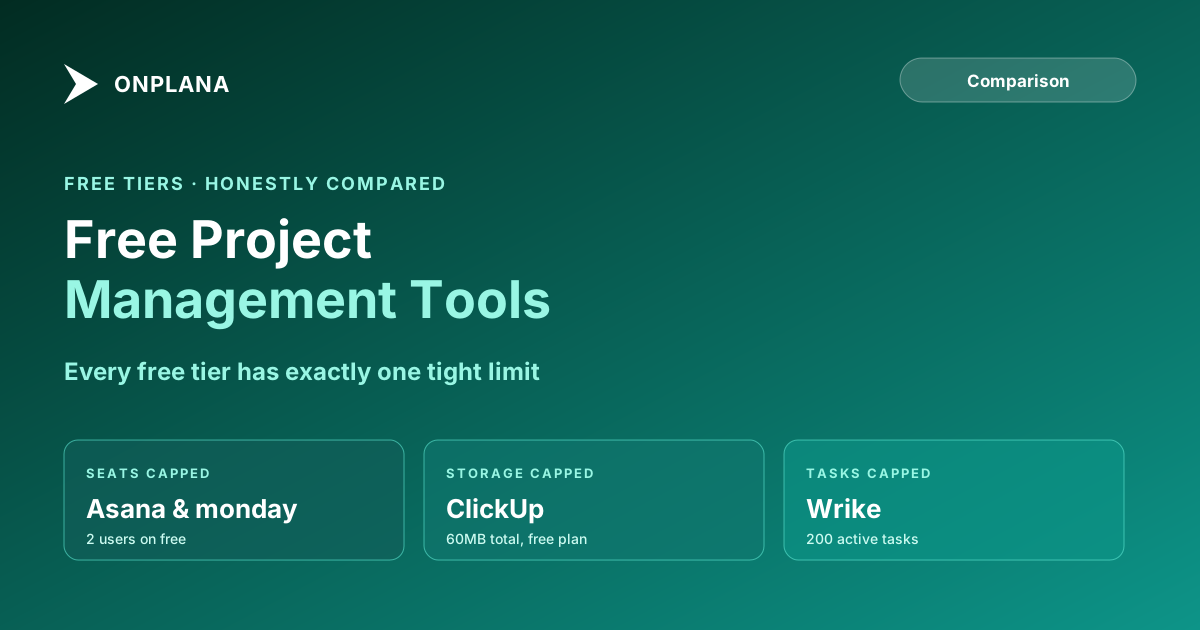
The best free project management tool is the one whose limit your team hits last. Per the vendors' own pricing pages (checked July 2026), Trello caps free workspaces at 10 boards, Asana Personal at 2 users, monday.com Free at 2 seats and 3 boards, ClickUp at 60MB of storage and Wrike at 200 active tasks. Only Onplana Free, at 5 members and 2 projects, includes a Gantt chart with dependencies and a critical path.
TL;DR. Six free project management tiers, five competitors plus Onplana, compared honestly: Trello (10 users, 10 boards, no scheduling depth), Asana Personal (2 users, unlimited tasks, no Timeline), ClickUp Free Forever (unlimited members, 60MB total storage), monday.com Free (2 seats, 3 boards, no automations or Timeline), and Wrike Free (unlimited users, 200 active tasks). None of the five competitors include a real Gantt chart with dependencies on their free tier; Onplana Free does. Which one fits depends entirely on whether your team's constraint is headcount, board count, storage, or scheduling depth, because each tool draws its free-tier line in a different place.
Every "free project management tool" listicle reads like a press release: unlimited this, unlimited that, no catch mentioned anywhere. Then a team signs up, hits a wall in week three, and discovers the catch was never in the marketing copy. The free tier isn't the tool. It's a boundary the vendor drew to make the paid tier the obvious next step, and it is worth knowing in advance, tool by tool.
What "Free, Forever" Actually Means Across These Tools
"Free forever" is technically true for every tool in this comparison; none of them are 14-day trials disguised as free plans. What "forever" doesn't mean is "unrestricted." Every vendor here picked exactly one or two dimensions to cap tightly (seats, boards, storage, or active tasks) while leaving other dimensions generously unlimited, specifically so the free plan stays usable enough to onboard a team, but hits a wall before that team can run a real PMO on it indefinitely.
Reading only the marketing headline ("unlimited tasks!") without checking which other dimension is capped is how a team ends up migrating three months in, mid-project, instead of choosing the right tier up front.
Trello: The Most Boards for the Fewest Restrictions
Trello's free plan, per Trello's own pricing page, allows up to 10 collaborators and 10 boards per Workspace, with unlimited cards and unlimited total storage (capped at 10MB per individual file attachment). Automation runs through Trello's Butler feature, at 250 Workspace command runs per month on the free tier.
For a small team that thinks in boards and cards rather than schedules, this is one of the more generous free tiers here: 10 people is enough for most small teams, and 10 boards covers a reasonable number of concurrent initiatives. What Trello's free tier does not include, at any tier, is real project scheduling: no dependency types, no critical path, no resource-loaded Gantt. Trello is a Kanban tool with cards and checklists, and teams that need scheduling depth will hit that ceiling regardless of seat count.
Asana Personal: Two Users, Full Feature List, One Hard Wall
Asana's free Personal plan, confirmed via Asana's pricing page, caps at 2 users. That's the headline restriction, and it's a hard one: unlike Trello's 10-person allowance, Asana's free tier stops being usable for anything beyond a two-person collaboration the moment a third person needs an account.
Inside that 2-user limit, Asana's free plan is genuinely generous: unlimited tasks and projects, list/board/calendar views, and over 100 integrations. What's locked to the paid Starter tier and above: Timeline and Gantt views, custom fields, and automation rules. So even setting aside the seat cap, Asana Personal is a task list with good views, not a scheduling tool, the same gap Trello has, just wrapped in a more polished interface.
ClickUp Free Forever: Unlimited Members, 60MB Total
ClickUp takes the opposite approach from Asana. Per ClickUp's pricing page, the Free Forever plan has no member limit at all, any number of people can join a free ClickUp workspace, and tasks are unlimited too.
The catch is storage: 60MB total for the entire workspace, not per user. That is a genuinely small number for a team of any size the moment file attachments, images, or exported reports enter the picture; a handful of screenshots or a couple of PDFs will consume a meaningful fraction of it. ClickUp's free plan also limits custom fields to a "Basic Custom Field Manager" and includes only 1 form, with unlimited versions of both reserved for the paid Unlimited plan. For a team that lives in external file storage (Google Drive, SharePoint) and uses ClickUp purely for task tracking, the storage cap matters less. For a team that expects to attach real files inside the tool, it becomes the binding constraint within the first month.
monday.com Free: The Tightest Free Tier of the Five
monday.com's free plan is the most restrictive tier in this comparison. Per monday.com's own pricing page, it's capped at 2 seats and 3 boards, account-wide. Automations, integrations, and Timeline/Gantt views all require the Basic plan or higher; Calendar view requires Standard or higher.
Unlimited free viewers (read-only accounts) are included, which softens the 2-seat cap somewhat for organizations that need many people to see a board without editing it. But for a working team of more than two people who all need to edit and manage work, monday.com's free plan functions closer to an extended product trial than a durable free tier, which is a meaningfully different proposition than Trello or ClickUp's free plans, both of which are built to support an actual small team's ongoing work.
Wrike Free: Unlimited Users, a Hard Task Ceiling
Wrike changed its free plan's structure in 2026: according to Wrike's own announcement, the free tier moved to unlimited users, up from a long-standing 5-user cap, and added subtask management. The tradeoff is a cap of 200 active tasks per account (completed and archived tasks don't count against the limit) and 2GB of total storage.
For a team where headcount fluctuates but active work stays contained, unlimited seats with a 200-task ceiling can work well. For a team running many small, high-turnover tasks across a growing group of people, that 200-task limit will bind quickly, project management or not. Gantt charts are not part of Wrike's free tier; per Wrike's pricing page, interactive Gantt charts are a named feature of the paid Team plan.
Which free project management tool fits your team?
The right free tier depends on which constraint your team can actually live with, not which tool has the flashiest homepage. The table below lines up the binding constraint for each.
| Tool | Seats | Boards / projects | Tasks | Storage | Gantt / Timeline | Automations |
|---|---|---|---|---|---|---|
| Trello | 10 | 10 boards/workspace | Unlimited | Unlimited (10MB/file) | No, any tier | 250 runs/month |
| Asana Personal | 2 | Unlimited | Unlimited | Included, capped per file | No, Starter+ only | No, Starter+ only |
| ClickUp Free Forever | Unlimited | Unlimited | Unlimited | 60MB total | Limited only | Limited only |
| monday.com Free | 2 | 3 boards | Unlimited | Included | No, Standard+ only | No, Basic+ only |
| Wrike Free | Unlimited | Included | 200 active | 2GB | No, Team+ only | Limited only |
| Onplana Free | 5 | 2 projects | Unlimited | 300MB | Yes, with critical path and baselines | No, Pro+ only |
Pros and cons in one line each:
- Trello: boards and cards are fast to learn and 10 collaborators is generous, but there is no scheduling logic at any tier.
- Asana Personal: polished views and unlimited tasks, but 2 users and no Timeline, custom fields or automations.
- ClickUp Free Forever: no member cap, but 60MB total storage disappears quickly once files are attached.
- monday.com Free: unlimited read-only viewers help, but 2 seats and 3 boards make it closer to a trial.
- Wrike Free: unlimited users and 2GB storage, but 200 active tasks and no Gantt.
- Onplana Free: Gantt with critical path, baselines, all four dependency types, Kanban, a calendar and .mpp, XML, .xer and Excel import, but only 2 projects, 5 members and 300MB of storage, and no automation rules until Pro.
Reading the chart left to right: Trello and Onplana cap the number of boards or projects rather than people; Asana and monday.com cap headcount hard at 2; ClickUp and Wrike cap usage volume (storage or active task count) while leaving seats open. None of that is a flaw specific to one vendor. It's the same tradeoff, drawn in a different place on each product.
There's a separate category worth naming here too: open-source, self-hosted tools where "free" doesn't come with a seat cap at all, because there's no commercial free tier to protect.
OpenProject's Community edition has no user limit, no board limit, and no storage cap of its own; whatever your own server can hold, it holds. The tradeoff moves entirely off the product and onto your team: someone has to run the server, apply updates, and own backups, which is real ongoing work a SaaS free tier never asks for. The full comparison of self-hosted options covers OpenProject, Plane, and Redmine in depth, including which of them has a real scheduling engine (OpenProject does; Plane doesn't) and what the operational overhead actually looks like week to week.
This is a genuinely different decision than picking among the five SaaS free tiers above. A team with the infrastructure skill to run a Docker container and the patience to apply its own updates gets an uncapped tool for the cost of that labor. A team without that skill will spend more time fighting the deployment than they would have spent working around Asana's 2-user cap, and should stay in the SaaS comparison instead.
When Free Stops Being Enough
The signal that a free tier has stopped fitting isn't a single dramatic event. It's usually one of three quiet moments: the third teammate who can't get an Asana or monday.com seat, the ClickUp workspace that starts rejecting file uploads because 60MB is gone, or the Wrike account that hits 200 active tasks during a busy sprint and can't create a 201st.
At that point the honest comparison isn't "which free tool is better" anymore, it's "which paid tier's price and feature set fits what the team actually outgrew." A team that outgrew Trello's board limit needs more boards, not necessarily a scheduling engine. A team that outgrew ClickUp's storage cap needs storage, not more seats. Matching the upgrade to the actual constraint, rather than defaulting to whichever paid tier is being marketed hardest, is worth five minutes reading the fine print on each vendor's pricing page, Onplana's own pricing included, before committing a card number.
If dependency-aware scheduling (finish-to-start, start-to-start, lag time, a real critical path) is the requirement none of these free tiers meet, that gap doesn't close with a bigger seat count on any of the five products above; it requires a tool built around a scheduling engine from the start. For teams specifically replacing a Microsoft Project Online tenant, which retired on September 30, 2026, rather than evaluating general-purpose free tools, the free Microsoft Project alternatives comparison covers the narrower set of tools built for that migration path, including which ones actually import .mpp files.
Every product in this comparison, including Onplana's own free tier (5 members, 2 projects, full dependency types with a critical path and baselines, AI task suggestions included, and 300MB of storage), draws its line somewhere. The honest version of "which free tool should we use" is "which line can our team live inside for the next six months," not "which one says unlimited the most times on its pricing page."
Microsoft Project Online™ is a trademark of Microsoft Corporation. Onplana is not affiliated with Microsoft.
Frequently asked questions
What is the best free project management tool for a small team?
It depends on which constraint hurts less. Trello's free tier fits teams under 10 people who need boards, not schedules. ClickUp's free tier fits larger teams that can live with a 60MB total storage cap. Neither Asana Personal (2 users) nor monday.com Free (2 seats, 3 boards) works past a two-person team.
Which free project management tool has no user limit?
ClickUp and Wrike both removed their seat caps: ClickUp's Free Forever plan allows unlimited members, and Wrike's free plan moved to unlimited users in 2026. Both cap something else instead, ClickUp on storage (60MB total) and Wrike on active tasks (200 at a time).
Do any free project management tools include a Gantt chart?
Not in a form that matters for real scheduling. Asana, monday.com, and Wrike all gate Timeline or Gantt views behind a paid tier. ClickUp's free plan includes only a limited version. If Gantt with dependencies and a critical path is a requirement, Onplana Free includes it; the other five all require upgrading past their free tier.
What's the catch with monday.com's free plan?
Two seats and three boards, account-wide, not per seat. It's the tightest free tier of the five compared here; automations, integrations, and Timeline/Gantt views all require the Basic plan or higher. It functions more like an extended trial than a durable free tier for an ongoing team.
Is Asana's free plan really limited to 2 users?
Yes, per Asana's current pricing page. Older accounts created before Asana's pricing changes may retain a different limit under grandfathering, but any team signing up today gets the 2-user Personal plan, with unlimited tasks and projects but no Timeline, custom fields, or automation rules.
How does Onplana's free tier compare to these five?
Onplana's free plan supports 5 members and 2 projects with full dependency types (FS/SS/FF/SF), AI task suggestions and natural-language parsing included (subject to a 100,000-token one-time bonus per seat), and 300MB of storage. Gantt with critical path is included on the free plan, which is where it parts company with most of the tools in this comparison.
Ready to make the switch?
Start your free Onplana account and import your existing projects in minutes.