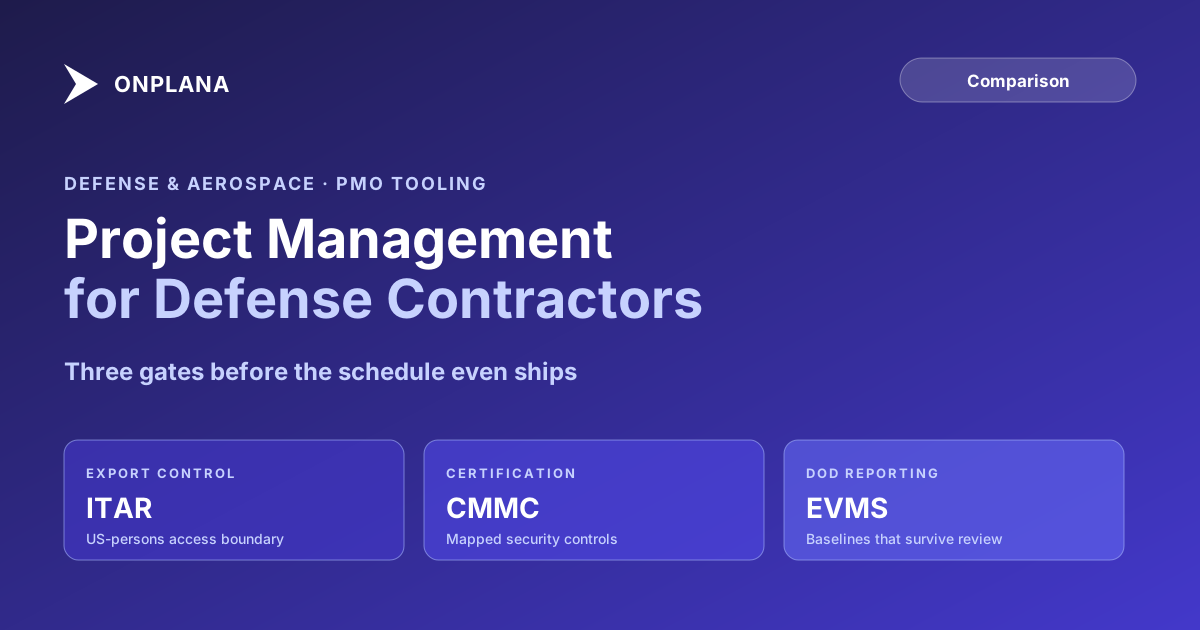
Project Management for Defense Contractors and Aerospace
Defense contractor project management runs on ITAR access control, CMMC certification, and DoD EVMS reporting that generic PM software was never built for.
A defense contractor's project schedule is technical data before it is a project schedule. That distinction rarely comes up in a commercial PM tool evaluation, and it is the first thing that goes wrong when a defense program office picks a PM tool the way a commercial PMO would.
If the schedule references a controlled technical specification, a system architecture, or a performance parameter tied to a defense article, the International Traffic in Arms Regulations may already govern who is allowed to see it. A PM tool with no way to enforce a US-persons-only access boundary is not a viable candidate for that program, regardless of how well it handles Gantt charts and resource loading.
TL;DR. Defense contractor project management software has to satisfy requirements a commercial PMO never encounters: ITAR-compliant access control for export-controlled technical data, CMMC certification for handling Controlled Unclassified Information, EVMS-compatible reporting for DoD contracts above the reporting threshold, and, for the most sensitive programs, classified or air-gapped deployment. See how cross-program subcontractor conflicts show up in your own schedules with the free Resource Allocation Heatmap.
Why Defense and Aerospace PMOs Need Different Tooling
A commercial PMO's biggest tooling risk is a missed deadline. A defense PMO's biggest tooling risk includes that, plus an export control violation, a failed Integrated Baseline Review, or a security incident on a system holding Controlled Unclassified Information. Four structural differences drive the tooling gap between defense programs and everything else.
Export control governs who can see the data at all. ITAR and, for a narrower set of items, the Export Administration Regulations restrict access to technical data based on citizenship and, in some cases, specific government authorization, independent of whatever role-based permissions a generic PM tool ships with.
Cybersecurity certification governs whether a contractor is even eligible to hold the data. The Cybersecurity Maturity Model Certification program requires defense contractors handling CUI to meet a specific security maturity level, verified through assessment, before certain contracts can be awarded or renewed.
Formal earned value reporting governs how program performance gets measured and reported to the government. Contracts above the DoD's reporting threshold require an EVMS validated against the ANSI/EIA-748 standard, with time-phased budget and cost data the government's own analysts can independently trace.
Multi-tier subcontracting governs how program visibility has to be structured. A major aerospace program can run through prime plus three or four subcontract tiers, each of which needs enough schedule visibility to do their part without gaining access to data outside their scope.
A generic PM tool built for cross-functional business coordination was not designed against any of these four. Contractors typically compensate with parallel access-control systems bolted onto the PM tool, a separate EVMS system that the schedule data has to be manually reconciled against, and ad hoc subcontractor reporting outside the primary tool entirely. Each workaround is itself a control gap waiting to be found during an audit or a program review.
ITAR and Export Control: Who Can See the Project Data
Technical data related to a defense article, drawings, specifications, performance parameters, test data, falls under ITAR regardless of what system it lives in. A project schedule that references those specifics inherits the same restriction. The core requirement for a PM tool handling that data: access control that can enforce a US-persons-only boundary at the project or task level, not just a generic role permission that assumes every logged-in user is equally authorized.
This is where deployment model and access control intersect. A cloud-based PM tool with data residency confined to US regions and role-based access scoped to verified US persons can satisfy ITAR for many programs. For programs with stricter foreign-national exclusion requirements, or for technical data that a contractor's legal and export-control team decides should never touch a shared cloud environment at all, a self-hosted deployment on infrastructure the contractor fully controls removes the question of vendor access entirely.
The Department of State's Directorate of Defense Trade Controls is the authoritative source for current ITAR requirements. Confirm your specific program's export-control classification with your own compliance team before assuming any tool, cloud or self-hosted, satisfies the requirement by default.
CMMC: The Certification Gate Before the Contract
The Cybersecurity Maturity Model Certification program requires defense contractors handling Controlled Unclassified Information to meet a defined security maturity level, assessed either through self-assessment or third-party audit depending on the level required by the contract. A PM tool holding CUI, program schedules, cost data, technical references, becomes part of the contractor's CMMC assessment boundary.
That has a practical consequence for tool selection: a PM tool that cannot document its own security controls in a way that maps to the CMMC practice areas, access control, audit and accountability, configuration management, incident response, adds scope and risk to your own certification effort rather than reducing it. Ask any vendor being evaluated for a defense program to show how their controls map to the practice families your CMMC level requires, not just a general security page.
EVMS and DoD Reporting: What the Tool Actually Needs to Produce
Contracts above the DoD's earned value management reporting threshold require a validated EVMS, an integrated system of policies and procedures the government formally validates against the ANSI/EIA-748 standard. The PM tool does not have to be that system of record. It has to produce the inputs the EVMS depends on without gaps: a time-phased performance measurement baseline, resource-loaded work packages, and a documented history of every approved change to that baseline.
An Integrated Baseline Review is where this gets tested directly. The government program office reviews whether your performance measurement baseline is realistic, complete, and traceable back to the contract's statement of work. A PM tool that only shows the current schedule state, with no preserved baseline history and no change log tied to named approvers, gives your program team nothing to defend the baseline with when the review team asks how a specific work package's budget was derived.
The diagram below shows how a defense program's schedule data has to flow from the PM tool into formal EVMS reporting without breaking the audit trail.
Multiple preserved baselines and a change log with named approvers are the two features that make the difference between a program team that can answer an Integrated Baseline Review question in the room and one that has to go reconstruct the answer afterward.
Classified and Air-Gapped Deployment: When Self-Hosted Is Not Optional
Some defense and aerospace program data cannot go on any shared cloud infrastructure regardless of certification level, either because it is classified or because a specific contract clause requires an isolated network. For that tier of program, the deployment question has only one answer: self-hosted, on infrastructure the contractor fully controls, with no internet egress required.
Onplana is not built for that tier. Onplana Enterprise+ is a dedicated deployment: Onplana sets up and runs a private copy of Onplana in your own Azure subscription, so your data stays in your environment. That fits programs whose data may sit in the contractor's own Azure subscription. It is a service Onplana performs, not a product your team installs. How an Enterprise+ Dedicated Deployment Works covers what it involves. Data that must stay on an isolated network needs a tool installed on that network.
Multi-Tier Subcontractor and Program Visibility
A major aerospace program routinely runs through a prime contractor plus three or four subcontract tiers, each responsible for a distinct subsystem or component on its own schedule, feeding into the prime's integrated master schedule. The visibility problem is structural: each subcontractor needs enough schedule access to coordinate their piece, and the prime needs a consolidated view across every tier, without every subcontractor gaining access to the full program's data.
What this requires from a PM tool is role-scoped access that can restrict a subcontractor's visibility to their own work packages and immediate dependencies, combined with a cross-program resource and schedule view for the prime's program office that rolls up status without exposing each subcontractor's internal detail to the others. Programs that lack this typically default to either over-sharing, granting broad access for convenience, or under-sharing, keeping subcontractors on spreadsheets disconnected from the master schedule, both of which create the same downstream problem: a missed dependency discovered after it has already caused a delay.
Defense Contractor PM Software Compared
The table below compares three tooling approaches across the dimensions that matter most for a defense or aerospace program office decision.
| Dimension | Generic PM tools (Asana, Monday) | Legacy enterprise PPM (Project Online) | Onplana |
|---|---|---|---|
| ITAR-compliant access control | No | Partial, via Microsoft 365 GCC High | Role-scoped access; dedicated deployment in your own Azure subscription (Enterprise+) |
| CMMC-mappable security controls | Varies | Inherited via Microsoft's compliance program | Documented control mapping |
| Multiple preserved baselines for IBR | No | Yes (up to 11 per project) | Multiple baselines preserved |
| Time-phased data export for EVMS | Limited | Yes, via Power BI/OData | Native export, API access |
| Data kept in your own environment | No | No | Dedicated deployment in your own Azure subscription (Enterprise+) |
| Role-scoped multi-tier subcontractor access | Limited | Category-based permissions | Custom role definitions, cross-program view |
| Pricing | $10-25/user/month | $30-55/user/month plus M365 | Free to $29/user/month |
Legacy enterprise PPM tools handled several of these dimensions reasonably well through Microsoft's government cloud offerings, which is why many defense programs ran on them for years. That option has closed: Project Online retired on September 30, 2026, per Microsoft's own lifecycle documentation, and GCC High customers were in scope for that retirement along with everyone else.
Making the Call
A defense contractor project management tool selection has to answer questions a commercial PMO evaluation never raises. Can the tool enforce an ITAR-compliant access boundary on the specific projects that need it? Does its security posture map cleanly to the CMMC practice areas your certification level requires? Can it preserve the baseline history and change log an Integrated Baseline Review will ask for? And for the most sensitive programs, can it run fully air-gapped without giving up scheduling depth in the process?
A tool that answers yes to all four, and adds cross-tier subcontractor visibility without over-exposing any single subcontractor's data, fits the actual shape of a defense or aerospace program office's requirements. For programs weighing the broader replacement landscape beyond a single vendor, the Microsoft Project alternatives overview covers the wider field, and Onplana versus Project Online on security walks through the access control and deployment comparison in more depth.
Run the free Resource Allocation Heatmap Upload a .mpp or MSPDI XML file and see cross-program resource conflicts between prime and subcontractor work in about 30 seconds. No signup required. → Open the Resource Heatmap
Microsoft Project Online™ is a trademark of Microsoft Corporation. Onplana is not affiliated with Microsoft.
Frequently asked questions
What is ITAR and how does it affect project management software for defense contractors?
The International Traffic in Arms Regulations restrict who can access technical data related to defense articles, including US-persons-only rules. A PM tool holding project data touching ITAR-controlled work needs access controls that can enforce citizenship-based restrictions and, often, data residency confined to US infrastructure.
Does a PM tool need to support EVMS reporting for DoD contracts?
Contracts above the DoD's cost or schedule performance reporting threshold require an Earned Value Management System validated against the ANSI/EIA-748 standard. The PM tool does not need to be the EVMS system of record, but it needs to export time-phased budget, actual cost, and schedule data cleanly enough to feed one.
Can defense contractors use cloud-based PM software, or does data need to be on-premise?
It depends on the data. Unclassified program management data can often run on a compliant cloud with the right access controls. CUI and export-controlled technical data typically require US-only infrastructure, and classified data requires an air-gapped or accredited network, which usually means self-hosted deployment.
What is an Integrated Baseline Review and why does it matter for tool selection?
An Integrated Baseline Review is a formal DoD assessment confirming that a contractor's performance measurement baseline is realistic and traceable. It requires the PM tool to produce a defensible baseline, a documented change history, and time-phased data the government review team can independently verify.
How should a PM tool handle multi-tier subcontractor visibility?
It needs a resource and schedule view that spans prime and subcontractor work without requiring every subcontractor to have full access to the prime's program data. Role-scoped access plus a cross-program resource view is the practical minimum for programs with several subcontract tiers.
Can Onplana keep program data in our own environment?
Yes, within your own Azure subscription. Onplana Enterprise+ is a dedicated deployment: Onplana sets up and runs a private copy of Onplana in your own Azure subscription, so your data stays in your environment. It is not a product you install on an isolated network, so data that must stay on one needs a tool built for that. Confirm with your own security and export-control team which data can sit in your Azure subscription.
Ready to make the switch?
Start your free Onplana account and import your existing projects in minutes.