IT Services Project Management: Billing and Utilization
IT services project management software has to handle T&M versus fixed-bid billing, utilization tracking, and client data isolation, not just task boards.
An IT services firm running twelve concurrent client engagements discovers the gap in its IT services project management tooling during a routine client security review, not during a system failure. The client's auditor asks a simple question: can any consultant not staffed on our engagement see our project data, our budget, or our deliverable schedule. The honest answer, after checking, is yes. The PM tool the firm standardized on three years ago uses a single permission model across every project, and a consultant staffed on a competing account in the same industry could open the client's project with two clicks. The audit does not fail because of a security breach. It fails because nobody ever tested the isolation the contract already promised.
Generic project management software solves internal team coordination well. IT services and consulting firms do not run internal coordination as their core business; they run client engagements, each with its own contract terms, its own billing model, and its own confidentiality obligation to a client who is, in some cases, a direct competitor of the firm's other clients. That is a fundamentally different tooling problem than the one most PM software is built to solve.
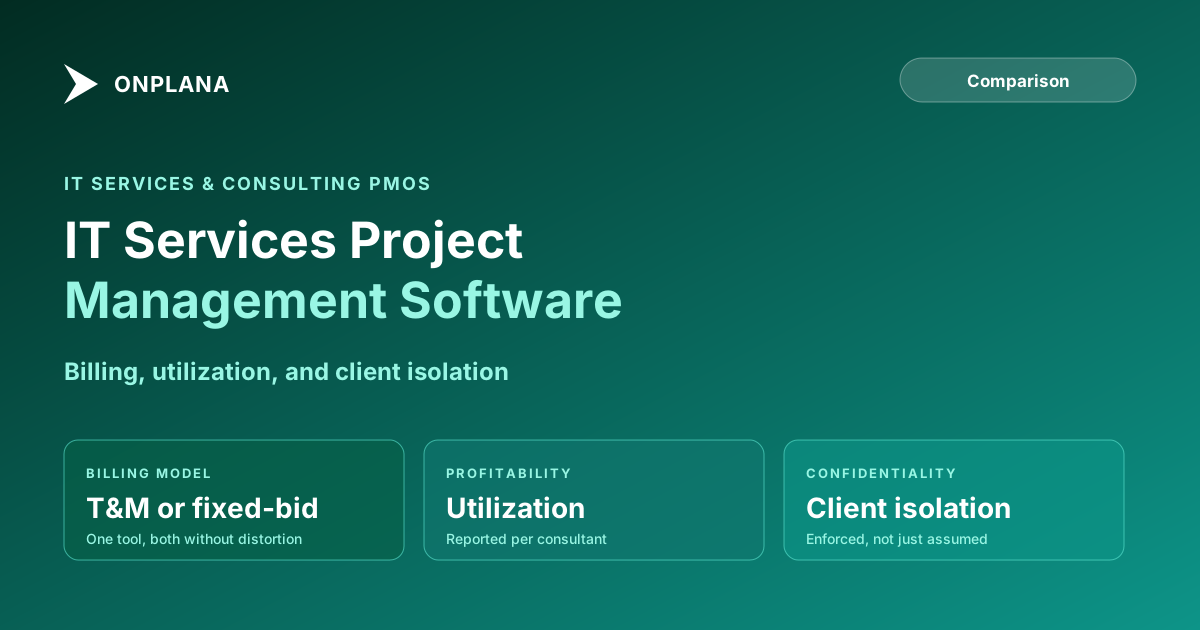
TL;DR. IT services project management software needs three things a generic PM tool skips: support for both time-and-materials and fixed-bid billing models without distorting either one, utilization reporting per consultant that ties directly to profitability, and enforced client data isolation between competing engagements in the same platform. Assess where your own team's current utilization and capacity picture actually stands with the free Resource Allocation Heatmap.
Why IT Services Firms Need a Different Evaluation Lens
A corporate PMO manages internal projects for one organization. An IT services or consulting firm manages a portfolio of client engagements, each one effectively a separate business relationship with its own contract, its own confidentiality terms, and its own profitability target. That structural difference changes what the PM tool has to guarantee.
Three requirements show up in nearly every IT services PMO evaluation that a generic corporate PM tool checklist never surfaces. Billing model support asks whether the tool can represent both T&M and fixed-bid contracts accurately, since most firms run both simultaneously across their book of business. Utilization reporting asks whether the tool can tell a practice lead, in real time, which consultants are profitable this month and which are not. Client isolation asks whether the platform's permission model can actually guarantee that Client A's staff, or a consultant not staffed on Client A's account, cannot see Client A's project.
Time-and-Materials Versus Fixed-Bid: Why One Tool Has to Handle Both
Most IT services and consulting firms run a mixed book: some engagements bill by the hour against an approved budget cap, others bill a fixed price against a defined scope regardless of hours worked. The two models need almost opposite things from a PM tool.
A time-and-materials engagement needs every billable hour tied precisely to a task, a client, and a contract line, because the invoice is a direct reconciliation of logged time against an approved rate card. If the tool's time entries are disconnected from the schedule, the invoice becomes a manual export that finance has to cross-check by hand every billing cycle, and errors surface as client disputes rather than internal corrections.
A fixed-bid engagement needs the opposite discipline: hours worked matter for internal margin tracking, but the client invoice depends on percent-complete against the agreed scope, not on hours logged. A PM tool that only supports hour-based billing forces a fixed-bid project manager to fake a task structure that produces the right invoice number, which quietly breaks the schedule's usefulness for tracking actual delivery risk.
The diagram below shows how the two billing models pull on the same underlying project data in different directions, and where a tool that only supports one model breaks the other.
Confirm both billing paths on a real engagement before committing to a tool. Set up one T&M project and one fixed-bid project with your actual client contract terms, and check whether the invoice each one produces matches what your finance team would generate by hand.
Utilization Tracking: The Number That Decides Profitability
Utilization, the share of a consultant's paid hours that are billable to a client, is the single metric that determines whether an IT services firm makes money on an engagement, more directly than the contract's headline value. A consultant billing at a strong rate but sitting at 55% utilization because of bench time between engagements, internal tooling work, or proposal support is a drag on margin no matter how the contract reads on paper.
Most generic PM tools track logged hours as an isolated field, disconnected from the schedule those hours were meant to advance and disconnected from a rolled-up utilization view a practice lead can act on. The practical requirement is a tool that reports utilization per consultant, per engagement, and per practice as a routine output, not a spreadsheet someone in finance reconciles at month end after the fact, when the unprofitable engagement is already three months in.
Cross-engagement visibility matters just as much here as single-project tracking. A senior architect staffed at 40% on one account and 50% on another looks fully committed and is one urgent client request away from missing a deadline on both. Without a view of a named resource's total committed load across every active engagement, the first sign of that conflict is usually a missed deliverable, not a plannable risk caught early, a pattern the invisible math behind resource overallocation covers in more depth. The free Resource Allocation Heatmap surfaces exactly this kind of cross-engagement overcommitment before it turns into a client-facing miss.
Client Data Isolation: The Requirement Most Contracts Already Demand
Confidentiality clauses in professional services contracts routinely require that a client's project data, budget, and deliverables stay invisible to anyone not explicitly staffed on the engagement, including other consultants at the same firm. That requirement does not disappear because everyone works for the same company. It is frequently the exact clause an auditor or client security review will test.
A single flat permission model, common in generic PM tools, cannot guarantee this. If every user with a login can browse every project by default, the firm is relying on employees' discretion rather than the platform's controls, and discretion is not what a client's legal team will accept as an answer during a vendor security review. The practical test: log in as a consultant staffed on Client A's engagement and verify Client B's project, budget, and documents genuinely do not appear, not just that they are unlinked from the navigation menu.
What ERP and Billing Integration Has to Preserve
Time entries logged in the PM tool need to flow into an invoicing or ERP system, commonly NetSuite, QuickBooks, or a dedicated professional services automation platform, without manual re-entry. The engagement or project identifier has to stay consistent across both systems so a given hour reconciles against the correct client contract line automatically.
The integration risk shows up most sharply during a tool change. If the new PM tool's engagement IDs do not match what the billing system expects, time entries still get logged, but nobody can cleanly tie them back to the right invoice line without manual cross-referencing, a problem that surfaces at the next billing cycle rather than during the tool rollout itself. Confirm the mapping between engagement identifiers survives before cutover, not after the first invoice run.
IT Services Project Management Software Compared
The table below compares three common tooling approaches across the dimensions that matter most for an IT services or consulting PMO.
| Dimension | Generic PM tools (Asana, Monday) | Legacy enterprise PPM (Project Online) | Onplana |
|---|---|---|---|
| T&M billing (hours tied to contract line) | Manual, spreadsheet reconciliation | Timesheet module, manual export | Native time entry tied to task and contract |
| Fixed-bid billing (percent complete) | Manual field | Manual field per task | Computed from task progress |
| Utilization reporting per consultant | Not available | Manual rollup from Enterprise Resource Pool | Native utilization view per resource |
| Client data isolation (permission model) | Single flat permission model | Security categories, complex to configure | Role-based, per-project isolation |
| Cross-engagement resource capacity view | Limited | Enterprise Resource Pool | Resource heatmap, cross-engagement |
| ERP/billing system integration | Limited, third-party connectors | Custom development required | API-based with persistent contract IDs |
| Pricing | $10-25/user/month | $30-55/user/month plus M365 | Free to $29/user/month |
Legacy enterprise PPM tools like Project Online could be configured to handle most of this, at real setup cost, but that option has closed: Project Online retired on September 30, 2026, per Microsoft's own lifecycle documentation. Generic PM tools roll out faster and cost less per seat, but they do not compute utilization, do not model both billing types cleanly, and do not enforce client isolation without a manual permissions audit on every new engagement.
Making the Call
An IT services project management software decision comes down to three questions a generic feature list never asks. Can the tool represent both T&M and fixed-bid billing accurately in the same instance, without forcing one model into a workaround? Does it report utilization per consultant as a routine output that a practice lead can act on before a quarter closes, not after? And does its permission model actually guarantee client isolation, tested against a real staffing scenario, rather than assumed from a features page? A firm that answers yes to all three has a tool built for how consulting and IT services engagements actually run.
For a broader comparison of where a modern, AI-native PM tool stands against the legacy Microsoft ecosystem many consulting firms have relied on for client-facing project delivery, the Microsoft Project alternatives overview covers the wider replacement landscape. Firms weighing plan tiers against a bench of a dozen consultants can check the line-item math on the Onplana pricing page directly.
Run the free Resource Allocation Heatmap Upload a .mpp or MSPDI XML file and see cross-engagement staffing conflicts across your consulting bench in about 30 seconds, the same conflicts that turn into missed deliverables when nobody catches them before the next staffing meeting. No signup required. → Open the Resource Heatmap
Microsoft Project Online™ is a trademark of Microsoft Corporation. Onplana is not affiliated with Microsoft.
Frequently asked questions
What makes IT services project management different from a generic PMO?
IT services and consulting firms bill client work under time-and-materials or fixed-bid contracts, need hard data isolation between competing clients on the same platform, and live or die on utilization rate. A generic PM tool built for internal team coordination handles none of these by default.
What is the difference between time-and-materials and fixed-bid billing in a PM tool?
Time-and-materials billing needs every logged hour tied to a task and a client contract so the invoice reconciles exactly against approved time. Fixed-bid billing needs percent-complete tracked against a scope baseline, since the invoice does not change even if the hours do. A tool built for only one model distorts reporting under the other.
How does utilization tracking affect IT services firm profitability?
Utilization, the share of paid hours that are billable, is the number that determines margin on every engagement. A consultant at 85% utilization on a fixed-bid contract is profitable; the same consultant at 55% on the same contract is a loss, and most generic PM tools never surface that number without a manual spreadsheet.
What is client data isolation and why does an IT services firm need it?
Client data isolation means a resource assigned to Client A's project cannot see Client B's schedule, budget, or documents, even though both live in the same PM tool instance. Most consulting contracts require this explicitly, and a tool with a single flat permission model cannot guarantee it.
Can Onplana replace Project Online for an IT services or consulting firm?
Yes, for firms that need role-based client isolation, utilization reporting per consultant, and both T&M and fixed-bid billing support in one tool. Onplana covers all three, and Enterprise+ adds a dedicated deployment in your own Azure subscription. Project Online retired on September 30, 2026.
Does a PM tool need to integrate with billing or ERP systems for IT services firms?
Yes. Time entries need to flow into an invoicing or ERP system such as NetSuite, QuickBooks, or a dedicated PSA platform without manual re-entry, and the project or engagement identifier needs to stay consistent between the two systems so hours reconcile against the right contract.
Ready to make the switch?
Start your free Onplana account and import your existing projects in minutes.