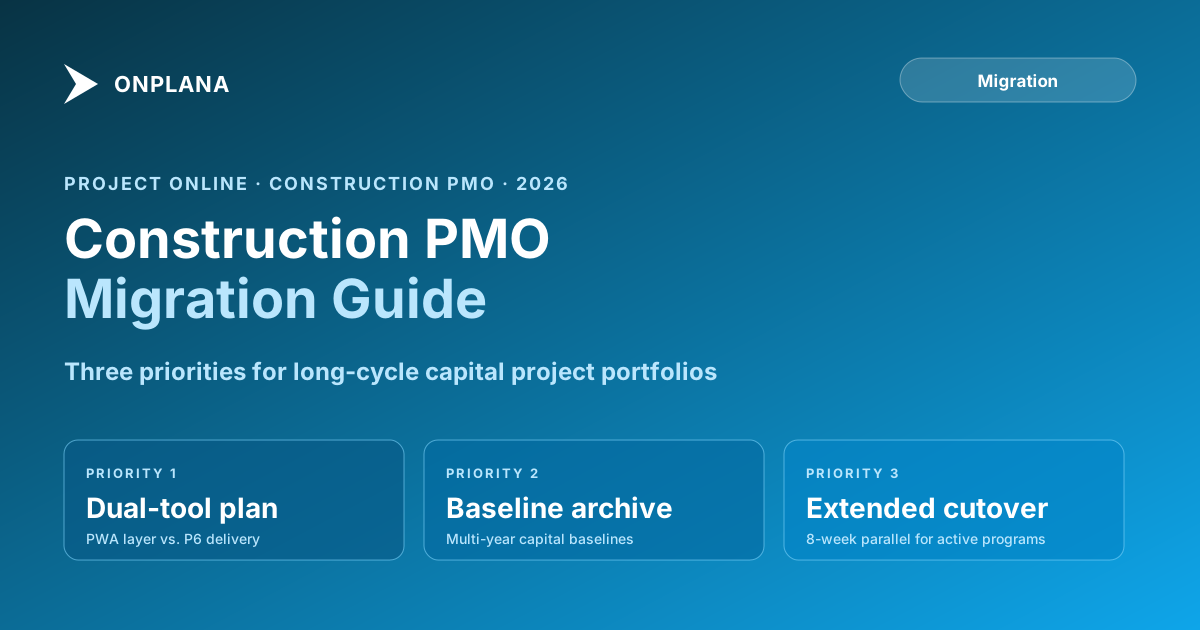
Migrating from Project Online for Construction PMOs: Key Considerations
Construction PMOs face a unique migration challenge: dual-tool workflows, P6 integration, and long-cycle projects that don't tolerate a rushed cutover.
Capital project schedules don't compress well. A five-year construction program running through Project Online on September 30, 2026 (the confirmed retirement date per Microsoft's Project Online service description) doesn't stop because the software retired. The crews are still in the field, the milestone payments are still tied to the baseline, and the audit trail still matters.
This is the specific pressure that separates a construction PMO migration from most others. The retirement deadline is fixed. The project timelines are not. Some of your active programs will span the deadline by years, and those are the ones that require the most careful migration planning, not the most casual.
TL;DR: Construction PMOs typically run Project Online as a portfolio coordination layer on top of Primavera P6 or the Project Desktop client for detailed delivery scheduling. The migration question is whether to consolidate those layers or replace only the PWA portfolio layer. The safest path for most construction PMOs: migrate the portfolio layer to a modern PM tool, keep P6 for delivery scheduling, and plan the parallel running window to accommodate your longest active projects. Start with a tenant inventory before anything else.
How Construction PMOs Actually Use Project Online
Most construction PMOs don't use Project Online as their primary scheduling tool. They use it as a portfolio coordination layer: program status, resource commitments across projects, executive dashboards, and the governance gate workflow.
The detailed delivery scheduling typically lives somewhere else: Primavera P6 for capital projects and engineering programs, the Project Desktop client for smaller site projects, or a combination. PWA sits on top, pulling summary data and providing the dashboard view that portfolio managers and executives see.
This two-layer architecture matters enormously for migration. You're not migrating the delivery schedules out of Project Online, those mostly aren't in PWA. You're migrating the coordination layer.
What actually lives in Project Online for a typical construction PMO:
- Project records: Project names, owners, start/finish dates, phase, status, and the metadata that identifies each project in the portfolio
- Enterprise Custom Fields: Budget category, program, geographic region, contract type, and any construction-specific classification fields the PMO uses for filtering and reporting
- Resource pool: Named resources at the portfolio level, often with time-phased resource requests (engagements) for high-demand roles
- Executive dashboards: Portfolio-level views showing active programs, upcoming milestones, and resource utilization across the enterprise
- Governance workflows: Phase gate approvals, change request routing, and budget authorization workflows built on SharePoint
Most of the detailed task-level schedules, dependencies, and resource loading are in P6 or .mpp files, not in PWA.
The Dual-Tool Reality
If your PMO runs P6 for delivery and PWA for coordination, you have two migrations to think about, not one.
The PWA migration is mandatory: the product retires September 30, 2026. The P6 side is optional: Primavera P6 has no retirement date and is broadly used in construction and engineering.
The practical choice is: find a modern PM tool that integrates with P6 (or can import P6 data for portfolio reporting), or deepen the investment in Primavera's own portfolio layer (Primavera Portfolio Management, or Oracle's Prime suite). Both paths are valid depending on your existing Oracle investment and whether your PMO wants to stay in the Oracle ecosystem. The Onplana migration hub covers the tool selection process and integration patterns in detail.
What to avoid: treating the PWA migration as an opportunity to consolidate everything onto a single tool without explicitly evaluating whether that tool can handle P6-grade schedule complexity. Many modern PM tools are excellent at portfolio management and weak on heavy construction scheduling: resource-loaded schedules with thousands of tasks, multiple work-breakdown tiers, complex calendars, and baseline history going back several years. Validate that fit before committing.
The diagram below shows the typical construction PMO architecture and how the migration layers map out.
What the Migration Actually Needs to Preserve
Assuming you're migrating the PWA portfolio layer while keeping P6 for delivery, here's what actually needs to move.
Project records and metadata. Every project in your PWA tenant, with its current status, phase, start/finish dates, and the custom field values that classify it for portfolio filtering. Construction PMOs often have 30 to 50 Enterprise Custom Fields for things like contract type, program, geographic region, capital vs. operating spend, and safety tier. Each needs to be mapped to the equivalent concept in the destination tool.
Summary schedules. Not the full P6 delivery schedules, but the summary milestone schedules that live in PWA. These are typically the phase gates, budget approval dates, and milestone payment dates that the executive dashboard tracks. These need to migrate with their baseline history intact.
Resource commitments. The resource engagements and high-level allocations in PWA that show which major programs are consuming which senior resources. This is the portfolio-level capacity picture that doesn't live in P6.
Governance history. The record of which approvals were given, who gave them, and when. For construction PMOs under contract audit, this history may need to be preserved and accessible for years after the PWA tenant retires.
Dashboard and report configurations. The views that executives use for weekly status reviews. These don't migrate automatically; they need to be rebuilt in the destination tool. Inventory them before migration and prioritize which to rebuild versus retire.
Data That Lives Outside PWA and Still Needs a Plan
Even if you're keeping P6 for delivery, several data types that interact with PWA need attention.
P6 to PWA data feeds. If you've built any integration that pushes P6 schedule data into PWA for portfolio reporting (percent complete, actual dates, earned value), that integration breaks when PWA retires. Plan the replacement: either integrate P6 directly with the new tool, or run the integration as a batch export to the destination's import format.
SharePoint document libraries. Project documents stored in the SharePoint site associated with each PWA project don't automatically move. The construction project record often lives in SharePoint: RFIs, submittals, drawing revisions, and contract documents. Decide whether these stay in SharePoint (linked from the new tool), migrate to the new tool's document storage, or consolidate into a document management system. SharePoint doesn't retire, so keeping documents there is a valid option.
Legacy SharePoint workflows. If your phase gate approvals run on SharePoint 2013 workflows, those workflows stopped running on April 2, 2026, ahead of the PWA retirement itself. If you haven't replaced them with Power Automate or a native workflow in your destination tool, that's an immediate gap to address.
Planning the Timeline for Long-Cycle Projects
The standard migration advice is to plan three to six months and allow two to four weeks of parallel running. For construction PMOs with active capital programs, those numbers need to stretch.
A capital project with a three-year delivery timeline contains years of baseline history, hundreds of tasks, cross-project dependencies linked to other programs, and milestone payment schedules tied to contractual commitments. Validating that a migration of that project preserved all of it takes longer than the same validation for a 90-day IT project.
The timeline below illustrates a realistic migration schedule for a construction PMO with active capital programs. The key constraint is that parallel running must complete before September 30.
Practical timeline adjustments for construction:
Inventory first, everything else second. Before any data extraction or tool selection, run the Project Online Inventory Checklist across your entire tenant. The inventory tells you what you have: project count, task volume, ECF count, baseline populations, resource pool size, and workflow count. For most construction PMOs, the inventory surfaces complexity that wasn't visible in the day-to-day.
Extend the parallel running window. For programs spanning the September 2026 deadline, plan at least eight weeks of parallel running, not four. You need time to validate that the new tool's data matches what PWA showed for real projects with real field updates happening daily.
Stagger the cutover by project phase. Don't cut all programs over simultaneously. Start with the programs in the early planning phase (lower risk, less baseline history), validate the process, then move to execution-phase programs. The most complex active programs should be last.
Archive before cutover, not after. For programs with significant baseline history, export the full .mpp files including all baselines before the tenant goes read-only. These exports are your legal record for any contract dispute that references the schedule state at a specific point in time.
Vendor Evaluation Considerations for Construction
Not every modern PM tool handles the construction coordination use case equally.
What to look for beyond the standard PM tool checklist:
P6 integration or import. Does the tool have a native P6 connector or a documented import path from XER or P6 XML? If you're keeping P6 for delivery, you need a way to get summary data from P6 into the portfolio layer.
Baseline handling. Can the tool store and display multiple named baselines per project? Construction programs often have an original baseline, a revised baseline approved after a scope change, and a current baseline. If the tool only supports one baseline, your earned value and contract variance reporting breaks.
Custom field depth. Construction PMOs use more ECFs than most industries. Verify the destination tool's custom field limits and types before committing: construction-specific fields often include calculated fields (contingency percentage, cost variance percentage), date-type fields (planned vs. actual milestone dates), and lookup fields (contractor name, contract type) that not every tool handles with equal fidelity.
Audit trail retention. Capital projects can be audited years after completion. The tool needs a long-retention audit log, not a 90-day rolling window. Verify the retention policy and whether it's configurable.
Role-based access for contractors. Construction programs often give limited access to contractor PMs for status updates. The tool's guest access model needs to support this without full-license costs for each contractor user.
Run the Migration Preview tool on a sample of your PWA projects to understand what carries through and what requires manual reconstruction in the destination tool. For construction PMOs, the gap analysis often shows baseline losses and custom field type mismatches that need to be resolved before the full migration begins.
The 30-Day Pre-Migration Action List
With the September 30, 2026 retirement date fixed, here's the minimum viable action list for a construction PMO that hasn't started.
- Run the inventory. Know exactly what's in your tenant before making any decisions.
- Identify programs spanning the deadline. These need the longest lead time and most careful planning.
- Audit baseline history on active capital programs. Identify which projects have multi-baseline records that need to be preserved and archived.
- Inventory your SharePoint workflows. If any are still running on the 2013 workflow engine (retired April 2026), you have a gap right now, not just in September.
- Document your executive dashboards. Screenshot and document every dashboard and report that leadership uses. These need to be rebuilt in the destination tool before cutover.
- Start the vendor evaluation. Give yourself at least 60 days for vendor evaluation and procurement. Construction PMOs rarely get procurement done faster than that.
The construction industry's project timelines are long. The software retirement timeline is not. That mismatch is the core planning challenge, and the teams that handle it best are the ones that start treating it as a capital program in its own right, not an IT task.
Run the free Project Online Inventory Checklist Map every project, resource pool, custom field, and workflow in your tenant before starting the migration planning process. For construction PMOs, the inventory usually surfaces more complexity than expected. → Open the checklist
Microsoft Project Online™ is a trademark of Microsoft Corporation. Onplana is not affiliated with Microsoft.
Frequently asked questions
Do construction PMOs need to migrate off Project Online before September 30, 2026?
Yes. Project Online retires September 30, 2026 regardless of industry. Construction PMOs need to plan their migration now, with extra lead time for long-cycle projects that span the retirement date.
Should a construction PMO consolidate on one tool or keep a dual-tool setup after migration?
It depends on your current split. If Primavera P6 handles construction delivery and Project Online handles portfolio-level visibility, migrating the portfolio layer to a modern PM tool while keeping P6 for delivery is a lower-risk path than consolidating everything.
Can a modern PM tool import Primavera P6 schedules?
Most modern PM tools import .mpp files but not P6 XER files natively. You can export P6 schedules to XML or .mpp for import, but dependency fidelity varies. Validate the import before relying on it for active delivery tracking.
What happens to active construction projects that span the September 2026 retirement date?
Projects active on retirement day go read-only. Any updates, resource assignments, or status changes after that date must happen in the new tool. Plan parallel running for your active portfolio, with final cutover before September 30.
How long does a construction PMO migration typically take?
Longer than most other industries: three to six months for planning and data export, plus a parallel running phase of four to eight weeks. Long-cycle capital projects with five-year schedules need extra validation time for imported baselines and dependencies.
What is the biggest migration risk for construction PMOs?
Losing the multi-baseline history that capital projects accumulate over years. Most migration tools preserve only the primary baseline. Identify your baseline-dependent projects early and plan individual export and archival for those baseline sets.
Does the Project Online Inventory Checklist work for construction PMOs?
Yes. It's the right starting point for any migration: it maps every project, resource pool, custom field, and calendar in your tenant. Construction PMOs often find more complexity than expected when they run the inventory.
Ready to make the switch?
Start your free Onplana account and import your existing projects in minutes.