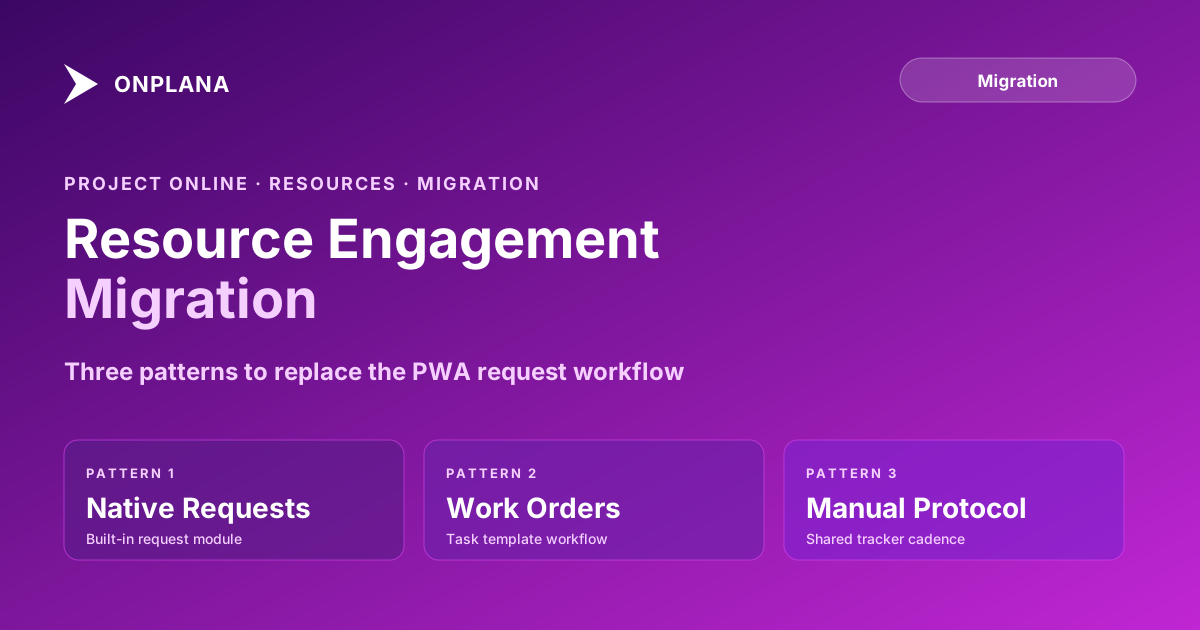
Migrating Project Online Resource Engagements
Project Online resource engagements are a governed request workflow that doesn't migrate. Three patterns for rebuilding the approval process in your new tool.
Here is the pattern. A Project Online migration completes. The project data is in the new tool. Resource managers log in and ask one of two questions: "Where did the resource engagement history go?" or, more damagingly, "Why are project managers requesting resources through Slack again?"
The first question is a data question. The second is a process question. Both are caused by the same gap: Project Online resource engagements did not make the migration scope, and nobody designed a replacement before go-live.
Resource engagements in PWA are a formal, governed request pipeline. A project manager submits a request for a specific resource (or a role placeholder) over a defined time window. The resource manager receives the request, reviews it against current commitments, and responds with a proposal: approved, rejected, or modified. The project manager accepts or negotiates. The committed engagement appears in the resource manager's utilization view across all projects.
When this workflow goes away at migration and is not replaced, resource allocation decisions move back to informal channels. Resource managers receive requests through meetings and messages. There is no system of record for who committed what, to which project, for which period. Overallocations that the engagement workflow would have surfaced before they happened show up instead as missed milestones two months later.
TL;DR: Project Online resource engagements are a portfolio-level resource commitment workflow that does not appear in .mpp or MSPDI XML exports. If you exported the ResourceEngagements OData feed before the September 30, 2026 retirement, that export holds the commitment history. After migration, choose one of three replacement patterns: rebuild the workflow in the destination tool's native resource request feature (if one exists), approximate it with a structured work-order task template, or run a lightweight manual protocol with a shared tracking document. The right pattern depends on whether your destination tool has native support and how formally your organization needs to govern allocation decisions.
What Project Online Resource Engagements Actually Are
Resource engagements were introduced to Project Online in late 2015 as a replacement for the older resource plan system. They provide a formal handshake between project managers and resource managers at the portfolio level, separate from the task-level assignment data inside individual project schedules.
The engagement model has three states:
Proposed. The project manager submits a request: "I need Sarah Chen, senior developer, for at least 80 hours between July 1 and August 31." This proposal appears in the resource manager's queue.
Committed. The resource manager reviews Sarah's availability across all engagements and assignments, decides the request is reasonable (or negotiates it to 60 hours), and commits. The commitment appears in utilization views and affects how Sarah's capacity is reported to all other project managers.
Submitted for approval. In some configurations, engagements require a second approval step from a department head before they become committed.
The engagement system answers a question that task-level assignments cannot: what has this resource manager actually committed, across all projects, for the next quarter? The utilization view in PWA's Resource Center aggregates committed engagements to give resource managers a portfolio-level picture of capacity.
According to Microsoft's documentation on resource engagements replacing resource plans, once a PWA site activates the engagement feature, it cannot be deactivated. The old resource plan system is replaced permanently. This means that any organization using PWA after April 2016 is using engagements, whether they know it or not.
Why Resource Engagements Don't Appear in .mpp Exports
Resource engagements are stored in the PWA database separately from project schedules. The engagement record contains the resource, the project, the time window, the proposed hours, the committed hours, and the approval status. None of this data belongs to a specific task. It is a portfolio-level commitment record, not a schedule element.
The .mpp and MSPDI XML export formats contain schedule data: tasks, dependencies, resource assignments with work hours, baselines, and calendars. They do not contain portfolio-level data. Resource engagements are in the same category as portfolio analysis data and administrative time categories: stored in a different part of the database, reachable only via OData, invisible in standard migration scripts.
The relevant OData feed is ResourceEngagements from the ProjectData endpoint. The basic export query was:
GET /ProjectData/ResourceEngagements?
  $select=EngagementId,ProjectId,ProjectName,ResourceId,
          ResourceName,EngagementStartDate,EngagementFinishDate,
          EngagementCommittedWork,EngagementProposedWork,
          EngagementStatus,EngagementModifiedDate
If you ran it before retirement, keep the output. The engagement history, including which resources were committed to which projects for which periods, is useful context for the first round of resource planning decisions in the new tool.
The diagram below shows the engagement workflow in PWA compared to what most modern tools provide instead:
Pattern 1: Use the Destination Tool's Native Resource Request Module
Some modern PM tools ship a resource request or staffing request workflow that approximates the engagement model. Before migration, verify whether your destination tool has one and how closely it matches the PWA pattern.
Key questions to ask:
- Can a project manager submit a request for a specific resource or role over a time window with a proposed hours estimate?
- Does the resource manager receive the request in a unified queue that shows all pending requests across all projects?
- Can the resource manager respond with a counteroffer (different hours, different time window) rather than a binary approve/reject?
- Do committed requests affect the resource's utilization view across the portfolio?
If the answers are yes to all four, the native module is your best path. The migration work involves:
- Exporting current engagement commitments from the ResourceEngagements OData feed to use as a starting point.
- Configuring the destination tool's request workflow (approval roles, notification settings, escalation rules).
- Entering open/active engagements as new requests in the destination tool before go-live, so resource managers begin the new tool with an accurate picture of existing commitments.
- Communicating the new request process to project managers and resource managers before day one.
The gap to watch: most native request modules do not track engagement negotiation history the way PWA does. The back-and-forth between PM and resource manager is typically a comment thread, not a structured workflow. If your governance requirements include an audit trail of proposal, counter-proposal, and acceptance, verify how the destination tool handles this.
Pattern 2: Structured Work-Order Template
For organizations whose destination tool does not have a native request module, a structured task template can approximate the engagement workflow using the tool's existing features.
The structure: create a project template (or a project type) specifically for resource requests. Each request is a new project instantiated from the template with a fixed set of fields: Requesting Project, Requested Resource, Start Date, End Date, Proposed Hours, Committed Hours, Status (Proposed/Committed/Rejected), and Resource Manager.
The workflow:
- A PM creates a new request project from the template, fills in the fields, and assigns it to the resource manager.
- The resource manager reviews the request project alongside their utilization view, updates the Committed Hours and Status fields, and notifies the PM.
- The PM updates their project's resource allocation based on the committed engagement.
- A portfolio view filters for all request projects and shows open commitments by resource and period.
This pattern works in any PM tool with custom fields and project templates. The tradeoff is overhead: it adds a parallel project-creation step to every resource request. Resource managers see commitments in the utilization view only if the destination tool aggregates custom field data across projects, which not all tools do natively.
Before implementing, check whether your destination tool's resource utilization view includes the work from these request projects or only from task-level assignments. If it does not, committed engagements in the request template will not affect utilization calculations, which removes one of the main values of the engagement model.
Pattern 3: Lightweight Manual Protocol
For organizations where portfolio-level resource governance was aspirational rather than actively enforced, a lightweight manual protocol is often sufficient: more structured than informal Slack messages, less overhead than rebuilding the full engagement workflow.
The minimum viable protocol:
- A shared spreadsheet or simple database with columns for Project, Resource, Start, End, Proposed Hours, Committed Hours, Status, and Last Updated.
- A defined owner (usually the PMO administrator or a resource manager) who updates the sheet after each allocation decision.
- A weekly or biweekly review in which resource managers reconcile the spreadsheet against their actual capacity.
- A rule that no project manager asks a resource to work on something until the request has been entered in the sheet and the resource manager has updated the status to Committed.
The constraint is auditability. The spreadsheet does not automatically update when a project changes scope or a resource leaves a project. The discipline required to maintain it accurately is the same discipline the engagement workflow enforces automatically in PWA.
For most PMOs with fewer than 50 active resources, this protocol is sustainable. Above that scale, the manual overhead typically motivates the investment in Pattern 1 or Pattern 2.
What to Keep From Your Export
Two datasets from the engagement system are worth preserving even if you are not rebuilding the engagement workflow directly:
Active commitments. Any engagement that was in Committed status at export represents a resource manager's promise that may not yet be fulfilled. Load these from your export as the opening state of whatever replacement pattern you build. Otherwise, resource managers begin the new tool with no record of what they have already committed.
Engagement history. Twelve months of closed engagements gives the PMO a reference point for how your organization's resource demand has been distributed across projects, which is useful context for capacity planning in the new tool. Keep at minimum the last four quarters.
The Resource Heatmap tool can help you visualize current resource load from a .mpp import as a starting point; combine it with the engagement history export to get the full picture of both task-level assignments and portfolio-level commitments.
The engagement data export complements the broader resource pool migration. The resource pool migration guide covers cost rates, calendars, and assignment history. Engagement history is a separate dataset that fits in the same export script as an additional OData feed.
Building the Replacement Before Go-Live
The engagement replacement needs to be ready before the first day of parallel running, not figured out during it. Resource managers who lose the engagement queue on day one will fall back to informal channels immediately, and informal channels are sticky: once the habit forms, it is difficult to redirect team members to the new formal process.
The practical checklist before go-live:
- Pull the committed engagements from your ResourceEngagements OData export.
- Decide which pattern (native module, work-order template, manual protocol) fits your tool and your organization.
- Configure the pattern in the new tool before cutover.
- Load active commitments as the opening state of the new workflow.
- Run one practice round with two or three resource managers before the full team switches over.
- Communicate the new process and where to go for resource requests on day one of the new tool.
Use the Migration Preview to see your project and resource data before migration and identify where engagement-related gaps will surface, then use that information to size the configuration work for whichever replacement pattern you choose.
Run the free Migration Preview See what your Project Online project and resource data looks like before you migrate: project structure, resource pool, custom fields, and the gaps your migration plan needs to cover. No signup required. → Open the Migration Preview
Microsoft Project Online™ is a trademark of Microsoft Corporation. Onplana is not affiliated with Microsoft.
Frequently asked questions
What are Project Online resource engagements?
Resource engagements in Project Online are formal, structured requests for specific resources across a defined time window, submitted by a project manager and reviewed by the resource manager. They replaced the older resource plan system in PWA and serve as a governed pipeline for resource allocation decisions.
Do Project Online resource engagements migrate to other tools?
Not automatically. Resource engagements are stored in the PWA database separately from project schedules. They do not appear in .mpp or MSPDI XML exports. The engagement data (resource, project, time window, committed hours, approval status) survives only if it was exported via the OData ResourceEngagements feed before retirement.
What is the difference between a resource engagement and a resource assignment in Project Online?
A resource assignment is a task-level commitment in the project schedule: a specific resource is assigned to a specific task for a specific duration. A resource engagement is a portfolio-level agreement: a resource manager commits a specific resource (or role) to a project for a time window, without specifying which tasks they will work on.
What OData feed contains Project Online resource engagement data?
The ResourceEngagements feed from the ProjectData OData endpoint contains the engagement records: resource, project, proposed and committed hours, time window start and end, and approval status. If you exported it before September 30, 2026, that export holds the engagement history.
How do modern project management tools handle resource requests compared to Project Online?
Most modern PM tools do not ship a formal resource engagement feature with a proposal-review-commit workflow. They approximate it through resource request modules, task-based work order templates, or structured manual protocols. The formal approval workflow that PWA provided as a built-in feature typically moves to a lightweight process in the destination tool.
Which migration pattern best replaces Project Online resource engagements?
Pattern 1 (native resource request module) works best if your destination tool has one. Pattern 2 (structured work order template) works well for PMOs that need a lightweight formal request process. Pattern 3 (manual protocol) is the fallback for any tool, at the cost of less structure and auditability.
Ready to make the switch?
Start your free Onplana account and import your existing projects in minutes.