The Best Project Online Replacement By Team Size: 5 to 500+ Users
The best Project Online replacement depends on team size. Five users need different capabilities than 500. Here's the bracket-by-bracket breakdown for 2026.
Most Project Online replacement guides list the same eight tools in the same order and call it a comparison. The variable that changes the right answer more than any feature checklist is team size: how many people are scheduling, tracking, and reporting in the tool every day.
A 10-person IT team leaving Project Online needs a tool that is fast to configure and easy to learn. A 300-person enterprise PMO needs an enterprise resource pool, multi-baseline tracking, portfolio governance, and audit trails that survive a compliance review. Those requirements do not converge on the same product. Treating them as if they do is how PMOs end up choosing tools that look right on a spec sheet but fail in daily use.
TL;DR. Team size is the primary variable in choosing a Project Online replacement. Small teams (5-25 users) prioritize fast setup and a gentle learning curve. Mid-market PMOs (25-100 users) need scheduling depth plus resource visibility. Enterprise PMOs (100+ users) need critical path, baselines, governance, and audit trails. Onplana covers all three brackets on a single tier model: free for small teams, $12/user for mid-market, $29/user for enterprise. The Migration Cost Calculator sizes the cost for your specific scenario before you enter any vendor conversation. Microsoft Project Online retired September 30, 2026, per Microsoft's official retirement announcement.
Why Team Size Changes the Answer
Three variables scale differently across team sizes and drive toward different tool choices.
Feature utilization. A 10-person team in Project Online typically used it as a Gantt chart with dependencies. They probably did not use the Enterprise Resource Pool, multi-baseline tracking, or portfolio analyzer in any structured way. Moving to a tool without those features loses nothing they were actually using.
A 200-person PMO used all of those features. The Enterprise Resource Pool was how they answered "can we take on two more projects next quarter?" The baseline history was the evidence trail for quarterly executive reviews. Losing those features loses organizational capability that took years to build.
Learning curve cost. Training 10 PMs is a two-day workshop. Training 200 PMs with different project types, seniorities, and methodology preferences is a multi-week curriculum with role-specific tracks. A tool's learning curve is a multiplied cost. Tools with gentler onboarding curves become more competitive at scale, but so do tools with deeper configuration support and onboarding infrastructure.
Administrative overhead. A small team's PMO admin configures the tool in a weekend. An enterprise PMO admin manages roles, permissions, resource calendars, custom field libraries, and portfolio hierarchies across hundreds of projects and thousands of users. Administrative depth, enterprise IT controls (SSO, SCIM, audit logs), and integration APIs matter at scale in a way they simply do not at 10 users.
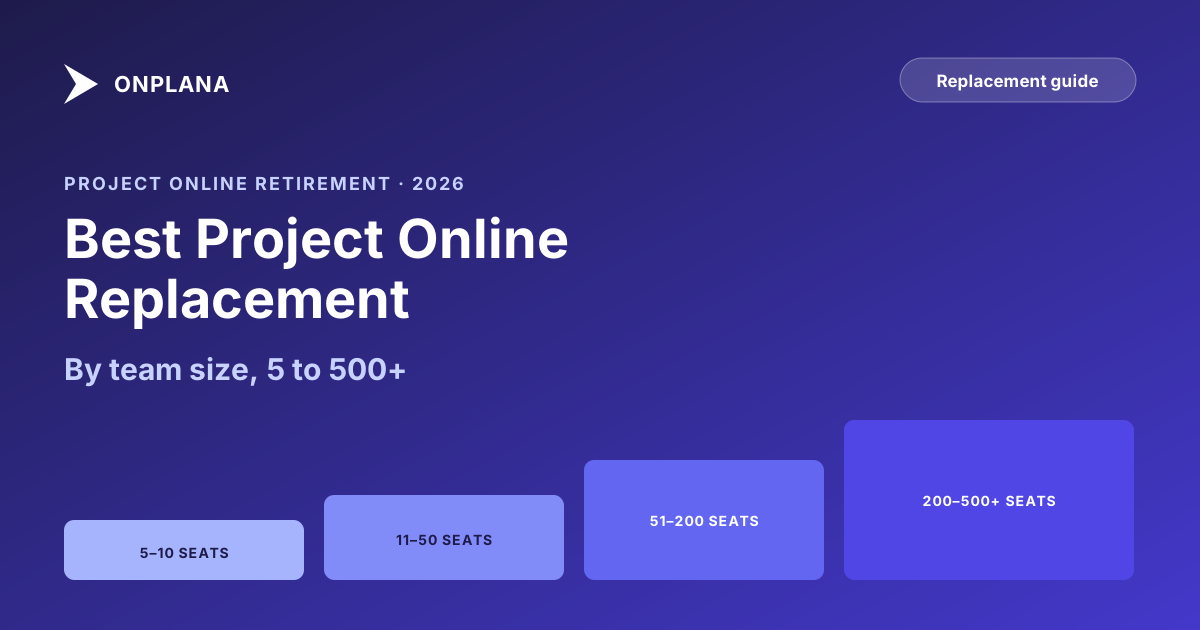
The diagram below shows how key requirements emerge across different team-size brackets.
Bracket 1: Small Teams (5-25 Users)
Most small teams on Project Online were using a tool substantially above their needs. Project Online's licensing costs ($30-$55 per user per month) were often justified by enterprise agreement pricing or IT policy rather than actual feature utilization.
For this bracket, the right question is: what scheduling depth does the team actually use? If the answer is "Gantt charts with finish-to-start dependencies and resource assignments," several tools do this better than Project Online at a fraction of the cost.
Onplana free tier. Two projects, up to 5 members, all four dependency types with lag, milestones, the Gantt chart with critical path, Kanban and calendar views, native .mpp import, AI chat, and no credit card required. So for a small team leaving Project Online, the free tier is the place to land your files, verify that the dependencies and durations survived the import, and work the schedule on the same kind of Gantt view a Project Online PM works in daily. The two-project cap is what moves a team up a tier, not the schedule views.
Onplana Professional ($12/user/month). Professional raises the cap to 200 projects and 100 members, adds project templates, and is the tier that turns on resource capacity views and dashboard reporting, still at a price substantially below Project Online.
Asana and Monday. For small teams that primarily use project management for task coordination rather than schedule calculation, Asana and Monday are accessible alternatives. Their scheduling depth is limited (finish-to-start dependencies only, no critical path calculation in standard plans), but teams that were not using those features in Project Online do not lose anything meaningful. Open-source desktop and server tools also stay free for a small team, and the open-source alternatives to Microsoft Project are compared with the rest of the free field.
The critical question for small teams is not "what features does this tool have?" It is "what features did we actually use?" The free Schedule Health Check assesses your current .mpp files and shows which scheduling capabilities your projects actually employ: dependency types in use, baseline state, resource loading depth, and schedule health indicators. That output tells you whether your small-team requirements need Project Online-depth scheduling or whether a simpler tool covers the work.
Bracket 2: Mid-Market PMOs (25-100 Users)
Tool choice matters most in this bracket: large enough that enterprise-priced heavyweights are overkill, small enough that simplicity still matters for adoption. PMOs in this range manage enough concurrent projects that scheduling accuracy, resource visibility, and portfolio reporting have daily operational impact.
Scheduling depth matters here. A mid-market PMO with 30+ active projects needs to know which projects are at schedule risk, where resources are over-committed, and whether the portfolio can absorb a new request. Those answers require critical path calculation, portfolio-level resource utilization, and some form of portfolio dashboard. Tools without those capabilities provide a Gantt view and leave the analysis as an exercise for the PM.
Onplana Business ($20/user/month). Covers the full mid-market requirement: all four dependency types with lag, critical path with float propagation, enterprise resource pool, 18-widget portfolio dashboard builder, AI-assisted scheduling, and native .mpp import. For mid-market PMOs moving off Project Online, this is typically the closest feature-equivalent at a substantially lower per-seat cost.
Smartsheet (Business or Enterprise tiers). For mid-market teams that prioritize cross-team collaboration breadth and have lower scheduling depth requirements, Smartsheet's modern interface and strong intake-to-delivery automation are real advantages. The structural gap is scheduling precision: no critical path, no SS/FF dependencies. The Onplana vs Smartsheet comparison covers exactly where that trade-off lands for PMOs coming from Project Online. For teams that accept those limits, Smartsheet handles mid-market coordination effectively.
Wrike (Business or Pinnacle tiers). Wrike's mid-market tiers have genuine resource workload visibility and cross-project dashboards. The gap is the same as in the Smartsheet comparison: no critical path calculation, no multiple baselines. The Project Online vs Wrike post covers this in detail. For mid-market teams where work management and coordination matter more than scheduling precision, Wrike is credible.
Bracket 3: Enterprise PMOs (100-500 Users)
This bracket is where Project Online was built to compete. Enterprise PMOs need: critical path calculation across complex project networks, multiple baselines for schedule performance reporting, enterprise resource pool for organizational capacity planning, stage-gate governance for compliance-grade approvals, and audit logs for internal and external review.
Tools that do not cover that feature set fully should be disqualified from an enterprise evaluation early, not discovered to be inadequate mid-implementation.
Onplana Enterprise ($29/user/month). Ships the full feature set: all four dependency types with lag, multiple baselines, critical path with float propagation, enterprise resource pool, 12-stage governance pipeline with audit trail, and SSO/SCIM. Enterprise+ adds a dedicated deployment: Onplana sets up and runs a private copy of Onplana in your own Azure subscription. For enterprise PMOs comparing against Project Online's $55/user/month Plan 5, the licensing savings at 200 users over three years run in the hundreds of thousands of dollars in software cost alone. The Migration Cost Calculator models this for your specific team size and project count.
Wrike Pinnacle. Wrike's top tier has resource workload management and cross-project dashboards that serve enterprise coordination needs well. The gaps remain structural: no critical path calculation, no multiple baselines, no enterprise resource pool equivalent. For enterprise PMOs whose daily operations depend on those features, Wrike requires an honest assessment of what gets sacrificed.
Planview PPM Pro. Planview's IT PMO governance product covers demand management, portfolio prioritization, and portfolio dashboards at enterprise depth. The learning curve is steep, implementation complexity is high, and pricing requires a sales conversation. For large enterprises where implementation support is budgeted and the vendor's enterprise credentials matter for procurement, Planview is a defensible choice.
Planview Projectplace. Worth calling out specifically: Planview Projectplace is a team-level collaboration tool, not Planview's enterprise PMO platform. Evaluators who shortlist "Planview" because they recognize the brand and end up evaluating Projectplace as the product are comparing the wrong tool. The Projectplace review covers that distinction in detail.
Bracket 4: Large Enterprise (500+ Users)
Above 500 users, several requirements become dominant and often shift the decision.
Procurement and security review. Large enterprises typically require formal security reviews, enterprise agreements, data processing agreements, and vendor audits before procurement. Tools with self-hosted deployment options or government-grade certifications (FedRAMP, GovCloud) move ahead of pure SaaS tools in environments with strict data-residency or sovereign-cloud requirements.
Integration surface at scale. At 500+ users, the PMO tool connects to HR systems for resource pool management, financial systems for project cost tracking, and BI platforms for executive reporting. API completeness, webhook reliability, and ETL performance become critical requirements that smaller teams can largely ignore.
Change management scale. Training 500+ PMs with different project types, seniority levels, and methodology preferences is a multi-month program. Tools with structured onboarding infrastructure, role-based training paths, and a vendor-supported PMO administrator community matter in ways they do not at smaller scales.
For very large enterprises with complex integration requirements, Planview Portfolios, Clarity PPM (Broadcom's portfolio), and SAP Portfolio and Project Management are the heavyweights at this tier. These come with enterprise-grade implementation timelines and cost structures that mid-market tools do not require and most PMOs cannot absorb efficiently.
Tool Recommendations by Bracket: Summary
The diagram below maps the major tools against each team-size bracket's capability requirements.
| Team Size | Scheduling Depth Needed | Primary Option | Alternative |
|---|---|---|---|
| 5-25 users | Gantt + dependencies | Onplana Professional ($12/user; Gantt is on every tier, Free included) | Monday, Asana (lower scheduling depth) |
| 25-100 users | Resource views + portfolio dashboards | Onplana Business ($20/user) | Smartsheet, Wrike Business |
| 100-500 users | Full PMO depth + governance + baselines | Onplana Enterprise ($29/user) | Wrike Pinnacle, Planview PPM Pro |
| 500+ users | Enterprise + integration + security audit | Onplana Enterprise + full evaluation | Planview Portfolios, Clarity PPM |
What to Evaluate Before You Choose
The Schedule Health Check. Upload your current .mpp files and get a diagnostic on what scheduling features your projects actually use: dependency types in use, baseline count, resource loading depth, and schedule health indicators. The output answers "do we need full Project Online scheduling depth, or did we use a subset of those features?" before spending time evaluating tools for features you do not use. The free Schedule Health Check runs in about 30 seconds per file.
The Migration Cost Calculator. Once you have a team-size bracket and a candidate tool, the Migration Cost Calculator models total migration cost: license savings versus Project Online, migration effort at your project count and user count, training cost, parallel-running overlap, and break-even timeline. The free Migration Cost Calculator gives you line-item numbers you can bring to the business case before entering a vendor contract negotiation.
The Timing Reality
Project Online retired September 30, 2026, per Microsoft's official announcement. The organizations that finished migrations on time matched their replacement choice to their actual team size and actual feature utilization early, before discovery work turned into procurement delays turned into emergency consulting fees.
The bracket model above is a starting filter, not a final answer. Within each bracket, the right tool depends on your scheduling complexity (the Schedule Health Check tells you this), your Microsoft 365 integration dependencies, your data-residency requirements, and your PMO's appetite for change management at scale.
For a broader view of the full Project Online replacement landscape, the best project management software 2026 roundup evaluates ten tools across a full buyer's grid. The best project management software for small teams 2026 covers the small-team bracket in more detail with free-tier options. The ms-project-alternative page covers Onplana's specific positioning for organizations migrating from the Microsoft Project ecosystem. For migration cost modeling before any vendor conversation, the Migration Cost Calculator is where to start.
Run the free Migration Cost Calculator Model the licensing savings, migration overhead, training cost, and break-even timeline for a Project Online migration at your specific team size and project count. Takes about 10 minutes. No signup required. → Open the Migration Cost Calculator
Microsoft Project Online™ is a trademark of Microsoft Corporation. Onplana is not affiliated with Microsoft.
Frequently asked questions
What is the best Project Online replacement for small teams of 5-25 users?
Small teams migrating from Project Online are often overserved by what they were using. Onplana's free tier covers 2 projects with all four dependency types, milestones, the Gantt chart with critical path, and Kanban and calendar views; Professional ($12/user/month) lifts that to 200 projects and 100 members and adds templates, resource capacity views and dashboard reporting. Monday and Asana are alternatives if the team prioritizes simplicity over scheduling depth.
What is the best Project Online replacement for mid-market PMOs of 25-100 users?
Mid-market PMOs need scheduling depth, resource management, and portfolio visibility without enterprise-scale overhead. Onplana Business ($20/user/month) fits this range. Smartsheet serves teams that prioritize collaboration breadth over scheduling precision.
What is the best Project Online replacement for enterprise PMOs of 100-500 users?
Enterprise PMOs need critical path, multi-baseline tracking, enterprise resource pool, stage-gate governance, and audit-ready reporting. Onplana Enterprise ($29/user/month), Wrike Pinnacle, and Planview PPM Pro all target this range, with different trade-offs on scheduling depth, complexity, and pricing.
Does team size affect the cost of a Project Online migration?
Yes, significantly. License cost scales per seat, migration effort scales with project count, and training cost scales with user count. These three factors compound differently across team sizes, which is why migration cost modeling at your specific team size matters before choosing a tool.
What Project Online features matter most at enterprise scale?
At enterprise scale, the most consequential features are the enterprise resource pool for cross-portfolio capacity planning, multi-baseline tracking for schedule variance reporting, portfolio management for demand prioritization, and stage-gate governance for compliance-grade approvals.
Can a small team use the same tool as a 500-user enterprise PMO?
Yes, if the tool is designed for it. Onplana runs the same scheduling engine at 5 users (free tier) and 500+ users (Enterprise tier): the same four dependency types with lag, the same milestones, the same calendar rules. What changes as you move up is how much of that schedule you can resource, report on, and govern. The Gantt chart with critical path is on every tier, Free included; resource capacity views start at Professional, portfolios and advanced AI at Business, and the governance pipeline with SSO, SCIM, and audit logs at Enterprise.
When does Project Online replacement require a migration consultant?
Generally, teams with 100+ active projects or 500+ users benefit from a migration consultant to manage data mapping, training, and cutover planning. Below that threshold, a PMO admin with technical aptitude can typically lead an internal migration using tools like the free Migration Preview.
Ready to make the switch?
Start your free Onplana account and import your existing projects in minutes.