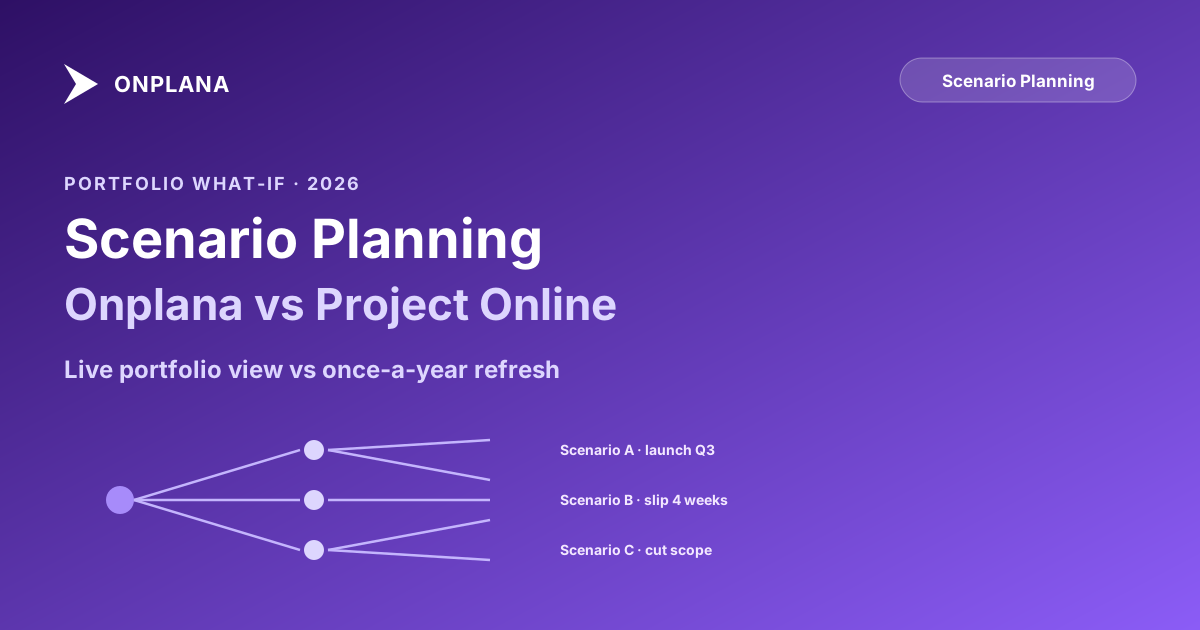
Project Scenario Planning: Onplana vs Project Online Compared
Project scenario planning in Project Online needs quarterly maintenance to work. Most PMOs run it once a year. Onplana makes it a live portfolio view.
The most misleading word in "Portfolio Analyzer scenario planning" is "planning." What the Portfolio Analyzer actually delivers is portfolio optimization: given your strategic drivers, resource constraints, and project scores, it recommends the portfolio configuration that maximizes strategic alignment. That is a different job from quickly answering a sponsor's question about what the portfolio looks like if you cut one program and redirect two engineers to another.
Informal scenario planning, the kind that happens when a sponsor calls Tuesday and needs an answer by Thursday, is not what the Portfolio Analyzer was designed for. Both tools do scenario modeling. They are built for fundamentally different speeds of decision-making, and that distinction shapes the right Project Online replacement.
TL;DR. Project Online's Portfolio Analyzer is built for formal, governance-heavy portfolio reviews: driver-weighted prioritization, constraint optimization, committee sign-off. Onplana ships scenario planning as a live portfolio layer: create a named scenario, adjust project mix and resource allocations, compare outcomes side-by-side in real time without leaving the portfolio view. The right fit depends on how your PMO actually makes portfolio decisions.
What project scenario planning actually requires
A PMO makes portfolio decisions at two speeds. The formal speed operates on a quarterly or annual cadence: strategic planning sessions, investment committee reviews, resource-allocation summits. These decisions require deliberation, documentation, and governance. They take weeks.
The informal speed operates on a sponsor's question timeline. "If the regulatory project slips its Q3 milestone, what do we do with the headcount we have allocated?" is not a question that waits for the next quarterly review. It arrives in a message and needs an answer in hours.
Both speeds require scenario planning, but they require different things from a tool. The formal speed needs rigor: driver alignment, constraint enforcement, documented rationale. The informal speed needs immediacy: a current view of the portfolio that recalculates without a setup cycle.
Most PMOs need both. The failure mode is using a tool optimized for one speed to answer questions at the other.
How Project Online's Portfolio Analyzer works
The Portfolio Analyzer is Project Online's purpose-built portfolio optimization engine. It lives inside the Project Web App and requires configuration before it can be used. The workflow has six distinct phases:
- Define business drivers that represent your organization's strategic priorities, such as revenue growth, regulatory compliance, or operational efficiency
- Run pairwise prioritization sessions to assign relative weights to each driver
- Score each project against each driver, typically using a None/Low/Moderate/Strong/Extreme scale
- Define portfolio-level constraints: total resource capacity, budget ceiling, mandatory project inclusions, and time horizon
- Run the optimizer to generate a recommended portfolio that maximizes driver alignment within the constraints
- Save the configuration as a named scenario, then repeat with different constraint settings to create alternatives
When this is configured and maintained, the Portfolio Analyzer is a serious tool. It can handle hundreds of projects, enforce resource and budget constraints simultaneously, and surface projects that score well against business drivers but might otherwise be deprioritized for political reasons. The formal documentation for the Analyzer is part of Microsoft's Project Online resource library.
The diagram below illustrates the workflow comparison between the two tools.
Where the Portfolio Analyzer creates friction
The friction is structural, not cosmetic. Running a Portfolio Analyzer scenario requires three preconditions: business drivers are defined and weighted, project scores are up to date, and resource data is accurate at the portfolio level. All three require ongoing administrative work.
In practice, the Portfolio Analyzer gets configured during an initial PMO setup, used for the annual planning cycle, and then sits unused for the next nine months while the preconditions drift out of sync. Driver weights are never revisited because the weighting session requires stakeholder time that is hard to schedule outside of a planning cycle. Project scores become stale because updating them requires a project-by-project data entry workflow most PMs treat as optional. Resource data is unreliable because the Enterprise Resource Pool reflects aspirational assignments rather than current reality.
When a sponsor asks "what does our portfolio look like if we defer the infrastructure build-out?" on a Wednesday, the portfolio manager cannot reach for the Portfolio Analyzer. Refreshing the inputs to a trustworthy state would take a week. The spreadsheet gets built instead.
The Portfolio Analyzer is genuinely excellent at what it was designed to do. The problem is that most real portfolio decisions happen outside that design zone, where optimizing for formal governance comes at the expense of informal speed.
How Onplana handles portfolio scenario planning
Onplana's approach starts from the opposite premise: make the portfolio view live first, then let scenario planning operate as a layer on top of current data.
The portfolio in Onplana reflects actual project schedules, not a manually entered score against a business driver. Resource utilization comes from real task assignments across all active projects. Budget consumption is tracked against project financials that PMs update in the course of their normal work. The portfolio view is current because it reads from the same data the project teams maintain daily.
Scenario planning in Onplana works directly in this live context. You create a named scenario, for example "Portfolio without Infrastructure Wave 2" or "Q3 if the headcount freeze continues," and then adjust project inclusion, resource allocations, and budget parameters within that scenario. The portfolio view recalculates immediately, showing updated pipeline capacity, resource utilization, and projected delivery timelines without touching the live portfolio. You can run multiple scenarios in parallel and compare them side-by-side before sharing one with a sponsor.
The scenario is shareable by link. The sponsor sees exactly what the portfolio manager sees, with the same live recalculation. The conversation happens on shared ground rather than on an exported spreadsheet that is already stale.
Onplana vs Project Online: Scenario Planning Compared
| Dimension | Project Online Portfolio Analyzer | Onplana |
|---|---|---|
| Scenario creation | Requires preconfigured driver weights and project scores | Named scenarios created directly in the portfolio view |
| Input freshness | Requires manual refresh of driver scores and resource data before use | Reads from live project schedules and assignments |
| Time to run a scenario | Hours to days when inputs are stale | Minutes from any portfolio session |
| Formal governance support | Strong: pairwise prioritization, optimizer, documented rationale | Moderate: constraint modeling without the ceremony |
| Scenario sharing | Export to Excel or PowerPoint | Shareable link with live recalculation |
| Resource constraint modeling | Portfolio-level optimizer with named resource pools | Real-time resource utilization recalculation across all projects |
| AI assistance | None built-in | AI-assisted prioritization suggestions |
| Integration with live schedules | Separate from project execution data | Same data model as daily project work |
| Setup before first use | Significant (drivers, scoring, resource configuration) | None (reads from projects already in the system) |
When the Portfolio Analyzer is the right tool
For formal, annual planning cycles at large enterprises, the Portfolio Analyzer's governance architecture is the right fit. If your PMO has a portfolio analyst role, dedicated time each quarter to maintain driver scores, and an executive committee that makes portfolio decisions through a structured governance process, the Analyzer's rigor is an asset rather than friction.
Portfolio decisions at organizations with 200-plus projects, multiple business units, and contested resource pools benefit from the formal driver-prioritization model. The ability to enforce multiple constraint types simultaneously, budget cap, resource headroom, mandatory project inclusions, and project dependencies, gives the Analyzer a depth of optimization that most modern tools do not match.
The precondition is that the inputs must be maintained. A PMO that cannot commit to quarterly score refreshes and resource data maintenance will get less value from the Analyzer than from a simpler tool used consistently. At organizations where portfolio governance is embedded into the PMO's quarterly cadence, the Analyzer is genuinely useful. Where that cadence is aspirational, the Analyzer adds complexity without adding insight.
For context on the maturity level at which formal portfolio governance tooling pays off, the PMO maturity tiers breakdown maps which portfolio capabilities become worthwhile at each maturity stage.
When Onplana's approach fits better
Onplana's scenario planning wins when portfolio decisions happen at speed. Growing PMOs, smaller organizations, and teams with fluid priorities need to run scenarios quickly without a formal setup cycle. If the question arrives on Tuesday and the sponsor meeting is Friday, a tool that reads from live data and recalculates instantly is more useful than one that requires a week of input maintenance first.
It also fits the post-migration context. Organizations moving off Project Online before the September 30, 2026 retirement need to rebuild portfolio planning processes in whatever tool they migrate to. Onplana's live-data approach eliminates the maintenance debt that caused the Portfolio Analyzer to go underutilized in the first place. For PMOs that were running the Analyzer properly, the trade-off is less formal ceremony; for PMOs that were not running it properly (which, in practice, is the majority), it is a net improvement.
The broader Onplana vs Project Online comparison across scheduling, resource management, AI, and deployment is covered in the feature-by-feature breakdown, if scenario planning is one of several capabilities you are evaluating.
Making the call
The right scenario planning approach depends on two variables: how formal your portfolio governance process actually is, and how reliable your portfolio data stays between formal reviews.
| PMO profile | Likely fit |
|---|---|
| Large enterprise, formal quarterly reviews, dedicated portfolio analyst | Portfolio Analyzer (if maintained) |
| Mid-market PMO, frequent ad-hoc portfolio questions | Onplana (real-time scenario planning) |
| Migrating from Project Online with under-maintained Analyzer | Onplana (eliminates maintenance debt) |
| Building portfolio governance from scratch | Onplana (faster to establish and use) |
If your Portfolio Analyzer is currently maintained and generating real governance value, migration requires an honest evaluation of whether that workflow can be replicated in Onplana's portfolio model. If your Portfolio Analyzer is configured but rarely opened, migration is an opportunity to build a scenario planning workflow your team will actually use week to week.
For PMOs evaluating the migration more broadly, the Onplana vs Project Online comparison covers scheduling depth, resource management, AI, and pricing alongside the portfolio scenario planning question.
Run the free Migration Preview See how your current Project Online portfolio translates to Onplana before committing to any migration work. Import your project data and get a structured view of schedule fidelity, resource mapping, and what changes in the new environment. No signup required. Open the Migration Preview
Microsoft Project Online™ is a trademark of Microsoft Corporation. Onplana is not affiliated with Microsoft.
Frequently asked questions
Does Project Online support scenario planning?
Yes. Project Online's Portfolio Analyzer lets you model project scenarios by adjusting strategic driver weights, resource constraints, and project inclusion. It is powerful but designed for formal quarterly planning cycles, not rapid ad-hoc what-if analysis.
What is scenario planning in project portfolio management?
Scenario planning is the process of modeling different portfolio configurations: which projects to run, how to allocate shared resources, what to cut or defer, and what impact each configuration has on delivery timelines and strategic goals.
Does Onplana have scenario planning features?
Yes. Onplana ships scenario planning as a first-class portfolio feature. You create named scenarios, adjust project inclusion and resource allocations in each, and compare outcomes side-by-side before committing any change to the live portfolio.
How does Project Online's Portfolio Analyzer work?
The Portfolio Analyzer uses driver prioritization (pairwise comparison of business drivers), project scoring against those drivers, and a constraint optimizer to recommend a portfolio that maximizes strategic alignment within resource and budget limits.
Can Onplana import .mpp files for scenario planning?
Yes. You can import .mpp files from Project Online into Onplana, use the Migration Preview to validate how your portfolio translates, and then use scenario planning to evaluate which projects to run in the new environment.
What is the main scenario planning use case for a PMO?
PMOs use scenario planning most often for annual funding decisions (which projects get approved?), mid-year portfolio reviews (what do we cut if budget drops 15%?), and resource-constraint modeling (what changes if we lose two engineers?).
Is Onplana or Project Online better for large portfolio scenario analysis?
Project Online's Portfolio Analyzer handles very large portfolios well when properly maintained. Onplana is more accessible for teams that need frequent what-if analysis without a dedicated portfolio analyst maintaining driver scores and project ratings.
Ready to make the switch?
Start your free Onplana account and import your existing projects in minutes.