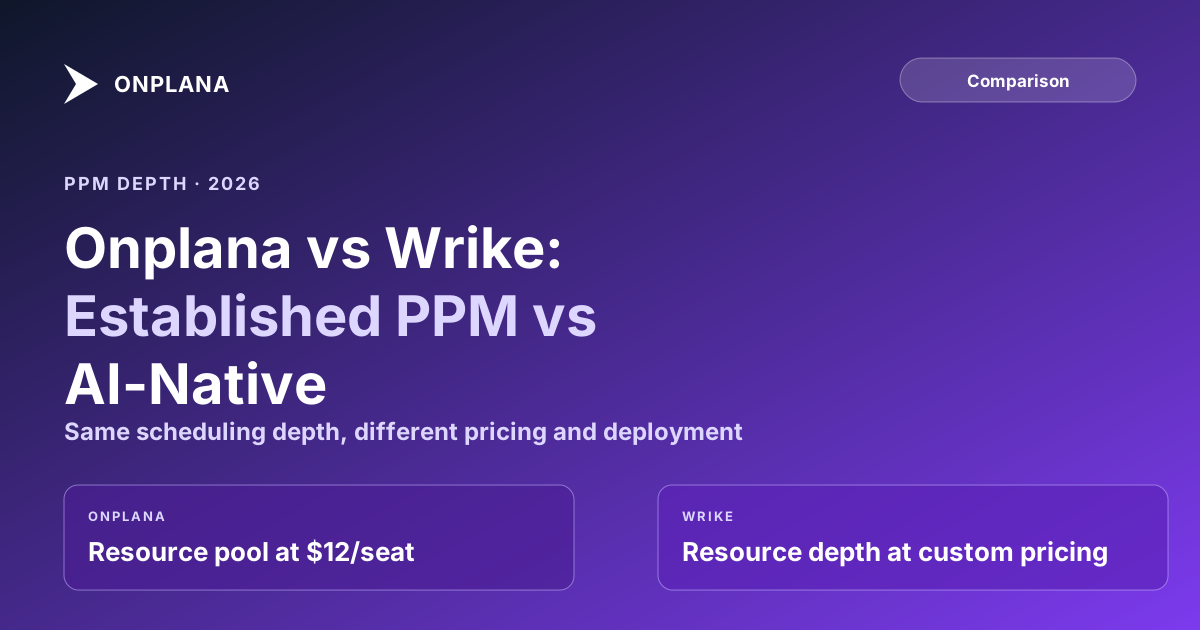
Onplana vs Wrike: PPM Depth vs AI-Native Architecture
Onplana vs Wrike: Wrike's January 2026 pricing overhaul retired its Enterprise tier and moved resource planning behind Pinnacle. An honest comparison.
Wrike has been an enterprise PPM name since 2006, and it earned that position honestly: real dependency types, a real critical path engine, and a resource management practice that predates most of its competitors. When Wrike restructured its pricing in January 2026, retiring the long-standing Enterprise tier and folding those buyers into a new Pinnacle/Apex structure, it was a reminder that even mature platforms keep moving the features you actually need behind higher paywalls.
That is the moment worth pausing on before renewing Wrike or shortlisting it against something newer, which is exactly why the Onplana vs Wrike comparison keeps coming up in 2026 PMO evaluations. The scheduling engine is genuinely competent. The question is what tier you have to reach to use the parts of it that matter to a PMO, and whether a SaaS-only, tier-gated architecture is the right bet for the next three years.
TL;DR. Wrike and Onplana both ship real scheduling depth: FS/SS/FF/SF dependencies, native critical path calculation, and native .mpp import. Wrike's resource and capacity planning, and its AI risk prediction, sit behind Business tier and above, with the deepest resource tooling reserved for Pinnacle and Apex (custom pricing). Onplana includes the enterprise resource pool from Professional ($12/user/month), AI plan generation and chat on every plan including Free, and, on Enterprise+, a dedicated deployment in your own Azure subscription. Wrike wins on integration breadth and a longer track record in regulated PMOs already running it. Full feature matrix at the compare hub.
Why Onplana and Wrike End Up on the Same Shortlist
Wrike and Onplana show up together on PMO tool shortlists for a specific reason: both are built around the project schedule, not a generic work board. Neither is a Trello-style kanban wrapper pretending to handle enterprise PM. Both calculate critical path from a real dependency graph, both support resource-loaded schedules, and both target the same buyer, an enterprise PMO or a growing PM team of 10 to 50 that has outgrown lightweight tools.
The comparison gets serious once the RFP moves past the feature checklist and into pricing tiers, because that is where the two products diverge. Wrike's architecture spreads scheduling depth across five pricing tiers, with the most PMO-critical capabilities, DataHub reporting, advanced resource and capacity planning, requiring Pinnacle or Apex. Onplana's core scheduling and resource pool ship at Professional, its second-lowest paid tier.
The context that makes this comparison timely is the same one driving most PMO tool evaluations in 2026: Microsoft's own Project Online retired on September 30, 2026, and PMOs that ran a Microsoft-native schedule for a decade are now shortlisting genuinely different architectures for the first time in years. Wrike, with its 2006 founding and long enterprise track record, is a natural inclusion on that shortlist alongside newer AI-native entrants like Onplana. The two products end up compared not because they are similar, but because both are credible enough at scheduling depth to be worth the evaluation time.
What Wrike Actually Does Well
Give Wrike credit where the engineering is real. Its Gantt chart supports all four dependency types (finish-to-start, start-to-start, finish-to-finish, start-to-finish), which puts it ahead of a long list of PM tools, including Monday.com and Jira, that only model finish-to-start. When a task on the critical path slips, Wrike highlights the affected chain in red on the timeline, a genuine critical-path calculation rather than a static Gantt bar chart.
Wrike also imports Microsoft Project files natively: .mpp, .mpx, and .xml formats bring in tasks, durations, dependencies, and assignees without requiring the desktop Project app as an intermediate step. That import does not preserve custom field values and does not support exporting back to .mpp, but for teams migrating a schedule-heavy portfolio, native binary import is a real capability that many competitors lack entirely.
Wrike's automation engine, part of what it calls Work Intelligence, lets teams describe a workflow goal in plain language and generates a tailored automation recipe from it. Combined with Wrike Integrate's roughly 400 pre-built connectors, Wrike's ecosystem breadth is a legitimate advantage for organizations with a sprawling toolchain (Salesforce, NetSuite, Adobe Creative Cloud, and similar) that need every corner of it wired together.
Resource Management Across Wrike's Tiers
Resource management is where Wrike's tier structure matters most to a PMO evaluation. Workload Views, which show planned work against available hours per person, ship on Team and Business. That covers basic overallocation spotting for a small team. The features a PMO actually needs at scale, capacity forecasting against a resource pool, DataHub's cross-project reporting layer, and finer-grained availability modeling, are reserved for Pinnacle and Apex, both custom-priced.
That gating pattern is common in the PPM market, but it changes the shape of the buying decision. A PMO director evaluating Wrike cannot get an accurate resource-planning cost estimate from the public pricing page; the number that matters requires a sales conversation. Onplana's resource capacity planning, with per-person weekly capacity against allocation, forecast mode for forward weeks, and per-project allocation percentages, ships at Professional, a published $12 per user per month. The full enterprise resource pool, MaxUnits, working calendars, and cost rates that multiple projects draw from simultaneously, is available at that same published tier. A PMO can build an accurate three-year cost model from Onplana's pricing page alone; the same exercise on Wrike requires a quote.
Onplana vs Wrike: Eight Dimensions Compared
| Dimension | Onplana | Wrike |
|---|---|---|
| Task dependencies | FS, SS, FF, SF + lag, every plan | FS, SS, FF, SF |
| Critical path | Calculated from dependency graph, every plan | Calculated, highlighted red on Gantt |
| Native .mpp import | Yes, with pre-import validation report | Yes, tasks/dependencies/assignees only, no custom fields |
| Resource pool / capacity planning | Included from Professional ($12/user/mo) | Workload views at Team+; advanced resource + capacity planning at Pinnacle/Apex only |
| AI features | Plan gen, chat, status drafts on every plan; risk detection + portfolio insights at Business+ | Work Intelligence risk prediction at Business+; AI automation recipes |
| Governance / stage gates | 12-stage pipeline with audit trail at Enterprise | No native stage-gate governance |
| Deployment | SaaS, or a dedicated deployment in your own Azure subscription (Enterprise+) | SaaS only, no on-premise option |
| Pricing (per user/month) | Free / $12 / $20 / $29 | Free / $10 / $25 / Pinnacle & Apex (custom, ~$60-80 at Apex) |
The diagram below maps the decision to the two questions that actually separate these tools in practice.
Does Wrike's AI Predict Risk the Way Onplana's Does?
Wrike's Work Intelligence includes AI Project Risk Prediction, a machine-learning model that scores active projects for likelihood of delay using signals like start and end date drift, tasks extending past their deadlines, and outcomes from similar past projects. When risk crosses a threshold, the prediction can trigger the automation engine to run a remediation scenario. This is a mature, purpose-built feature, not a bolted-on chatbot, and it has been in Wrike's product for several release cycles. It ships on Business tier and above.
Onplana's AI runs on a different premise: rather than a standalone risk-scoring model trained on historical Wrike project outcomes, it reads the live dependency graph, task network, and resource assignments through Claude and Azure OpenAI, and generates output grounded in that structured data. Ask it to draft a status report and it synthesizes from the actual baseline variance and float values in the schedule, not from a separate prediction layer. Onplana's AI plan generation, chat, and status drafting ship on every plan including Free; deeper risk detection and cross-project portfolio insights are Business tier and up.
The practical difference: Wrike's risk model is trained and tuned specifically for delay prediction, which makes it a sharp, narrow tool for that one question. Onplana's AI is broader and works from live schedule structure rather than a trained model, which makes it more useful for tasks Wrike's Work Intelligence does not attempt: generating a plan from a brief, or writing a status update a PM would actually send. Teams whose primary AI need is early delay warning should weigh Wrike's purpose-built model seriously. Teams that want AI across the planning-to-reporting lifecycle will find Onplana's breadth the better fit.
What Happened to Wrike's Enterprise Tier?
Wrike's January 2026 pricing restructure is worth understanding before signing a multi-year contract. The plan lineup moved from Free/Team/Business/Enterprise to Free/Team/Business/Pinnacle/Apex, with the old Enterprise tier retired for new purchases. Existing Enterprise customers were migrated toward Pinnacle or Apex, both custom-priced through a sales conversation rather than published rates. Apex, the top tier, runs roughly $60-80 per user per month for organizations of 50 seats or more, based on current market reporting; Wrike does not publish Apex pricing directly.
The practical effect for a PMO evaluating Wrike today: the resource and capacity planning tooling that used to define the enterprise conversation, plus the DataHub reporting layer, now sits behind a tier with no public price. Budgeting a Wrike rollout means a sales call before you know the real per-seat cost at your scale, which is a meaningfully different procurement motion than a published-rate competitor.
Where Does Wrike's Architecture Stop Short?
Two gaps show up consistently once a PMO looks past scheduling depth: deployment and governance.
Deployment. Wrike is cloud-only. There is no on-premise or self-hosted edition, and none is on Wrike's public roadmap. For most SaaS buyers this is a non-issue. For PMOs whose policy says project data must stay in their own environment, it rules Wrike out, regardless of feature fit.
Onplana ships as SaaS on its own multi-tenant cloud. Onplana Enterprise+ is a dedicated deployment: Onplana sets up and runs a private copy of Onplana in your own Azure subscription, so your data stays in your environment. It is a service Onplana performs, priced per deal, not a product you install. That matters for buyers who cannot put project data in a vendor's shared cloud, a subset Wrike's cloud-only architecture cannot serve today.
Stage-gate governance. No, not natively. Wrike's request forms and approval workflows can route a task or a budget line for sign-off, and its custom item types and blueprints let admins standardize how work gets created. That covers lightweight approval routing well. It does not provide a formal stage-gate model: a project cannot be structurally halted at a defined phase boundary pending a named reviewer's decision, with the decision, criteria, and timestamp recorded as an immutable audit entry.
For PMOs in pharmaceutical, financial services, aerospace, or government contracting, where a project genuinely cannot proceed past a gate without a documented go/hold/kill decision from an authorized reviewer, that gap matters regardless of how good Wrike's scheduling engine is. Onplana's governance pipeline, available at Enterprise, supports a configurable multi-stage lifecycle with reviewer panels, quorum logic (any rejection sends the gate back, unanimous approval advances it), weighted scoring criteria, and a Change Control Board workflow for scope, schedule, and budget changes mid-project. The audit trail exports to CSV or JSON for compliance review.
This is not a knock on Wrike's product quality inside the lane it targets. Wrike was built for cross-functional work management with strong scheduling, not for regulated-industry gate governance. A PMO that does not have a compliance requirement for formal gate records will not miss this. A PMO that does will not find a workaround inside Wrike that satisfies an auditor.
If you decide to move, migrating from Wrike covers what its Excel export carries, what the import brings across and what you rebuild by hand.
Which One Wins
Wrike wins for: organizations already standardized on Wrike's 400+ integration ecosystem, teams that need Wrike's specific delay-prediction AI model, PMOs comfortable with a SaaS-only deployment and a sales-negotiated Pinnacle/Apex price for full resource-planning depth, and buyers who value Wrike's two-decade track record in large enterprise PMOs.
Onplana wins for: teams that want resource pool, capacity planning, and AI plan generation without climbing to a top, custom-priced tier, organizations that need their data to stay in their own Azure subscription through a dedicated deployment, PMOs that need formal stage-gate governance with an audit trail, and teams migrating off Microsoft Project Online that need native .mpp import with a pre-commit validation report.
For organizations weighing both as part of a broader Project Online migration evaluation, the deciding factor is usually less about raw feature parity, both tools have real scheduling engines, and more about which pricing architecture and deployment model fits the next three years, not just the next renewal. The best project management software roundup covers the wider field including Wrike, Onplana, and a dozen others with the same decision criteria applied consistently.
If your PMO is still mapping which tier of scheduling, resource, and governance depth you actually need before pricing out either tool, the free PMO Maturity Assessment clarifies the requirements in about ten minutes.
Run the free PMO Maturity Assessment Understand your PMO's current scheduling, governance, and resource management requirements in about ten minutes. The output clarifies which tool tier, and which vendor's pricing structure, actually matches where your PMO is today. No signup required. → Open the PMO Maturity Assessment
Microsoft Project Online™ is a trademark of Microsoft Corporation. Onplana is not affiliated with Microsoft.
Frequently asked questions
What is the main difference between Onplana and Wrike?
Both ship a real scheduling engine: FS/SS/FF/SF dependencies, native critical path, and native .mpp import. The split is architectural elsewhere. Wrike gates resource and capacity planning behind its top two tiers (Pinnacle and Apex) and offers SaaS only. Onplana includes the enterprise resource pool from Professional up and, on Enterprise+, offers a dedicated deployment in your own Azure subscription.
Does Wrike support all four dependency types (FS, SS, FF, SF)?
Yes. Wrike's Gantt chart supports finish-to-start, start-to-start, finish-to-finish, and start-to-finish dependencies, and it highlights the critical path in red when a task on that chain is delayed. This is a genuine strength; several PM tools in Wrike's price range only support finish-to-start.
Can Wrike import .mpp files from Microsoft Project?
Yes, natively. Wrike imports .mpp, .mpx, and .xml files, bringing in tasks, durations, dependencies, and assignees. It does not preserve custom field values, and there is no export back to .mpp format. Onplana's native .mpp import also preserves typed custom field values where the type is compatible, and generates a pre-import validation report.
How does Onplana's AI compare to Wrike's Work Intelligence?
Wrike's Work Intelligence uses machine-learning risk scoring, trained on signals like start/end date slippage and prior project outcomes, to flag projects likely to miss deadlines; it's available on Business tier and above. Onplana's AI, built on Claude and Azure OpenAI, reads the live dependency graph and resource data to generate full project plans from a one-paragraph brief, draft status reports, and detect risk, on every plan including Free, with deeper risk detection and portfolio insights from Business up.
Is Wrike available as a self-hosted or on-premise deployment?
No. Wrike is cloud-only; there is no on-premise or self-hosted edition. Onplana runs as SaaS. Onplana Enterprise+ is a dedicated deployment: Onplana sets up and runs a private copy of Onplana in your own Azure subscription, so your data stays in your environment.
How does Onplana and Wrike pricing compare?
Wrike's plans, restructured in January 2026, run Free, Team ($10/user/month annual), Business ($25/user/month annual), and Pinnacle/Apex (custom, typically $60-80/user/month at Apex for 50+ seats). Onplana runs Free, Professional ($12), Business ($20), and Enterprise ($29), all per user per month, with a 20% discount on annual billing. See wrike.com/price and onplana.com/pricing for current rates.
Which tool has better resource management?
It depends on tier. Wrike's advanced resource and capacity planning (plus its DataHub reporting layer) is reserved for Pinnacle and Apex, its two highest, custom-priced tiers. Onplana's enterprise resource pool, with MaxUnits, working calendars, and cost rates, is included from Professional ($12/user/month) up, and full portfolio-level resource capacity planning ships at that same tier.
Ready to make the switch?
Start your free Onplana account and import your existing projects in minutes.