Media Production Project Management: Schedules and Assets
Media production project management software has to track shot lists, versioned assets, and client review rounds, three things generic PM tools ignore.
A media production project management gap usually surfaces on the calendar, not in a status report. A production company locks a shoot date six weeks out because that is when the location is available and the lead talent's schedule opens up. Everything else on the calendar, casting, wardrobe fittings, permit approvals, equipment rental, has to work backward from that one immovable date. Three days before the shoot, a permit approval that was tracked as a checklist item, not a scheduled dependency, comes back denied for the original location. There is no schedule logic connecting the permit task to the shoot date, so nobody sees the collision until it is nearly too late to find an alternate location and rebuild the shot list around it.
Generic project management tools handle checklists and task assignment well. Media production project management is a scheduling problem built around external constraints nobody on the team controls: a location's availability window, a talent's shoot days, a broadcast air date, a client's response time on a creative review. A tool that treats all of those the same way it treats an internal task, movable whenever someone is free, misses the entire point of a production schedule.
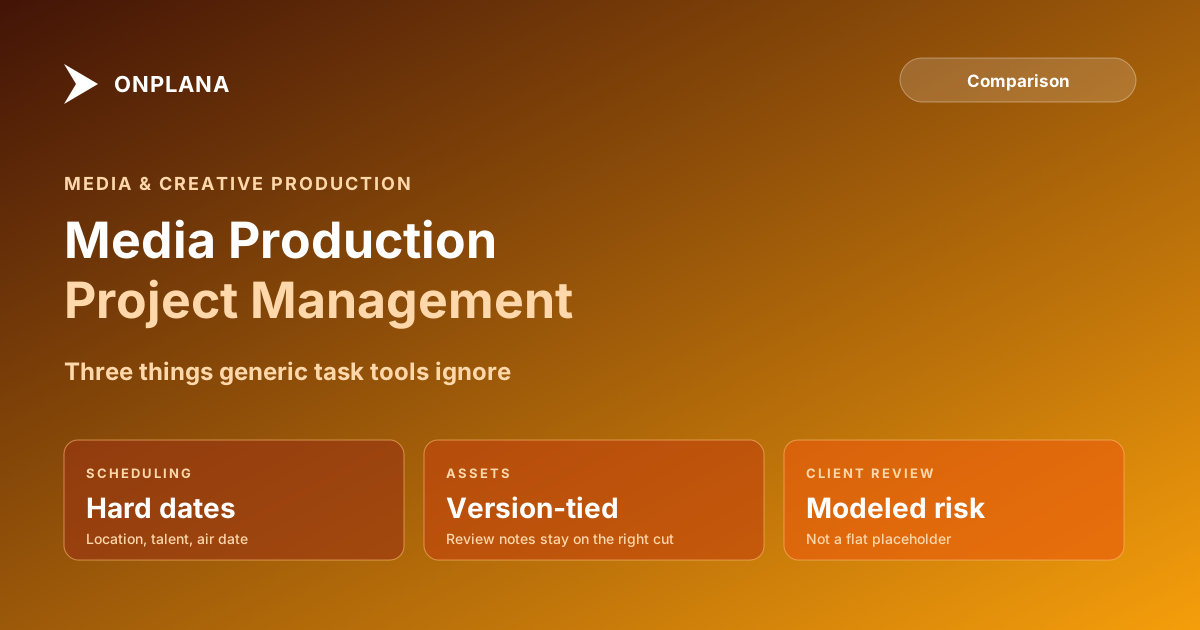
TL;DR. Media production project management software has to handle three things a generic task tool skips: production schedules built around hard external constraints rather than flexible milestones, asset version coordination so review feedback stays tied to the exact cut or file it was given on, and client review cycles modeled as a real, variable risk to the finish date rather than a single generic milestone. See where a real production's dependency chain would surface a scheduling conflict with the free Schedule Health Check.
Why Media Production Needs a Different Kind of Schedule
Most project management software assumes the team controls its own pace. A software team can usually slip a sprint by a few days if velocity runs behind. A media production team frequently cannot: the location is booked by someone else next week, the talent flies out on a fixed date, the broadcast slot airs whether the edit is finished or not. That difference reframes what the PM tool has to do. It is not managing effort against an estimate. It is managing everything else against a small number of dates nobody on the team can move.
The three areas where this shows up hardest are the production schedule itself, the coordination of creative assets as they move through review and revision, and the client approval cycle that gates nearly every downstream milestone. A tool built for generic office coordination models none of these as first-class concepts, which is why production teams so often end up running the real schedule in a spreadsheet or a physical production board instead of the tool the company pays for.
Production Schedules: Hard Constraints, Not Flexible Milestones
A production schedule is built backward from a small set of dates that are effectively fixed: a location availability window, a talent's shoot days, an equipment rental period, or a broadcast air date set months in advance. Everything else, casting, wardrobe, permits, storyboard approval, has to fit around those anchors, not the other way around.
The failure mode is treating every one of those anchor dates as a regular milestone that can slip if something else runs long. A permit approval delayed by two weeks is not a minor schedule variance when it is a dependency for a shoot date that cannot move. The schedule needs to carry that dependency explicitly, with the fixed date treated as a hard constraint the rest of the plan works around, the same way an outage window or a regulatory deadline gets modeled in other industries with fixed external dates.
The diagram below shows a typical production schedule anchored around a fixed shoot date, with the permit dependency that most often gets tracked as a checklist item instead of a real schedule constraint.
Test this before committing to a tool: build one real production schedule with its actual fixed dates and dependency chain, and check whether the tool flags a conflict when an upstream task threatens the shoot date, rather than silently absorbing the delay as a schedule note nobody sees.
What Is Asset Version Coordination, and Why Do Reviews Break Without It?
Every creative deliverable, a rough cut, a color pass, a sound mix, goes through several versions before approval, and every version generates its own round of feedback. The coordination problem is keeping a review comment tied to the exact version it was given on. A client note that says "the pacing in the middle section drags" means something different on cut three than it does on cut five, and if the tool does not tie the comment to a specific version, someone eventually applies a note to the wrong cut, or worse, ships a version that never actually incorporated the client's feedback.
This gets harder, not easier, at scale. A single production might carry a dozen active asset threads at once, each with its own version history and its own outstanding review. Without a structure that tracks which comments apply to which version and whether they have been resolved, the production team ends up cross-referencing a shared drive's file names against a chat thread's comment history by hand, a process that reliably loses track of at least one open note per project.
Why Do Client Review Cycles Matter So Much for Scheduling?
Every downstream production milestone, color grading, sound mixing, final delivery, sits behind a client review round, and the time a client takes to respond is real schedule risk, not a rounding error. A production plan that budgets a fixed three days for "client review" regardless of the deliverable's complexity or the client's historical response pattern is treating a variable risk as a constant, and the finish date built on that assumption is a guess dressed up as a schedule.
The practical fix is not more optimistic estimating. It is tracking review-round history per client and building the schedule's buffer around the actual pattern: a client that has historically taken five business days and required two revision rounds on similar deliverables should get a schedule that reflects that, not the same three-day placeholder as a client who reliably approves on the first pass. A PM tool that surfaces this pattern automatically, rather than relying on a producer's memory of how the last project with this client went, catches the risk before it becomes a missed delivery date.
Cross-Production Resource and Schedule Visibility
Production companies and creative agencies rarely run one project at a time. A single editor, colorist, or producer is often booked across two or three active productions in the same month, each with its own fixed dates. A schedule tool that only shows availability within a single project cannot surface the moment a colorist is double-booked across two productions whose delivery dates were locked independently of each other.
What a media production PMO actually needs is a portfolio-level view of every active production's schedule and every key resource's committed load across all of them at once, so a scheduling conflict between two productions shows up while there is still room to shift a delivery date or bring in freelance support, rather than the week the conflict actually lands.
Media Production Project Management Software Compared
The table below compares three common tooling approaches across the dimensions that matter most for a production or creative agency PMO.
| Dimension | Generic task tools (Trello, Asana) | Legacy enterprise PPM (Project Online) | Onplana |
|---|---|---|---|
| Hard external date constraints (location, talent, air date) | Not modeled, tracked as labels | Yes, Must Start/Finish On constraints | Yes, hard date constraints |
| Asset version linkage to review comments | Not built in | Not built in | Task and comment history per version |
| Client review cycle risk modeling | Not available | Manual milestone tracking | AI-flagged risk on review-round history |
| Cross-production resource visibility | Limited | Enterprise Resource Pool, heavy setup | Resource heatmap, cross-production |
| Ease of setup for a small production team | Fast, minimal configuration | Slow, requires PWA administration | Fast, AI-assisted project setup |
| Deployment options | SaaS only | Microsoft cloud only | SaaS, or a dedicated deployment in your own Azure subscription (Enterprise+) |
| Pricing | $8-20/user/month | $30-55/user/month plus M365 | Free to $29/user/month |
Legacy enterprise PPM tools like Project Online could model hard date constraints correctly but came with setup overhead most production teams found disproportionate to their size, and that option has closed: Project Online retired on September 30, 2026, per Microsoft's own lifecycle documentation. Generic task tools are fast to adopt but do not model fixed external dates as real constraints and offer no structure for asset version review.
Making the Call
A media production project management software decision comes down to three questions a generic task-tool comparison never asks. Does the schedule treat location, talent, and air-date constraints as hard dependencies the rest of the plan works around, rather than as flexible milestones? Does the tool keep review feedback tied to the exact asset version it was given on, so nothing gets applied to the wrong cut? And does it model client review-round time as a real, variable risk to the finish date, based on how this specific client has actually behaved before? A production company that can answer yes to all three has a tool built for how creative production actually runs, not one repurposed from generic task tracking.
For a broader look at how a modern PM tool's dependency and constraint modeling compares against the legacy PPM tooling some larger production houses still run, the Microsoft Project alternatives overview covers the wider replacement landscape. For a deeper look at how hard-date scheduling constraints behave under pressure, the critical path method explained walks through the mechanics of float and fixed dependencies in more depth.
Run the free Schedule Health Check Upload a schedule file and get a per-finding breakdown of dangling dependencies, unflagged hard-date conflicts, and the real critical path behind your delivery date. No signup required. → Run the Schedule Health Check
Microsoft Project Online™ is a trademark of Microsoft Corporation. Onplana is not affiliated with Microsoft.
Frequently asked questions
What makes media production project management different from a generic PMO?
Media and creative production runs on shoot-day schedules with hard external dependencies, versioned creative assets that change dozens of times before approval, and client review rounds that gate every downstream deadline. Generic task-board tools track none of these relationships explicitly.
How is a production schedule different from a standard project schedule?
A production schedule locks around external constraints the team does not control, such as a location's availability, a talent's shoot window, or a broadcast air date, and treats those as hard dates the rest of the schedule flexes around, rather than as flexible milestones.
What is asset version coordination in media production tools?
It is the practice of tying every review comment, approval, and downstream task to a specific version of a creative asset, so a note on cut three does not silently get applied to cut five. Tools without explicit version linkage lose that traceability the moment a file gets re-exported.
Why do client review cycles matter so much for scheduling?
Every production milestone downstream of a review, edit, color, sound, delivery, depends on how long the client takes to respond and how many revision rounds the approval takes. A schedule that does not model review-round variability as a real risk factor is guessing at the finish date.
Can Onplana replace a generic PM tool for a media or creative production team?
Yes, for teams that need production schedules with hard external constraints, dependency tracking between review rounds and downstream tasks, and portfolio visibility across multiple concurrent productions. Onplana adds AI-assisted risk detection on review-cycle slippage that most generic tools do not offer.
Ready to make the switch?
Start your free Onplana account and import your existing projects in minutes.