Migrating from Project Online in Public Sector and Government
Project Online government migration collides with FedRAMP, FISMA, and procurement timelines that extended well beyond the September 30, 2026 retirement date.
What happened to a Project Online government PMO's project data on October 1, 2026, if the migration was not complete? Project Online retired on September 30, 2026, across Microsoft's commercial and Government Community Cloud environments. Anything that read it live stopped with it; anything already exported or imported did not. What you exported is now the source for the migration.
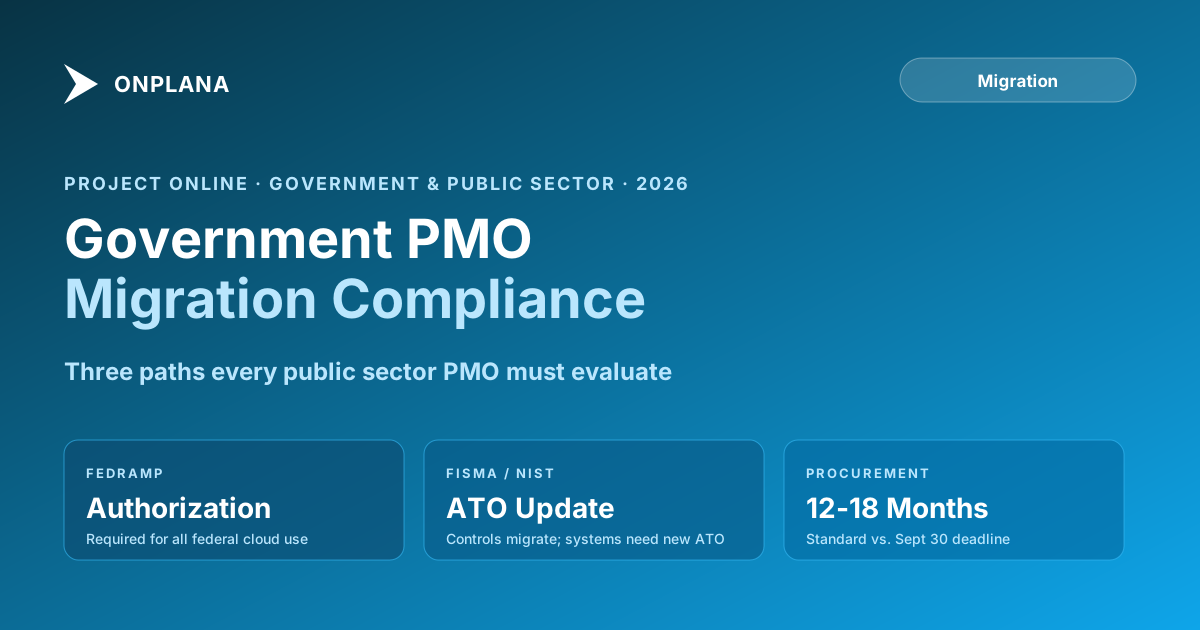
Here is what makes this harder for government than for commercial organizations: the procurement process for a replacement tool runs 12 to 18 months through formal channels. The FedRAMP authorization process for a new cloud service can take just as long. And FISMA compliance requires that any system handling government data meets documented NIST control requirements before it goes into production.
A government PMO that has not yet selected a replacement tool is not facing a technology problem. It is facing a procurement problem. The technology exists. The compliant options exist. Getting through the authorization and procurement process quickly is the challenge now, and that requires using the right procurement vehicles and making the right architectural decisions.
TL;DR Government PMOs migrating from Project Online face three specific obstacles commercial teams skip: FedRAMP authorization requirements for any cloud replacement, procurement timelines that outlasted the retirement window, and FISMA control continuity during the migration period. The fastest path: use an existing GSA schedule or cooperative purchasing agreement to procure, choose a tool with existing FedRAMP authorization at the right impact level, or choose a cloud-agnostic tool that deploys on existing government infrastructure. Run your exported files through Migration Preview to understand your data scope before procurement.
How Project Online government retirement collides with procurement
Most government IT procurement runs on a fixed process: requirements definition, market research, solicitation, evaluation, negotiation, and award. The timeline from start to contract award for a SaaS tool of mid-market complexity is 12 to 18 months under a standard FAR-based procurement. Project Online retired on September 30, 2026. A standard procurement started now awards the contract 12 to 18 months after the retirement, with your PMO working from exported data in the meantime.
This is not a disaster if you have already identified viable options and can use emergency procurement vehicles. The General Services Administration (GSA) Multiple Award Schedules, existing Blanket Purchase Agreements, cooperative purchasing agreements through state and local purchasing cooperatives, and governmentwide acquisition contracts (GWACs) like CIO-SP3 and SEWP all provide pre-competed vehicles that can move from requirement to award in weeks rather than months.
Three conditions make emergency procurement available. First, you must be able to justify the urgency, which the September 30, 2026 retirement date provided. Second, the tool you are procuring must be available on the vehicle you are using. Third, the price must be reasonable against the vehicle's established rates.
If none of your target PM tools appear on an existing vehicle, a tool you can deploy on infrastructure you already own under existing contracts eliminates the separate software procurement entirely. You procure the deployment service under an existing IT services contract and own the hosting infrastructure yourself.
What GCC and GCC High customers need to know
Government Community Cloud (GCC) customers run Project Online inside Microsoft 365 GCC, which meets FedRAMP Moderate and supports Controlled Unclassified Information (CUI) processing. GCC High customers run in an environment designed for DoD IL4 data. Both environments included Project Online in the retirement scope.
For GCC customers replacing Project Online, the replacement tool must either hold FedRAMP Moderate authorization or be deployed on GCC-equivalent infrastructure. The FedRAMP Marketplace lists all currently authorized cloud services; verify that the tool you are evaluating is on the list before your procurement process advances, not after.
For GCC High customers with IL4 data requirements, the options narrow further: the replacement tool must be authorized for GCC High operation or deployed on DoD-controlled infrastructure. This is a harder constraint that generally points toward either Microsoft-ecosystem replacements or cloud-agnostic self-hosted tools.
One common misconception: a tool that holds commercial FedRAMP authorization does not automatically hold GCC or GCC High authorization. These are separate authorizations. Verify the specific environment authorization, not just the existence of FedRAMP authorization in general.
FedRAMP authorization requirements for your replacement PM tool
FedRAMP authorization covers three impact levels based on the sensitivity of data the system will handle. Most operational government project management systems land at Moderate: the data is sensitive enough that a breach would cause serious harm, but not catastrophic harm. High impact systems handle the most sensitive data and require significantly more rigorous controls.
For a federal agency evaluating a PM tool replacement, the authorization check is non-negotiable. FedRAMP authorization is how agencies verify that a cloud service has met NIST 800-53 control requirements through an independent assessment. Without it, the tool cannot legally be used to process government data.
The FedRAMP Marketplace lists 520 authorized cloud services as of mid-2026. The number of authorized PM tools specifically is smaller. If your preferred tool is not on the list and does not have an authorization in process, you have three options: choose a different tool that is authorized, wait for authorization (which can take 12 to 24 months), or deploy a cloud-agnostic tool on government-controlled infrastructure where the FedRAMP authorization covers the infrastructure rather than the PM software specifically.
The diagram below maps the three migration paths for government PMOs.
Most civilian federal agencies and large state agencies land on Path A or Path B. Path C applies where data sensitivity or network classification requirements rule out any cloud deployment.
FISMA and NIST controls during the migration period
FISMA requires federal agencies to implement an information security program consistent with NIST guidelines. When you migrate from Project Online to a new system, the migration itself is an information system change that your agency's Authorizing Official (AO) needs to be aware of, and that may require updating the system's Authority to Operate (ATO).
The specific FISMA obligation during migration: if Project Online was covered under an existing ATO (either as a standalone system or as part of a broader Microsoft 365 ATO), the replacement tool needs its own ATO before it can process government data. The ATO process under NIST 800-37 Risk Management Framework involves categorizing the system, selecting controls, implementing them, assessing them, and getting AO authorization. For a SaaS tool with existing FedRAMP authorization, this process is significantly compressed: you inherit the FedRAMP assessment and add agency-specific controls on top.
If data existed in both Project Online and the replacement system at once before the retirement, document that dual-system period explicitly in your system security plan (SSP). The SSP should describe the data flows, the access controls in each system, and the date the dual-system period ended. This avoids the AO finding out about the parallel running period during the next annual review and treating it as an undisclosed configuration change.
Self-deployed tools and sovereign deployment for regulated government environments
Some PM tools, OpenProject among them, can be installed on infrastructure the agency chooses: AWS GovCloud, Azure Government, a private data center, or a classified network. For government organizations with strict data sovereignty requirements, this is a significant operational advantage.
Onplana does not work this way. It is hosted on Azure, and Enterprise+ includes a dedicated deployment that Onplana sets up and runs in your own Azure subscription; how an Enterprise+ dedicated deployment works explains it. Check the fit with your Authorizing Official before you assume it meets an ATO or FedRAMP requirement.
The practical implication: with a self-deployed tool, you deploy the application on infrastructure you already control and already have authority to operate. The software vendor provides the code, the updates, and the support. Your agency controls where the data lives and who can access the cloud environment. If your Azure Government or AWS GovCloud infrastructure already has an ATO, adding a self-deployed PM application is a system change within a known security boundary, not a net-new system authorization.
This model also sidesteps the FedRAMP marketplace constraint. If the PM tool you want is not FedRAMP authorized as a commercial SaaS offering, you can deploy it yourself on authorized government infrastructure. The tool's code runs in your environment; your infrastructure's FedRAMP authorization covers the hosting layer.
The tradeoff: operational overhead. Your team is responsible for installation, upgrades, backups, and availability. This is the right tradeoff for some organizations with mature IT operations, not the right tradeoff for small agencies with limited IT staff.
Accelerated procurement: the vehicles that move fast
Three procurement vehicles give government organizations the fastest path to a PM tool contract:
GSA Multiple Award Schedule (MAS). GSA MAS is the largest federal procurement vehicle and covers most major software products. If the PM tool you want appears on MAS, procurement can move from requirement to award in weeks rather than months. Check GSA Advantage or the vendor's GSA schedule listing.
Existing BPAs and IDIQs. If your agency has a standing BPA or IDIQ that covers SaaS or IT services, check whether PM tools fall within the scope. Many governmentwide IT vehicles have broad enough scope to cover PM software. A task order under an existing IDIQ is faster than a new acquisition.
Cooperative purchasing. State, local, and tribal governments can often access GSA schedules under cooperative purchasing agreements. NASPO ValuePoint and Sourcewell cover many software categories. If your jurisdiction participates in these agreements, the PM tool you need may already be available.
The fallback: a sole-source acquisition justified by the retirement. FAR 6.302-2 (unusual and compelling urgency) allows sole-source procurement when the government faces a need so urgent that competitive procedures would result in serious injury. A mandatory retirement of the government's existing system on a fixed date meets this standard. Document the urgency, document why competitive procedures would result in harm, and get the CO's sign-off.
Decision framework: the three questions every government PMO needs to answer now
Before you commit to a migration approach, answer these three questions.
First: does the replacement tool hold FedRAMP authorization at the impact level your data requires? Check the FedRAMP Marketplace directly. Do not rely on the vendor's marketing. Authorization status can change; verify the current ATO status.
Second: can you procure the tool quickly through an existing vehicle? If not, can you deploy a self-installable tool on existing authorized infrastructure? If neither, start a new procurement immediately and keep your exported data in an interim archive for the gap period.
Third: what is your plan for the migration dossier your AO will review? The ATO documentation, the security assessment, the system security plan update, and the Authority to Operate all take time. Start these conversations with your AO's office now, before the technical migration work begins.
For a comprehensive view of the migration process, the Onplana migration overview walks through the phases from inventory to cutover in structured form. The security and compliance overview covers the technical controls government organizations should verify in any replacement tool.
Preview your migration before you procure Before your agency commits to a replacement tool, use the free Migration Preview to see how your exported Project Online data would transfer: what maps cleanly, what needs manual reconstruction, and what risks exist in your specific schedule data. No signup required. Open Migration Preview
Microsoft Project Online™ is a trademark of Microsoft Corporation. Onplana is not affiliated with Microsoft.
Frequently asked questions
Does the Project Online retirement apply to government cloud (GCC) customers?
Yes. The September 30, 2026 retirement applied across Microsoft's commercial and government cloud environments. Government Community Cloud (GCC) and GCC High customers were subject to the same retirement timeline as commercial customers.
What FedRAMP authorization level does a replacement PM tool need for federal agencies?
It depends on the data the tool will handle. Low-impact systems can use FedRAMP Low; most operational government project management systems need FedRAMP Moderate. High-impact systems require FedRAMP High. Check the FedRAMP Marketplace at fedramp.gov to verify authorization status before committing to a tool.
Can government agencies use a non-FedRAMP-authorized PM tool?
Federal agencies cannot use cloud services for government data without FedRAMP authorization or a waiver. State, local, and tribal governments have more flexibility but typically follow NIST controls as baseline. A tool the agency deploys on its own authorized infrastructure (OpenProject is one example) can satisfy requirements without the vendor holding FedRAMP authorization.
How long does government IT procurement take for a PM tool replacement?
Government IT procurement through formal channels typically takes 12 to 18 months from requirements to contract award for mid-complexity SaaS tools. Emergency procurement vehicles (GSA schedules, existing BPAs, cooperative purchasing) can compress this to weeks.
What does a self-deployed PM tool mean for government?
Some PM tools, such as OpenProject, can be installed on infrastructure the agency already controls, rather than running only on the vendor's cloud. For agencies with data sovereignty requirements, that keeps data in the agency's own environment. Onplana is not one of them: it is hosted on Azure, and Enterprise+ includes a dedicated deployment that Onplana runs in your own Azure subscription.
When did Microsoft Project Online retire?
September 30, 2026. Microsoft announced the retirement in July 2024. Anything that read it live stopped with it; anything already exported or imported did not.
Ready to make the switch?
Start your free Onplana account and import your existing projects in minutes.