Migrating Project Online Portfolio Prioritization Models
Project Online portfolio prioritization doesn't survive migration as-is. Three replacement strategies for PMOs leaving PWA's pairwise scoring model behind.
Here is the pattern. A Project Online migration team completes the project data move. Projects are in the new tool, resources are migrated, custom fields mapped. Then the portfolio manager opens the new system and asks where the Project Online portfolio prioritization model went. The business drivers. The pairwise comparisons. The driver weightings that the portfolio committee spent two days calibrating in last quarter's off-site. The priority scores that governed which projects got resources and which got deferred.
Those scores do not exist in the new tool. They were never part of the migration scope. The .mpp export does not contain portfolio analysis data. Nobody built an export for it. The PMO now faces a choice: rebuild the model from scratch (with what inputs?), accept that portfolio decisions will be made informally until the model is reconstructed, or find an archive of the old model in the OData feeds exported before the tenant retired.
Most PMOs end up making informal portfolio decisions for longer than they planned, because the prioritization model was not treated as migration data. It was treated as a configuration to be recreated later. "Later" is when someone asks why Project X is getting four engineers and Project Y is getting one.
TL;DR: Project Online portfolio prioritization models (business drivers, pairwise weights, project ratings) are stored in PWA's portfolio analysis module and do not export with .mpp files. If you exported the portfolio data via OData before September 30, 2026, start from that export. When rebuilding in the destination, choose one of three strategies: reconstruct a weighted scoring model using the destination tool's custom field layer, accept a simpler manual priority ranking, or run prioritization externally and import the output as a scored field. The right strategy depends on whether your organization uses portfolio prioritization for governance (requires formalization) or for rough ordering (can accept a simpler substitute).
How Project Online Portfolio Prioritization Actually Works
Project Online's portfolio analysis module is not just a list of projects sorted by priority. It is a structured scoring model built from three layers.
Layer 1: Business drivers. The PMO or strategy team defines a set of strategic objectives, called business drivers in PWA. Examples: "Grow Market Share," "Reduce Operational Cost," "Regulatory Compliance," "Improve Customer Experience." These drivers represent the organization's strategic priorities for the planning period.
Layer 2: Driver weighting via pairwise comparison. The Portfolio Analyzer presents each possible pair of drivers and asks: which is more important, and by how much? After working through all pairs, the tool calculates a percentage weight for each driver based on the aggregate responses. A driver weighted at 35% contributes 35% of the final project score.
Layer 3: Project ratings. Each project or proposal is rated against each business driver on a defined scale (typically "None," "Low," "Moderate," "Strong," or "Extreme" impact). The tool multiplies each rating by the corresponding driver weight and sums the results to produce a priority score for each project.
The output is a ranked project list with defensible, auditable scores. Portfolio committee members can see why Project X ranked above Project Y: because it scores higher on the two highest-weighted drivers. The scoring process also supports scenario modeling, where the PMO can reweight drivers to explore how the priority list changes if regulatory compliance becomes the primary focus instead of growth.
According to Microsoft's documentation, this portfolio analysis capability is one of PWA's core differentiators from simpler project tools, and it is one of the most complex things to replicate when leaving Project Online.
Why the Prioritization Model Does Not Migrate
Portfolio analysis data in PWA is stored in the Project Server service application's reporting database, not in project documents. The business driver definitions, driver pair weightings, project-level driver ratings, and saved portfolio scenarios all live in separate database tables from the project schedules.
No standard migration export touches these tables. The .mpp export format contains schedule data. MSPDI XML contains schedule data. Microsoft's own OData export guidance focuses on the project and resource reporting feeds. Portfolio data sits in a parallel layer of the PWA database that most migration scripts never include.
The specific OData feeds that contain this data are:
- BusinessDrivers: driver definitions and department assignments
- DriverPrioritization: the pairwise weighting results per prioritization set
- PortfolioAnalysis: saved analysis scenarios
- PortfolioAnalysisProject: project-level driver ratings and computed priority scores
If you exported these feeds before migration, you have the raw materials to reconstruct the model. If you did not, you are starting from scratch.
The diagram below shows the three layers of portfolio prioritization data and where each lives:
The Three Migration Strategies
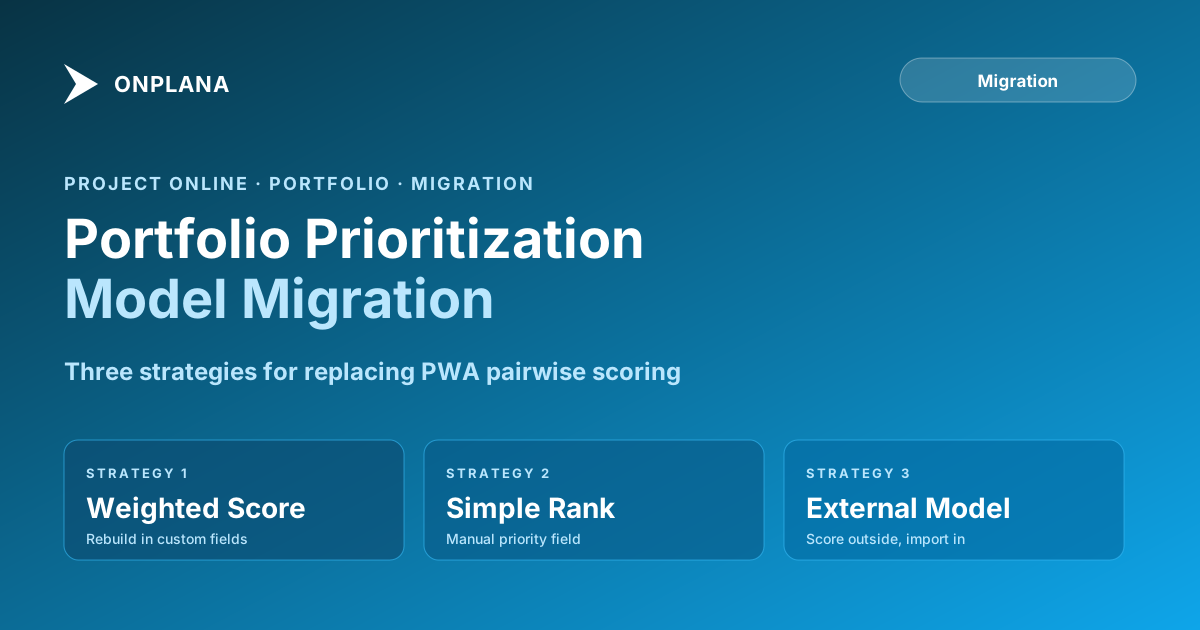
No modern PM tool ships a built-in pairwise comparison engine that exactly replicates PWA's Portfolio Analyzer. The three strategies below cover the range of what is practical, from closest-to-original to simplest-to-implement.
Strategy 1: Weighted Scoring Model. Reconstruct the driver-based logic using custom fields and a calculated priority score in the destination tool. This is the highest-fidelity option.
Strategy 2: Manual Priority Field. Accept that the algorithmic model is gone and own the ranking directly. A single Priority field with a defined owner and a defined update cadence. This is the lowest-overhead option.
Strategy 3: External Prioritization Tool. Continue running the prioritization model in a spreadsheet or a dedicated tool, then import the output scores into the PM tool as a custom numeric field. This keeps the model logic outside the PM tool while giving the PM tool a queryable priority value.
The choice between these three depends on two factors: whether your organization uses portfolio prioritization as a governance mechanism (meaning individual project sponsors can challenge their score) or as an internal planning tool (meaning the PMO uses it to sequence work), and how much tolerance there is for priority drift between model updates.
Strategy 1: Rebuild a Weighted Scoring Model
If your organization uses portfolio prioritization for formal project approval or resource allocation governance, the model needs to be defensible. A manual priority field controlled by the PMO is not defensible when a sponsor asks why their project is ranked fourth.
Most modern PM tools support multi-criteria scoring through typed custom fields. The rebuild approach:
- Create a text or lookup custom field for each business driver. Set the allowed values to match your rating scale (None, Low, Moderate, Strong, Extreme, or numeric equivalents 0, 1, 2, 3, 4).
- Create a numeric custom field for each driver weight (or store it as a fixed configuration constant visible only to administrators).
- Create a calculated priority score field that multiplies each driver rating by its weight and sums the results. Some PM tools support formula fields natively; others require exporting to a BI layer for the calculation.
- Gate project advancement (portfolio approval, resource allocation) on the priority score field being populated.
- Run a quarterly driver reweighting session by updating the weight constants and recalculating scores across the portfolio.
The constraint: formula-field support varies significantly across tools. If your destination tool does not support formula custom fields, the calculation must move to a report layer (Power BI, a spreadsheet) that reads the project data and writes back a computed score. That is an integration pattern, not a native feature, and it requires maintenance.
For PMOs that have invested in Onplana, the enterprise project governance features include structured gate reviews and custom field scoring that can carry the weighted model natively.
Strategy 2: Accept the Simplification
For PMOs where portfolio prioritization is used for planning rather than governance, the weighted scoring model may be over-engineered for what the decision actually needs.
A simpler structure that many mature PMOs use after leaving PWA:
- A single numeric Priority field on each project (1 to 100 or 1 to 10)
- A defined update cadence (quarterly portfolio review, updated by the PMO director)
- A defined tie-breaking rule (if two projects share the same priority score, the one with the earlier approved start date ranks higher)
- A portfolio dashboard sorted by priority that surfaces the ranking to all stakeholders
The governance structure is explicit rather than algorithmic. The PMO director owns the ranking directly. Sponsors who disagree with their project's position know to bring it to the quarterly review.
This approach loses the mathematical defensibility of the pairwise model. What it gains is simplicity and speed. The quarterly update is a two-hour meeting, not a multi-day driver recalibration exercise. If the political environment at your organization makes sponsor challenges rare or if your portfolio committee trusts the PMO to own ranking, this is the lowest-overhead path.
Strategy 3: Run Prioritization Externally, Import Scores
The external tool strategy decouples two concerns that PWA bundled together: the prioritization logic and the project execution data. There is no rule that says the tool that manages project schedules must also contain the scoring model.
The pattern:
- Start from the PWA driver model and project ratings you exported via OData before retirement. This becomes the baseline for the external model.
- Build the model in a spreadsheet (or a dedicated portfolio management tool if you have one). The pairwise comparison logic is straightforward to implement in Excel or Google Sheets.
- After each quarterly portfolio review, export the updated scores and import them back into the PM tool as a numeric priority field via the tool's API or bulk import.
- The PM tool displays and sorts by priority score; the model logic lives in the spreadsheet.
This approach is the most transparent about the separation. The prioritization model is auditable in the spreadsheet independent of the PM tool. New tools or tool migrations in the future do not require rebuilding the scoring model.
The constraint: the import step adds friction. If priorities change between quarterly reviews and somebody needs to update one score immediately, the process requires touching two systems. Design the update protocol clearly before committing to this approach.
What to Look For in Your Export
If you want to preserve your organization's prioritization model rather than starting from scratch, look for these feeds in what you exported before the tenant retired:
- BusinessDrivers: to capture driver names, descriptions, and department assignments
- DriverPrioritization: to capture the pairwise weighting results (what percentage weight each driver carries)
- PortfolioAnalysisProject: to capture how each project was rated against each driver, plus the computed priority scores for all saved scenarios
They came from the same OData pattern as other PWA exports: authenticated sessions against https://<your-tenant>.sharepoint.com/sites/<pwa>/_api/ProjectData/[FeedName] with appropriate $select parameters.
Store the exports as structured CSV or JSON files. The driver definitions and weighting results are especially valuable: even if your organization decides to simplify the model post-migration, having the old weightings gives the portfolio committee a calibrated starting point for the first quarterly review.
Planning the Prioritization Migration
Portfolio prioritization migration fits naturally into the same planning phase as the rest of the data inventory. Before you design the migration scope, understand what your organization actually uses: how often does the portfolio committee update driver weights, how many projects actively carry priority scores, and whether any formal approval gates depend on the computed score.
The PMO maturity tiers guide provides a useful frame for this question. Organizations at maturity level 3 or above typically use formal scoring for governance; below level 3, a simpler priority field is usually sufficient and the weighted model will go stale anyway.
For the broader migration data inventory, the what transfers when you migrate Project Online metadata covers the structural migration of portfolio hierarchy and scenario data alongside prioritization. Use the Migration Preview to see what your project and portfolio data looks like before committing to a migration approach.
Run the free Migration Preview See what your Project Online data looks like before you migrate: project structure, resource pool, custom fields, and the portfolio data gaps your migration plan needs to cover. No signup required. → Open the Migration Preview
Microsoft Project Online™ is a trademark of Microsoft Corporation. Onplana is not affiliated with Microsoft.
Frequently asked questions
What is portfolio prioritization in Project Online?
Project Online's Portfolio Analyzer uses business drivers and pairwise comparison to generate a priority score for each project or proposal in the portfolio. Administrators define strategic drivers (e.g., 'Increase Revenue', 'Reduce Risk'), run pairwise comparisons to weight them, then rate each project against each driver to produce a ranked priority list.
Does Project Online portfolio prioritization data migrate to other tools?
No automatically. The business driver definitions, driver weightings, pairwise comparison results, and project-level driver ratings are stored in the PWA database. They do not export in .mpp files. Only an OData export taken before the September 30, 2026 retirement preserves the model.
What OData feeds contain Project Online portfolio prioritization data?
The PortfolioAnalysis, DriverPrioritization, PortfolioAnalysisProject, BusinessDrivers, and BusinessDriverDepartment feeds from the ProjectData OData endpoint contain the prioritization model and its project ratings. If you exported these before September 30, 2026, that export is what you rebuild from.
What are the three strategies for replacing Project Online portfolio prioritization?
Strategy 1: rebuild a weighted scoring model in the destination tool using custom fields and a calculated priority score. Strategy 2: accept a simpler manual priority field and own the ranking directly. Strategy 3: run prioritization in an external tool (a spreadsheet or a dedicated decision-support tool) and import the resulting priority scores into the PM tool as a custom field.
How do modern project management tools handle portfolio prioritization compared to Project Online?
Most modern PM tools do not ship a built-in pairwise comparison engine. They support multi-criteria weighted scoring through custom fields, formula fields, or integrations. The prioritization logic that PWA ran inside the tool usually moves to a spreadsheet, a BI tool, or the destination PM tool's custom field layer.
When should I export Project Online portfolio prioritization data?
Before September 30, 2026, when Project Online retired. The portfolio analysis data was not included in standard project exports. Anything that read it live stopped with it; anything already exported or imported did not. If you exported the feeds, use them as the starting point for the rebuild.
Ready to make the switch?
Start your free Onplana account and import your existing projects in minutes.