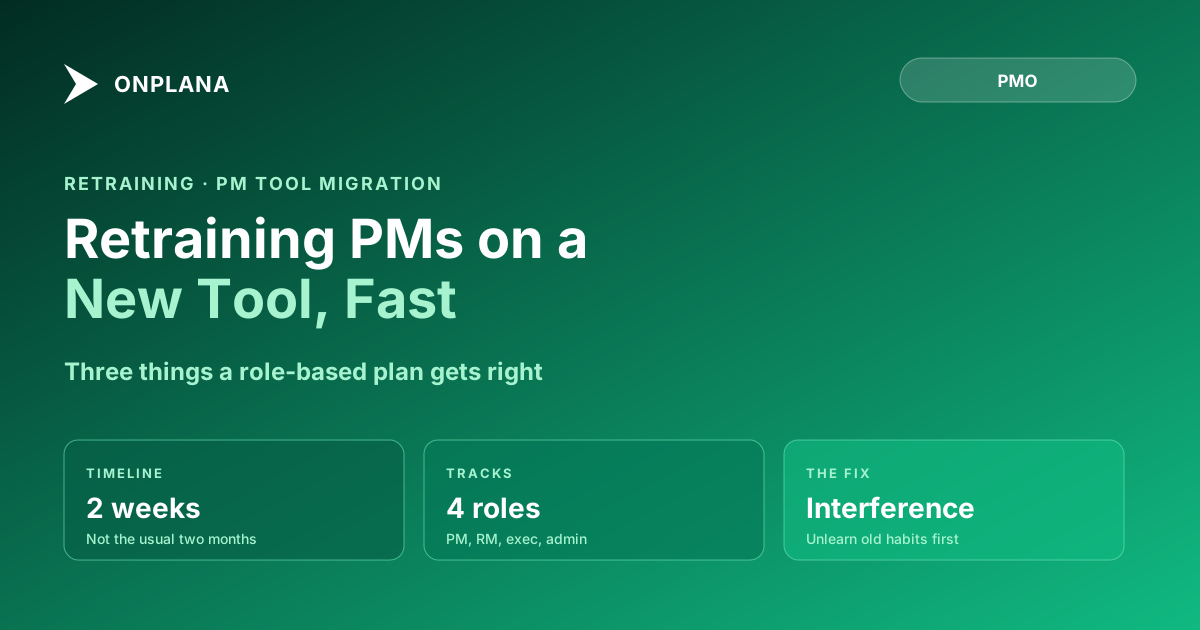
Retraining Project Managers on a New PM Tool in 2 Weeks
Retraining project managers on a new PM tool fails when it's run like new-hire onboarding. A role-based plan gets a PMO productive in two weeks, not two months.
Here is the assumption that quietly wrecks most retraining plans: a PM who has run schedules in Project Online for eight years will pick up a new tool faster than a PM who has never used any scheduling software. It is the opposite. The experienced PM has to unlearn a specific sequence of motions before the new motions can stick, and that unlearning step is the one most retraining plans skip entirely.
Novices bring no baggage. Veteran PMs bring a decade of reflexes, keyboard shortcuts, menu locations, and assumptions about where a field lives and what a status color means, and a meaningful share of that reflex set produces the wrong action in a different tool. Retraining project managers on a new PM tool is not the same exercise as onboarding a beginner, and treating it that way is why so many migrations report a technically clean cutover followed by a quarter of PMs quietly reverting to spreadsheets.
TL;DR. Retraining veteran project managers on a new PM tool fails when it copies new-hire onboarding, because experienced PMs have muscle memory that actively interferes rather than an empty slate to fill. A faster path exists: separate what transfers (dependency logic, critical path reading, WBS structure) from what interferes (Project Online's specific click sequences and category-based permission thinking), then run four parallel role tracks, PM, resource manager, executive, and admin, instead of one generic session. Done this way, a PMO reaches independent productivity in about two weeks instead of the two months a generic rollout usually costs.
Why Retraining Project Managers on a New Tool Is Harder Than Onboarding Beginners
A beginner learns a scheduling tool as a single, coherent system. Every menu location, every field, every status color is new information slotted into an empty structure. There is nothing to contradict.
A PM who has spent years in Project Online's desktop client has already built a working model of how a scheduling tool behaves, and that model is specific to Project Online. They expect dependency editing to happen in a particular grid, expect a certain sequence to set a baseline, expect permissions to be governed by categories rather than roles. None of that is wrong; it is simply specific to one product. When the PM opens a new tool, the old model does not switch off. It runs in the background and produces confident, fast, wrong actions: clicking where a field used to be, assuming a missing menu item means a missing feature, reading a status indicator through Project Online's color conventions instead of the new tool's.
This is why retraining project managers on a new PM tool takes deliberate unlearning, not just new instruction. A generic curriculum that assumes zero prior knowledge wastes the PM's time re-teaching concepts they already have and skips the actual obstacle, which is the interference from the tool they are leaving.
What Actually Transfers From Project Online Muscle Memory
Not everything a veteran PM knows is tool-specific. Separating the transferable knowledge from the interfering habits is the first real step in a faster retraining plan, and it is worth stating explicitly because most curricula never do.
Dependency logic transfers cleanly. A PM who understands finish-to-start, start-to-start, finish-to-finish, and start-to-finish relationships, along with lead and lag values, already has the conceptual model that any modern scheduling tool needs. What changes is where that logic gets entered, not what it means. The dependency types deep dive covers the concept-level detail that stays constant across tools.
Critical path reasoning transfers cleanly. A PM who can look at a schedule and identify which tasks have zero float, and understands why extending a non-critical task by two days does not move the finish date, already has the mental model a new tool's critical path view is built to support. The critical path method explained is the reference for the underlying logic, independent of any specific tool's rendering of it.
WBS structuring transfers cleanly. Decomposing a project into a work breakdown structure with summary tasks and detail tasks is a planning discipline, not a software feature. PMs carry this skill unmodified.
Resource conflict interpretation transfers, mostly. A PM who understands that 150% allocation in one week means someone is double-booked already grasps the concept. What does not transfer is the specific view used to spot it, since Project Online surfaces overallocation differently than most modern tools do.
What Interferes: The Habits That Actively Fight the New Tool
The habits below are not neutral. They cost time and produce errors specifically because they were correct in Project Online and are not correct anywhere else.
Desktop-client sequencing. PMs who scheduled primarily in the Project Online desktop client, rather than the web-based Project Web App views, built reflexes around a ribbon-and-grid interface with keyboard-driven task entry. In a browser-based tool, the equivalent actions live in different visual locations and often use different interaction patterns entirely (drag-to-create, inline editing, command palettes). The reflex to reach for a specific ribbon tab produces a stall, not an error, but the stall accumulates across a full day of scheduling work.
Category-based permission thinking. Project Online's security model is built around categories and groups applied to projects and views. PMs who have spent years reasoning about "who can see this" in category terms will misdiagnose permission issues in a role-based access control model, because the two systems answer the same question with different logic. This interference hits system administrators hardest, and it is why the admin track below front-loads permission translation specifically.
Assuming every custom field needs an Enterprise Custom Field equivalent. PWA's Enterprise Custom Fields are a heavyweight, admin-configured mechanism. PMs who think in ECF terms sometimes assume any custom tracking need requires an admin ticket and a lookup table, when a modern tool's custom field model may let them add a tracked attribute directly. This habit slows PMs down by making them ask permission for things they can now do themselves.
Assuming reporting requires an external BI tool. Project Online's native reporting is thin; PWA shops built a habit of routing all real reporting through Power BI. PMs carry that assumption into a new tool that may have built-in dashboards good enough for their weekly status needs, and they waste a week building a Power BI connection they no longer need. The status report writing guide is worth a look for PMs re-learning what "reporting" can mean without an external BI layer.
A Role-Based Training Path: PM, Resource Manager, Executive, Admin
Generic retraining plans run one session and route everyone through it regardless of role. That wastes time for everyone, because a project manager, a resource manager, an executive sponsor, and a system administrator touch entirely different surfaces of the tool and carry different interfering habits. Four parallel tracks, scoped to what each role actually does, is what compresses the timeline.
Project managers need the deepest track: task creation, all four dependency types with lag values, baseline setting, critical path reading, and status reporting. This is the track most retraining plans already attempt, though usually without separating transfer skills from interference habits the way this post does.
Resource managers need a track focused on capacity views, allocation conflict detection, and how the new tool's resource pool differs from Project Online's Enterprise Resource Pool. This group is often the most underserved in generic training plans, despite carrying real risk: a resource manager who cannot read the new tool's overallocation signals will approve conflicting assignments without realizing it. The resource model changes meaningfully between PWA and most modern tools, and this track should cover that translation explicitly rather than assuming it is self-evident.
Executive sponsors need the shortest, most targeted track: how to read the portfolio dashboard, what a status color means in the new tool, and what changed in the approval or governance workflow they are used to seeing. Executives do not need scheduling training. They need five minutes of orientation to the new visual language so they do not misread a status report during the first live review.
System administrators need a front-loaded track that runs ahead of everyone else: permission model translation from PWA categories to role-based access control, integration reconfiguration, and template setup. Admin work has to be substantially done before the PM and resource manager tracks can fully exercise the new tool, which is why this track starts on day one rather than running in parallel from the start.
The diagram below shows how the four tracks overlap across a two-week schedule, with admin work front-loaded and executive orientation compressed to a single session.
Can You Really Get a PMO Productive in Two Weeks?
Two weeks is realistic for experienced PMs specifically because their conceptual foundation, dependency logic, critical path reading, WBS structuring, is already in place. What a two-week plan cannot do is teach scheduling from zero; it assumes the PM already knows what a baseline is and only needs to relocate that knowledge into a new tool's interface.
This is a meaningfully different claim than the four-week curriculum in the training step of the 90-day plan, which is built for a broader audience that may include less experienced schedulers and spends real time on foundational concepts before tool-specific practice. For a PMO staffed by veteran PMs, that foundational time is not needed. The two-week compression comes from cutting exactly that content and replacing it with targeted interference-correction instead.
The tradeoff: a two-week plan has less slack. If a PM's team is also managing a live cutover during those two weeks, as is common during an active Project Online migration, the plan needs protected time carved out, not squeezed into evenings.
The Two-Week Curriculum, Day by Day
- Day 1 (Admin only). Map every PWA security category to a role in the new tool's access model. Do not proceed to project-level setup until this mapping is documented.
- Day 2 (Admin, PM cohort orientation). Admin reconfigures the primary integrations (identity, reporting export). PMs get a 90-minute orientation covering where the tool's major views live relative to their PWA equivalents.
- Day 3 (PM, Resource Manager start). PMs practice task creation and all four dependency types on a sandbox project. Resource managers get their first look at the capacity view and how it differs from the PWA resource pool.
- Day 4 (PM). Baseline setting and critical path reading on the sandbox project, focused specifically on where the new tool's critical path indicator differs visually from Project Online's.
- Day 5 (PM, Resource Manager). PMs run a full sandbox status update cycle. Resource managers practice resolving a seeded overallocation conflict.
- Day 6 (PM). First live project migrated to the sandbox environment; PM works their own real schedule under supervision.
- Day 7 (PM, Resource Manager). Independent practice day; PMs and resource managers work live projects with a support channel open, not a scheduled session.
- Day 8 (Executive, single session). One 30-minute session: how to read the portfolio dashboard and what changed in the approval workflow.
- Day 9 (PM, Resource Manager). Second independent practice day, focused on any workflow that produced support tickets during days 6-7.
- Day 10 (All roles). Timed sandbox exercise: each PM independently creates a task with all four dependency types, sets a baseline, reads the critical path, and produces a status report. Anyone who cannot complete all four unsupervised is not ready for cutover and gets one additional day of one-on-one coaching before go-live.
How to Tell Retraining Failed Before It's Too Late
The clearest early sign is a PM exporting data out of the new tool to reformat it the way Project Online used to display it. That is not a cosmetic preference. It means the PM has not accepted the new tool's mental model and is manually translating output back into the old one, which is slower than working natively and introduces transcription errors that a live system would not have.
A second sign is support tickets that describe a feature as "missing" when it exists under a different name or in a different menu location. This is the category-based permission habit and the ECF-equivalence habit showing up as tickets rather than as questions, and it means the interference-mapping step was skipped or was insufficient.
A third sign is a resource manager approving an assignment that the new tool's capacity view flagged, because the flag did not look the way PWA's overallocation indicator looked. This is worth catching immediately since it produces real scheduling risk, not just training friction.
Catch any of these in the first week and a single targeted coaching session usually fixes it. Left unaddressed past the second week, the pattern calcifies into the shadow-spreadsheet and dual-system behavior that turns a clean data migration into a stalled adoption.
What Happens Next
Retraining project managers on a new PM tool works when it treats muscle memory as the actual obstacle, not an afterthought bolted onto a features walkthrough. Separate what transfers from what interferes, run four role tracks in parallel instead of one generic session, and hold a hard, timed exit check before letting anyone touch a live cutover. A PMO that does this reaches independent productivity in about two weeks. One that runs a single generic session for everyone typically takes two months to reach the same point, and spends most of that time discovering the interference habits one support ticket at a time.
If your PMO is earlier in the process and still evaluating how fast onboarding can realistically be, or wants to see how Project Online's own setup time compares to a modern tool's onboarding time, both are worth reading before the retraining clock starts.
Microsoft's Project Online retirement announcement confirms September 30, 2026 as the retirement date, with no extension planned, which is why retraining cannot wait for a more convenient quarter.
Microsoft Project Online™ is a trademark of Microsoft Corporation. Onplana is not affiliated with Microsoft.
Frequently asked questions
Why is retraining project managers on a new PM tool harder than training a new hire?
A new hire has no scheduling habits to unlearn. A veteran PM has a decade of muscle memory built around one tool's specific motions, and some of that muscle memory actively produces the wrong action in the new tool. Retraining has to identify and interrupt those habits, not just teach new features.
How long should retraining take for PMs moving off Project Online?
Two weeks of structured, role-specific practice is realistic for experienced PMs, compared to the four weeks a general curriculum assumes for a mixed-experience audience. The difference comes from targeting the specific habits that interfere, rather than teaching the tool from zero.
What skills transfer cleanly from Project Online to a new PM tool?
The conceptual skills transfer: understanding dependency types, reading a critical path, structuring a WBS, and interpreting a resource conflict. What does not transfer is the specific sequence of clicks and menu locations used to exercise those concepts in Project Online's desktop client.
Should every role get the same training?
No. Project managers, resource managers, executives, and system administrators use fundamentally different parts of a PM tool and need different training tracks running in parallel, not one generic session repeated for everyone.
What is the biggest sign that retraining has failed?
A PM exporting data from the new tool to reformat it the way Project Online used to show it. That is not a formatting preference; it is a signal the PM has not accepted the new tool's mental model and is translating everything back into the old one, which is slower and error-prone.
Do system administrators need the same two-week plan as project managers?
No. Admins need a compressed, front-loaded track covering permission model translation and integration setup, because their work has to be done before the PM and resource manager tracks can fully start.
Ready to make the switch?
Start your free Onplana account and import your existing projects in minutes.