FS, SS, FF, SF: Dependency Types and When Each Goes Wrong
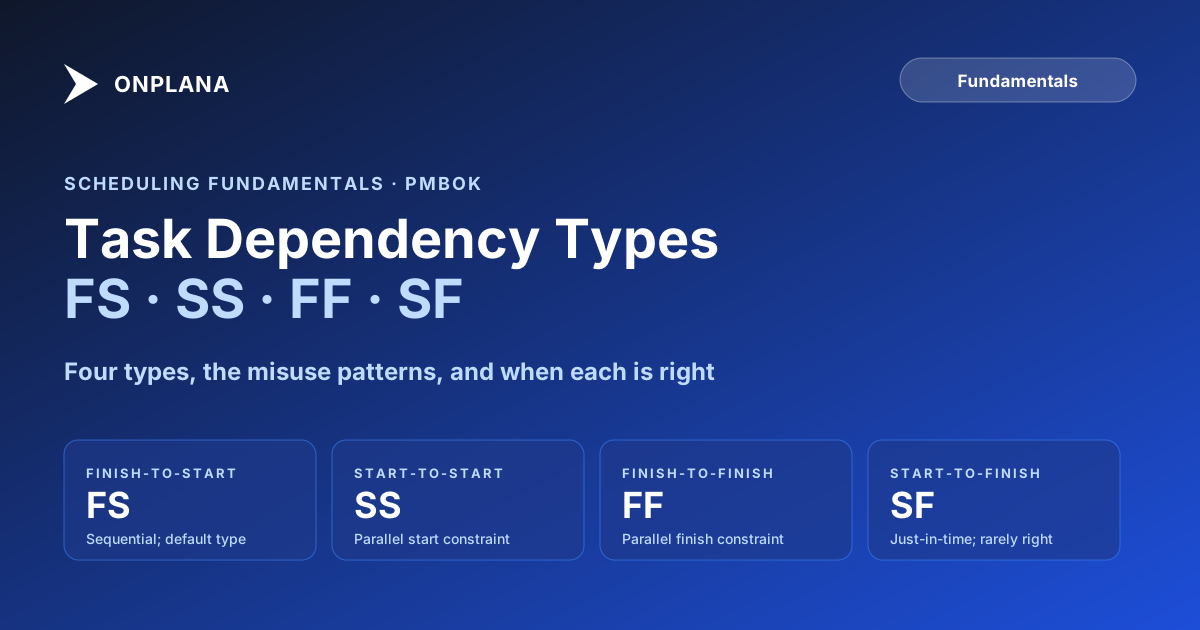
FS, SS, FF, and SF are the four task dependency types: Finish-to-Start, Start-to-Start, Finish-to-Finish, and Start-to-Finish, each its own timing constraint.
Open a schedule built by someone who learned scheduling on the job and count how many dependency types are in use. The answer is almost always one: Finish-to-Start, applied to everything regardless of whether the tasks are actually sequential.
FS, SS, FF, and SF are the four task dependency types every major scheduling tool implements, including Microsoft Project: Finish-to-Start, Start-to-Start, Finish-to-Finish, and Start-to-Finish, each constraining a different timing relationship between two tasks. Most schedules use only the first, which is why critical paths built on FS alone often run longer than the actual work requires.
The consequences are invisible until they surface as schedule errors: tasks that are forced to run sequentially when they could overlap, parallel tracks that are not actually modeled as parallel, and critical path analyses that identify the wrong tasks as critical because the underlying dependency logic is wrong. A schedule that overuses Finish-to-Start is longer than it needs to be, and its critical path is a fiction built on modeling convenience rather than real project logic.
TL;DR. Four task dependency types exist: Finish-to-Start (FS), Start-to-Start (SS), Finish-to-Finish (FF), and Start-to-Finish (SF). Most schedules overuse FS because it is the default. SS and FF together model parallel work correctly. SF is rarely the right answer but has legitimate uses in just-in-time scheduling. Using the right dependency type tightens the schedule model, reduces phantom float, and gives you a critical path that reflects reality rather than modeling convenience.
What FS, SS, FF, and SF actually control
A dependency type defines the timing relationship between a predecessor task and a successor task. It answers one question: what must happen to the predecessor before the successor can proceed?
There are four dependency types in the Project Management Body of Knowledge and implemented in every major scheduling tool, including Microsoft Project:
| Dependency | Short form | What it constrains | Example |
|---|---|---|---|
| Finish-to-Start | FS | Successor cannot start until predecessor finishes | Build the schema, then the API that uses it |
| Start-to-Start | SS | Successor cannot start until predecessor starts | Testing begins once coding begins |
| Finish-to-Finish | FF | Successor cannot finish until predecessor finishes | Documentation cannot wrap until development wraps |
| Start-to-Finish | SF | Successor cannot finish until predecessor starts | Old shift ends only when the new shift starts |
Every dependency can also carry a lag (positive delay) or lead (negative delay, meaning overlap). FS+3d means the successor starts three days after the predecessor finishes. FS-2d means the successor can start two days before the predecessor finishes, overlapping by two days. This combination of type and lag determines the actual scheduling constraint; understanding both together is necessary for modeling the schedule accurately.
Finish-to-Start: the default, and when it mismodels reality
Finish-to-Start is the dependency that says the successor cannot start until the predecessor is complete. It is the correct choice when the two tasks are genuinely sequential: the output of task A is a required input to task B. Build the database schema before writing the API that uses it. Get regulatory approval before beginning manufacturing. Finalize the requirements before starting the design.
FS is overused because it is the default in most scheduling tools, and because "complete this before starting that" is the natural mental model of sequential work. The problem is that many tasks are not fully sequential; they can be overlapped, at least partially. Modeling them as FS adds an artificial constraint to the schedule.
The classic FS misuse is the testing and coding pair. "Finish all coding before beginning testing" is almost never true. In practice, testing can begin on completed modules before all coding is done. Modeling this as FS delays testing unnecessarily and extends the critical path by the full duration of the coding phase. A Start-to-Start with a lag, or a Finish-to-Finish with both, better represents how the tasks actually relate.
When FS is applied to tasks that have natural overlap, the result is a schedule that is longer than it needs to be. The critical path analysis identifies the FS link as a constraint when the actual constraint is a subset of the predecessor's duration. The project looks riskier and longer than it actually is.
Start-to-Start: modeling parallel work with a leading constraint
Start-to-Start says the successor cannot start until the predecessor starts. It is the right dependency when two tasks must begin at roughly the same time, or when the successor can begin shortly after the predecessor starts without waiting for the predecessor to finish.
The most common correct use of SS is when work on task B can proceed in parallel with task A, but cannot begin before task A gets underway. Writing test cases can start after requirements drafting has begun, modeled as SS+3d: test case writing starts three days after requirements drafting starts. Both tasks run in parallel. Neither waits for the other to complete before proceeding.
SS is frequently paired with FF to model a parallel pair of tasks that must start and end together. Documentation and development are often modeled this way: documentation cannot start until development starts (SS), and documentation cannot finish until development finishes (FF). Together, the SS and FF links ensure documentation follows development throughout its lifecycle without requiring documentation to wait for development to complete before beginning.
The common SS misuse is applying it when the real constraint is about the predecessor reaching a specific completion point, not simply starting. If task B genuinely cannot start until task A has reached 50 percent completion, an SS with an appropriate lag is a reasonable approximation, but the lag must reflect the actual timing. SS without any lag implies B can start immediately after A starts, which may not model the actual constraint.
Finish-to-Finish: modeling parallel work with a trailing constraint
Finish-to-Finish says the successor cannot finish until the predecessor finishes. It is the right dependency when two tasks run in parallel but the successor must complete no earlier than the predecessor.
The most common correct use of FF is in the documentation and development example above: documentation cannot be finalized until development is complete, because the documentation must reflect the final state of the developed output. But documentation can be drafted in parallel with development throughout the development cycle. FF captures the trailing constraint without preventing parallel execution from the start.
FF is also appropriate for review cycles. When task B is "review the code" and task A is "write the code," the review cannot be complete until the code is complete. But the review can begin and iterate while the code is still being written. FF without SS says: the review can start whenever it wants, but it cannot finish before the code is finished.
The common FF misuse is applying it when tasks should be sequentially linked because one genuinely produces the output the other needs. Modeling a dependency as FF when it should be FS makes the schedule appear to allow parallel execution that is not actually possible, producing a phantom schedule compression that will fail when the project runs. If the reviewer cannot begin reviewing until all code is written, the link is FS, not FF.
Start-to-Finish: the dependency that is almost always wrong
Start-to-Finish says the successor cannot finish until the predecessor starts. It inverts the normal temporal direction of a dependency link.
SF is the correct choice in one specific scenario: just-in-time scheduling, where the successor task must be timed to end precisely when the predecessor task begins. The canonical example is a shift handover: the incoming shift's preparation (the successor) must be complete by the time the outgoing shift starts handover (the predecessor begins). The relationship runs backward in time relative to the usual predecessor-to-successor direction.
Outside of just-in-time scheduling and similar constrained timing scenarios, SF is almost never the right choice. Modeling a dependency as SF when the real relationship is FS or FF is a scheduling error that most tools will accept without flagging.
The practical guidance: if you find yourself using SF and cannot articulate a just-in-time timing rationale, reconsider the dependency. The same constraint is almost always modeled more clearly as FS, SS, or FF.
How all four look in Gantt form
The diagram below shows all four dependency types as Gantt bar pairs, with the predecessor and successor tasks represented as horizontal bars.
Lag and lead values: how they interact with each dependency type
Every dependency type can carry a lag (positive delay) or lead (negative delay representing overlap). The combination of type and lag determines the actual scheduling constraint.
FS+5d: the successor starts five days after the predecessor finishes. The gap might represent a mandatory waiting period, a delivery lead time, or a deliberate buffer between tasks.
FS-3d: the successor can start three days before the predecessor finishes, overlapping by three days. This is fast-tracking. It is a valid schedule compression technique, but it is a risk decision, not a dependency model. The overlap assumes the three days at the end of the predecessor will not produce output the successor depends on. If that assumption is wrong, the successor will need to redo work.
SS+10d: the successor can start ten days after the predecessor starts. Both tasks run in parallel after the 10-day offset.
FF-2d: the successor can finish two days before the predecessor finishes. This models a situation where the successor has a slight completion lead over the predecessor.
The risk with large lead values on FS dependencies is that they disguise what should be SS or FF relationships. A FS with a negative lead that equals 80 percent of the predecessor's duration is functionally the same as an SS dependency; it should be modeled as SS instead. When the real constraint is an SS relationship, model it as SS and track the lag explicitly. The FS-with-lead form hides the modeling decision and makes the schedule logic harder to audit.
For dated, worked examples of lag and lead across all four dependency types, see Lead vs Lag in Project Management, which stays focused on the lag and lead math rather than the four types themselves.
Common misuse patterns and the schedule errors they produce
Three dependency misuse patterns account for most of the preventable critical-path errors in project schedules.
FS everywhere on a parallel workstream. If two workstreams are running in parallel but all dependencies between them are FS, the schedule is modeling them as sequential. The two workstreams should have SS at the start and possibly FF at the end, with FS links only for tasks within a single workstream where one genuinely depends on another completing first. A cross-check: if adding a FS link between tasks on different workstreams extends the critical path by the full duration of the predecessor, the dependency type is probably wrong.
FS with large negative leads as a compression shortcut. Fast-tracking by adding FS-Nd to compress a schedule is a common tactic. The problem is that each FS-Nd link hides an assumption: the last N days of the predecessor will not change the work the successor is already doing. Before applying a negative lead, verify whether an SS dependency at the right lag would model the constraint more accurately and without the hidden assumption.
Missing FF on review-and-revise cycles. Documentation, testing, and review tasks frequently need FF links to their corresponding development tasks. Without FF, the review task appears to have float independent of the development task. When development slips at the end, the review task has to extend too, but the schedule does not reflect that constraint, so the project appears closer to completion than it actually is.
A practical decision guide for choosing the right type
When adding a dependency between two tasks, work through this sequence:
- Can the successor start before the predecessor finishes? If yes, FS is probably wrong. Consider SS.
- Can the successor finish before the predecessor finishes? If no, you need FF.
- Do you need both constraints? If the successor must start after the predecessor starts AND finish after the predecessor finishes, use both SS and FF.
- Is the temporal relationship inverted? If the successor must complete before the predecessor begins its main work, consider SF. If you cannot articulate a just-in-time rationale, return to step one.
- Is there a fixed gap or overlap? If yes, add a lag or lead to the dependency type rather than creating intermediate tasks.
One change that pays immediate dividends: when you add a FS dependency, pause and ask whether the successor genuinely must wait for the predecessor to complete, or whether it can start during the predecessor's execution. If the latter, you have found a modeling error that was extending your schedule unnecessarily.
For the broader impact of dependency errors on schedule health, the Critical Path Method guide shows how the critical path calculation depends on accurate dependency logic. The Work Breakdown Structure guide describes how the WBS informs which dependency types belong between which work packages. The free Schedule Health Check surfaces dependency issues including dangling tasks, constraint conflicts, and tasks with no predecessors or successors; those are frequently the symptom of a misapplied FS link that was supposed to be an SS or FF.
All four dependency types, with lag and lead, are available on every Onplana plan including Free, along with the critical path and float that reads them. Modeling a schedule correctly with FS, SS, FF, and SF is not a paid upgrade; it is a matter of fixing which type each dependency actually uses. If you are arriving here from Microsoft Project, the question that follows is what survives the move: dependency fidelity in a migration covers which link types, lags and constraints come across from a .mpp, and what the critical path looks like once they do.
Run the free Schedule Health Check Upload your Microsoft Project
.mppor MSPDI XML file and get a per-finding breakdown of dependency issues, constraint conflicts, dangling tasks, and the real critical path as computed from the dependency graph. No signup, no credit card. → Run the Schedule Health Check
Microsoft Project Online™ is a trademark of Microsoft Corporation. Onplana is not affiliated with Microsoft.
Frequently asked questions
What are the four types of task dependencies in project management?
The four dependency types are Finish-to-Start (FS), Start-to-Start (SS), Finish-to-Finish (FF), and Start-to-Finish (SF). FS is the most common: the successor cannot start until the predecessor finishes. The others model various forms of parallel work or constrained timing.
When should I use Finish-to-Start vs Start-to-Start?
Use Finish-to-Start when the predecessor's output is genuinely required before the successor can begin any work. Use Start-to-Start when the successor can begin after the predecessor starts but does not need the predecessor to complete, for example when two tasks can run in parallel.
What is a Finish-to-Finish dependency used for?
Finish-to-Finish ensures the successor cannot complete until the predecessor completes. It is commonly paired with Start-to-Start to model tasks that run in parallel throughout their lifecycle, such as documentation and development that must start and end together.
Is FF (Finish-to-Finish) an overlapping dependency?
Yes, in practice. FF constrains only the finish dates, so the two tasks typically run in parallel and their work overlaps for most of their duration. What FF does not control is the start: pair it with a Start-to-Start link when the tasks must both start and finish together. Adding lag (FF+2d) shifts the successor's finish, not its start.
When is Start-to-Finish the right dependency type?
Start-to-Finish is appropriate in just-in-time scheduling scenarios where the successor must complete at the moment the predecessor begins, such as a shift handover. Outside of these constrained timing situations, SF is almost never the right choice.
What is the difference between lag and lead in task dependencies?
Lag is a positive delay added to a dependency; FS+5d means the successor starts five days after the predecessor finishes. Lead is a negative delay that creates overlap; FS-3d means the successor can start three days before the predecessor finishes. Lead values represent fast-tracking and carry schedule risk.
How does using the wrong dependency type affect the critical path?
Overusing Finish-to-Start where Start-to-Start or Finish-to-Finish would be correct forces sequential execution of tasks that could overlap, making the critical path appear longer than necessary and misidentifying which tasks are truly critical.
Ready to make the switch?
Start your free Onplana account and import your existing projects in minutes.