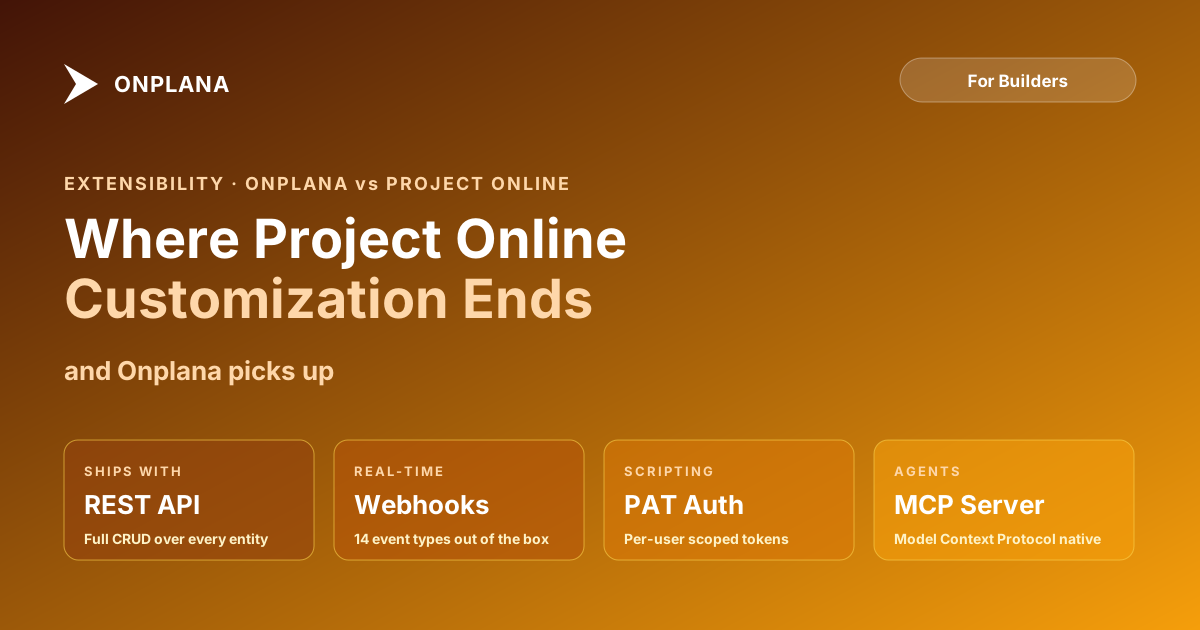
Extensibility: Where Project Online Customization Ends and Onplana Begins
Project Online customization built on SharePoint is powerful but aging. Onplana ships webhooks, PATs, and a full REST API. Here is what each lets you build.
Here's a test of where Project Online customization meets its limits. Try to set up a webhook that fires whenever a task in a specific project is marked complete. Not a SharePoint list event. Not a Power Automate flow that polls OData every 15 minutes. A direct HTTP push notification to an endpoint of your choosing, with the task state in the request body.
You cannot do that in Project Online. PWA has no native webhook infrastructure. What exists is a set of workarounds: OData feeds that require polling, SharePoint list events bound to SharePoint storage rather than the project scheduling engine, and Project Server Interface endpoints designed for on-premises integration in an era before modern REST APIs were standard. That is the answer Project Online gives to the question "can I build something on top of this tool."
TL;DR. Project Online customization is deep but built on an aging foundation: Enterprise Custom Fields, Enterprise Project Templates, SharePoint web parts, OData reads, and SharePoint Workflow Foundation (which itself retired in April 2026). Onplana ships full REST with write support, native webhooks, Personal Access Tokens, and typed custom fields configurable without admin-level SharePoint access. The core difference is that Project Online extensibility runs through a SharePoint layer that is being decommissioned; Onplana's runs through a modern developer API with current documentation.
What extensibility means for a PM tool
PM tool extensibility covers four categories of building on top of the tool:
Custom data model. Can you add fields, types, and structures that are specific to your PMO? A compliance status field, a risk tier classification, a budget category code. Custom data modeling is where most PMOs start.
Custom views and dashboards. Can you reshape how data is presented, add calculated columns, build executive views that roll up across projects without going to a third-party BI tool?
Outbound integrations. Can the tool push data to other systems when something changes? Slack notifications when a milestone slips, JIRA ticket creation when a risk is flagged, Power BI refresh when a project closes.
Inbound integrations and API writes. Can other systems push data back into the tool? Create tasks from a ticketing system, update resource allocations from an HR system, set project status from a deploy pipeline.
Project Online and Onplana handle all four differently, and the differences are not subtle.
How Project Online customization works
Project Online's customization model is the most flexible in traditional enterprise PM. The Enterprise Custom Field system lets you add fields to projects, tasks, and resources with typed data: text, number, date, duration, cost, flag, and lookup tables. Custom fields can be associated with outline codes (hierarchical classifications) and formula fields that compute from other values. For a PMO that needs a proprietary project classification taxonomy, ECFs can handle it.
Enterprise Project Templates standardize how new projects are created: preset fields, built-in workflows, default resource assignments, and required milestones. For PMOs with a formal stage-gate process, EPTs enforce the process on every project created from the template.
SharePoint web parts let administrators customize the Project Web App pages: add charts, embed reports, rearrange the portfolio dashboard. The customization is real but requires SharePoint development knowledge.
On the integration side, OData endpoints expose project, task, resource, and assignment data for read-heavy operations. Power BI reports built on OData became the standard for Project Online dashboards. The Project Server Interface (PSI) provides deeper programmatic access for on-premises scenarios that were then adapted to work with Project Online through web services.
This is a genuinely capable system. For PMOs that built on it over the past decade, it covers a lot of ground.
Where Project Online customization shows its age
The structural problem is SharePoint. Every Project Online customization runs through or depends on SharePoint:
ECFs are stored in the SharePoint Project Server configuration. Editing them requires Project Server Settings access, a SharePoint administrator-adjacent role that many organizations handle with a dedicated PWA admin. Adding a new custom field in response to a business request requires a ticket to a SharePoint admin, not a self-service action.
SharePoint Workflow Foundation, the engine behind Project Online's approval workflows and EPT stage transitions, retired on April 2, 2026. Workflows that ran in SharePoint 2013-compatible mode stopped executing. If your EPT workflows were not migrated to Power Automate before that date, they are no longer running.
OData is a read API. Writing data back into Project Online from an external system requires CSOM REST calls with specific authentication handling, handling of the queuing system that Project Online uses for schedule recalculations, and tolerance for eventual consistency (a write does not immediately reflect in the OData feed). This is buildable but requires significant engineering patience and Project Online-specific expertise.
Native webhooks do not exist. There is no subscription model that fires an HTTP call to your endpoint when a project status changes. Everything is either pull (polling OData) or event-driven through SharePoint, which means your integration depends on SharePoint plumbing rather than the project scheduling engine itself.
With the September 30, 2026 retirement date approaching, new development on this platform has essentially stopped. Any integration that depended on SharePoint Workflow Foundation needs a replacement immediately.
The diagram below shows the extensibility architecture of each tool.
How Onplana approaches extensibility
Onplana's extensibility starts with the API. The full REST API supports both read and write operations: create projects, update tasks, set resource allocations, change project status. The API uses standard JSON payloads and follows RESTful conventions that any backend developer can work with without Project Online-specific expertise.
Webhooks are native. You register an endpoint and specify which events to subscribe to: project created, task status changed, resource allocation updated, milestone reached. When the event fires, Onplana sends a signed POST request to your endpoint within seconds. The payload is HMAC-SHA256 signed so your receiver can verify the request is genuine. If delivery fails, the system retries with exponential backoff.
Personal Access Tokens let service accounts authenticate without OAuth browser flows. For CI/CD integrations, automation scripts, and server-to-server connections, PATs are the right authentication pattern. Onplana supports PATs alongside OAuth 2.0 and SAML 2.0, so each integration can use the mechanism that fits.
Custom fields in Onplana are configured by workspace admins, not SharePoint administrators. Adding a new custom field to track compliance category does not require a ticket to IT. Typed fields (text, number, date, selection list, checkbox, URL) can be added to projects, tasks, and resources. Selection list fields support a managed vocabulary without requiring a full OData lookup table configuration.
The detailed API integration patterns are covered in the Onplana vs Project Online API integrations comparison, which goes deeper on connector types, authentication flows, and rate limits.
Onplana vs Project Online: Extensibility Compared
| Dimension | Project Online | Onplana |
|---|---|---|
| Custom field setup | Enterprise Custom Fields via SharePoint admin | Typed fields via workspace admin, no SharePoint |
| API type | OData + CSOM REST (read-heavy, writes are complex) | Full REST with read and write operations |
| Webhook support | None native (Power Automate polling workaround) | Native webhooks with event types and HMAC signing |
| API authentication | Microsoft identity platform OAuth only | OAuth 2.0, SAML 2.0, OIDC, Personal Access Tokens |
| Workflow automation | SharePoint 2013 Workflow Foundation (retired April 2026) | 12-stage governance pipeline + external Power Automate triggers |
| Dashboard customization | SharePoint web parts + Power BI embedding | Drag-and-drop widget builder, built-in cross-project rollup |
| Documentation | Microsoft Docs (extensive but aging) | Modern developer docs with current examples |
| Integration patterns | Pull-based (polling OData) or SharePoint event triggers | Push-based (webhooks) or pull-based (REST) |
| Rate limits | OData throttling applies (3,000 items per request, 360 requests per minute) | Documented rate limits with standard 429 headers |
The developer experience compared
Building an integration with Project Online requires PMO-specific expertise. The OData entity model is documented in Microsoft's Project Online developer reference but complex, and understanding which entities expose which fields requires reading through several documentation layers. Write operations through CSOM REST require familiarity with Project Online's queuing architecture: writes go into a job queue, the queue processes asynchronously, and the result is not immediately visible in the OData feed. Testing write operations requires polling the queue status before verifying the outcome.
Authentication requires Microsoft identity platform registration: you register an application in Entra ID, configure permissions for the Project Online API, handle OAuth token acquisition, and refresh tokens correctly. This is standard Microsoft development work, but it assumes your developers have Entra ID familiarity.
SharePoint Workflow Foundation is gone as of April 2026, so any new automation that was previously handled by SharePoint workflows must be rebuilt in Power Automate, which has its own learning curve and licensing considerations.
Building an integration with Onplana follows a modern API pattern. Register a PAT, make authenticated REST calls, subscribe to webhooks for push notifications. Developers familiar with any REST API can be productive without Onplana-specific training. The webhook model eliminates the polling-and-queuing complexity that makes Project Online integrations expensive to build and maintain.
For PMOs with existing Power BI reports built on Project Online's OData feed, migration to Onplana requires rebuilding the data source connector. The Onplana vs Project Online API integrations comparison covers the connector migration path in detail.
When Project Online's extensibility model still wins
For organizations deeply embedded in the Microsoft stack with existing Entra ID infrastructure and internal developers already fluent in Microsoft identity platform and CSOM, the Project Online customization model has an ecosystem advantage. The OData entity model is well-documented and widely understood among Microsoft-ecosystem developers. Thousands of published examples, forum answers, and community resources exist for Project Online OData integration that do not yet have Onplana equivalents.
For PMOs that built sophisticated Power BI reports on top of Project Online OData, that investment is real and the rebuild cost to Onplana's data model is not zero. The security and compliance overview also covers authentication and access control in detail for teams where the Microsoft identity stack is a hard requirement.
What to evaluate during your migration
Three questions help frame the extensibility decision in a migration context:
First, what integrations are you currently running against Project Online, and which ones are business-critical? OData-based Power BI reports, Power Automate flows, and custom CSOM scripts all require rebuilding against a new API. Inventory these before the migration, not after.
Second, are any of your Project Online integrations running against SharePoint Workflow Foundation? If so, they stopped working on April 2, 2026. The migration to Onplana is an opportunity to rebuild them properly rather than as a SharePoint workaround.
Third, what new integrations do you want that Project Online's architecture prevented? Webhook-based Slack notifications, real-time project status updates to a BI warehouse, API-driven project creation from a CRM. These are the capabilities that the migration unlocks.
For a broader overview of what Onplana replaces across scheduling, AI, resource management, and pricing, the Onplana vs Project Online feature comparison covers the full picture. The Onplana features page lists the current API and integration capabilities in detail.
If you are at the point of planning the integration rebuild for a migration, the Migration Preview shows how your current project data maps to Onplana's data model before you commit to rebuilding any integrations.
Continue the comparison: Onplana vs Project Online AI covers the seven AI surfaces both platforms ship (or, in Project Online's case, do not), Onplana vs Project Online deployment covers hosting regions and the Azure-only vs multi-cloud + self-hosted models, and Onplana vs Project Online pricing covers 3-year TCO at 50, 250, and 1,000 seats.
Run the free Migration Preview See how your current Project Online data maps to Onplana before rebuilding integrations. Import project data and get a structured view of field mapping, schedule fidelity, and data model translation. No signup required. Open the Migration Preview
Microsoft Project Online™ is a trademark of Microsoft Corporation. Onplana is not affiliated with Microsoft.
Frequently asked questions
What customization options does Project Online offer?
Project Online supports Enterprise Custom Fields (ECFs) for project, task, and resource data; Enterprise Project Templates (EPTs) for standardizing project creation; SharePoint web parts for page layout; SharePoint Workflow Foundation for approval processes; and OData endpoints for read-heavy reporting integrations.
Does Project Online have a REST API?
Project Online has a CSOM (Client-Side Object Model) REST API and OData endpoints. The OData feed is primarily read-oriented. Write operations through the REST API require specific permissions and are more constrained than a typical modern REST API.
Does Onplana support webhooks?
Yes. Onplana ships native webhook support with configurable event types (project created, task updated, resource assigned, status changed), HMAC-SHA256 payload signing for verification, and automatic retry semantics on delivery failure.
What is a Personal Access Token in a PM tool?
A Personal Access Token (PAT) is a long-lived credential that lets a user or service authenticate to the API without going through OAuth browser flows. PATs are useful for server-to-server integrations, CI/CD pipelines, and automation scripts. Onplana supports PATs alongside OAuth and SSO.
Can Project Online connect to Slack or other tools?
Project Online connects to Slack, Teams, and other tools primarily through Power Automate and third-party connectors. Native outbound webhook support does not exist; all integrations rely on polling OData or SharePoint event triggers.
How do custom fields compare between Project Online and Onplana?
Project Online's Enterprise Custom Fields support typed data (text, number, date, duration, cost, flag, lookup) but require admin-level setup through the Project Server Settings. Onplana supports custom fields at the project, task, and resource level with typed data configurable by workspace admins without SharePoint dependency.
What happens to Project Online customizations during migration?
Most Project Online customizations do not migrate automatically. Enterprise Custom Fields map to Onplana custom fields with manual configuration; SharePoint workflows must be rebuilt as governance pipeline stages or Power Automate flows; OData-based Power BI reports require new connectors. Plan for a rebuild phase, not a lift-and-shift.
Ready to make the switch?
Start your free Onplana account and import your existing projects in minutes.