Resource Management in Onplana vs Project Online
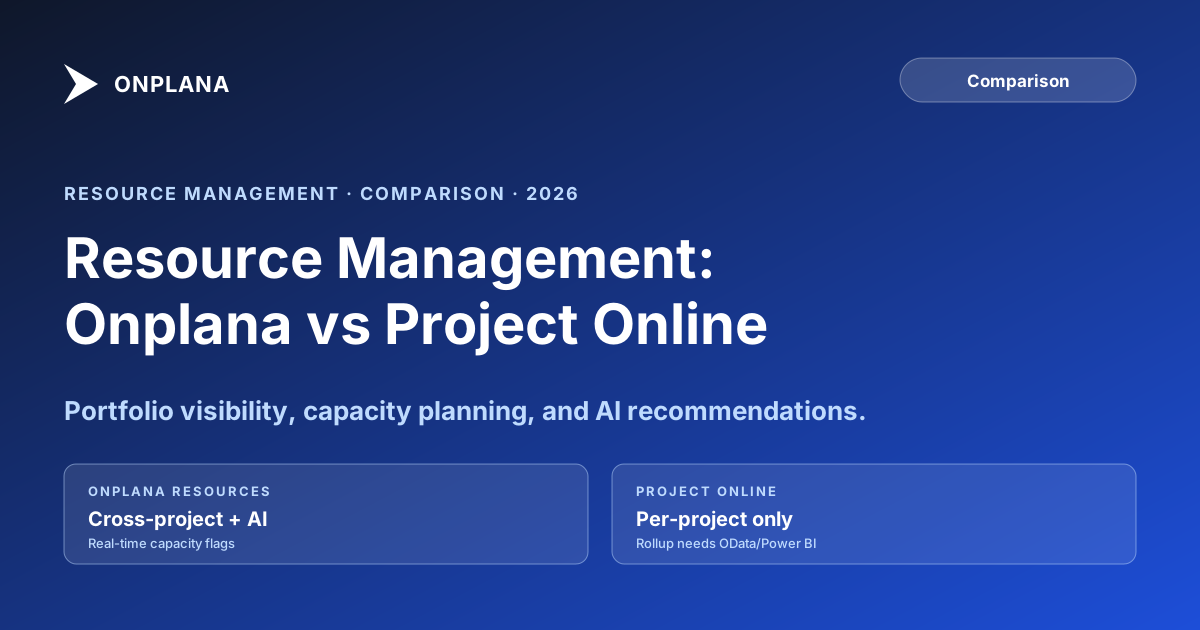
Project Online resource management shows per-project utilization only. Here is what each tool ships and where Onplana's AI closes the cross-project gap.
Pick any Friday afternoon in a mid-sized PMO running on Project Online. Three project managers are each writing their weekly status report. Each checks the Resource Sheet in their own project file. Each concludes that their shared senior engineer is operating at a sustainable 70-75 percent utilization. All three are working from accurate data. All three are wrong. The engineer is at 215 percent across the portfolio, heading toward a three-deliverable miss in the same week, and the number that would have changed that outcome does not appear on any of their screens.
This is not a failure specific to any narrow technical edge case. It is a design artifact of Project Online resource management: the tool's resource views are scoped to a single project file. What each PM sees is accurate within their scope. The scope is too small to catch the problem.
Project Online resource management is built around the Enterprise Resource Pool, a centralized registry that has anchored enterprise PMO capacity planning for a decade. Its blind spot is cross-project visibility: seeing which resources are overloaded across the portfolio requires OData queries or a Power BI report that someone has to build and maintain. Onplana's resource management exposes portfolio-level utilization natively, with AI-assisted recommendations that surface overallocation patterns before they become delivery problems. Both tools support named resources, role-based planning, cost rate tables, and multi-project assignment. The differences show up in how much infrastructure a resource manager needs to answer the question: "Who is overloaded next month?"
How Project Online's Enterprise Resource Pool works
The Enterprise Resource Pool is the organizing concept behind Project Online resource management. Every resource in a PWA tenant, whether a named person, a generic role, or a cost resource, lives in a central registry accessible to all project managers in the organization.
When a PM adds a resource to a project, they pull from this pool. The assignment links back to the pool record, which means utilization and allocation data flow back to the pool in theory. Any resource manager can query the pool and see every resource's current state across the portfolio.
In practice, useful cross-project utilization views require either the PWA Resource Center (a grid showing allocation by project, but not aggregated weekly totals) or a Power BI report built against the OData feed. Neither is a self-updating, live utilization heatmap that a resource manager can open on a Monday morning.
The pool itself is well designed. Resources carry multiple cost rate tables, supporting overtime structures, cost escalation over time, and role-based standard rates. Resource calendars define working hours, non-working exceptions, and part-time schedules. The MaxUnits field defines what 100 percent means for each resource, allowing accurate representation of part-time staff and team resources.
What the pool cannot do natively is answer: "Which resources are overloaded in the next eight weeks, and by how much?" That answer requires a report. The report requires a BI layer. The BI layer requires someone to build it and keep it current.
The cross-project visibility gap
Project Online's built-in resource views are accurate within their scope. The scope is the problem.
Single-file overallocation blindness. The Resource Sheet in an .mpp file flags resources overallocated within that project. A resource with 20 hours of Project A work and 20 hours of Project B work in the same week appears healthy in both project views, at 50 percent each. The resource is actually at 100 percent before meetings, administrative time, or any unplanned work.
Silent cross-project double-booking. When two PMs book the same resource within a short window, neither sees the other's booking until the next sync cycle completes. This is the same collaboration-lag problem documented in Project Online's real-time collaboration model vs Onplana: the resource state one PM sees may not reflect changes another PM made minutes earlier.
Administrative time exclusion. Most PMOs configure administrative time categories in PWA (vacation, training, sick leave) to track non-project time. These appear in the timesheet but not in the project-level Resource Sheet. A resource scheduled for 40 hours of project work who also has 16 hours of approved vacation in the same period is effectively over-committed, but the Resource Sheet shows no flag.
The diagram below shows the visibility gap in concrete terms: what each PM sees in Project Online vs what the portfolio-level view in Onplana shows for the same resource.
The detailed math behind how overallocation forms across project boundaries is covered in resource overallocation and the invisible math. The core dynamic is always the same: each individual allocation decision looks responsible. The failure is in aggregation.
Capacity planning without a BI layer
The standard Project Online capacity planning workflow looks like this: open the Resource Center, filter by resource, look at the "Work" column against "Capacity," identify resources above 100 percent, navigate to each project to find the driving assignments, make manual adjustments, repeat.
This workflow is functional. It is also slow, fragmented, and working with data that may be hours old by the time a resource manager opens the tool.
The alternative is a Power BI report connected to the OData feed. Microsoft publishes sample Power BI templates for Project Online resource utilization. They work well once configured. The configuration step requires a developer, a Power BI Pro license, and ongoing maintenance every time PWA upgrades or the OData schema changes. Most PMOs without a dedicated BI team do not maintain these reports consistently, which means capacity planning reverts to the Resource Center plus manual inspection.
This is not a design oversight. Microsoft's intended reporting path for Project Online has always included Power BI. For organizations with BI infrastructure already in place, this is reasonable. For mid-market PMOs without a BI team, it is an invisible tax on every capacity planning conversation.
What Onplana's resource management ships
Onplana's resource management starts from the portfolio level rather than the project level. The resource pool is a cross-project view by default, not a configuration option or a report to build.
Opening the resource pool shows every resource in the organization with utilization aggregated across all their project assignments, bucketed by week. Overallocation is flagged as it occurs, without running a report. A resource manager can see which resources are above capacity in the next 12 weeks, click through to the specific assignments driving the overload, and make adjustments from the same view.
Role-based placeholders let PMs plan capacity demand before specific resources are named. A project can be scheduled with "Senior Backend Engineer (2)" as a placeholder. The resource pool shows that demand against available capacity in that role, so resource managers can make staffing decisions based on timing rather than waiting for PMs to request specific names.
AI-assisted recommendations surface patterns the resource manager might otherwise miss: a resource who has been above 110 percent utilization for six consecutive weeks without a visible intervention; a project whose resource demand peaks in the same month as three other high-priority projects; a recently requested reassignment that would shift the overload from one resource to another who is already at 95 percent.
The AI recommendations are suggestions, not automatic reassignments. The resource manager reviews and acts. The AI's value is compressing the time it takes to trace data relationships that would otherwise require 30 minutes of manual cross-referencing.
Project Online resource management vs Onplana: feature comparison
| Capability | Project Online | Onplana |
|---|---|---|
| Named resource pool | Enterprise Resource Pool (centralized) | Cross-project resource pool |
| Role-based placeholders | Generic resources (named with roles) | Native role-based demand planning |
| Portfolio-level utilization view | Power BI or OData query required | Native, no BI layer needed |
| Real-time overallocation flag | Within-project only | Cross-project, surfaces on booking |
| Resource calendar support | Yes (project, enterprise, resource layers) | Yes (per-resource, with exception days) |
| Cost rate tables | Up to 5 tiers per resource | Single rate with project-level override |
| Administrative time | Timesheet-based (vacation, training, sick) | Non-project time blocks |
| Resource engagement requests | Yes (formal request-approval workflow) | Resource booking requests |
| AI utilization recommendations | No | Yes (pattern detection, reassignment suggestions) |
| Mobile resource management | Limited (PWA mobile view) | Full mobile-responsive interface |
| API access to resource data | OData (read-heavy, no write support) | REST with full CRUD |
Where the Enterprise Resource Pool still leads
Honest comparison includes the areas where Project Online maintains an advantage.
Cost rate table depth. Project Online's five-tier cost rate structure has been production-tested in large PMOs managing labor cost tracking at billing-contract precision. Onplana's single-rate-with-project-override covers most use cases but falls short for organizations that need to track a consultant billing at four different rates depending on work type, with rate tiers changing on contract renewal dates.
Administrative time integration. PWA's timesheet-based administrative time (vacation, holidays, training, sick leave) is deeply integrated with the timesheet module. The allocation view reflects real availability adjustments from approved timesheets. This tight integration with the approval workflow is a genuine capability that most modern tools replicate less completely.
Resource engagement requests. Resource engagements provide a formal request-and-approval workflow for resource bookings. A PM requests a named resource for a date range and capacity level. The resource manager reviews, approves, or proposes an alternative. Modern tools offer less structured booking workflows or rely on informal coordination channels.
Scale and organizational trust. Project Online's Enterprise Resource Pool has been the operational backbone of large PMOs for more than a decade. Organizations whose resource managers have built their practices and muscle memory around it will find the transition requires more deliberate change management than other migration components.
Migration: what transfers and what rebuilds
The resource pool migration guide covers the technical migration in depth. For planning purposes, the key breakdown is:
Named resources and their basic attributes transfer cleanly. Active assignments migrate with work hours and completion percentages. What requires manual migration or deliberate decisions: cost rate table tiers beyond the first (map to a single rate or model the structure in custom fields), resource calendar exceptions, administrative time category definitions, and in-flight resource engagement requests that need resolution before cutover.
Running a resource utilization comparison before and after migration is the fastest way to catch fidelity loss that would not surface until go-live. Upload a .mpp export from your Project Online environment to the free Resource Heatmap and compare the weekly utilization picture it produces against what you see in your destination tool after import. Any meaningful divergence in who is overloaded in which weeks points to a migration data mapping issue worth resolving before you decommission PWA.
The PMO Maturity Assessment is also useful here: it helps identify which resource management capabilities your PMO actually relies on most heavily, so you can prioritize the rebuild order in the new environment rather than trying to replicate everything simultaneously.
Run the free Resource Heatmap Upload a .mpp export and see weekly utilization across all assignments in about 30 seconds. No signup required. Use it to identify overloaded resources before, during, and after your Project Online migration. Open the Resource Heatmap
Microsoft Project Online™ is a trademark of Microsoft Corporation. Onplana is not affiliated with Microsoft.
Frequently asked questions
What is Project Online's Enterprise Resource Pool?
The Enterprise Resource Pool is a centralized registry of all resources in a PWA tenant. It lets PMs book named resources across projects, track utilization, and manage cost rates from one location.
Does Onplana have a resource pool?
Yes. Onplana ships a portfolio-wide resource pool with named resources, role-based placeholders, availability windows, and cross-project allocation views updated in real time.
What is the biggest resource management limitation in Project Online?
Project-level resource views only show utilization within one project file. A resource at 70 percent in three different projects appears fine in each view but is actually at 210 percent portfolio-wide. Portfolio rollups require OData queries or Power BI.
How does Onplana handle resource overallocation differently from Project Online?
Onplana surfaces cross-project utilization natively in the resource pool view and flags overallocation as it occurs. AI-assisted recommendations suggest reassignments when the system detects patterns the PM might otherwise miss.
Where does Project Online resource management still outperform modern alternatives?
Project Online's Enterprise Resource Pool has been production-tested at enterprise scale for over a decade. Its five-tier cost rate tables, administrative time categories, and resource engagement request workflows are more mature than most modern alternatives.
What happens to the resource pool when you migrate from Project Online?
Named resources and active assignments transfer. Cost rate table tiers, administrative time categories, and resource calendar exceptions require manual migration or deliberate mapping decisions.
Ready to make the switch?
Start your free Onplana account and import your existing projects in minutes.