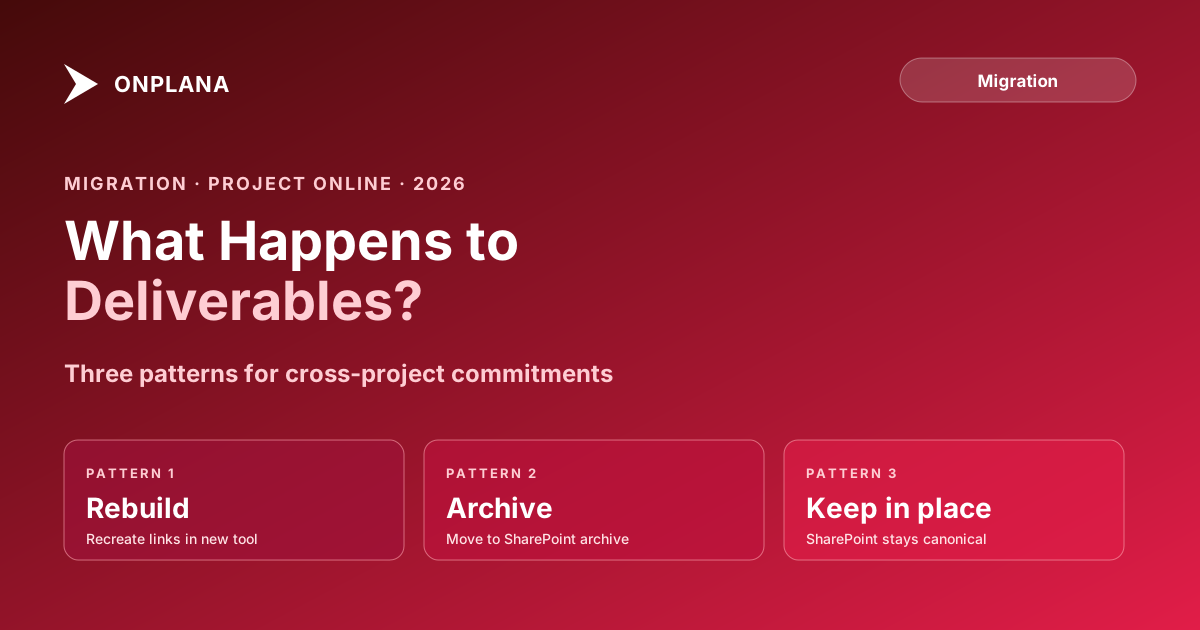
What Happens to Project Online Deliverables in Migration
Project Online deliverables are cross-project commitments stored in SharePoint. Most migrations export only the .mpp and leave them behind silently at cutover.
Here is the uncomfortable pattern. The migration completes on schedule. Every project file exports cleanly. Dependencies verified. Resources confirmed in the new tool. Two weeks into parallel operation, a resource manager asks why the integration deliverable she was tracking from Project B has vanished from her queue in Project A. The PM responsible for Project B checks the new tool: the task is there, dated correctly, on track. But the cross-project link to Project A is gone. Nobody exported it. Nobody realized it lived outside the .mpp file.
Project Online Deliverables are not tasks. They are not stored in the schedule file. They live in SharePoint lists, and most migrations ignore them entirely.
TL;DR: Project Online Deliverables are cross-project commitments stored in SharePoint lists, not in .mpp exports. A standard migration moves the schedule files and silently leaves every deliverable behind. Before cutover, inventory your tenant's deliverable records via the SharePoint REST API, classify each as active or archivable, and rebuild active ones in the destination tool using one of three patterns matched to what the destination supports.
What Project Online Deliverables Actually Are
Project Online Deliverables are a specific PWA feature: one project publishes a task or milestone as a "deliverable," making it visible and trackable from other projects in the same tenant. The consuming project adds a dependency on that deliverable, and a visual indicator in its task list shows whether the commitment is on track, running late, or complete.
The mechanism has two parts: the publishing project creates the deliverable from one of its tasks, and the consuming project links to it. PWA displays the deliverable status inside the consuming project's task views, providing cross-project transparency without requiring the two PMs to maintain separate spreadsheet trackers.
As listed in the Microsoft Project Online service description, deliverable management is a named feature available in both Project Plan 3 and Project Plan 5. It is most commonly used by PMOs managing programs where one team's output is another team's input: integration phases, handoff milestones, shared platform releases, regulatory submission dates.
The migration-critical detail: the deliverable record is not stored in the MSPDI XML schema or the .mpp file. It lives in a SharePoint list within the PWA site. When you export a project to .mpp, deliverable relationships do not come along.
Where Deliverables Are Stored in the Tenant
Each PWA site has a SharePoint list that stores deliverable records. Each record contains: the source project identifier, the source task identifier, the consuming project identifier, the consuming task identifier, the status, and a due date. The list is queryable via the SharePoint REST API or CSOM.
The deliverable's status is derived at render time. PWA reads the source task's completion percentage and dates, then displays one of several statuses in the consuming project's view. The list stores the link; the status is computed.
Because deliverables live in SharePoint lists rather than in the project data model, they are invisible to:
- .mpp export from the PWA interface
- MSPDI XML export via the desktop client
- The Project Online OData reporting feed (deliverable data is in a separate endpoint, frequently excluded from standard OData migration queries)
- Any migration tool that reads only the .mpp or XML format
The diagram below shows the data separation that causes the silent loss.
Why Deliverables Disappear in Migration
The root cause is a format mismatch. Migration tools and manual .mpp exports are designed to move the schedule. The schedule is the .mpp or MSPDI XML. Deliverables are SharePoint metadata, and that metadata has no field in the schedule format.
Three scenarios account for most deliverable losses.
Scenario 1: Only the .mpp is exported. The team pulls each project's .mpp file from the PWA site, imports it into the destination tool, and marks the migration complete. Deliverable data never touched the export. The consuming project's tasks that had deliverable indicators simply have no cross-project predecessor now. Nobody notices until a coordination issue surfaces.
Scenario 2: OData export without the deliverable feed. Some migrations use the Project Online OData API to pull task data, resource data, and assignment data. The OData endpoint for deliverables exists but is a separate entity and is frequently excluded from migration scripts because it requires joining across project boundaries. The deliverable records never make it into the extract.
Scenario 3: Deliverables exist but the destination tool has no equivalent. Some teams know about deliverables and try to migrate them, but the destination PM tool only supports same-project task dependencies. The cross-project link model has no landing point. The team builds a manual workaround: a tracking task, a comment thread, a shared spreadsheet. The formal dependency is gone regardless.
Inventorying Your Deliverables Before Migration
Inventory before you decide what to migrate. Many tenants have deliverable records from projects that completed two or three years ago. Those records don't need migration; they need archiving. The active ones do.
Step 1: Query the deliverable data. Each project site in PWA has a SharePoint list containing deliverable records. Use PowerShell with the SharePoint PnP module or CSOM to query all projects, pulling the fields you need: source project, source task, consuming project, consuming task, status, and due date. For tenants with fewer than 25 projects, a manual walk through the PWA Deliverables view in the browser is also workable.
Step 2: Cross-reference with project status. Join your deliverable records against your project list. Filter for projects where both the publishing project and the consuming project have status Active or On Hold. Any deliverable where either project is Closed or Archived is a candidate for archival, not migration.
Step 3: Count and classify. For each active deliverable, record the two project names, the two task names, and the current status. This becomes the rebuild specification. Add deliverables as a named scope item in the Project Online Inventory Checklist before you start the broader tenant inventory.
Step 4: Verify the consuming tasks still exist in the source. Cross-project task identifiers in the deliverable list should correspond to tasks in the consuming project's MSPDI export. Confirm this before migration so you know exactly which task in the destination tool to attach the rebuilt link to.
For most PMOs managing a 50-project portfolio, the active deliverable inventory runs to 15 to 40 records. That is a manageable rebuild scope. Teams that discover this problem after migration face a harder task: they are backfilling from memory and whatever source-system queries they can still run on the read-only tenant.
Three Patterns for Migrating Deliverables
Once you have the inventory, match each deliverable to the right migration pattern based on your destination tool's capabilities and the PMO's tolerance for ongoing maintenance.
Pattern 1: Native cross-project dependency. Some PM tools support cross-project dependencies: a task in one project can be a predecessor to a task in a different project. If your destination supports this, rebuild each active deliverable as a cross-project link. The consuming task in Project A points to the publishing task in Project B, and the dependency updates automatically as the schedule changes. This is the highest-fidelity replacement.
Before committing to this pattern for a large rebuild effort, verify two things: the destination tool supports cross-project dependencies with live status propagation, not just a static visual flag; and the cross-project link survives portfolio-level report generation without breaking scheduled recalculation. Test with a small representative sample before rebuilding all records.
Pattern 2: Portfolio-level milestone tracker. Create a shared tracking view, a portfolio dashboard, a tracking project, or a master schedule, that aggregates the milestone tasks from publishing projects and makes them visible to consuming project managers. PMs watch the dashboard instead of a live in-task dependency indicator. This pattern is lower fidelity: it does not automatically shift the consuming task's dates when the source task slips. But it works in any tool that has cross-project reporting, and it is faster to build than a full cross-project dependency graph.
This pattern fits PMOs that used deliverables primarily for visibility rather than schedule calculation. If the consuming task's dates were manually adjusted by the PM regardless of the deliverable status in practice, this pattern preserves the same value at lower rebuild cost.
Pattern 3: Documented commitment. Record the cross-project commitment in a project note, a RAID log entry, or a risk item. The consuming project carries a note: "Infrastructure delivery depends on Project B completing the [task name] by [date]. Status: checked weekly in Friday coordination call." The PM reviews it manually each status cycle.
This is the lowest-maintenance option and the right choice for deliverables on projects where direct coordination already happens between the two PMs and the dependency is well-understood. It loses the automation but preserves the knowledge of the commitment in a place the migration team can manage.
When to Archive Instead of Migrate
Not every deliverable needs to move forward. Archive the record when both projects involved are closed or in closeout, when the deliverable deadline has already passed, when the consuming task has been completed regardless of deliverable status, or when the cross-project relationship was a one-time coordination that has already resolved.
Archiving means exporting the deliverable records to a spreadsheet or a project archive repository, noting the publishing and consuming tasks and their final status at migration time, and closing the record without rebuilding it in the destination tool.
If you are running a structured migration using the steps in project-online-migration-checklist-2026, add the deliverable classification (migrate or archive) as a column in your inventory tracker. The why-project-online-migrations-fail analysis repeatedly surfaces the same pattern: PMOs that scope only the .mpp data discover the SharePoint-stored data gaps two to three weeks into parallel running, when the questions start coming in from the teams that depended on those cross-project views.
What Happens After September 30, 2026
Microsoft Project Online retires on September 30, 2026. After that date, the tenant enters read-only mode and eventually goes dark. You can still query SharePoint lists for a period after retirement, but the window is not guaranteed, and the timeline for list data availability after the service retires has not been officially committed.
The practical implication: deliverable inventory and classification needs to happen before cutover. Once the tenant is read-only, you can read the data but you cannot update, close, or clean up deliverable records in the source. Any incomplete classification becomes a post-migration archaeology exercise.
For large PMOs managing more than 50 projects, a full deliverable inventory can surface 80 to 120 records that require individual review. Starting that process three months before retirement gives you time to rebuild the active records in the destination tool without pressure. Starting after retirement means working against a shrinking query window.
The Project Online Inventory Checklist walks through the full tenant scope: projects, resource pools, custom fields, and cross-project data including deliverables. Run it before retirement, not after.
Run the free Project Online Inventory Checklist Walk through your tenant in about 10 minutes and get a structured export plan you can hand to your migration team. Cross-project data, custom fields, and resource pools all included. No signup required. → Open the checklist
Microsoft Project Online™ is a trademark of Microsoft Corporation. Onplana is not affiliated with Microsoft.
Frequently asked questions
What are Project Online Deliverables?
Project Online Deliverables are cross-project commitments. A PM publishes a task or milestone from one project so it appears as a tracked dependency inside another project. They live in SharePoint lists, not in the .mpp schedule file.
Do Project Online Deliverables survive a .mpp export?
No. The MSPDI XML and .mpp formats do not include deliverable records. When you export a project file, cross-project deliverable links are silently omitted with no export warning.
How do I find all deliverables in my Project Online tenant before migrating?
Query the SharePoint list named 'Deliverables' in each project's PWA subsite, or use PowerShell with CSOM to pull all deliverable records across the tenant in bulk before the September 30, 2026 retirement.
What happens to dependent tasks after the deliverable link is lost?
The dependent task loses its deliverable indicator and cross-project visual cue. Unless you rebuild the relationship in the destination tool, the commitment becomes invisible to the teams relying on it.
Should I migrate all deliverables or just active ones?
Audit first. Many deliverables are attached to completed or cancelled projects and only need archiving. Active deliverables on in-flight projects are the ones worth rebuilding in the destination tool before cutover.
Do modern PM tools have an equivalent to Project Online Deliverables?
Some tools support cross-project task dependencies or portfolio-level milestone links. Verify your destination tool's cross-project linking capability before committing to a rebuild pattern.
Ready to make the switch?
Start your free Onplana account and import your existing projects in minutes.