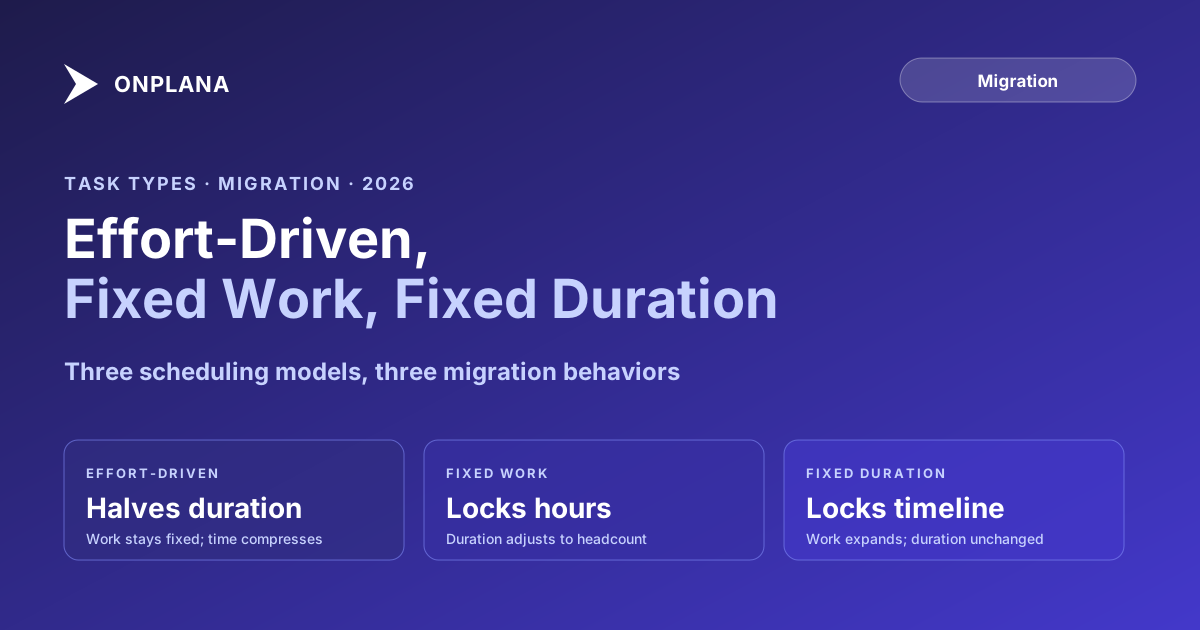
Effort-Driven, Fixed Work, Fixed Duration in Project Online
Project Online task types control how the schedule recalculates when resources or duration change. Most migrations carry the structure but lose the semantics.
Here's the migration problem nobody warns you about. The schedule imports cleanly. Task names are right, dependencies are intact, resource assignments transfer correctly. PMs start working in the new tool. Three weeks into parallel operation, a PM adds a second resource to a task running behind schedule. In Project Online, that action would have shortened the duration. In the new tool, nothing changes.
What's happening is a Project Online task types translation failure. Project Online builds every scheduled task around one equation: Work = Duration x Units. The task type determines which of those three variables is protected when a PM changes another. The three types, Effort Driven, Fixed Work, and Fixed Duration, each enforce different scheduling behavior. Most modern PM tools use a simplified engine that doesn't replicate this distinction. The migration carries task structure without carrying scheduling semantics, and PMs discover the gap when they most need the behavior to work.
TL;DR: Project Online task types are scheduling semantics, not just field values. They control how Work = Duration x Units recalculates when you change one variable. Most migrations move the task structure but not the engine behavior, because the destination tool uses a different model. Before cutover: audit which types appear across your portfolio, identify critical-path tasks that rely on effort-driven or fixed-work compression, test representative examples in the destination tool, and document behavioral differences before any PM tries to accelerate a slipping task by adding a resource.
The Three Project Online Task Types: A Quick Reference
Project Online tasks carry a type field that controls scheduling behavior. The type determines which variable in Work = Duration x Units is protected when a PM edits one of the others.
| Task Type | What Is Fixed | What Recalculates | Typical Use Case |
|---|---|---|---|
| Fixed Units (Effort-Driven) | Units (allocation %) | Duration shortens when resources added | Default for most effort-based tasks |
| Fixed Units (non-effort-driven) | Units and Duration | Work recalculates to match | Tasks where both staffing and timeline are set |
| Fixed Work | Work (total effort hours) | Duration shortens when resources added; units adjust | Tasks with a committed hour budget |
| Fixed Duration | Duration (calendar span) | Work and units recalculate | Calendar-bound tasks regardless of staffing |
The diagram below shows how each type responds to the same action: a PM adds a second resource to a ten-day, 80-hour task.
The practical implication: the same action produces three different schedule outcomes depending on the task type. PMs who work in Project Online long enough develop intuition about which tasks will compress and which won't. That intuition breaks after migration when the destination tool behaves differently.
Effort-Driven Scheduling: What Changes When You Add a Resource
Fixed Units with Effort-Driven checked is the default task type in Project Online. The name explains the rule: the total effort is a fixed quantity. When you add a resource, the same work gets distributed across more people and the duration compresses.
A ten-day task assigned to one person at 100% requires 80 person-hours of work. Add a second person at 100%, and both people work the task simultaneously. The 80 hours of work now completes in five calendar days. Work stays at 80 hours; duration halves.
This behavior is why project managers instinctively reach for "add a resource" when a critical-path task falls behind. For effort-driven tasks, the schedule rewards the action with a compressed timeline.
The scenario breaks when the task type isn't effort-driven. A task constrained by physical reality, waiting for concrete to cure, waiting for a regulator to respond, waiting for a vendor to deliver hardware, cannot compress by adding people. Project Online handles these through Fixed Duration, where the calendar span doesn't move regardless of resource count.
The critical path method relies on effort-driven scheduling working correctly for its compression calculations. When a critical-path task is effort-driven, the PM has a tool for accelerating it. When the destination tool silently changes that behavior, the tool disappears without warning.
Fixed Work: When the Person-Hour Budget Is the Constraint
Fixed Work locks the total work hours. The underlying equation still applies, but now Work is the protected variable. Changing duration directly changes the units required; changing units directly changes the duration.
The key behavioral difference from effort-driven: in Fixed Work, adding a resource splits the total work between the two resources rather than running them in parallel at full allocation. Add a second 100% resource to a ten-day, 80-hour Fixed Work task and the result is a five-day task with two resources at 50% each, each contributing 40 hours.
The practical use case is tasks with a committed person-hour budget: a consulting engagement with a 120-hour statement of work, a testing phase with an auditor-approved 240-hour QA allocation, a security review with a contractually defined 40-hour scope. In these tasks, the work hours represent a financial and contractual reality, not a calculated estimate. Adding more resources compresses the calendar span; removing resources extends it.
Fixed Work tasks are also appropriate when the PM knows the hours are firm but the timeline is negotiable. The scheduling engine finds the right duration as resources change, rather than requiring manual recalculation.
Fixed Duration: When the Calendar Span Is Non-Negotiable
Fixed Duration locks the elapsed time. The task takes a specific number of calendar days regardless of how many people are assigned. Adding more resources doesn't compress the duration; it increases total work hours. Removing resources doesn't extend the duration; it reduces the work.
The use cases are tasks where the constraint comes from outside the project team: a legal review period mandated at 15 business days, a public comment period of 30 days, a hardware burn-in period, a training cohort that runs six weeks regardless of instructor count.
The counterintuitive behavior surfaces when PMs add resources expecting compression. Assigning two resources at 100% each to a Fixed Duration task doubles the total work from 80 hours to 160 hours, leaves the duration unchanged, and creates a task where both people work full-time for the same calendar span. This is correct for tasks where work genuinely expands to fill the available time, but it surprises PMs who expected the duration to shorten.
Understanding this distinction matters when reading the work breakdown structure guide. A well-structured WBS identifies which tasks have calendar-bound durations and which have effort-bound ones before any resources are assigned.
Auditing Task Types Before Migration
Before committing to a destination tool or starting the import, audit the task type distribution across your portfolio. The audit answers two questions: how many tasks of each type exist, and where do the effort-driven and fixed-work tasks fall in the critical path.
To get the count from a .mpp file: open the file in Microsoft Project desktop, add the Task Type column to any sheet view (right-click the column header, choose Insert Column, type "Task Type"), and use AutoFilter to group by type. For the effort-driven flag, add the "Effort Driven" column separately.
To get a portfolio-wide count from an OData export you took before the retirement: open the Tasks data (pulled from /_api/ProjectData/Tasks) and filter on the TaskType field. Values map as follows: 0 = Fixed Units, 1 = Fixed Duration, 2 = Fixed Work. The TaskIsEffortDriven field is a separate Boolean on the same entity.
Once you have the counts, overlay them with critical path status. An effort-driven task on the critical path is high risk if the destination tool doesn't support effort-driven behavior. A fixed-duration task on the critical path carries no scheduling risk from type loss, because the duration is the constraint regardless. The Migration Preview tool surfaces task type distribution and critical path position from your .mpp export, giving you this view without manual OData queries.
For most PMOs, effort-driven tasks represent 60 to 80 percent of the task count. Fixed Duration is common for milestone-adjacent tasks and externally constrained phases. Fixed Work appears most often in cost-managed projects with strict hour budgets. That distribution means most of your tasks carry scheduling behavior the destination tool may not replicate.
What Happens to Task Types During Migration
The task type field is stored in both the .mpp binary format and the MSPDI XML schema. The value transfers in a .mpp export. Whether the destination tool honors it depends on whether the tool's scheduling engine supports the same three-way distinction.
Three scenarios account for most migration outcomes.
Scenario 1: Full type support. The destination tool implements Fixed Units (Effort-Driven), Fixed Work, and Fixed Duration with the same behavior as Project Online. Behavioral fidelity is possible. Verify by running the three spot tests from the diagram above against representative tasks in the destination before committing to the cutover.
Scenario 2: Fixed Duration default. The most common scenario. Modern PM tools often treat all tasks as Fixed Duration internally. An effort-driven task arrives with the correct field value, but the engine ignores it. Adding a resource doesn't change the duration. The PM's compression lever is gone, and nothing in the tool indicates why.
Scenario 3: No scheduling engine. Some tools separate task management from schedule calculation entirely. Resources are assigned to tasks, but the assignments don't participate in a mathematical model that links work, duration, and units. Duration fields are just labels. This is common in tools designed for team task management rather than schedule-driven project delivery.
The what transfers when you migrate Project Online metadata covers a related risk: task type affects how dependencies propagate when predecessors slip. A Fixed Duration task that inherits a late predecessor start doesn't compress to absorb the slip; a Fixed Units task might, depending on resource availability. The interaction between task type and dependency behavior is one of the least-documented migration risks.
Translating Task Type Behavior in Modern PM Tools
When the destination tool doesn't support the full task type model, three approaches preserve the intended scheduling behavior.
Approach 1: Flatten to Fixed Duration before migration. Change all task types to Fixed Duration in your exported files before importing. PMs lose effort-driven and fixed-work compression, but the migration is clean and the destination tool behaves predictably. Manually managing resource-to-duration relationships replaces the engine. This is the pragmatic choice for teams migrating to a tool that doesn't support multi-type scheduling.
The risk with this approach: PMs lose an acceleration tool without being told. Document the change explicitly in the migration communications plan so PMs know the behavior changed and why, rather than discovering it at the next milestone crunch.
Approach 2: Tag affected tasks with original type. Keep the export as-is, then identify the tasks that relied on effort-driven or fixed-work behavior. Add a custom note or custom field to those tasks indicating the original type and the expected behavior. PMs who need to add resources to a critical-path task manually update the duration themselves. The schedule stays correct through human intervention rather than engine automation.
Approach 3: Build type-specific automation. Some tools support formulas or automation rules that approximate effort-driven behavior. A formula that recalculates duration when the resource count changes can replicate the behavior for high-value tasks. This requires configuration effort and ongoing maintenance, but it preserves the automation for the tasks that need it most.
Verifying Task Type Behavior After Migration
Task type verification has two steps: confirming the field value transferred correctly and confirming the scheduling engine behavior matches expectations.
For the field transfer: export the task type column from the destination for your pilot project and compare to the source. Any task where the type changed silently during import is a candidate for behavioral review.
For the engine behavior: run the three-scenario spot test. Pick five representative tasks, one of each original type plus two critical-path tasks. In the destination tool, add a resource to each and observe the duration field. Compare to what Project Online would produce under the same type. If the behavior matches, the migration is clean for that task type. If it doesn't, document the gap before PMs encounter it.
The Schedule Health Check surfaces post-migration schedule inconsistencies, including tasks where duration or work values appear inconsistent with the assignment count and allocation percentages. This catches cases where task type behavior changed during migration and the schedule math is now producing values the PM wouldn't expect.
For a portfolio of 50 or more projects, the spot test on five tasks per type in a pilot project is faster than auditing every task. Use the pilot results to calibrate expectations, then apply the documented workarounds to the full import based on what the pilot reveals.
According to the Microsoft Project Online service description, task type and effort-driven behavior are part of the core scheduling engine available in both Project Plan 3 and Project Plan 5. Project Online retired on September 30, 2026. Scheduling semantics that PMs relied on need a verified replacement in the destination tool before PMs start re-planning in it, not after.
Run the free Migration Preview Upload your .mpp or MSPDI export and see a breakdown of task types, dependency counts, and potential scheduling semantics gaps before you commit to a destination tool. No signup required. → Open Migration Preview
Microsoft Project Online™ is a trademark of Microsoft Corporation. Onplana is not affiliated with Microsoft.
Frequently asked questions
What are the three task types in Project Online?
Project Online supports Fixed Units (with or without effort-driven), Fixed Work, and Fixed Duration. Each type determines which of the three scheduling variables, Work, Duration, or Units, stays constant when the PM changes another.
What is an effort-driven task in Project Online?
An effort-driven task redistributes the same total work across more resources when you add people. Adding a second resource at 100% halves the remaining duration because the same fixed work completes in half the time.
What is the difference between Fixed Work and Fixed Duration in Project Online?
In a Fixed Work task, the work hours are locked. Adding a resource reduces duration proportionally. In a Fixed Duration task, the calendar span is locked. Adding a resource increases total work rather than compressing the timeline.
Do modern PM tools support Project Online task types after migration?
Most modern PM tools default to a fixed-duration model or omit scheduling semantics entirely. When an effort-driven task migrates to a fixed-duration destination, adding a resource no longer shortens the timeline, even though the task type field may still say 'Fixed Units.'
Which Project Online task type is most dangerous to lose in migration?
Fixed Work tasks on the critical path carry the highest risk. PMs routinely add resources expecting duration to compress. If the destination tool treats those tasks as Fixed Duration, the schedule appears unchanged and the acceleration is invisible until the deadline passes.
How do I audit task types across a Project Online portfolio before migrating?
Open your exported .mpp files and add the Task Type column in any sheet view in Microsoft Project desktop, or filter the TaskType field in your OData export. Values 0, 1, and 2 map to Fixed Units, Fixed Duration, and Fixed Work respectively.
Should I convert all tasks to Fixed Duration before migrating?
Only if your destination tool doesn't support effort-driven or fixed-work behavior. Flattening to Fixed Duration prevents post-migration surprises but removes the compression lever for critical-path tasks. Audit which tasks depend on that behavior before changing types in bulk.
Ready to make the switch?
Start your free Onplana account and import your existing projects in minutes.