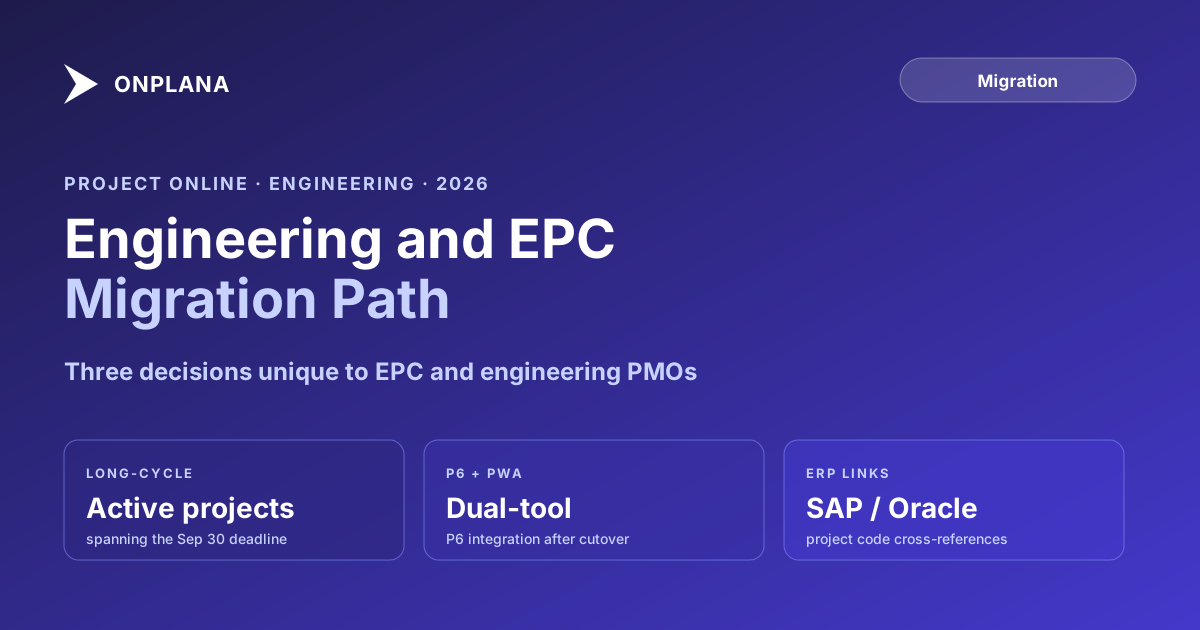
Project Online Engineering Firms: Migration Path for EPC and Capital PMOs
Project Online engineering PMOs face migration challenges unique to long-cycle capital projects. Here is what EPC firms must plan for before September 30, 2026.
Here is the pattern that catches Project Online engineering firms off guard. An EPC contractor is fourteen months into a major capital project when the migration working group tables the Project Online transition plan. The plan shows a cutover date of August 1. The capital project does not finish until March 2027. The project owner asks a reasonable question: what happens to the active project during the cutover, and what does the team work from after September 30, 2026?
Nobody on the migration team has a clean answer. The question was not in scope.
That gap, active long-cycle projects spanning the retirement deadline, is the defining migration risk for engineering and EPC firms. It is not the only one, but it is the one that most migration plans designed for generic PMOs completely miss. Project Online engineering portfolios carry complexity that IT and corporate PMOs simply do not have: multi-year project timelines, dual-tool environments, complex dependency logic, and financial fields tied to ERP systems.
TL;DR Engineering and EPC firms run Project Online differently from corporate PMOs: longer project cycles, complex dependency logic, dual-tool environments where P6 handles delivery and PWA handles portfolio visibility, and ERP cross-references that tie project IDs to capital expenditure codes. The migration sequence that works for a 50-person corporate PMO does not account for any of those. This post covers the engineering-specific migration risks and the decisions to make before September 30, 2026.
Why Project Online Engineering PMOs Are Different
Engineering and EPC firms typically use Microsoft Project Online for portfolio governance, not as the primary scheduling engine. The scheduling engine for individual project delivery is Primavera P6, Microsoft Project Desktop, or in many firms both.
Project Online in this environment handles three things that other systems do not:
Portfolio-level visibility. The PMO uses PWA dashboards to see all active capital projects, their status, resource loading, and milestone progress. This is the executive view: what is in flight, what is overrunning, and where the resource constraint sits.
Enterprise resource management. The Enterprise Resource Pool tracks all project resources, their calendars, their assignments across projects, and their utilization across the portfolio. For firms with 50 or more concurrent projects, this centralized view is irreplaceable and does not exist natively in P6.
Financial tracking. Enterprise Custom Fields store contract values, approved change orders, earned value metrics, and cost-to-complete estimates that feed board reporting and ERP integration.
None of that is the schedule itself. The schedule lives in P6 or in local .mpp files that get periodically exported and imported into PWA to update the portfolio view. The migration has to account for all four data layers: the schedule data, the portfolio metadata, the resource pool, and the financial tracking fields.
The Long-Cycle Project Problem
The September 30, 2026 retirement date is fixed. Most EPC capital projects are not. A firm running twenty active capital projects may have fifteen that complete before the deadline and five that do not. Those five represent the core migration risk.
The wrong answer is to leave the late-running projects in Project Online and migrate the rest. After September 30, those projects enter read-only mode in PWA. The PM can still view the schedule and data but cannot update it. Updates that should flow from P6 into PWA stop processing. Resource assignments cannot be adjusted. Change orders cannot be logged. The project goes dark in the portfolio reporting system while delivery continues in the field.
The diagram below shows three representative projects against the retirement deadline, illustrating the two outcomes: projects completing before September 30 can migrate live to the new tool, while projects crossing the deadline need an archive record created before the tenant shuts down.
The right approach, done early enough, is to identify every active project with a planned completion date after September 30, 2026. This is the at-risk list. For each project, decide whether to migrate it to the destination tool now (mid-delivery migration) or to create a static archive record in the destination tool that carries forward the last-known baseline and status. Mid-delivery migrations are feasible for projects in early execution phase. For projects in construction or commissioning, a static archive record with manual update capability is usually the better choice.
In either case, the project needs a home in the new system before September 30. A frozen snapshot in a read-only Project Online tenant is not a viable project home.
The Project Online Inventory Checklist includes a project-by-project planned completion field that lets you build this risk list systematically before the migration planning phase begins.
Dual-Tool Complexity: When P6 and Project Online Coexist
Most EPC firms that run Project Online also run Primavera P6. The two tools serve different functions. P6 handles the detailed construction schedule: activities, resource loading at the work-package level, and earned value calculations from field progress. Project Online holds the portfolio-level view: summary schedules imported from P6, the Enterprise Resource Pool, custom fields for financial tracking, and the executive dashboards the PMO director uses for governance.
The migration question for dual-tool environments is not just "where does the PWA data go?" It is "what happens to the P6-to-PWA integration after cutover?"
Most engineering firms run a weekly or bi-weekly cycle where P6 schedulers export a summary .mpp or XER file and import it into PWA. That process updates the portfolio view with fresh schedule status. After the PWA cutover, that integration has to point at the new tool instead.
Three patterns work here:
Keep P6 as the scheduling system, connect to the new portfolio tool. If the destination tool supports .mpp or MSPDI XML import, the same weekly refresh cycle continues with the new tool as the target. This is the lowest-disruption path and should be the default for firms with established P6 workflows.
Consolidate non-construction project types. Some firms use the migration as an opportunity to retire P6 for project types where P6 is used more from habit than necessity: corporate IT capital projects, facility upgrades, and technology deployments. Moving those to the new PM tool reduces dual-tool overhead. True EPC construction projects keep P6.
Full P6 consolidation. Firms that only used Project Online for the portfolio layer can retire PWA without replacing it, relying on P6's reporting capabilities or a connected BI tool for portfolio visibility. This only works if the Enterprise Resource Pool functionality can be reproduced elsewhere, which in practice is difficult.
The default recommendation for engineering firms is Pattern 1: keep the weekly P6 refresh cycle, reconnect it to the new portfolio tool after cutover, and leave the field scheduling workflow unchanged.
What Survives the Migration (and What Does Not)
Understanding data fidelity before committing to a destination tool is critical for engineering portfolios. EPC schedules use Project Online capabilities in ways that typical corporate PMOs do not.
Dependency types and lag values. Engineering schedules use all four dependency types: Finish-to-Start, Start-to-Start, Finish-to-Finish, and Start-to-Finish. Lag and lead values are standard on procurement tasks, long-lead equipment items, and commissioning sequences. A tool that only supports FS-without-lag will silently drop 20-40% of the schedule logic on import. This is the single most important fidelity check to run before committing to any destination tool.
Multiple baselines. Project Online stores up to eleven numbered baselines per project. Engineering PMOs typically use baselines 0 through 3 to track the contract baseline, the revised baseline, the approved change order baseline, and the current working estimate. Most migration tools preserve only the active baseline. For regulated industries or government contracting projects where baseline history is an audit requirement, this silent loss is not acceptable. Verify the destination tool's multi-baseline migration capability before proceeding.
Enterprise Custom Field formulas. Cost tracking in engineering PMOs often involves ECFs with calculated formulas: percent complete rolled up across WBS levels, earned value calculations, remaining cost-to-complete. Formulas do not migrate as logic; they migrate as the current calculated values. The formula must be rebuilt in the destination tool.
Resource cost rate tables. Project Online stores up to five time-phased cost rate tables per resource, used to handle billing rate changes across a multi-year project. Most destination tools have no equivalent concept. The migration typically flattens these to the current rate, which breaks earned value calculations for past periods.
The free Migration Preview runs a round-trip on your actual .mpp files and reports which of these data classes are preserved. Upload a real, complex engineering schedule and review the compatibility report before selecting a tool.
The Migration Sequence for Engineering Firms
The standard five-phase migration applies to engineering firms, but each phase has engineering-specific content.
Phase 1: Inventory. Standard PMO inventory plus: identify active projects with planned completion after September 30 and classify each as migrate-live or archive-static, document the P6 integration process for each project, map all ECF formulas and rate tables, list all ERP cross-references (SAP WBS elements, Oracle project codes, or equivalent). The project online migration checklist covers the general inventory items; add a column for each of these engineering-specific fields.
Phase 2: Tool selection. Standard feature evaluation plus: a dependency round-trip test on a real engineering schedule with all four dependency types and lag values, a baseline migration test on a project with three or more baselines, a rate table migration test, and an ERP integration path validation with the finance team. Do not accept a vendor's claim of dependency support without running the test.
Phase 3: Pilot. Choose one complete project with representative complexity. Import it into the destination tool. Compare dependency counts, baseline counts, custom field values, and resource assignment data side-by-side against the source. Review the comparison with the project owner. Document and disposition every gap before proceeding. This is the step that most failing migrations cut when they fall behind schedule. Cutting it is the wrong call, per the patterns documented in why Project Online migrations fail.
Phase 4: Wave migration. Migrate complete projects first, then active projects with near-term completion dates, then create archive-static records for long-running projects. Each wave is independently validated before proceeding. For 100-plus project portfolios, even a single wave may require two weekends with a validation week between them.
Phase 5: P6 integration reconnection. Reconnect the weekly P6 import cycle to the new portfolio tool. Validate that the first post-cutover P6 refresh updates the portfolio view correctly. Document the updated import procedure for PMO coordinators.
The ERP Cross-Reference Problem
Engineering PMOs running Project Online in SAP, Oracle, or equivalent ERP environments typically have project codes cross-referenced between systems. A PWA project carries an Enterprise Custom Field storing the SAP WBS element or Oracle project number. Finance queries against that field to reconcile project costs between the PMO system and the financial system.
After migration, that cross-reference field needs to be in the new tool, and the finance team's queries need to point at the new data source.
The most common failure mode: the ERP cross-reference is not documented in the inventory phase because it lives in a custom field that looks unremarkable. The migration proceeds, the custom field values move, but the finance team is never told the data source changed. They keep querying PWA (now in read-only mode) for three months until someone escalates.
The fix is simple but requires explicit coordination: include the ERP team in Phase 1 scope, document every system that queries PWA data, and plan their cutover as part of the migration, not after it.
After September 30
Engineering firms that complete the migration before September 30, 2026, per Microsoft's project lifecycle confirmation, will have a functioning portfolio system on October 1. Firms that do not will have a read-only PWA tenant, active projects without an update path, and a P6 integration pointing at a frozen data source.
The firms finishing on schedule started their inventory in Q1 2026 and their pilot phase by April. Teams that are still in tool selection in June are behind but not out of options: a focused August cutover is achievable for a mid-size engineering PMO that runs three to four pilot weeks in July and executes a two-wave migration in August. Projects that cannot move in that window need an archive-static record in the new tool by September 1 at the latest.
The hardest part is not the technical migration. It is the decision to migrate active projects mid-delivery. That decision needs to be made explicitly, by project, with the project owner and the PMO director, before the technical work begins. Organizations that treat it as a migration team decision rather than a business decision tend to defer it until it is too late. The full migration guide covers the governance process for making those per-project decisions at the right level.
Run the free Migration Preview on your engineering portfolio Upload a real .mpp file from your Project Online portfolio and get a dependency-fidelity and baseline-preservation report in 30 seconds. Engineering schedules surface the gaps that simpler projects hide. No signup required. Open Migration Preview
Microsoft Project Online™ is a trademark of Microsoft Corporation. Onplana is not affiliated with Microsoft.
Frequently asked questions
When does Project Online retire for engineering firms?
Project Online retires for all tenants on September 30, 2026, regardless of industry. Engineering firms with active multi-year capital projects must migrate or export their data before that date.
Do engineering firms using Primavera P6 still need to migrate Project Online?
Yes. P6 and Project Online serve different functions in most EPC PMOs: P6 for field scheduling and delivery, Project Online for portfolio oversight and resource management. The PWA data the PMO relies on for reporting must migrate separately.
What happens to an active capital project in Project Online after September 30?
The project enters a read-only state in Project Online. The schedule, assignments, and custom field data remain visible but cannot be updated. The project needs to be in the destination tool before cutover, or the PM will be working off a frozen snapshot.
Can we export EPC schedule data from Project Online to Primavera P6?
Direct export from PWA to P6 requires XER conversion, typically through an intermediate .mpp or MSPDI XML file and a P6-compatible import utility. Dependency types and calendar assignments require manual verification.
How long does a Project Online migration take for a 100-project engineering PMO?
Three to five months for a well-run migration: one month for inventory, one month for pilot, two to three months for portfolio migration with wave structure. Engineering firms often add two to four weeks for ERP cross-reference validation and P6 handoff.
What is the biggest risk for engineering PMOs migrating off Project Online?
Dependency fidelity. EPC schedules use all four dependency types with lead and lag values extensively. A tool that only supports finish-to-start without lag will silently corrupt 20-40% of the schedule logic on import.
Ready to make the switch?
Start your free Onplana account and import your existing projects in minutes.