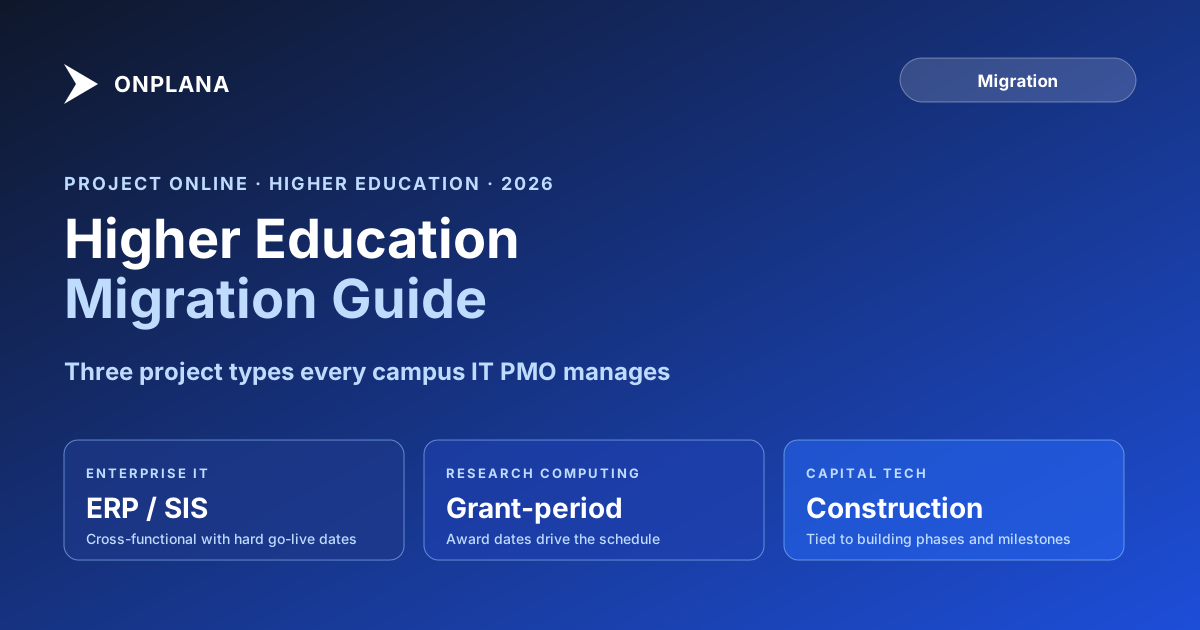
Project Online Higher Education Migration for Universities
Project Online higher education PMOs face EDU licensing gaps, FERPA obligations, and a mixed project portfolio. Here's the university IT migration guide.
Here is the pattern for Project Online higher education IT departments. The institution joined a Microsoft EDU agreement years ago. Project Online came as part of the bundle. Nobody budgeted for it specifically because the cost was embedded in the broader EDU licensing. Then the retirement announcement arrived, and the IT director asked: what replaces it, what does it cost, and where in the EDU agreement does the replacement live?
The answer is nowhere. Microsoft's official guidance points to Microsoft Planner Premium, which has a 3,000-task cap per plan and ten custom fields. A campus IT PMO managing a dozen simultaneous enterprise projects will hit those limits in the first month. The EDU agreement does not include a like-for-like replacement for Project Online, and the migration planning process has to start without assuming one exists.
Higher education PMOs face a specific version of the Project Online higher education migration problem: the licensing math changes, the compliance obligations differ, and the project portfolio contains types that commercial migration guides do not account for.
TL;DR Higher education PMOs migrating from Project Online do not have a free EDU-licensed replacement waiting for them. Microsoft Planner Premium has structural limits that make it unsuitable for institutional PMOs. Budget for a modern alternative, account for shared-governance procurement timelines, and start the inventory now. The Migration Cost Calculator can model the cost for your team size, and Onplana's free tier covers 2 projects for departments that need time to evaluate.
Why Project Online Higher Education Migrations Are Different
Commercial migration guides assume a fixed seat count, known project types, and a procurement process owned by a single buyer. Higher education PMOs face a different set of constraints.
EDU licensing complexity. Project Online licenses in academic institutions often come through volume licensing agreements negotiated by central IT or the CIO's office. Individual department PMOs may not know the per-seat cost because it is embedded in the institutional agreement rather than billed to a department budget. When the retirement forced an explicit replacement cost conversation, the surprise is the budget line, not the tool.
Shared governance. Colleges and universities have multiple stakeholders with authority over tool selection: IT leadership, the provost's office, faculty governance bodies, research administration, and sometimes individual deans. A PMO tool change that a corporate IT director approves in two weeks takes six to twelve weeks in a shared-governance institution. Build this into the timeline from the start.
Mixed project types. Campus IT PMOs rarely manage one type of project. A typical portfolio includes enterprise IT implementations (ERP migrations, SIS upgrades, cybersecurity programs), research computing infrastructure, and capital construction technology components. Each type has different scheduling patterns, resource models, and stakeholder audiences.
Microsoft EDU Agreements and What They Don't Cover
Microsoft's EDU agreements provide discounted or no-cost access to a defined set of products for eligible students, faculty, and staff. Project Online has historically been available at reduced cost through these agreements for institutions with qualifying enrollment tiers.
Project Online retirement did not automatically trigger a replacement product in the EDU catalog at comparable pricing. Microsoft's recommended successor for most use cases is Microsoft Planner Premium, included in Microsoft 365 Education A3 and A5 plans. Planner Premium provides basic Gantt, task assignment, and a project portfolio view. It also has hard structural limits:
- 3,000 tasks per plan
- 10 custom fields per plan
- No enterprise resource pool
- No multi-baseline support
- No .mpp import
A campus IT PMO managing an ERP implementation alone may hit the 3,000-task limit on a single project. An institution running ten to fifteen simultaneous enterprise programs cannot use Planner Premium as a Project Online replacement without losing most of the governance and reporting capability they relied on.
Evaluate Planner Premium honestly for your use case before assuming it resolves the migration. For most institutional PMOs, it does not.
Project Types in Higher Ed: IT, Research, and Capital
The diagram below shows the three distinct project types campus IT PMOs manage and the key scheduling characteristics of each.
Campus IT PMOs typically manage all three types simultaneously. A single PMO might be running an ERP upgrade, deploying research storage, and wiring a new science building in the same quarter. A PMO tool that handles all three types without separate instances is a meaningful operational advantage. The migration is an opportunity to consolidate rather than fragment.
FERPA and Research Data: Compliance During Migration
Most project management data is not covered by FERPA. In a university environment, however, the boundary is not always obvious. Project notes, resource assignments, and status records can reference student names when IT projects involve student systems staff, student worker assignments, or data about specific students used in project scoping.
Work with your institution's privacy officer before migration to identify which projects or project records touch student data. For those projects, the migration is a data transfer covered by FERPA's student record protection requirements: the data must move to a system with equivalent access controls, and the transfer must be documented.
Research data presents a related question. Research computing and grant-funded infrastructure projects tracked in Project Online may involve PI-sensitive research data or data covered by sponsor agreements. Verify with your research compliance office whether any project records are subject to data use agreements with federal sponsors before designing the export.
The Onplana security and compliance overview covers access controls, audit logs, encryption, and data residency options that research institutions commonly require.
The Pricing Reality After the EDU Agreement
For institutions that received Project Online at reduced or bundled EDU pricing, the migration conversation includes an honest accounting of what the replacement will cost. Three scenarios are most common.
Scenario 1: Planner Premium suffices. For departments with simple project portfolios, fewer than 500 tasks per project, and minimal custom field needs, Planner Premium through the existing Microsoft 365 Education plan may be adequate. The cost is effectively zero for institutions already licensing M365 A3 or A5. The trade-off is the structural limits described above.
Scenario 2: Modern PMO tool at market rate. For institutional PMOs that need full Gantt, multi-project portfolios, custom fields, and baselines, a modern PMO tool at market pricing is the realistic outcome. Budget $10 to $20 per seat per month for a capable tool. At 20 users, this is $200 to $400 per month. For a large institution with 100 PMO users, budget $1,000 to $2,000 per month. The Migration Cost Calculator models this for your specific team size and compares it against the cost of staying on Project Online through its final months.
Scenario 3: Free tier for evaluation or a very small portfolio. Several modern tools, including Onplana, offer free tiers with full feature sets. Onplana's covers 2 projects, which is enough for a department to run a real schedule end to end before committing budget, or to carry an office that genuinely only has one or two projects running at a time. A department holding three to five active projects will need a paid tier, which starts at $12 per seat per month.
Choosing the Right Replacement: Higher Ed-Specific Evaluation Criteria
Beyond the standard PM tool evaluation criteria, campus IT PMOs should add four higher-education-specific questions to the vendor evaluation.
Does it work with your institutional IDP? Campus environments use institutional identity providers: Microsoft Entra ID, Okta, Shibboleth. The replacement tool must support SAML 2.0 or OIDC SSO against your institutional IDP without requiring manual user management.
Can it handle grant-period constraints? Research projects run against grant end dates rather than business calendars. The tool should support project-level deadline enforcement and milestone tracking against award periods.
What is the data residency model? For institutions with FERPA obligations or research data agreements, confirm the vendor's data residency commitments before signing. Where does data reside? Who can access it under what conditions?
Is there nonprofit or education pricing? Several modern PM tools offer discounts for educational institutions. Evaluate these explicitly; EDU pricing can materially reduce the budget impact and close the gap between institutional expectations and market-rate tools.
The Higher Education Migration Timeline
Campus IT PMOs should plan for a longer procurement and migration cycle than commercial organizations. Shared governance adds four to six weeks to every major decision.
Per Microsoft's lifecycle documentation, Project Online retired on September 30, 2026. The timeline below now runs from what you exported.
Months 1-2: Inventory. Document all active projects, resource pools, and custom fields in your exported data using the Project Online Inventory Checklist as the starting framework. Identify which projects touch student data or grant data requiring FERPA or sponsor review.
Months 3-4: Tool evaluation and governance review. Present options to IT leadership and any governance bodies with authority. Allow time for the institutional procurement process; academic procurement cycles run four to eight weeks longer than commercial procurement.
Months 5-6: Pilot. Test with representative projects from each category: an enterprise IT implementation, a grant-funded research project, and a capital construction technology component. Verify SSO integration, IDP compatibility, and data handling in the pilot environment before any broader deployment.
Months 7-8: Wave migration. Migrate completed or low-activity projects first, then active enterprise programs with the most complex dependencies.
Month 9: Cutover and validation. Project Online retired on September 30, 2026, so validate each migrated project against its export rather than in a parallel run.
The general guidance in why Project Online migrations fail applies here with extra force: shared governance slows every decision, and the migration plan must build that time in rather than treating it as schedule risk to manage around. The full migration guide covers the governance sequence for moving projects in waves.
Model the cost comparison for your institution The free Migration Cost Calculator estimates what a Project Online replacement will cost at your team's license scale, including the comparison to staying on the tool through its final months. No signup required. → Open the Migration Cost Calculator
Microsoft Project Online™ is a trademark of Microsoft Corporation. Onplana is not affiliated with Microsoft.
Frequently asked questions
When did Microsoft Project Online retire for universities and colleges?
September 30, 2026. The retirement applied to all Project Online customers, including academic institutions with Microsoft EDU agreements.
Does a Microsoft EDU agreement provide a free replacement for Project Online?
No. Microsoft EDU agreements do not include a direct Project Online replacement. Microsoft Planner Premium is available through qualifying Microsoft 365 Education plans but has hard limits that make it unsuitable for most institutional PMOs.
What is the FERPA compliance obligation in a Project Online migration?
If your Project Online instance stores project data containing student records or records associated with specific students, FERPA applies to that data transfer. Work with your privacy officer to identify which projects touch student data before designing the migration.
Can Onplana support higher education project types including IT, research, and capital construction?
Yes. Onplana's project structure handles all three types without requiring separate tool instances. IT projects use Gantt and task workflows; research projects use grant-period milestones; capital construction projects use multi-baseline scheduling and resource tracking.
What does Onplana cost for a university PMO?
Onplana's free tier supports 2 projects with full features, enough for a department to evaluate on real work before budgeting. Paid plans start at $12 per seat per month with no seat minimums. The Migration Cost Calculator at /tools/migration-cost-calculator can model the cost comparison for your specific team size.
How long does a typical higher education PMO migration take?
Plan nine months from inventory through cutover, assuming standard shared-governance decision cycles. Commercial organizations can run the same migration in five to six months; the additional time for higher ed comes from institutional procurement and governance review processes.
Ready to make the switch?
Start your free Onplana account and import your existing projects in minutes.