Project Management Software for Government and Public Sector
Government project management software has to clear FedRAMP authorization, ATO, Section 508, and data residency gates that commercial PM evaluations skip.
Most project management tools that pass a government agency's feature checklist cannot legally hold the agency's data. That is the gap a commercial PM evaluation never surfaces, because a commercial evaluation asks whether the Gantt chart is good enough. A government evaluation has to ask a different question first: is this vendor even allowed to touch this data, under this agency's specific cloud environment, at this data sensitivity level.
The features rarely differentiate government project management software from anything else on the market. The authorization does. A PM tool with an excellent scheduling engine and zero FedRAMP authorization is not a shortlist candidate for a federal agency handling Controlled Unclassified Information, no matter how good the Gantt chart looks in a demo.
TL;DR. Government project management software has to clear gates a commercial evaluation skips entirely: FedRAMP authorization at the right impact level, an Authority to Operate that covers the new system, Section 508 accessibility conformance, and, for many agencies, a guarantee about where the data physically resides. Tools that run in a cloud environment the agency already controls can narrow several of these gates by working inside the agency's existing authorization boundary. The Onplana security and compliance overview covers the specific technical controls to verify in any vendor you evaluate.
Why Government PM Tool Evaluation Runs on a Different Checklist
A commercial PMO chooses a PM tool by weighing features, price, and rollout speed. A government PMO has to clear a set of legal and procedural gates before any of those factors matter. Four gates show up in nearly every government PM tool evaluation, and none of them appear in a typical commercial procurement checklist.
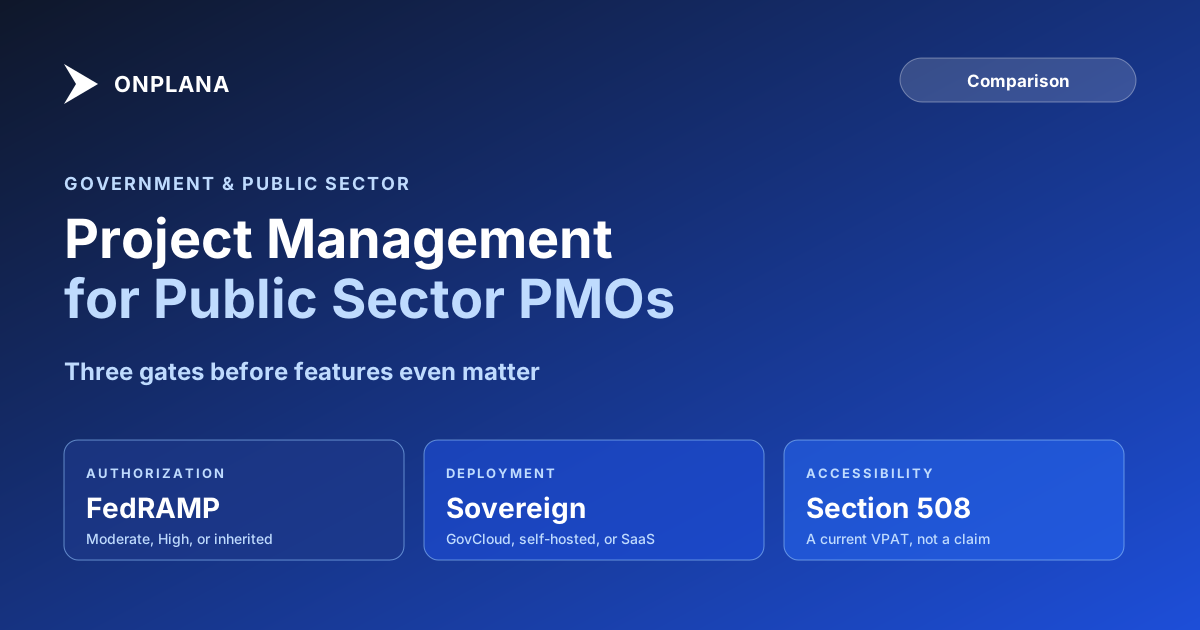
The authorization gate asks whether the vendor's cloud service holds FedRAMP authorization at the impact level your data requires, and whether that authorization covers the specific government cloud environment your agency runs in, GCC, GCC High, or a commercial environment. The data residency gate asks where the data physically lives and whether that satisfies your agency's sovereignty or classification requirements. The authorization-to-operate gate asks what happens to your agency's existing system security plan when you introduce a new tool into an authorization boundary. The accessibility gate asks whether the tool conforms to Section 508 for users with disabilities, a legal requirement, not a nice-to-have.
Skipping any of these four gates does not just create risk. It can make the tool legally unusable for the data you intended to put in it, discovered after the contract is signed rather than before.
FedRAMP Authorization Levels: What Low, Moderate, and High Actually Mean
Once you know the level you need, the ranking of the best project management software for government shows which vendors document it.
FedRAMP authorization exists because federal agencies need a standardized way to verify that a cloud service has been independently assessed against NIST 800-53 security controls, rather than trusting a vendor's own claims. Three impact levels apply, based on the harm a data breach would cause: Low, Moderate, and High.
Most operational government project management systems land at FedRAMP Moderate. The project data is sensitive enough that a breach would cause serious harm, financial loss, reputational damage, or operational disruption, but it is not the kind of catastrophic-harm data that requires FedRAMP High. High-impact systems, typically those handling data where compromise could cause severe or catastrophic harm to agency operations, individuals, or national security, require significantly more rigorous, and more expensive, controls to maintain.
The practical check for a government project management software evaluation: pull up the FedRAMP Marketplace directly and verify the tool's current authorization status and impact level. Do not rely on a vendor's website claim of "FedRAMP compliant," a phrase with no formal meaning. The marketplace listing shows the actual authorization, the sponsoring agency, and the impact level. If the tool is not listed and not in an active authorization process, it is not a legally usable option for federal data without an alternative path, discussed next.
Sovereign Cloud and Deployment: Where the Data Actually Lives
Government agencies split into roughly three deployment postures based on data sensitivity and existing infrastructure, and the right PM tool architecture differs for each.
The diagram below maps FedRAMP impact level against deployment model, showing where each of the three common government deployment postures lands.
Authorized SaaS. For agencies without strict data-sovereignty requirements, a PM tool with existing FedRAMP Moderate authorization deployed on the vendor's own compliant cloud is the fastest path. The authorization work is already done; your agency inherits it.
Deployment in an agency-controlled cloud environment. Some tools can run in a cloud environment your agency already controls, rather than only in the vendor's shared cloud. This matters most when your preferred tool is not yet FedRAMP authorized as a commercial SaaS offering, or when your agency has a sovereignty requirement that rules out shared third-party hosting. Your environment's existing authorization may cover the hosting layer, so the tool can become a system change within a known boundary rather than a net-new authorization. Confirm that with your Authorizing Official. For Onplana, this is Enterprise+. Onplana Enterprise+ is a dedicated deployment: Onplana sets up and runs a private copy of Onplana in your own Azure subscription, so your data stays in your environment.
Agency-operated network. For classified networks or IL5/6 requirements, the agency usually has to run the software itself on a network it operates, with a team that owns upgrades and backups going forward. Onplana does not fit this column. Enterprise+ is a service Onplana runs in your Azure subscription, not software your agency installs. How an Enterprise+ dedicated deployment works explains what Onplana sets up and runs, and what stays in your environment.
The ATO Question: What Changes When You Adopt a New Tool
Introducing a new PM tool into an agency that operates under FISMA is an information system change, not a routine software purchase. If the incumbent tool was covered under an existing Authority to Operate, either as a standalone system or bundled into a broader platform ATO, the replacement needs its own authorization before it can process government data.
The scope of that work depends heavily on the tool's existing authorization status. A tool with FedRAMP authorization lets your agency inherit the underlying assessment and layer agency-specific controls on top, compressing what would otherwise be a from-scratch NIST 800-37 Risk Management Framework cycle, categorize, select controls, implement, assess, authorize, into weeks rather than the twelve to twenty-four months a full authorization can take. A tool without any existing authorization, deployed on infrastructure with its own ATO, inherits that infrastructure boundary instead. Either path is faster than starting from zero.
Loop in your Authorizing Official's office before the technical evaluation gets too far along. An ATO conversation started early runs in parallel with the tool evaluation; one started after a tool is already selected becomes the blocker that delays the rollout by months.
Section 508 and Accessibility: The Requirement Everyone Forgets
Section 508 of the Rehabilitation Act requires that electronic and information technology procured by federal agencies be accessible to people with disabilities, covering screen reader compatibility, keyboard navigation, color contrast, and captioning where relevant. Many state governments have parallel accessibility statutes that apply the same standard to state procurement.
This gets skipped in PM tool evaluations more often than any of the other three gates, mostly because it does not show up in a feature demo unless someone specifically asks for it. The practical check: request a current Voluntary Product Accessibility Template (VPAT) from the vendor, not a general accessibility statement. A VPAT documents conformance criterion by criterion against the Section 508 standard, and its absence is itself informative. A vendor that cannot produce one has likely not run a real accessibility audit.
Multi-Agency Governance: Stage-Gates and Audit Trails
Public sector PMOs, particularly at the state and federal level, run projects through formal approval gates that mirror the private-sector stage-gate model but with an additional layer of public accountability: procurement milestones, legislative reporting requirements, and inspector-general audit access. A PM tool that treats a gate as a milestone label, rather than an enforced approval step with a preserved record of who approved what and when, does not meet that bar.
The stage-gate project management governance model applies directly here: named approval criteria per gate, a designated approver, and an audit trail that survives independently of the schedule. For a government PMO, that audit trail is not just a nice-to-have for internal reporting. It is frequently the record an inspector general or legislative oversight committee will ask to see.
Government Project Management Software Compared
The table below compares three deployment approaches across the dimensions that matter most for a government PMO tool decision.
| Dimension | Generic commercial SaaS | Legacy Microsoft-ecosystem PPM | Onplana |
|---|---|---|---|
| FedRAMP authorization | Rarely held | Inherited via Microsoft 365 GCC | Check scope with your Authorizing Official |
| Dedicated deployment in your own environment | No | No | Yes, in your own Azure subscription (Enterprise+) |
| Section 508 VPAT available | Varies by vendor | Yes | Yes |
| Governance and audit trail | Limited | SharePoint-based workflows (retired) | Native stage-gate pipeline with audit trail |
| Data residency control | Vendor-determined | Microsoft Azure regions only | Your own Azure subscription (Enterprise+) |
| Pricing | $10-25/user/month | $30-55/user/month plus M365 | Free to $29/user/month; Enterprise+ priced per deal |
A tool that is fast to authorize is not automatically the right long-term fit, and a tool with the deepest feature set is not usable at all if it cannot clear the authorization gate. The right answer weighs both, which is why the evaluation has to start with authorization and deployment model rather than ending there.
Making the Call
Government project management software selection starts with three questions a commercial evaluation never asks. Does the tool hold FedRAMP authorization at the impact level your data requires, or can it deploy on infrastructure your agency already operates under an existing ATO? What does introducing it do to your current authorization boundary, and how much of that assessment can you inherit rather than build from scratch? And does it produce a VPAT that actually documents Section 508 conformance rather than a marketing claim about accessibility?
For agencies replacing Project Online, which retired on September 30, 2026, the Project Online government migration guide covers the procurement vehicles that move faster than a standard RFP cycle. For a broader look at where Onplana's security controls stand relative to a Microsoft-ecosystem tool, Onplana versus Project Online on security walks through SSO, audit logging, and encryption side by side.
Microsoft Project Online™ is a trademark of Microsoft Corporation. Onplana is not affiliated with Microsoft.
Frequently asked questions
What FedRAMP authorization level does government project management software need?
It depends on the data the system handles. Most operational PMO systems land at FedRAMP Moderate; systems handling highly sensitive data need FedRAMP High. Check the FedRAMP Marketplace for the tool's current authorization status and impact level before committing to it.
Can a state or local government use a PM tool without FedRAMP authorization?
Federal agencies generally cannot use unauthorized cloud services for government data. State, local, and tribal governments have more flexibility and typically use NIST 800-53 controls as a baseline rather than requiring FedRAMP authorization outright, though many still prefer it.
Why does it matter for government if a PM tool can run in a cloud environment the agency controls?
Some PM tools can run in a cloud environment your agency already controls, rather than only in the vendor's shared cloud. Your environment's existing authorization may then cover the hosting layer. Confirm the scope with your Authorizing Official before you rely on it.
Does adopting a new PM tool require a new Authority to Operate?
Usually yes, if the tool processes government data covered by an existing ATO boundary. A tool with existing FedRAMP authorization lets your agency inherit that assessment and add agency-specific controls, which compresses the ATO timeline significantly compared to a from-scratch authorization.
What is Section 508 and does it apply to PM software?
Section 508 of the Rehabilitation Act requires federal electronic and information technology to be accessible to people with disabilities. Any PM software procured by a federal agency, and often by state agencies under parallel state statutes, needs a current Voluntary Product Accessibility Template (VPAT) documenting its conformance.
Can Onplana run in an environment my agency controls?
Onplana Enterprise+ is a dedicated deployment: Onplana sets up and runs a private copy of Onplana in your own Azure subscription, so your data stays in your environment. It is a service Onplana performs, priced per deal, not software your agency installs. Whether it fits an existing ATO boundary is a question for your Authorizing Official.
Ready to make the switch?
Start your free Onplana account and import your existing projects in minutes.