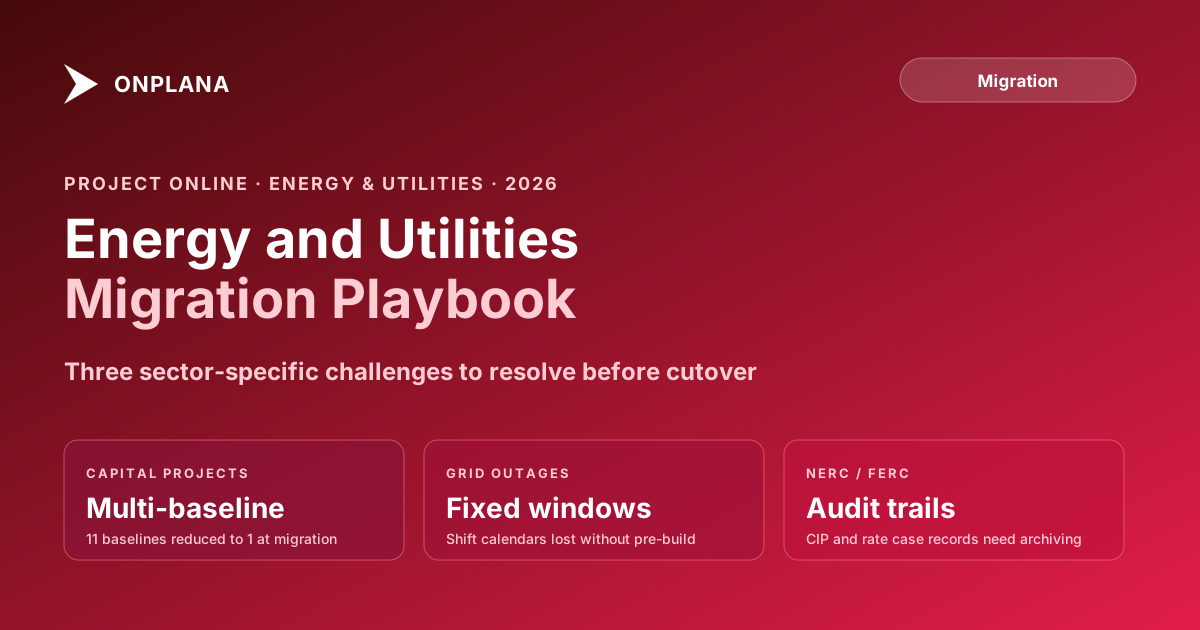
Project Online Migration for Energy and Utilities PMOs
Project Online energy PMOs face capital project baseline loss, outage constraints, and NERC compliance gaps migrating before the September 30, 2026 deadline.
Here is the pattern Project Online energy and utilities PMOs run into. A transmission utility has used the tool for eight years. The portfolio spans substation upgrades, line construction, and regulatory compliance programs. Projects run two to five years each, with multiple baselines documenting the original capital appropriation, revised cost estimates, and current forecasts. The migration team picks a representative project for the pilot and imports it into the candidate tool. It arrives looking reasonable. Three weeks later the finance team asks why the audit baseline from 2022 is missing. The destination tool only preserved the current baseline. The earlier ones are gone.
That missing baseline is not a data quality issue. For a capital project subject to FERC rate filings or internal capital project controls, losing that baseline is a compliance gap that audit will flag.
Project Online energy and utilities configurations look generic from the outside. They are not. Energy and utilities PMOs run their portfolios against a backdrop of regulatory oversight, fixed outage windows, and ERP integrations that tie project data to financial and asset management systems. A standard migration plan misses at least two of the three.
TL;DR Energy and utilities PMOs migrating off Project Online face three challenges a commercial migration plan will not address: multi-baseline loss for capital projects, outage schedule constraint fidelity, and NERC/FERC compliance documentation. Plan 14 to 20 weeks and verify all three during the pilot phase. Start with the free Migration Preview to check which baselines and constraints survive on your actual project files before committing to a destination tool.
How Energy PMOs Use Project Online Differently
Corporate PMOs use Project Online primarily for schedule and status management. Energy and utilities PMOs add three production-adjacent functions that complicate migration significantly.
Capital project tracking. Major infrastructure projects, grid upgrades, power generation installations, and pipeline construction carry approved capital budgets that appear in both the PMO system and the financial system of record. ERP project codes (SAP WBS elements, Oracle project numbers) are stored as Enterprise Custom Fields and cross-referenced by finance for capital expenditure reconciliation. The PMO system and the ERP are joined at the project level.
Outage and maintenance coordination. Planned outages for transmission maintenance, substation work, and generation unit overhauls have fixed windows: the grid operator grants the outage window, and the project must complete within it. These schedules use hard date constraints and shift calendars, exactly like manufacturing turnarounds, but with an additional layer: grid reliability requirements mean any overrun has system-level consequences.
Regulatory program management. NERC Critical Infrastructure Protection standards, FERC compliance programs, and environmental compliance projects generate their own project portfolios. These projects need audit trails that regulators can inspect years after project completion.
Capital Projects: The Multi-Baseline Compliance Problem
Energy capital projects go through several major cost-estimate milestones before completion. The initial capital appropriation establishes the approved budget. Engineering updates produce a revised estimate. Scope changes require a separate appropriation baseline. The current forecast represents the active working plan. A mature capital project might use three to five of Project Online's eleven supported baselines over its life.
Most destination PM tools support one baseline per project. The migration imports the current state and silently drops the rest. For a two-year capital program subject to internal audit or FERC rate case proceedings, losing earlier baselines is not a data quality issue: it is an audit finding.
The mitigation: export each historical baseline separately before migration. For each project in the capital portfolio, generate a dated export of each historical baseline and archive it in a document management system that auditors can access independently from the PM tool. The current-state data migrates to the new tool; the historical baselines migrate to the archive.
Before accepting one-baseline-only as an inherent limitation, verify it explicitly during the pilot. The free Migration Preview shows which baselines survive migration from your actual .mpp files. Some destination tools have expanded baseline support. If the tool your team is evaluating can preserve multiple baselines with the fidelity your capital accounting requires, document and test that capability on a real capital project file. Do not assume it will work without testing.
Grid Outage Schedules: Fixed-Window Constraints
Outage project schedules look similar to manufacturing turnaround schedules and fail for the same two reasons in migration.
The diagram below shows the constraint structure of a typical grid outage schedule and the two migration failure points that appear most often.
Constraint coercion. Project Online supports eight constraint types. Many destination tools support fewer. A Must Start On constraint may import as Start No Earlier Than, which allows the task to slip past the outage start. For a grid outage, a task starting two days late can push work into the re-energization window, with system reliability consequences.
Shift calendar loss. Outage work often runs on continuous shift coverage: 12-hour shifts, 24-hour crews, sometimes 7-day weeks. Project Online handles shift calendars at the enterprise level. Most destination tools default to the standard 8-hour workday unless shift calendars are explicitly recreated before import. A task scheduled for 3 days of continuous 24-hour work becomes a 9-day task under standard calendar math, blowing up the outage schedule.
Both failures are detectable in the pilot phase using a real outage schedule. Build the shift calendars in the destination tool first, then import, then validate task start dates and durations against the source. Do not approve a destination tool for an energy PMO without completing this test on actual outage data.
NERC CIP and FERC: What Compliance Requires From Your Archive
Utilities subject to NERC Critical Infrastructure Protection standards maintain project records to demonstrate compliance with CIP-007 (patch management), CIP-010 (configuration change management), and related standards. Projects touching bulk electric system assets generate audit evidence: who approved project start, what work was done, and what was the outcome.
FERC-regulated utilities filing rate cases often include capital project evidence: the original project scope, the approved cost estimate, and the final cost. If those records live in a Project Online tenant that goes dark on October 1, 2026, without a proper export and archive, your regulatory team may not be able to produce them on request.
The compliance export checklist for an energy PMO:
- Export project status history for all active and recently completed projects touching CIP-covered assets.
- Export all baseline snapshots, not just the current baseline, for capital projects subject to FERC rate filings.
- Export approval records from gate reviews and governance workflows, particularly for projects using SharePoint 2013 workflows that stopped running on April 2, 2026.
- Export resource assignment logs for CIP-relevant projects.
- Store all exports in a document management system with retention schedules matched to your regulatory obligations.
The Onplana security and compliance overview covers audit trail, access control, and encryption requirements relevant to regulated utilities. Review it against your specific compliance program before selecting a destination tool.
ERP Integration: The Asset Management Handoff
Energy PMOs commonly run SAP Plant Maintenance, Oracle EAM, or IBM Maximo alongside Project Online. ERP project codes are stored in Project Online as Enterprise Custom Fields, and ERP integration scripts query the PWA OData feed to read project spend and status for capital accounting.
When the migration moves project data, the custom field values move with it. What does not move: any integration that reads those values from the PWA OData endpoint. After cutover, the custom field data exists in the new tool, but the ERP query still points at the dead OData feed. Finance loses the ability to reconcile capital spend until someone diagnoses the root cause, which typically takes two to three weeks.
Prevent this by including the ERP integration team in Phase 1 scope. Document every system that queries PWA data, define the new data source for each, and validate the integration in the pilot environment before the cutover weekend. This is the same failure mode described in why Project Online migrations fail: the integration team learns about the dependency too late.
Deployment Options for Regulated Utilities
Regulated utilities have specific requirements about where data can reside. Three configurations are most common:
Cloud-agnostic SaaS with data residency options. For utilities without sovereign cloud requirements, a modern SaaS PM tool with configurable data residency and audit trail controls provides the lowest operational overhead. Verify the vendor's SOC 2 Type II and confirm their data residency options match your regulatory jurisdiction.
Deployment within your own cloud tenant. For organizations that need project data within their own AWS or Azure environment, a cloud-agnostic PM tool eliminates third-party data residency negotiation entirely. This is the preferred path for most CIP-regulated utilities: the software vendor provides the product, and the utility controls the data.
Self-hosted on-premise. For utilities with the strictest data isolation requirements, self-hosted deployment provides full control. The trade-off is operational overhead. Most utilities will not need this level of isolation for PM data unless a specific regulatory requirement mandates it.
The Energy PMO Migration Sequence
Energy and utilities PMOs should plan a modified migration sequence that accounts for the three specific challenges above.
Inventory (weeks 1-4). Standard inventory plus: classify active projects as capital, outage or maintenance, or regulatory compliance. Document ERP project code mappings. Identify outage projects with active windows through December 2026. List all enterprise calendars and shift calendar definitions. Document every system querying the PWA OData feed. Use the Project Online Inventory Checklist as the starting point, extended with energy-specific columns for each of these items.
Tool selection and pilot (weeks 5-8). Evaluate destination tools against four mandatory tests on real data: multi-baseline support on a capital project file, constraint fidelity on an outage schedule, shift calendar accuracy post-import, and ERP integration path confirmation. None of these can be assessed from vendor demos alone.
Compliance export (weeks 5-8, in parallel with tool selection). Do not wait for tool selection to complete the compliance export. Begin exporting NERC CIP and FERC-relevant project records as soon as the inventory identifies them. This work is independent of the destination tool choice.
Wave migration (weeks 9-16). Sequence matters. Migrate regulatory compliance projects first, because they have the most time-sensitive archival requirements. Migrate outage projects with upcoming windows next, so those schedules are in the new tool and validated before the outage window opens. Migrate capital projects last, because their primary risk is data fidelity, which can be managed through the archive approach.
ERP handoff and validation (weeks 17-20). Validate the first ERP reconciliation report after cutover with the finance team before any capital appropriation documents are produced. Confirm project codes are reading from the new data source and that the reconciliation logic produces correct results.
Per Microsoft's lifecycle documentation, Project Online retires September 30, 2026. An energy PMO starting now has roughly 16 weeks to complete this sequence. The Project Online migration checklist provides the general inventory framework to extend with energy-specific items. The full migration guide covers the governance framework for moving projects in waves without disrupting in-flight programs.
Run the free Migration Preview on capital project and outage schedules Upload a real .mpp file from your energy portfolio and see which baselines, constraints, and shift calendars survive migration before committing to a destination tool. No signup required. → Open Migration Preview
Microsoft Project Online™ is a trademark of Microsoft Corporation. Onplana is not affiliated with Microsoft.
Frequently asked questions
When does Microsoft Project Online retire for energy and utilities companies?
September 30, 2026. The retirement date applies to all Project Online customers, including energy, utilities, oil and gas, and renewable energy organizations.
What NERC compliance documentation is affected by a Project Online migration?
NERC CIP standards require audit-ready records for projects affecting bulk electric system assets. Before migration, export Project Online status history, approval records, and schedule baselines for any projects touching CIP-covered systems.
How do energy PMOs handle ERP integration after leaving Project Online?
SAP PM, Oracle EAM, and Maximo project codes stored as Enterprise Custom Fields migrate with the project data. However, ERP integration queries must be reconfigured to point at the new tool's API or export; the data moves but the integration does not auto-redirect.
Can grid outage project schedules migrate accurately from Project Online?
Most of the schedule data migrates, but outage window constraints (Must Start On, Must Finish On) and shift calendars often require manual verification. Validate these specifically during the pilot phase before committing to a destination tool.
What is the realistic migration timeline for a large energy PMO?
Plan 14 to 20 weeks for a large energy PMO portfolio: 4 weeks for inventory, 4 weeks for tool selection and pilot, 4 to 8 weeks for wave migration, and 2 to 4 weeks for ERP handoff and final validation. NERC CIP documentation work adds two to four weeks in parallel.
Is there a free replacement for Project Online for utilities companies?
Onplana's free tier supports up to two projects with all four dependency types and native .mpp import; the Gantt timeline, critical path, and baselines are on every tier, and resource capacity planning unlocks at Pro. Most energy PMOs will need a paid tier for portfolio breadth and for the resource capacity planning that capital projects depend on. The Migration Cost Calculator can estimate the license cost comparison for your team size.
Ready to make the switch?
Start your free Onplana account and import your existing projects in minutes.