Parallel Running Two Project Tools for 30 Days
Parallel running two project tools for 30 days works only if you name a system of record on day one and run the same five divergence checks daily.
Here is the pattern nobody plans for. Day five of parallel running: a PM opens the status report from Project Online. Then opens the same report from the new tool. The schedule finish dates are different by three days. The resource utilization percentages don't match. One tool shows the project green; the other shows it amber.
The PM files a support ticket. "The migration broke something." By afternoon, there are six tickets with the same message. The migration team spends two days investigating and finds nothing wrong. The parallel running discrepancy was structural, not a bug.
Parallel running two project tools, the old system of record and the new one, for up to 30 days is how a migration proves the new tool is correct before cutover. It works only when one rule is set before day one: name a single system of record for each metric, and run the same five-point divergence check (task count, percent complete, finish dates, resource assignments, and actual hours) on a fixed daily cadence instead of investigating each ticket case by case.
Both tools received the same source data. Both tools computed the schedule correctly given the data they had at their import points. The divergence happened because the data was at different points in time when each tool last saw it, because recalculation timing differed, and because the two tools apply slightly different rounding to working-hours math. None of that is broken. All of it needs to be managed.
The short version: Parallel running two project tools is a controlled experiment, not a bug hunt. Pick one system of record per metric type before day one, run the same five checks daily against a fixed tolerance, and only escalate what falls outside it. The goal is not zero divergence; it is proof that the new tool produces correct data and that your team can work in it.
Why Parallel Running Two Project Tools Always Diverges a Little
The same data produces different outputs when processed by two systems running on different schedules. This is not a statement about bugs; it is a statement about how asynchronous systems behave.
Five structural causes account for almost every divergence scenario:
Import timing gaps. If your new tool imports from Project Online via a nightly sync, Monday morning's status already reflects Friday's changes. But any edits made between Friday's sync and Monday morning exist only in Project Online. Both tools are correct; they are just at different points in time.
Recalculation triggers. Project Online recalculates the critical path and float whenever a save occurs. Modern tools recalculate on a different schedule or on demand. During parallel running, the new tool's schedule math may be a calculation cycle behind, making float values diverge by hours or days.
Baseline definition differences. Project Online supports eleven numbered baselines. Most migration imports bring over only Baseline 0 (the primary baseline). If any of your projects use Baseline 1 or above for variance reporting, the new tool will show different variance numbers because it is computing against a different baseline set than PWA is.
Rounding conventions. Working-hour calculations differ subtly between tools: some round to the nearest hour, some to the nearest tenth, some to two decimal places. On individual tasks these differences are invisible. Summed across a 1,200-task schedule, they produce percent-complete figures that differ by 1-3 percentage points.
Progress entry location. During parallel running, some PMs enter updates in the old tool and some enter them in the new one, because habits are slow to change. Data entered in the old tool only travels to the new tool at the next sync cycle. This is the most common reason two status reports look different on the same morning.
The Five Divergence Checks to Run Every Day
Understanding which metrics diverge most often focuses the triage effort. Run these five checks on the same projects, at the same time, every day of the parallel run:
Task count. The simplest check and the one that catches the worst problem: count open and total tasks per project in both tools. A gap of more than one or two tasks almost never means "still syncing"; it means something was dropped or duplicated on import. Investigate before trusting any other number from that project.
Schedule finish dates. The most frequently flagged divergence. Usually caused by recalculation timing or by a constraint in the original schedule that the two tools resolve differently. Validate by checking whether the task in question has a constraint other than "As Soon As Possible" and whether the two tools apply it consistently.
Percent complete. Commonly diverges by 1-5 percentage points due to rounding and update-cycle timing. If the divergence is larger than 5 points, investigate whether progress was entered in Project Online but not yet propagated to the new tool.
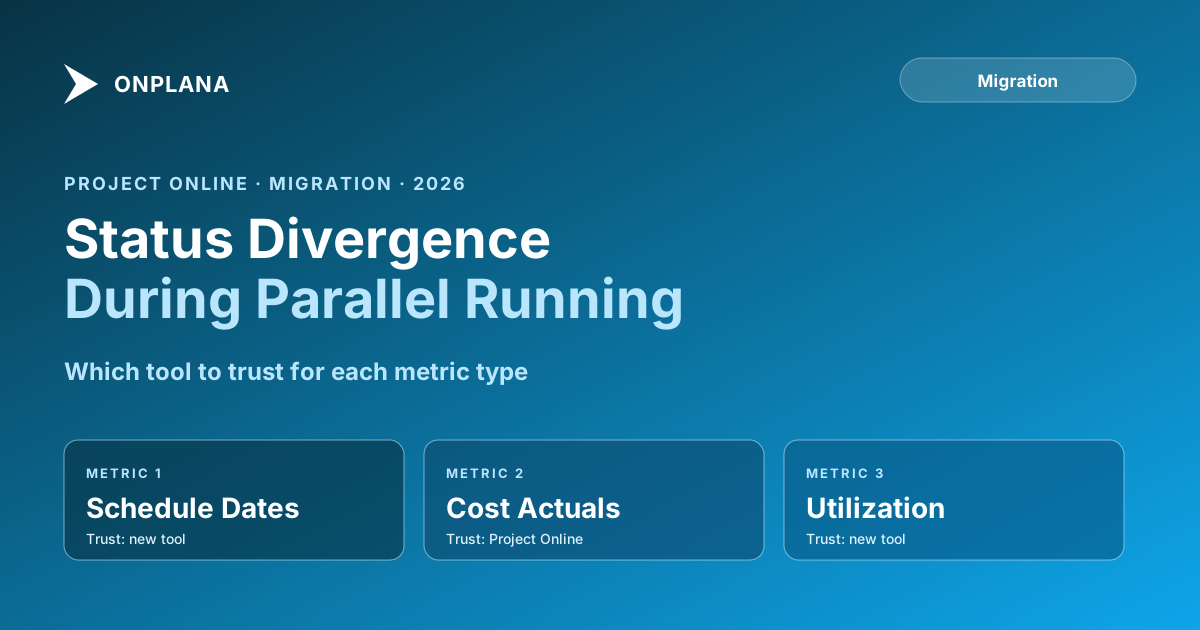
Resource utilization. The new tool with a unified resource pool will show different utilization from Project Online's per-file view for any resource appearing in multiple projects (see the resource conflicts post). This is not a bug; it is the resource model showing the real number once allocations are pooled instead of scattered across per-project files. Use the new tool as source of truth for utilization.
Cost actuals. Cost data often diverges because some cost integrations (invoices, time-entry approvals) feed Project Online but haven't been connected to the new tool yet. Use Project Online as source of truth for cost actuals until you verify that every cost feed has been reconnected on the new side.
Milestone status. Milestones that show complete in one tool but not the other almost always mean a task predecessor was updated in one system without propagating to the other. Check the import log for update gaps.
The diagram below maps each metric type to the recommended source of truth during parallel running.
Publish this map on day one of parallel running and share it with every PM. When a discrepancy surfaces, the PM looks up the metric type and knows which tool to trust before filing a ticket. That lookup is the standing rule: when the two tools disagree, the system of record for that specific metric wins by default, and nobody negotiates it project by project.
The five checks run on a fixed cadence, not whenever someone remembers:
| Check | Compare | Run it | Escalate if |
|---|---|---|---|
| Task count | Open and total tasks per project | Daily | Gap of more than 1-2 tasks |
| Percent complete | Rollup percent complete per project | Daily | Gap over 5 points |
| Finish dates | Project and critical-task finish dates | Daily | Gap over 1 day without a known constraint |
| Resource assignments | Named assignments per resource, per project | Every 2-3 days | Any assignment present in one tool and not the other |
| Actual hours | Logged actual hours per task | Weekly | Gap over 10% on a cost-tracked task |
A daily check takes one person about fifteen minutes once the source-of-truth map is published: pull the same project in both tools, read the five numbers, log anything outside tolerance. Weekly checks (actual hours, and a full re-read of the source-of-truth map) catch the slower drift that daily spot checks miss.
The One-Week Protocol
The goal of parallel running is not to reach zero divergence. It is to verify that the new tool produces correct data and that your team can work in it. Two weeks of parallel running, structured correctly, accomplishes this without running indefinitely.
Days 1-2: Lock the source-of-truth rules. Publish the map above, or your PMO's version of it. Set a hard policy: no new edits in Project Online after day one. All progress updates go into the new tool from this point forward. Data from Project Online is read-only reference.
Days 3-5: Run one full status cycle. Pick the two or three most complex active projects and run a complete status cycle through the new tool: update tasks, generate the status report, review with the project owners. If the report looks correct to the PM who knows the project, that is the most meaningful validation you can do.
Days 6-7: Compare the delta on each metric type. For each metric in the source-of-truth map, check whether the gap between the two tools is within expected bounds. Schedule dates within one day of each other: expected. Percent complete within 5 points: expected. Cost actuals diverging by more than 10%: investigate before proceeding.
Day 7: Decision meeting. If the two or three pilot projects look correct and the delta checks passed, declare the new tool as the primary system. Project Online stays available in read-only mode for a documented rollback window (typically two weeks), but active work moves to the new tool.
Use the Status Report Writer to generate the first round of status reports from the new tool. Comparing the AI-assisted summary against what the PM would have written manually is a useful sanity check: if the summary reads correctly, the underlying data is likely correct.
What to Tell Stakeholders
Stakeholders who see two different status reports from the same project during parallel running will escalate unless you get ahead of it. The communication is simple:
During the migration window, the PMO is operating two systems simultaneously to verify data integrity before committing to the new platform. Status reports from [date] forward will reference both systems where numbers differ. By [end of parallel running date], all reporting will come from the new tool only.
Do not apologize for the divergence. Do not frame it as a problem. Frame it as due diligence: the PMO is verifying correctness before cutting over, which is exactly what good migration governance looks like.
If a specific executive asks why the numbers differ, use the source-of-truth map: "For schedule dates, the new tool's calculation is authoritative. For cost actuals, we're using Project Online until we reconnect the invoice feed, which happens on [date]." Specific and factual beats general reassurance every time.
When Divergence Is a Stop Signal
Most divergence is expected and manageable. Some divergence signals a genuine problem that should pause the migration. Three patterns to watch for:
Systematic schedule compression or expansion. If the new tool is showing every project finishing three weeks earlier or two weeks later than Project Online, the import process changed something structural: a calendar, a resource availability setting, or a global lag value. Investigate immediately; this is not a rounding error.
Critical-path reversal. If Project Online identifies one task as critical and the new tool identifies a different task as critical on the same project, the dependency graph may have changed on import. Run the 90-day migration plan pre-flight checks and compare the critical paths side by side before proceeding.
Missing data. If a project has 80 tasks in Project Online and 73 tasks in the new tool, something was dropped in the import. This is a data-fidelity problem, not a divergence problem. Stop parallel running for that project and investigate the import log before re-importing.
The Migration Preview tool catches most of these before parallel running starts. Validating import fidelity on three representative projects before committing to the cutover date prevents the worst of the stop signals from appearing mid-parallel-running. For the broader context of how migrations fail at this stage, the why Project Online migrations fail post covers the cutover-week failure modes in detail.
When to End Parallel Running
The temptation at the end of parallel running is to extend it "just one more week." Resist this. Extended parallel running has real costs: PMs spend time maintaining awareness of two systems, data entry discipline degrades, and the old system starts feeling permanent again.
End parallel running when all three of the following are true:
- The import is current within 24 hours, meaning data in the new tool is never more than a day behind Project Online.
- A full status cycle has completed in the new tool with no showstoppers, meaning at least one weekly reporting cycle ran end-to-end using only the new tool.
- Your three most critical active projects look correct to their PMs, meaning the people who know these projects best have reviewed the data and signed off.
Those three conditions together are sufficient. Waiting for zero divergence is waiting for a condition that may never arrive; the tools will always differ slightly because they are different systems. Waiting for the PMs to feel ready without a structured sign-off criterion is waiting indefinitely.
Commit to the date. Run the parallel period as described. Make the decision on day seven.
Run the free Status Report Writer Generate your first post-migration status reports from the new tool in minutes. Compare the output against what you would have written manually as a data-accuracy sanity check. No signup required. → Open the Status Report Writer
Microsoft Project Online™ is a trademark of Microsoft Corporation. Onplana is not affiliated with Microsoft.
Frequently asked questions
Why do Project Online and the new tool show different status numbers during parallel running?
The two systems are live simultaneously, accepting data from different sources at different moments. The new tool may import a schedule snapshot while Project Online's live data has moved on. Recalculation timing, baseline definitions, and rounding differences all contribute to divergence.
Which tool should I treat as the source of truth during parallel running?
It depends on the metric. Use Project Online as source of truth for historical cost actuals and locked baselines. Use the new tool for current schedule math and resource utilization. Agree on these rules on day one and document them in a shared reference.
How long should parallel running last?
Two to four weeks for most PMOs. Shorter if you have fewer than 25 active projects and no complex Power BI integrations. Longer only if you discover systemic data-fidelity issues that need remediation, not as a buffer for indecision.
What is the most common source of parallel running discrepancy?
Progress-entry timing. Updates entered in Project Online on Friday haven't been imported to the new tool yet on Monday morning. The schedule looks different not because the tools disagree but because the data is at different points in time.
When should we stop parallel running and commit to the new tool?
When all three of these are true: the import is current within 24 hours, a full status cycle has completed in the new tool with no showstoppers, and your three most-critical projects look correct to their PMs. Those three conditions together are sufficient.
What is the biggest risk during parallel running?
PMs making actual schedule changes in Project Online because it feels more familiar, which then have to be re-entered in the new tool. Set a freeze on new edits in Project Online from day one of parallel running; allow updates only in the new system.
Ready to make the switch?
Start your free Onplana account and import your existing projects in minutes.