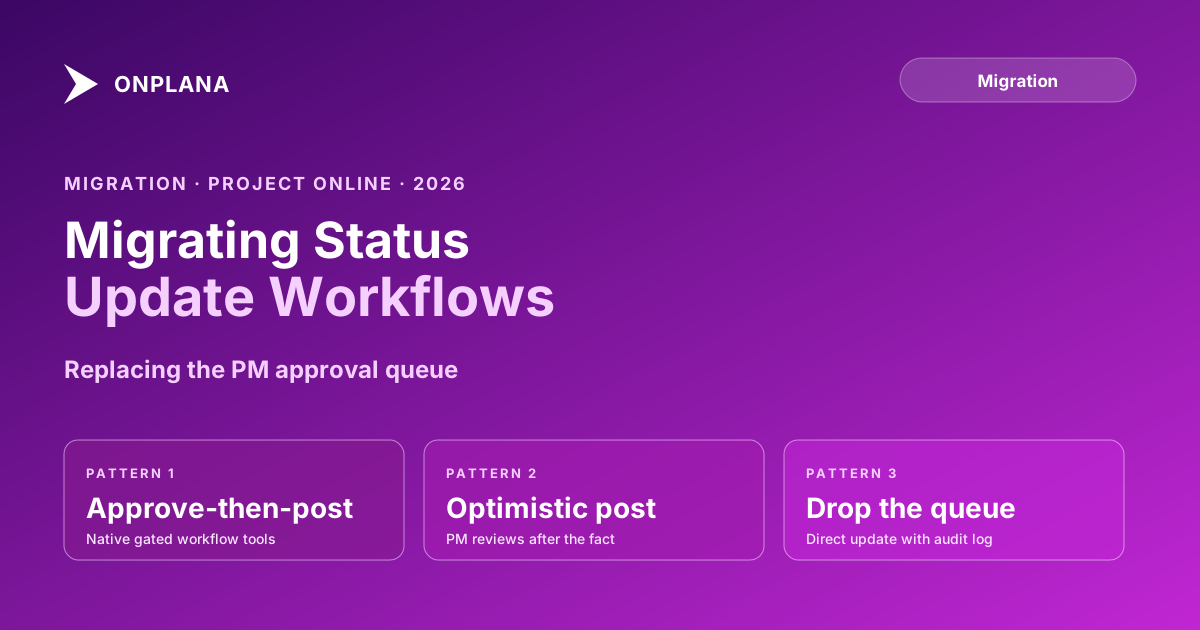
Migrating Project Online Status Updates and Task Update Workflows
Project Online status updates pass through a PM approval queue most modern tools drop. Three replacement patterns keep the gate when your PMO migrates.
The most under-planned workflow gap in every Project Online migration is not dependencies, not custom fields, and not the resource pool. It is the task update approval queue. Most teams don't notice it exists until it's gone.
Project Online status updates don't reach the schedule directly. A team member submits progress on a task, and that update lands in a holding queue. The PM reviews each pending update, accepts or adjusts or rejects it, and only then does the accepted change flow into the schedule and trigger a recalculation. This gated process is the PM's primary QA mechanism for schedule integrity. Most modern PM tools have no equivalent. Team members update tasks directly, the schedule changes immediately, and the PM has no approval step to intercept inaccurate or premature completions before they affect critical-path reporting.
TL;DR: Project Online routes all team member task updates through a PM-controlled approval queue before they reach the schedule. Most modern PM tools skip this gate and apply updates directly. Before cutting over, choose one of three replacement patterns: native approval workflow (if your destination tool supports it), comment-and-confirm, or direct update with a scheduled weekly PM review cycle. Which pattern fits depends on the sensitivity of your schedule to premature updates and the size of your team.
How Project Online Status Updates Actually Work
In Project Online, every task progress update passes through a four-step sequence before touching the schedule:
- A team member opens the My Tasks view and submits an update: percent complete, actual work, remaining work estimate. The update enters a pending state. The schedule has not changed.
- The PM opens the Task Updates screen and sees a queue of pending submissions. Each row shows the old value and the proposed new value side by side.
- The PM reviews each pending update individually, accepting it as submitted, modifying the value before accepting, or rejecting it and returning it to the team member with a comment.
- The PM applies the batch. Only at this point do accepted updates enter the schedule and trigger a recalculation.
This sequence gives the PM a meaningful QA gate. A team member who marks a task 100% complete prematurely doesn't close it in the schedule until the PM confirms. A team member who enters an incorrect remaining-work estimate doesn't shift critical-path dates until the PM reviews and adjusts. As listed in the Microsoft Project Online service description, "Task updates" and "Timesheet approvals" are distinct features in the feature table, because the task update queue and the timesheet approval queue are separate processes in PWA: a PM reviews task progress separately from approving hours, even when both involve the same tasks.
The diagram below contrasts the PWA gated update flow with the direct-update model used by most modern PM tools.
What the Approval Queue Does for Schedule Accuracy
The approval queue is not bureaucracy. It is a systematic check on three classes of input error that routinely degrade schedule accuracy.
Premature completions. Team members mark tasks complete before they actually are, either because they misunderstood the scope, because they consider "done enough" as done, or because they don't want a red status on their dashboard. In PWA, the PM catches these before they ripple through the schedule. In a direct-update model, the task closes and the successor potentially auto-starts before the work is finished.
Remaining-work errors. Team members consistently under-report remaining work. This is well-documented in schedule health research: when a task is at 60% complete and running over, team members often report "a few more days" of remaining work when the actual remaining effort is two weeks. In PWA, the PM can see the submitted remaining work, compare it against the baseline, and either accept the optimistic estimate or adjust it to a more realistic figure before the schedule recalculates.
Coordination timing. On projects with multiple interdependent resources, the PM uses the review queue as a synchronization point. Before accepting a cluster of updates that would trigger a set of successor tasks to start, the PM can verify that the preconditions are actually met. In a direct-update model, successors start automatically as soon as their predecessors are marked complete, without that verification step.
When you lose the approval queue, all three failure modes reappear in the schedule. The damage typically surfaces in the first status report cycle after cutover: tasks that shouldn't be closed are closed, remaining work is under-reported, and the schedule looks more optimistic than it should.
Why Modern PM Tools Often Drop the Update Gate
The approval queue is a deliberate design choice, not an oversight. Most modern PM tools are built around collaborative, real-time updates. The product philosophy is that direct access reduces friction and improves adoption: team members update tasks immediately from wherever they are, the schedule reflects current reality in real time, and the PM spends time on decisions rather than queue management.
That philosophy is appropriate for many team sizes and project types. A 6-person team on a 3-month project may have minimal need for a formal update gate. The PM knows every task personally and can correct errors in the weekly review without a formal approval queue.
The tradeoff becomes visible at PMO scale: 15 to 50 PMs managing schedules with 200 to 1,000 tasks each, with team members who range from experienced PM practitioners to contributors who primarily think of project management as an administrative overhead. For that population, the update gate is the mechanism that keeps the portfolio's schedule data reliable enough to report from.
For a deeper view of the other schedule accuracy risks that compound after migration, the 7 hidden killers in your MS Project schedule analysis covers the patterns that cause green schedules to lie.
Three Replacement Patterns for the Update Workflow
Before cutting over, choose one of the following three patterns. Configuring it during parallel running is not optional; teams that defer the decision discover the gap during the first week of live operation.
Pattern 1: Native task update approval. Some modern PM tools include a task update workflow with an approval gate, either as a core feature or as a configurable option. If your destination tool supports native update approval, configure it to match your current PWA workflow before cutover. Verify the approval model on at least one pilot project during parallel running to ensure the behavior matches what your PMs expect.
The key test: submit a deliberately incorrect update (overstated completion) on the pilot project, confirm it appears in the PM review queue rather than immediately in the schedule, verify that rejecting it returns it to the team member, and verify that accepting it (or a modified version) updates the schedule correctly.
Pattern 2: Comment-and-confirm. For destinations that don't have a native approval queue, implement a convention: team members post a comment on the task with their proposed update rather than directly editing the progress field. The PM reviews comments at a scheduled frequency (daily or twice-weekly), makes the actual progress edit based on the team member's comment, and replies confirming the update or requesting clarification.
This pattern requires discipline from team members and adds coordination overhead for the PM. It works best for smaller teams (under 10 PMs) where the total update volume is manageable and where the PM values the review step enough to enforce the convention.
Pattern 3: Direct update with a scheduled weekly PM review. Accept the direct-update model but replace the approval gate with a structured weekly review. The PM sets a convention: all team member updates are treated as provisional until the weekly schedule review on a named day. During the review, the PM audits the past week's updates, corrects over-optimistic completions, adjusts remaining work where it looks unrealistic, and checks that no successors started prematurely.
This is the lowest-friction pattern and the most common choice for teams moving from PWA to a direct-update tool. It accepts the loss of the real-time gate in exchange for a simpler daily experience for team members. The tradeoff is a one-week window during which the schedule can show incorrect state. For projects where week-level accuracy is sufficient, this is an acceptable tradeoff.
Choosing the Right Pattern for Your Team
The right pattern depends on four variables: the sensitivity of your project to premature schedule updates, the size of your team, the experience level of your contributors, and the capabilities of your destination tool.
Use Pattern 1 if your destination tool supports it and your PMO operates in a regulated environment where schedule accuracy at each review cycle is an audit requirement.
Use Pattern 2 if your team is small enough for the PM to personally review every comment, and if the volume of daily updates is low enough that queue management doesn't become a bottleneck.
Use Pattern 3 for the majority of teams migrating from PWA. Direct updates with a weekly review preserve reasonable schedule accuracy without creating a coordination overhead that frustrates team members or slows the PM's response time.
Whatever pattern you choose, document it before parallel running begins. Put the convention in writing, communicate it in your migration training, and enforce it on the pilot project before relying on it for the full portfolio. The project-online-migration-checklist-2026 has a workflow-configuration section; add your chosen update pattern as a named item with acceptance criteria.
The Parallel Running Reality Check
Parallel running with two tools exposes this problem faster than any pre-migration planning exercise. During parallel running, team members update tasks in the new tool, and the PM continues to manage the PWA approval queue to keep the reference schedule accurate. After the first week, most teams notice one of the following: the new tool's schedule looks more optimistic than PWA because direct updates are accepted without adjustment; or the PM is doing double work (reviewing and adjusting in both tools) and one of the two schedules is falling behind.
Use the parallel running period to calibrate your chosen replacement pattern, not to defer the decision. The status-report-writing-guide-2026 covers how to use status reports as the ongoing quality check on schedule accuracy once the approval queue is no longer in place. Pairing the weekly PM review with a structured status report cycle is the most common approach for teams that choose Pattern 3.
Configuring the Replacement Now
Microsoft Project Online retired on September 30, 2026. The task update approval queue retired with it: there was no way to export the workflow configuration or the pending update history to another tool. What you can take forward is the practice: the PM's habit of reviewing task updates before accepting them as schedule truth.
Write down the old update rhythm from your PMs while it is still fresh: how often team members submitted, how often the PM reviewed, the types of adjustments the PM routinely made to submitted updates, and the average lag between a team member's submission and the PM's acceptance. These numbers help you set reasonable expectations for the replacement pattern and calibrate the weekly review cycle to match the old review cadence. The schedules themselves come from what you exported: Project Online Data: Import What You Exported covers bringing them in.
The Schedule Health Check can be run against your source and destination schedules during parallel running to identify divergence in task completion rates and remaining-work estimates between the two systems. That divergence is the measurable signal that your replacement update workflow is or isn't maintaining schedule integrity.
Run the free Status Report Writer Generate a structured weekly status report from your project data in about two minutes. Synthesizes milestone status, schedule variance, and risks into executive-ready format. No signup required. → Open the Status Report Writer
Microsoft Project Online™ is a trademark of Microsoft Corporation. Onplana is not affiliated with Microsoft.
Frequently asked questions
How does Project Online handle task updates differently from most modern PM tools?
Project Online routes every team member task update through a PM approval queue before the change reaches the schedule. Most modern PM tools apply updates directly and immediately, with no intermediate review step.
What is the task update approval queue in Project Online?
The Task Updates screen in PWA shows all pending team member submissions. The PM reviews each one, accepts or rejects it, and only accepted updates change the schedule. Rejected updates are returned to the team member with a comment.
What happens to the task update workflow when you migrate off Project Online?
The approval queue is a PWA feature, not a data object. It does not migrate. You need to choose and configure a replacement workflow before cutover, or your PMs lose the review gate that protects schedule accuracy.
Can I replicate the Project Online task update approval in a modern PM tool?
Some tools support native task update workflows with an approval step. Others require a workaround such as a comment-and-confirm process or a weekly PM review cycle. The right pattern depends on how strictly your team needs to gate schedule changes.
What is the risk of losing the update approval gate in migration?
Without a review step, team members update tasks directly and the schedule reflects those changes immediately. On projects where schedule accuracy is critical, this produces premature task closures and incorrect critical-path calculations that only surface at the next status review.
Does the task update workflow affect the critical path calculation in Project Online?
Yes. Because only approved updates enter the schedule in Project Online, unapproved updates do not shift task dates or move the critical path. After migration to a direct-update model, every team member change immediately recalculates the schedule, including the critical path.
Ready to make the switch?
Start your free Onplana account and import your existing projects in minutes.