Capacity Planning vs Resource Planning: Portfolio vs Task
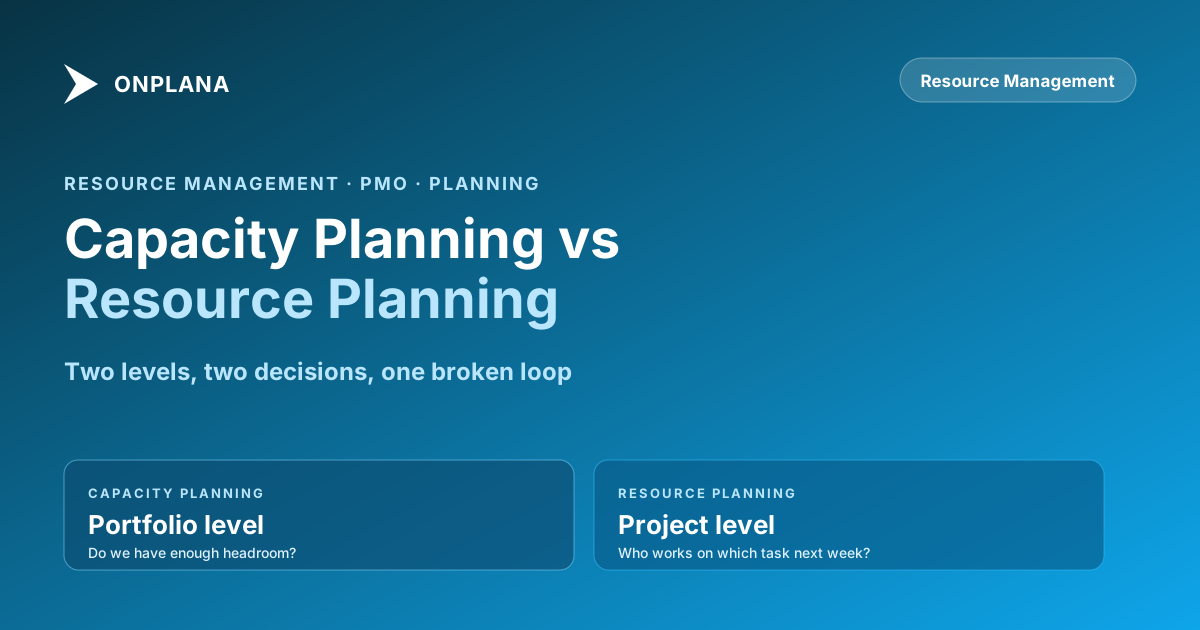
Capacity planning vs resource planning: one is portfolio-level headroom, the other is task-level assignment. PMOs that conflate them get neither right.
Ask any PMO director whether they do resource planning. You'll get a yes before you finish the sentence. Ask whether they ran their capacity model for Q3, and the answer is usually a pause, then a description of the same resource planning activity.
Capacity planning vs resource planning is not a terminology debate. They are different processes operating at different organizational levels, on different cadences, and answering different questions. A PMO that conflates them gets one emergent failure: resources that look fine at the project level are chronically overloaded at the portfolio level, and nobody can explain why project timelines keep slipping even though each PM reports their team is "at capacity."
This post clarifies the distinction, explains why conflating the two creates real delivery problems, and describes what each process needs to work correctly.
TL;DR. Capacity planning works at portfolio level: does the organization have enough resources, in the right mix, to deliver the project pipeline over the next quarter? Resource planning works at project level: who works on which tasks next sprint? Both are necessary. When they get run as the same activity, the result is a resource plan that looks fine for any individual project while the portfolio silently overcommits. The fix is not a better tool. It is recognizing that the two questions live at different organizational altitudes and need separate inputs, outputs, and owners.
What capacity planning actually is
Capacity planning answers a portfolio-level question: given the current project pipeline and the current resource pool, does the organization have enough capacity to deliver what it has committed to?
The inputs to capacity planning are aggregates. The project pipeline is the demand side: how many person-weeks of work is currently approved, in flight, or likely to be approved in the next quarter? The resource pool is the supply side: how many people, across which roles and skill areas, are available at what percentage? The hiring plan adjusts supply forward: when do new hires arrive, when do contractors roll off?
The output of capacity planning is a portfolio-level signal, not an individual assignment. "Engineering is at 94% capacity for Q3 with current commitments, and Project X's expected start date will push that to 108%" is a capacity planning output. It tells the portfolio committee that approving Project X without a delay or a resourcing action will overcommit engineering. It does not say who will be overloaded or on which specific tasks.
Capacity planning runs on a monthly or quarterly cadence for most PMOs. The decisions it informs are portfolio-level: which projects get approved, which get delayed, when to hire, when to engage contractors. These decisions require PMO director-level authority or above. A PM cannot make them unilaterally because they require trading off resources across projects the PM doesn't own.
The most common capacity planning failure is running it at the wrong frequency. A PMO that capacity-plans annually and resource-plans weekly is flying blind for 51 weeks at a time. Capacity conditions change as projects are added, delayed, or completed. Monthly or quarterly re-runs keep the model current enough to be actionable.
What resource planning actually is
Resource planning answers a project-level question: who specifically works on which tasks over the next sprint or planning horizon, given their availability and the project's schedule?
The inputs to resource planning are specifics. The schedule is the demand side: which tasks are coming up, what dependencies constrain their start, and how long is each expected to take? The resource calendar is the supply side: who is available, on which days, and for how many hours? Vacation, training, part-time allocations, and concurrent project commitments all reduce availability from the theoretical maximum.
The output of resource planning is an assignment plan: Alice is on Task A-1 Monday through Wednesday, Bob is on Task B-2 all week, and the scheduled delivery of the integration module depends on both completing before end of sprint. This is the level at which overallocation becomes visible: Alice was assigned 42 hours of work in a 40-hour week.
Resource planning runs weekly or at sprint boundaries for most teams. The decisions it informs are project-level: which tasks get prioritized when capacity is constrained, which resources can absorb additional work, and which tasks need to be rescheduled when a team member is unavailable. The PM owns these decisions.
A resource planning failure looks different from a capacity failure. When resource planning goes wrong, specific individuals are overloaded while the PM believes the team is "at capacity." When capacity planning goes wrong, the organization as a whole is overloaded while each PM believes their individual project is adequately staffed.
Why the two processes get conflated
Three structural factors push PMOs toward treating capacity and resource planning as one activity.
Most tools show project-level data. Standard PM tools display assignments, workload, and availability at the individual-project level. They don't naturally aggregate across projects to show portfolio-level capacity. A PM looking at their project's resource view sees their team at 85% utilized. They don't see the other projects that engineer is also assigned to. Portfolio-level capacity requires tooling that aggregates across projects, which most individual-project scheduling tools don't provide.
Small teams don't have scale separation. At a portfolio of 3 to 5 projects, the PMO director often knows the resource pool well enough to hold portfolio capacity informally in their head. Capacity planning and resource planning merge because the director can see both levels simultaneously. When the portfolio grows to 15 or 20 projects, the informal mental model breaks down, but the process doesn't upgrade to match.
Both processes involve "resources." The word "resource planning" gets used to describe both activities because both deal with people and their time. A PMO that says "we resource-plan every sprint" may actually be doing project-level assignment planning while calling it capacity planning. The confusion is linguistic as much as structural.
Capacity planning vs resource planning: how they differ
The table below compares the two processes across eight dimensions. This comparison is the fastest way to identify which process a PMO is actually running when they describe their "resource planning."
| Dimension | Capacity Planning | Resource Planning |
|---|---|---|
| Organizational level | Portfolio | Project |
| Planning horizon | Quarterly to annual | Weekly to sprint |
| Primary question | Do we have enough headroom? | Who does what task, when? |
| Decision maker | PMO director, exec sponsor | Project manager |
| Demand input | Project pipeline, estimated effort | Project schedule, task list |
| Supply input | Resource pool size, hiring plan | Resource calendars, availability |
| Output | Go/no-go on projects, staffing decisions | Assignment plan, workload balance |
| Failure mode | Overcommitting the portfolio | Overallocating individuals |
The most actionable column in this table is the failure mode row. If the delivery problem you're experiencing is portfolio-wide (projects across the organization are slipping, PMs are frustrated but no single project looks obviously broken), the root cause is almost always a capacity planning failure. If the problem is localized (a specific engineer or skill set is consistently the bottleneck, individual projects are slipping because of one overloaded person), the root cause is almost always a resource planning failure.
Applying a resource planning fix to a capacity problem produces short-term relief and medium-term recurrence. Shuffling assignments within projects doesn't change the fact that the portfolio has 30% more work committed than the resource pool can deliver. The work has to be rescheduled, de-scoped, or resourced differently at the portfolio level.
How errors at each level look different in practice
The diagram below illustrates the two levels and how each level's failure mode propagates.
A capacity planning error at the portfolio level looks like this: the portfolio committee approves Project Gamma because each PM reports their team is operating below full capacity. At the project level, each PM is correct: no individual project is overloaded. But each project has claimed the same 10% of headroom from the same three senior engineers. When Project Gamma starts, all three engineers hit 110% to 130% utilization. Slippage begins on all three projects simultaneously and no PM understands why, because their resource view shows the same utilization it showed last sprint.
A resource planning error at the project level looks like this: a PM assigns Bob to two overlapping tracks without checking Bob's calendar, which shows two days of vacation and a cross-team training session that week. Bob is now assigned 48 hours of productive work in a 32-hour available week. The PM reports the sprint as on track until Wednesday, when Bob flags that he cannot complete both tracks.
Both errors are common and both are preventable. The capacity error is prevented by running a portfolio-level capacity model before approving new work. The resource error is prevented by running a task-level availability check before committing the sprint plan.
What your tools need to support each process
Capacity planning and resource planning have different data requirements that most single-tool setups struggle to meet.
For capacity planning, you need a view of the project pipeline (demand) against the resource pool (supply) in aggregate. This means a tool that can roll up effort estimates across all active and pipeline projects and compare them against available capacity by role or skill. Most per-project PM tools don't provide this view out of the box. If your PM tool shows you individual project assignments but not portfolio-level demand-versus-supply, you're missing the input that capacity planning needs. The gap is usually bridged with a spreadsheet model or a portfolio-layer tool.
For resource planning, you need task-level assignment data matched against availability calendars. This is where the Resource Heatmap tool becomes directly useful: upload a .mpp file and it computes weekly utilization per resource, surfaces overallocation hotspots, and shows where specific individuals are at risk for the coming weeks. This is a project-level view, which is exactly what resource planning requires. It shows you where Bob is at 130% in week 3, but it doesn't tell you whether approving Project Gamma was the right portfolio decision.
Knowing which tool to reach for, and why, requires knowing which level of the problem you're solving. A resource heatmap is not a substitute for a portfolio capacity model, and a portfolio capacity model can't tell you which specific tasks to reassign when an engineer is overloaded.
Building the loop between the two processes
Capacity planning and resource planning are not independent. They form a constraint loop: capacity planning sets the ceiling for what the portfolio can commit to, and resource planning provides the ground-truth data that keeps the capacity model honest.
The connection runs in both directions. Capacity planning downward: when the portfolio committee approves or delays projects based on capacity analysis, the resulting project schedule changes flow into the resource planning process. PMs resource-plan within the portfolio-approved scope. Without this connection, PMs plan resources as though every project will run as originally scoped, which ignores the portfolio-level decisions already made.
Resource planning upward: the utilization data from actual project-level resource plans feeds back into the capacity model. If resource heatmaps consistently show 120% utilization in a role that the capacity model estimated at 80%, the capacity model's assumptions are wrong. The discrepancy should trigger a revision of the capacity model's inputs, not an acceptance that overallocation is normal.
The review cadences that make the loop work: capacity planning at monthly or quarterly intervals, resource planning at sprint or weekly intervals, and a connecting review at monthly intervals where the PMO director looks at resource planning outputs and asks whether they reveal any capacity assumptions that need updating.
For PMOs managing matrix organizations where resources are shared across projects and departments, the loop is more complex because the resource pool itself is contested. The resource manager role is the position that holds this loop together: one person who sees both the portfolio demand and the individual resource calendars, and can flag when the two diverge. In organizations without a dedicated resource manager, the PMO director typically absorbs this function. The matrix resource allocation challenges that most PMOs describe as "coordination friction" are usually a symptom of the capacity-resource planning loop being broken rather than a problem with individual PM behavior.
Understanding the root cause of resource overallocation almost always traces back to one of these two levels: either the portfolio was overcommitted at the capacity planning stage, or assignments were made at the project level without checking portfolio-level headroom. The fix at each level is different. Identifying which level failed is the diagnosis that changes the intervention.
Run the free Resource Heatmap Upload your .mpp file and get a weekly utilization heatmap by resource in about 30 seconds. See exactly where individual contributors are overloaded before the sprint plan commits them. No signup required. → Open the Resource Heatmap
Frequently asked questions
What is the difference between capacity planning and resource planning?
Capacity planning asks whether the organization has enough people, in the right mix, to deliver the project portfolio over a defined horizon. Resource planning asks which specific people work on which specific tasks over the next sprint or two. Capacity is a portfolio-level question; resource planning is a project-level activity.
Which should a PMO do first: capacity planning or resource planning?
Capacity planning sets the constraints that resource planning operates within. A PMO that runs resource planning without capacity planning will consistently discover it has committed to more projects than it has capacity to deliver. Start with capacity, then plan resources against the headroom you've confirmed.
What data does capacity planning need?
Capacity planning requires three inputs: the project pipeline (which projects are approved, proposed, or likely to be approved), the resource pool (how many people, in which roles, at what availability), and the hiring plan (expected additions or losses over the planning horizon). Without the pipeline, you can't model demand. Without the pool and hiring plan, you can't model supply.
What data does resource planning need?
Resource planning needs the project schedule (tasks, durations, and dependencies), the resource calendar (who is available and when), and the assignment model (which resources can do which tasks). Portfolio-level constraints from capacity planning set the ceiling; resource planning works within that ceiling at the task level.
How do you know if your PMO has a capacity problem or a resource planning problem?
Capacity problems appear as portfolio-wide delivery slowdowns: projects across the entire portfolio are slipping, not one project. Resource planning problems appear as localized overallocation: specific individuals or skill sets are consistently bottlenecked while others are underutilized. The fix is different in each case.
What tools support capacity planning versus resource planning?
Capacity planning requires portfolio-level tooling that shows demand (project pipeline) against supply (resource pool) in aggregate. Per-project PM tools don't provide this view. Resource planning is supported by task-level scheduling tools that track assignments, availability, and workload by individual. Some tools offer both; most offer only the project-level view.
Can a small PMO run both capacity and resource planning?
Yes, but the cadences differ. Capacity planning at monthly or quarterly intervals is enough for most PMOs with fewer than 20 active projects. Resource planning runs weekly or at sprint boundaries. A small PMO director can own both, but they're mentally separate activities requiring different data and producing different outputs.
Ready to make the switch?
Start your free Onplana account and import your existing projects in minutes.