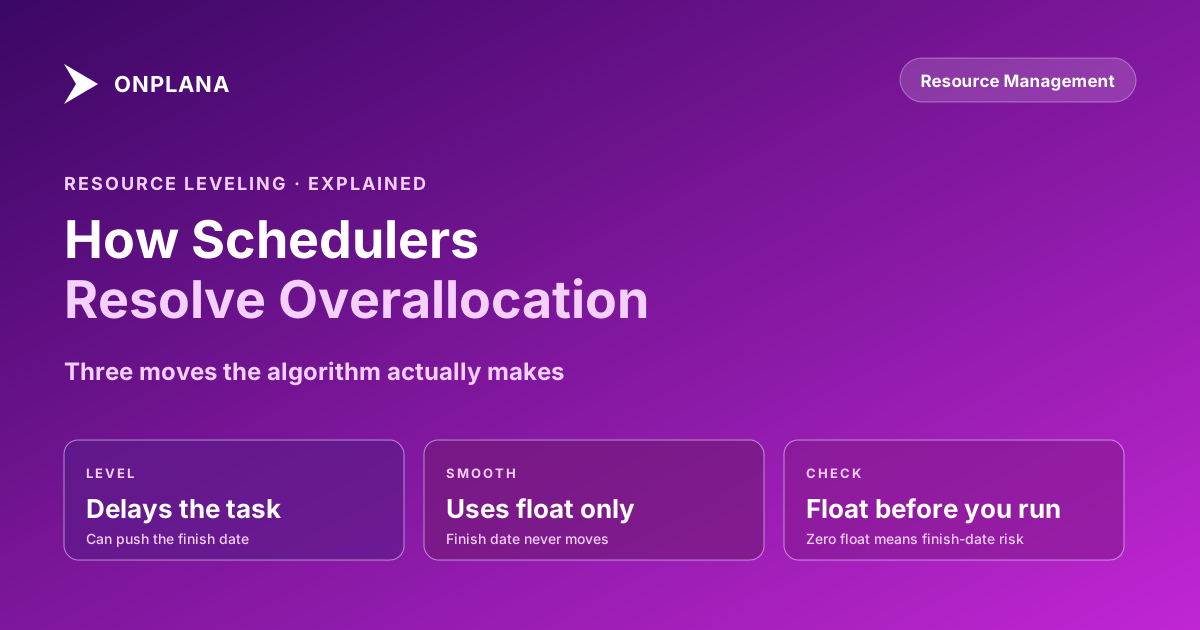
Resource Leveling: How Schedulers Resolve Overallocation
Resource leveling delays or splits tasks to fix overallocation, but the fix isn't free. What the leveling algorithm optimizes for, and when to run it by hand.
Your plan says Sara does 14 hours of work on Tuesday. She doesn't have 14 hours on Tuesday. Somewhere between the moment two tasks landed on her calendar and the moment anyone actually opened the resource sheet, the schedule quietly stopped describing reality.
Resource leveling is the mechanism that's supposed to catch this before it becomes Sara's problem instead of the schedule's. It's also one of the most misunderstood tools in a scheduler's kit: praised as an automatic fix, blamed for schedules that slip for no visible reason, and run by most PMs without much sense of what it's actually doing underneath the button.
TL;DR. Resource leveling resolves overallocation, a resource assigned more work than their capacity allows in a given period, by delaying tasks, splitting them, or stretching their duration until every assignment fits inside available capacity. It's different from resource smoothing, which makes the same kind of adjustment but only within existing float, so the project end date never moves. Leveling can move your end date; smoothing can't fix everything. The algorithm optimizes for the mathematically smallest total delay, not for which delay your sponsor will tolerate, which is exactly why experienced schedulers still level by hand on anything that matters.
What Resource Leveling Actually Does
Every task in a schedule carries an assumption: the resource assigned to it is available for the hours the task requires, when the task requires them. Resource leveling exists because that assumption breaks constantly. Two PMs assign the same senior engineer to overlapping work in good faith, a task's duration compresses without anyone rechecking the resource's other commitments, or a resource's calendar changes after the plan was built. The result is overallocation: a resource assigned more work in a given period than their maximum units allow.
Resource leveling, in the standard project-management definition, is a scheduling technique used to resolve resource conflicts by delaying or splitting tasks so that resource demand never exceeds availability. Leveling resolves that by adjusting the schedule, not the assignments. It doesn't remove work from anyone's plate. It moves when the work happens: delaying a task's start until the resource frees up, splitting a task into chunks that fit around other commitments, or extending a task's duration so the same total effort spreads over more calendar time at a lower rate per day. The scope and the assignments stay identical. Only the timing changes.
That distinction matters because leveling gets blamed for problems it didn't create. A leveled schedule that finishes three weeks later than the unleveled version isn't broken; it's telling you the truth the unleveled version was hiding. The overallocation was always going to cost three weeks somewhere. Leveling just makes the cost visible instead of leaving it as a debt the team pays later in unplanned overtime and missed dates.
The diagram above shows the mechanism at its smallest scale: two tasks that overlap on Tuesday, one delayed to Wednesday until the total fits inside Sara's 8-hour day. Multiply that single conflict by a schedule with hundreds of tasks and dozens of resources, and you have what a leveling engine is actually doing every time it runs.
Leveling vs. Smoothing: Two Different Fixes for the Same Problem
Resource leveling and resource smoothing solve the same underlying problem, an overallocated resource, but they answer a different question about what the scheduler is allowed to sacrifice.
Leveling is allowed to move the project end date. If resolving an overallocation means pushing a task past its original finish, and that task sits on the critical path, the whole project's finish date slides. Leveling treats the end date as negotiable in exchange for a schedule that's actually achievable.
Smoothing is not allowed to move the project end date. It only shifts tasks within their existing float, the slack a task already has before it would delay anything downstream. Smoothing is the more conservative option: it fixes what it can fix without touching the finish date, and if a resource's overallocation can't be resolved using available float alone, smoothing simply can't solve it. The conflict stays on the resource sheet, unresolved, waiting for a human decision.
The practical rule most schedulers land on: run smoothing first, since it's free (no end-date cost), then run leveling on whatever smoothing couldn't clear. A schedule that reports "fully smoothed, zero overallocation" without ever needing leveling is the best possible outcome; a schedule that needs leveling is telling you honestly that the original plan asked for more capacity than exists. See resource smoothing vs resource leveling for a worked example that runs both techniques against the identical conflict and shows exactly where they diverge.
What Does the Leveling Algorithm Actually Optimize For?
Most leveling engines, whether built into desktop scheduling software or a modern web-based PM tool, share the same basic objective: minimize total schedule delay while respecting three constraints. First, dependency logic: a successor task still can't start before its predecessor finishes. Second, each resource's maximum units: nobody gets assigned more than their calendar allows, once leveling has run. Third, a priority ranking, either task priority values you set explicitly or an implicit rule like "later-starting tasks get delayed before earlier ones."
Inside those constraints, the algorithm is doing constrained optimization, not judgment. It has no concept of which task the sponsor is watching most closely, which resource is about to go on leave and shouldn't be pushed further out, or which delay will trigger a contract penalty versus which one nobody will notice. It picks the delay combination that produces the smallest total schedule impact according to its own math, and that math is blind to everything the PM actually knows about the project's politics.
This is the single most common misunderstanding about automatic leveling: PMs run it expecting a smart recommendation and get a mechanically correct one instead. The two aren't the same thing. A leveling run that delays the CFO's pet deliverable by four days because it happened to have the lowest priority number in the file is mathematically optimal and organizationally disastrous, and the tool has no way to know that in advance.
Why Does Leveling Push Your End Date Without Warning?
Leveling pushes the end date exactly when the overallocated task has no float left to absorb the delay, which usually means it sits on or feeds into the critical path. A task with 15 days of float can be delayed a week without moving anything else; a task with zero float delayed even one day pushes every downstream task that depends on it, including, eventually, the finish date itself.
The reason this feels like it happens "without warning" is that overallocation and float are tracked in different places in most schedulers, and PMs rarely cross-reference them before running leveling. The resource sheet shows who's overbooked. The network diagram shows who has float. Nobody's overallocation looks dangerous until leveling connects the two and the finish date jumps by two weeks in a single run.
The fix isn't to avoid leveling. It's to check float on the specific overallocated tasks before leveling runs, not after. A task showing red on the resource sheet with 20 days of float remaining is a minor scheduling adjustment. The identical red flag on a task with zero float is a finish-date event, and it deserves a different level of attention before anyone clicks the leveling button and finds out the hard way.
Automatic Leveling vs Manual Leveling: When Each Wins
Automatic leveling is the right first move on schedules where the stakes of any individual delay are low and the schedule is too large to level task-by-task by hand: a portfolio-wide resource cleanup, a first-pass sanity check on a schedule with hundreds of tasks, or a schedule where no single task carries outsized political weight. Let the algorithm find the mechanically smallest delay, then review what moved.
Manual leveling wins the moment a delay decision has consequences the algorithm can't see. A task tied to a contractual milestone, a deliverable the CFO checks personally, or a resource who's already stretched thin on morale, not just hours, all need a human choosing which task absorbs the delay, not a priority number set six months ago and forgotten. Manual leveling is slower, but it's the only version that can weigh "which delay will the business actually tolerate" against "which delay is mathematically smallest," and those two answers frequently disagree.
The practical pattern most experienced schedulers converge on:
- Run automatic leveling first, on the whole schedule, to see the scale of the problem and find the low-stakes conflicts it resolves cleanly.
- Review every delay leveling produced on or near the critical path. These are the ones with finish-date consequences, and they're the ones worth a second look before accepting the algorithm's choice.
- Manually reassign or re-sequence the high-stakes conflicts the automatic pass got mechanically right but organizationally wrong: the CFO's deliverable, the contractual milestone, the resource who's already at breaking point.
- Re-run leveling on the remainder once the high-stakes exceptions are handled by hand, to catch anything the manual changes newly overallocated.
- Document why any task was manually excluded from leveling. A task marked "do not level" with no explanation becomes a mystery the next PM has to re-solve from scratch.
Reading a Leveled Schedule Without Getting Fooled
A schedule that shows zero overallocation after leveling is not automatically a healthy schedule; it's a schedule where every conflict has been mechanically resolved, which is a different claim. Three checks catch what a clean leveling report hides.
First, check how much the finish date actually moved and whether anyone signed off on that new date. Leveling can quietly extend a schedule by weeks in a single run, and if that new finish date never gets communicated past the resource sheet, the sponsor is still operating off the old one.
Second, check whether leveling split any tasks into fragments. A six-week task chopped into three two-week pieces around other commitments technically resolves the resource conflict, but task-splitting introduces its own cost: context-switching for the resource, more handoff risk, and a task that's genuinely harder to track to completion than one continuous block of work.
Third, and this is the gap leveling can never close on its own: a single project file only sees the resources assigned within that file. A resource who looks perfectly available in three separate project schedules can still be triple-booked across all three at once, because no single file's leveling engine has visibility into the other two. The math behind that specific failure mode, and how it forms invisibly even when every individual PM made a reasonable assignment, is worth understanding before trusting any single-project leveling report as proof that a resource is genuinely available.
Catching that kind of cross-project conflict before it turns into a leveling surprise is exactly what a portfolio-level view is for. Run your .mpp or MSPDI export through the free Resource Allocation Heatmap to see weekly utilization across every task a resource is carrying, not just the ones in the file currently open, before you decide which delays leveling should be allowed to make.
What Resource Leveling Can't Fix
Leveling resolves a resource being over capacity within the tasks it can see. It has no way to fix problems that live outside that scope. It can't tell you that a resource is technically available but lacks the skill the delayed task actually needs, so pushing the timeline doesn't help if the replacement work still requires the same specialist. It can't account for a resource's calendar exceptions that were never entered into the schedule in the first place, an approved sabbatical nobody updated, a part-time arrangement recorded as full-time. And it can't see capacity commitments made outside the formal schedule entirely: the "quick 8-hour architecture review" a third PM verbally requested and never scheduled anywhere leveling can find it.
Those gaps are the reason resource leveling is a tool inside a capacity-planning discipline, not a replacement for one. The algorithm keeps the math honest once the inputs are correct. Getting the inputs correct, accurate maximum units, real calendars, every commitment actually entered into the schedule, is still a human responsibility no leveling run can substitute for.
Teams migrating off tools with mature built-in leveling, including Microsoft Project Online's Enterprise Resource Pool leveling, should treat this as the checklist item it actually is: verify the destination tool's leveling respects the same maximum units, calendar exceptions, and dependency logic the old schedule relied on, rather than assuming "has a leveling button" means "levels the same way."
Find overallocation before you level Upload a
.mppor MSPDI file to the free Resource Allocation Heatmap and see weekly utilization across every resource in about 30 seconds, including the cross-project conflicts a single file's leveling report can't show you. No signup required. → Open the Resource Allocation Heatmap
Microsoft Project Online™ is a trademark of Microsoft Corporation. Onplana is not affiliated with Microsoft.
Frequently asked questions
What is resource leveling in project management?
Resource leveling is the process of resolving overallocation, a resource assigned more work than their available capacity in a given period, by delaying tasks, splitting them, or extending their duration until nobody exceeds their maximum units.
What is the difference between resource leveling and resource smoothing?
Leveling resolves overallocation by delaying tasks even if that pushes the project end date. Smoothing resolves it by shifting tasks only within their existing float, so the end date never moves, but smoothing can't fix every conflict.
Does resource leveling always push out the project end date?
Only when the overallocated task sits on or near the critical path, or when there's not enough float elsewhere to absorb the delay. Leveling a task with slack to spare often has no effect on the finish date at all.
Should I run resource leveling automatically or do it by hand?
Automatic leveling is fine for a first pass on a large, low-stakes schedule. Manual leveling wins whenever the delay choice has political weight, since the algorithm has no idea which task a sponsor actually cares about.
What does a resource leveling algorithm actually optimize for?
Most leveling engines minimize total schedule delay while respecting task priority, dependency logic, and each resource's maximum units. They don't know which delay is acceptable to the business, only which delay is mathematically smallest.
Can resource leveling fix overallocation across multiple projects?
Only if every project shares the same resource pool and gets leveled in the same session. A resource who looks fine in three separate single-project files can still be double- or triple-booked across all three at once.
Ready to make the switch?
Start your free Onplana account and import your existing projects in minutes.