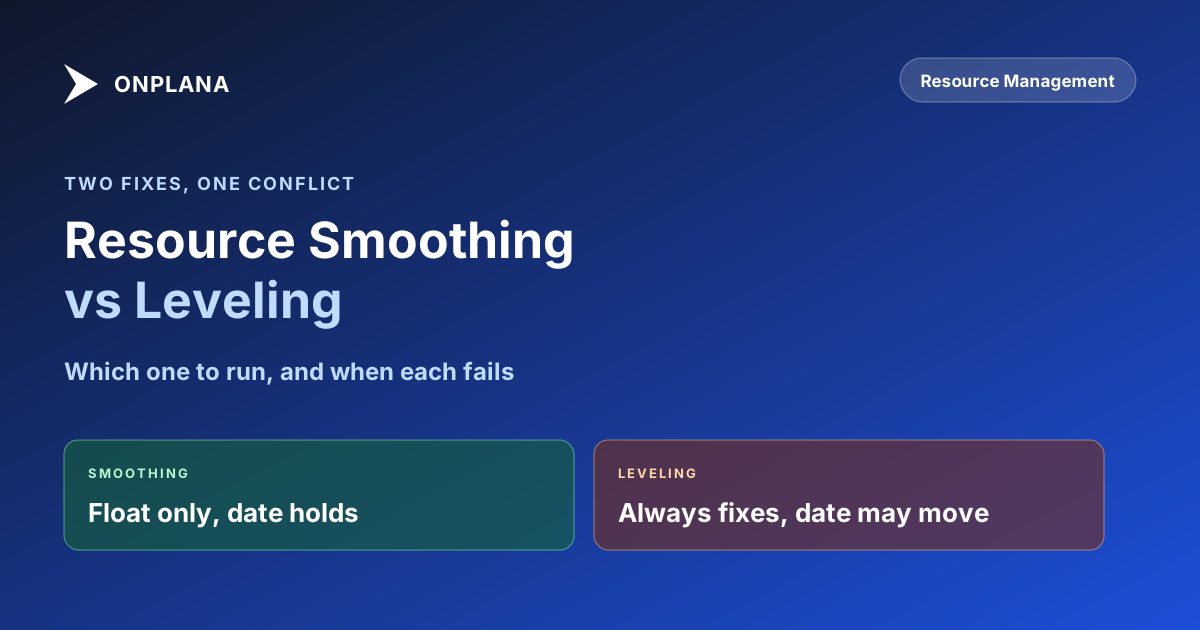
Resource Smoothing vs Resource Leveling: Which to Run
Resource smoothing keeps the end date fixed by using existing float; resource leveling moves the date when float runs out. Here is when to run each.
"Just run resource leveling" and "just smooth it out" get used as if they mean the same fix. They do not, and treating them as synonyms is how a PM ends up surprised that a schedule they "leveled" quietly pushed the finish date by three weeks. Resource smoothing fixes overallocation without moving the end date, by using slack that already exists on non-critical tasks; resource leveling fixes it completely, even if that means the end date moves.
The direct answer: smoothing and leveling both resolve a resource assigned more work than their capacity allows, but they answer to different constraints. Smoothing only shifts a task within its own float, so it can fail silently once that float runs out, leaving some overallocation unresolved rather than moving the date. Leveling has no such ceiling: it will delay or split a task by whatever amount is needed, and the project finish date absorbs the cost. Neither one is the "better" technique in general; each is correct for a different question.
Resource smoothing trades completeness for a fixed end date: it resolves overallocation only as far as existing float allows and stops there. Resource leveling trades the end date for completeness: it always resolves the conflict, by pushing the finish date if that is what it takes. Which one belongs on a given task depends on whether the deadline or the resource conflict is the thing you are actually not allowed to move.
Only 36 percent of organizations always or mostly complete projects on time, according to Wellingtone's State of Project Management 2026 report, and an overallocated resource pool that never got smoothed or leveled correctly is one of the most common reasons the other 64 percent slip.
Resource Smoothing vs Resource Leveling: The Core Difference
| Dimension | Resource Smoothing | Resource Leveling |
|---|---|---|
| Goal | Fix overallocation without moving the end date | Fix overallocation completely, even if the end date moves |
| Constraint it respects | Existing float on the conflicting task | None; it consumes float and then moves the finish date |
| What it changes | Timing of non-critical tasks, within their slack | Timing of any task, critical or not |
| Can it always fix the conflict? | No, only when float covers the whole conflict | Yes, by definition, since it moves the date to whatever it takes |
| Effect on the critical path | Never touches it | Can extend it if a critical or near-critical task is delayed |
| Best used when | The deadline is fixed and float exists | The deadline can move, or float is already exhausted |
| What you report afterward | "Fixed, same end date" | "Fixed, new end date is X" |
Resource smoothing: pros and cons. It costs nothing in schedule terms, since the end date never moves, and it is the obvious first move whenever float exists. Its failure mode is quiet: run against a conflict bigger than the available float, and smoothing simply cannot finish the job, sometimes without an obvious warning that part of the overallocation is still there.
Resource leveling: pros and cons. It is a guaranteed fix and an honest one, since the new finish date reflects the schedule's actual capacity rather than a hopeful one. The cost is the same honesty: leveling can push a date a sponsor was not expecting to see move, which is a harder conversation than "we absorbed it in slack."
The Same Overallocation, Two Fixes: A Worked Example
Take one schedule, one overallocated engineer, and the identical conflict run two ways to see exactly where the techniques diverge.
Task 1, API integration, 5 days, days 1 to 5, sits on the critical path with zero float, for an engineer. Task 2, bug triage, 3 days, was scheduled days 3 to 5 for that same engineer, overlapping Task 1 on days 3 through 5. Clearing the double-booking means starting Task 2 no earlier than day 6, once Task 1 releases the engineer, a required shift of 3 days off its original finish date.
Version A: Task 2 has 4 days of float before its own successor is affected.
| Before | After | |
|---|---|---|
| Task 2: bug triage | Days 3-5, double-booked with Task 1 | Days 6-8, a 3-day shift, using 3 of the 4 days available |
| Float remaining | 4 days | 1 day |
| Project finish date | Unaffected by this fix either way | Unchanged; the shift fit entirely inside existing float |
The required shift (3 days) fits inside the available float (4 days), so smoothing closes the conflict with a day to spare and nothing downstream moves. This is a pure smoothing fix.
Version B: Task 2 has only 1 day of float before its own successor is affected, because that successor was scheduled sooner.
| Before | After | |
|---|---|---|
| Task 2: bug triage | Days 3-5, double-booked with Task 1 | Days 6-8, the same required 3-day shift |
| Float available | 1 day | 0 days, fully consumed |
| Successor / project finish date | On its original date | Pushed 2 days, the amount the shift exceeded available float |
The required shift is still 3 days, the conflict has not changed. But float only covers 1 of those 3 days, so smoothing cannot finish the job without leaving part of the double-booking unresolved. Leveling absorbs the remaining 2 days by pushing the successor, and with it the project finish date. Same conflict, same tasks; the only variable that decided which technique could finish the job was how much float was actually there to spend.
When Smoothing Can't Fix It
The diagram below is the decision every overallocation conflict actually reduces to.
The practical rule that falls out of the tree: run smoothing first on every conflict, since it is free when it works. Whatever is left unresolved once a conflict's float is exhausted is precisely the set that needs leveling, which keeps leveling, and the date conversation it forces, limited to the cases where it is genuinely unavoidable.
Seeing the Conflict Before Choosing Either One
Both techniques assume you already know where the overallocation is, and that assumption breaks down the moment a resource is booked across more than one project file. A per-project view shows each plan's own assignments and looks fine in isolation, which is exactly how a resource ends up at 170 percent of capacity with no single schedule showing the full picture. Portfolio-level resource leveling and smoothing decisions both depend on seeing every commitment against a person at once, which single-file views cannot do. The same visibility gap is what drives overallocation in multi-project environments generally, and it is worth closing before deciding which fix a given conflict needs.
Run your .mpp or MSPDI export through the free Resource Heatmap to see weekly utilization across every task a resource carries, not just the ones in the file currently open, before deciding whether a conflict has enough float to smooth or needs the harder leveling conversation. The rest of the scheduling and resource practice covered here lives on the Onplana blog.
Run the free Resource Heatmap Upload your project files and see cross-project utilization in a single view in about 30 seconds, the picture that tells you whether a conflict has float to spare before you choose smoothing or leveling. No signup required. → Open the Resource Heatmap
Microsoft Project Online™ is a trademark of Microsoft Corporation. Onplana is not affiliated with Microsoft.
Frequently asked questions
What is the main difference between resource smoothing and resource leveling?
Resource smoothing fixes overallocation by shifting tasks only within their existing float, so the project end date never moves, but it fails whenever the conflict exceeds available float. Resource leveling fixes overallocation completely by delaying or splitting tasks even if that pushes the end date.
Does resource smoothing ever change the project end date?
No, and that is the whole point of choosing it. Smoothing only reassigns work inside slack that already exists on non-critical tasks. If a conflict cannot be absorbed by that slack, smoothing cannot resolve it; the conflict has to go to leveling or stay unresolved.
When does resource leveling become necessary instead of smoothing?
As soon as the overallocation exceeds the float available on the conflicting tasks. At that point smoothing has nothing left to shift, and leveling takes over by delaying or splitting the task, accepting a later finish date as the cost of a genuinely fixed schedule.
Can I run resource smoothing and resource leveling on the same schedule?
Yes, and most real schedules need both. Run smoothing first on every conflict with float to spare, since it costs nothing. Whatever conflicts remain after smoothing are the ones that genuinely need leveling, which narrows leveling to the cases where a date change is unavoidable.
Does Microsoft Project do resource smoothing automatically?
Most scheduling tools, Microsoft Project included, automate resource leveling from a menu command. Resource smoothing is usually a manual judgment call, since it depends on knowing which task's slack is safe to spend and which delay a sponsor will actually tolerate.
Ready to make the switch?
Start your free Onplana account and import your existing projects in minutes.