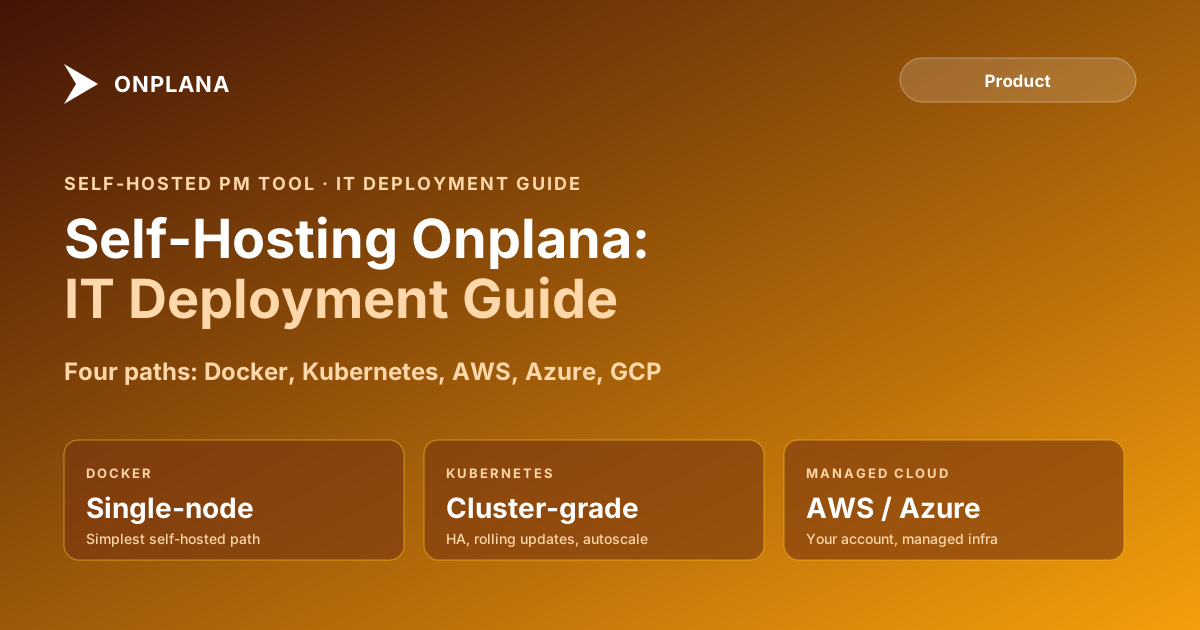
Self-Hosting Onplana: Deployment Guide for IT Operations
A self-hosted PM tool keeps project data in your infrastructure. Four Onplana deployment paths, minimum requirements, and the IT team decision framework.
The question most IT teams ask before evaluating a self-hosted PM tool is: "Can we deploy this?" The question they should ask first is: "Do we want to own this in two years?"
The technical lift for self-hosting Onplana is real but bounded. You deploy the application, configure your database, set up your object storage, and connect your identity provider. That takes one to three days for an experienced DevOps engineer. What comes after deployment is less bounded: upgrades, monitoring, backup validation, incident response, and capacity scaling are ongoing responsibilities that don't end when the initial deployment succeeds.
This guide covers the four deployment paths, the minimum infrastructure requirements for each team size, the configuration checklist, and the framework for deciding whether self-hosting is the right call for your organization.
TL;DR: Self-hosting Onplana removes your project data from Onplana's cloud and puts it on infrastructure you control. That resolves data-residency, sovereignty, and compliance requirements that SaaS can't satisfy. It also creates infrastructure, upgrade, and monitoring responsibilities that require internal capacity. The four deployment paths (Docker single-node, Docker Compose, Kubernetes, managed cloud) differ in operational complexity, not feature availability. The SaaS and self-hosted tiers ship the same application features.
Self-hosted vs SaaS: the decision framework
The choice between self-hosted and SaaS is not primarily a technical decision. It's an operational commitment decision. The diagram below shows the four paths through the decision.
The three questions that determine the right path:
Question 1: Do you have a data-sovereignty or compliance requirement? If your organization requires that project data stays within a specific geographic boundary, a specific cloud provider's environment, or on-premises infrastructure, SaaS is not the right answer. Move to question two.
Question 2: Does your IT team operate a Kubernetes cluster or have the capacity to? Kubernetes provides high availability, rolling deployments, and horizontal scaling. It also requires operational expertise. If your team runs a cluster today, use it. If not, managed cloud services (AWS ECS or EKS, Azure AKS, GCP GKE) provide Kubernetes without the control-plane management overhead.
Question 3: Do you have more than 200 users or require high availability? Below 200 users, Docker single-node or Docker Compose is sufficient and far simpler to operate. Above 200 users or with a hard availability requirement, move to a clustered deployment path.
The four deployment paths
Path 1: Docker single-node. Onplana's application and database services run in containers on a single host. This is the lowest-overhead self-hosted path: one server, one docker run command per service, one backup target. Right for teams of up to 50 users who need self-hosted for data-residency reasons but don't want to operate distributed infrastructure.
The tradeoff: if the host goes down, the application goes down. There is no automatic failover. For teams that can tolerate a one-to-four-hour recovery window during host maintenance or failure, single-node is the right tradeoff.
Path 2: Docker Compose. Multiple services defined in a docker-compose.yml file, deployed on one or two hosts. The application, database, Redis cache, and object storage proxy run as named services with explicit networking between them. This is the right starting point for most self-hosted deployments: more explicit than single-node, simpler than Kubernetes.
Docker Compose documentation covers the service definition format and networking model in detail. Onplana's deployment package ships a reference docker-compose.yml with all required services defined.
Path 3: Kubernetes. Onplana's Helm chart defines the full deployment: application pods, PostgreSQL (or external RDS/Cloud SQL), Redis, ingress, and horizontal pod autoscaler. This path requires a running Kubernetes cluster. In return, it provides rolling updates with zero downtime, automatic pod restart on failure, and horizontal scaling as user load grows.
Right for organizations that already operate Kubernetes, have a cluster available, and need high availability. Not the right choice for teams that would have to build and maintain a Kubernetes cluster from scratch solely to run a PM tool.
Path 4: Managed cloud. AWS ECS, AWS EKS, Azure App Service, Azure AKS, or GCP GKE manage the container orchestration. Your team configures the Onplana application via the cloud provider's tooling, connects to a managed PostgreSQL service (AWS RDS, Azure Database for PostgreSQL, Cloud SQL), and sets up managed object storage for file attachments.
This path combines the data-sovereignty benefit of self-hosting with reduced operational overhead: the cloud provider manages the underlying infrastructure, health checks, and automatic restarts. You manage the application configuration, upgrades, and monitoring.
Minimum infrastructure requirements
For production deployments, separate the application tier from the database tier. A single-host deployment (application and database on the same host) is acceptable for development or small pilot environments but creates a resource contention problem at production scale.
Up to 50 users:
- Application tier: 4 vCPUs, 8 GB RAM
- Database: PostgreSQL 15 or later, 2 vCPUs, 4 GB RAM, 100 GB SSD
- Object storage: S3-compatible (AWS S3, Azure Blob, GCP GCS, MinIO)
- Minimum network: 100 Mbps between application and database tiers
50 to 200 users:
- Application tier: 8 vCPUs, 16 GB RAM (or two 4 vCPU nodes behind a load balancer)
- Database: 4 vCPUs, 8 GB RAM, 500 GB SSD with automated backups enabled
- Redis: 2 vCPUs, 4 GB RAM for session cache and background job queue
200 to 1,000 users:
- Kubernetes cluster with at least three worker nodes, each 8 vCPUs, 16 GB RAM
- Managed PostgreSQL with read replica for reporting queries
- Horizontal pod autoscaler configured for the application deployment
All tiers require HTTPS terminated at the load balancer or ingress. TLS 1.2 minimum. Onplana does not ship an HTTP-only configuration for production use.
Customer-managed encryption keys
Self-hosted Onplana supports customer-managed encryption keys (CMEK) for data at rest. You provide a key reference in your key management system: AWS KMS, Azure Key Vault, GCP Cloud KMS, or HashiCorp Vault. Onplana uses the key for encrypting sensitive data fields and file attachments without the key material ever passing through Onplana's systems.
CMEK gives your security team three capabilities that SaaS encryption cannot provide:
- Key rotation control: You set the rotation schedule and execute rotations without coordinating with Onplana.
- Revocation: If the deployment is decommissioned or compromised, you revoke the key in your KMS. Encrypted data becomes unreadable immediately, without requiring data deletion.
- Audit logging: Your KMS audit log shows every key usage event, providing evidence for compliance audits that requires no cooperation from Onplana.
CMEK is not a default configuration. It requires configuring the KMS reference in the Onplana environment variables before the first application startup. Enabling CMEK after data already exists in the database requires a migration run that re-encrypts existing records. Configure it before loading any production data.
SSO and SCIM in self-hosted deployments
Self-hosted Onplana supports SAML 2.0 and OIDC for single sign-on and SCIM 2.0 for automated user provisioning and deprovisioning. Configuration happens in the Onplana admin panel after deployment.
The three identity provider integrations tested and documented for self-hosted deployments:
Okta: SAML 2.0 for authentication, SCIM 2.0 for user lifecycle management. Okta assigns Onplana role mappings through group claims in the SAML assertion.
Microsoft Entra ID (Azure AD): SAML 2.0 or OIDC for authentication, Microsoft SCIM connector for provisioning. Enterprise customers running Azure infrastructure commonly pair this with an Azure-hosted Onplana deployment.
Auth0: OIDC for authentication. Works for organizations that use Auth0 as an identity aggregator across multiple identity sources.
Any SAML 2.0 or OIDC-compatible provider works with self-hosted Onplana. The configuration UI in the admin panel accepts the standard metadata URL or manual attribute mapping for providers not on the tested list.
SCIM provisioning is recommended for teams over 50 users. Below that threshold, manual user creation is manageable. Above it, manual user lifecycle management creates a growing risk of orphaned accounts when team members depart.
Upgrade and maintenance responsibilities
In Onplana SaaS, upgrades are automatic. In self-hosted Onplana, upgrades are your team's responsibility, and skipping them is not without cost. Most security patches ship as application updates. A self-hosted deployment running a version that is six months out of date is a deployment that is six months behind on security fixes.
The recommended upgrade process for self-hosted deployments:
- Subscribe to Onplana's release notifications to receive notice when a new version is published.
- Pull the new Docker image tag to a staging environment.
- Run the staging deployment and validate the application against your most critical project data.
- Schedule a maintenance window for production upgrade. The window length depends on database migration complexity: typically 15-30 minutes for minor releases, up to 2 hours for major versions.
- Deploy the updated image to production, monitor error rates and response times for one hour after deployment.
Keep the previous image tag available for a rollback. Docker makes this straightforward: tag the working image before pulling the update, and roll back to the previous tag if the new version produces errors.
For teams that need to minimize upgrade burden, the managed cloud deployment path (Path 4) offloads infrastructure management to the cloud provider while keeping data in your account. The upgrade responsibility remains, but the environment management overhead is lower.
The security and compliance case for self-hosting
The primary driver for self-hosted deployments is data control. See the security and compliance overview for Onplana's approach to data handling in the SaaS tier, which many organizations find sufficient for their compliance requirements.
Three categories where self-hosting specifically adds value over SaaS:
Data residency requirements. GDPR Article 44 and sector-specific regulations (HIPAA, SOX, FedRAMP equivalent frameworks) sometimes specify that data must remain within a geographic boundary or within systems where the organization maintains documented control. Self-hosting in an AWS region, Azure datacentre, or on-premises environment satisfies this requirement directly.
Sovereign cloud requirements. Government and defense organizations sometimes require that applications run in a dedicated cloud environment not shared with other organizations. Onplana's self-hosted path deploys into any infrastructure you control, including sovereign cloud providers.
Air-gapped environments. For organizations operating networks without internet egress (manufacturing production environments, classified systems, infrastructure OT networks), self-hosted Onplana can deploy into air-gapped environments with a local Docker registry and internal package mirrors.
The enterprise project governance feature set is fully available in self-hosted deployments. No governance or compliance features are withheld from the self-hosted tier.
When to reconsider: signs self-hosting is the wrong choice
Self-hosting makes sense when the data-control benefit clearly outweighs the operational cost. It's the wrong choice when:
Your IT team doesn't have dedicated capacity. Self-hosting a PM tool that your DevOps team maintains on the side produces poor outcomes. Upgrades get deferred, monitoring gets neglected, and the PM team ends up managing infrastructure questions instead of doing PMO work. If the deployment requires more than one dedicated part-time engineer to maintain, the operational cost is probably not worth the control benefit.
Your compliance requirement is resolvable with vendor certifications. Many organizations self-host because they believe they must, but then find that a SOC 2 Type II report and data processing agreement are sufficient for their auditors. Consult your compliance team before committing to self-hosting: the answer is sometimes simpler than the technical path suggests.
Your team size is under 25 people. Below 25 PMs, the risk surface and governance complexity that drives self-hosting decisions is usually lower. SaaS is faster to start, easier to maintain, and cheaper than the infrastructure and operational labor costs of self-hosting at small scale.
Self-hosting is a long-term operational commitment. The decision should involve IT operations, security, and the PMO lead jointly. If any of the three cannot commit to their piece of the operational model, SaaS is the right answer.
Explore Onplana's deployment options The features overview covers what's available in self-hosted and SaaS tiers, including governance, AI, and integration capabilities that remain consistent across deployment models. View Onplana features
Frequently asked questions
What does it mean to self-host Onplana?
Self-hosting Onplana means running the application on infrastructure you control: your own servers, a private cloud account (AWS, Azure, GCP), or on-premises hardware. Onplana's project data stays within your infrastructure boundary rather than Onplana's cloud. You manage deployment, upgrades, backups, and monitoring. The application features are the same as the SaaS version.
What are the deployment options for self-hosted Onplana?
Four paths: Docker single-node (one host, lowest operational overhead), Docker Compose (multiple services on one or two hosts), Kubernetes (cluster-grade, high availability, rolling updates), and managed cloud (AWS ECS or EKS, Azure AKS or App Service, GCP GKE). Single-node Docker is the right starting point for teams new to self-hosting; Kubernetes is right for teams that already operate a Kubernetes cluster.
What are the minimum infrastructure requirements to self-host Onplana?
Minimum for a team of up to 50 users: 4 vCPUs, 8 GB RAM, 100 GB SSD storage for application data, 50 GB for PostgreSQL. For 50-200 users: 8 vCPUs, 16 GB RAM, 500 GB SSD. Production deployments should separate the database tier (managed PostgreSQL or self-managed) from the application tier and include a separate object storage service for file attachments.
Does self-hosted Onplana support customer-managed encryption keys?
Yes. Self-hosted deployments support customer-managed encryption keys (CMEK) for data at rest. You provide the key in your KMS (AWS KMS, Azure Key Vault, GCP Cloud KMS, or HashiCorp Vault). This gives your security team full control over the encryption key lifecycle, including rotation and revocation, without touching Onplana's infrastructure.
Does self-hosted Onplana support SSO and SCIM provisioning?
Yes. Self-hosted Onplana supports SAML 2.0 and OIDC for SSO and SCIM 2.0 for automated user provisioning and deprovisioning. Works with the major identity providers: Okta, Microsoft Entra ID (formerly Azure AD), Auth0, and any SAML 2.0 or OIDC-compatible provider. SSO and SCIM configuration happens in the Onplana admin panel after deployment.
Who is responsible for upgrades in a self-hosted Onplana deployment?
Your IT operations team. Onplana publishes release notes and Docker image tags with each release. Your team pulls the updated image, validates in a staging environment, and deploys to production using your standard deployment process. Onplana's SaaS customers receive upgrades automatically; self-hosted customers control the timing and cadence of upgrades.
What is the right team to evaluate a self-hosted Onplana deployment?
The decision should involve at least three stakeholders: IT operations (to assess deployment and ongoing maintenance capacity), security or compliance (to define the data sovereignty and encryption requirements), and the PMO or PM tool owner (to confirm that self-hosting doesn't limit the features needed for the team). All three need to agree before committing to self-hosting.
Ready to make the switch?
Start your free Onplana account and import your existing projects in minutes.