Schedule Buffer Management: Where to Put Buffer (And Where Not To)
Padding every task destroys your schedule forecast. Three buffer placement strategies tell you where slack actually belongs and how to defend it to sponsors.
Here is the pattern. The team builds estimates. The PM adds 15 percent to every task, reasoning that nothing ever goes exactly to plan. The sponsor cuts 10 percent from the plan, reasoning that estimates always have padding. The resulting schedule has buffer baked into every task duration, invisible to everyone, and nobody knows where the real risk is. Six weeks later the schedule reads green across the board and the project is two months behind. The buffer was consumed task by task, silently, before anyone knew it was gone.
That is what happens when schedule buffer management fails. Not absent buffer, but misplaced buffer: distributed as invisible padding across hundreds of tasks instead of concentrated where it can actually be tracked and managed.
The question is not whether your schedule has buffer. Every schedule either has explicit buffer or has implicit buffer baked into inflated estimates. The question is where the buffer sits, who can see it, and whether you can act on it before it disappears.
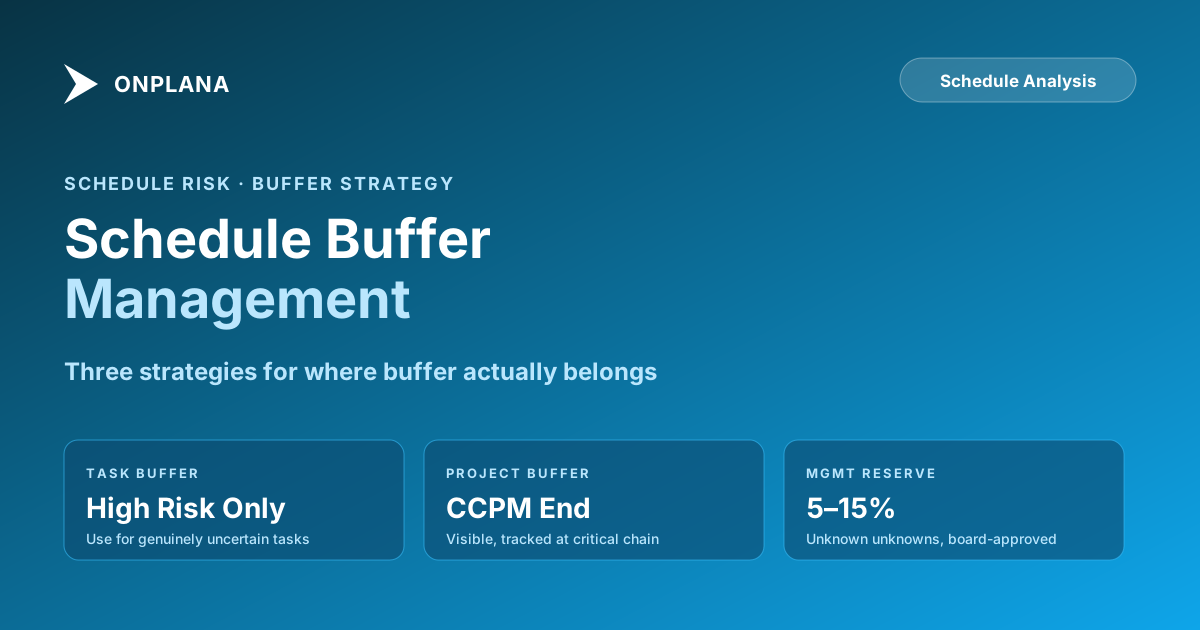
TL;DR. Three legitimate buffer placement strategies exist: task-level buffer (appropriate only for tasks with genuinely high uncertainty), project buffer at the end of the critical path (the Critical Chain approach), and management reserve held separately from the project baseline. Each has a different purpose and a different management protocol. Distributing buffer evenly across every task is not a strategy; it is a forecast that reads green until the day it turns red, with no warning between.
Why distributed task padding destroys your schedule forecast
When buffer is embedded in every task estimate, four things happen that make the schedule unmanageable.
First, float calculations become unreliable. A task with 10 days of built-in padding that also shows 10 days of calculated float looks like it has 20 days of wiggle room. The PM makes resourcing decisions based on float that is not actually there. By the time the task slips, the padding is already consumed and the float calculation is wrong.
Second, Parkinson's Law runs unchallenged. Work expands to fill available time. When every task has a padded estimate, team members use the full estimate to deliver, because the full estimate is what the schedule says the task takes. The buffer that was supposed to protect against risk gets absorbed by routine variation in work pace.
Third, the critical path analysis is corrupted. The critical path is the longest sequence of dependent tasks, and it depends on accurate task durations. When every task duration includes hidden padding, the computed critical path no longer reflects the real constraint. The tasks that actually drive the project end date may not be the ones the schedule identifies as critical. For a detailed look at how this distorts the analysis, see the Critical Path Method explained.
Fourth, there is no warning before things go wrong. A padded schedule reads green until the padding runs out, then turns red immediately. There is no amber phase, no early signal, no time to respond. This is why padded schedules seem to perform well for months and then collapse suddenly: the buffer was there the whole time, hidden in task estimates, absorbing variance until it was gone.
Task-level buffer: when it is legitimate
Task-level buffer is appropriate in exactly one situation: when a specific task has genuinely high uncertainty that cannot be resolved before the task starts. A task like "regulatory approval from the FDA" might legitimately have a range of 90 to 150 days; the buffer represents real uncertainty, not estimating anxiety.
For tasks with high uncertainty, the right approach is to document the uncertainty explicitly rather than hiding it in the estimate. Mark the task with its best case, most likely, and worst case duration. Put the most likely duration in the schedule and note the range in the risk register. When the task finishes at best case, the freed buffer is returned to the project. When it finishes at worst case, the schedule absorbs the impact in a visible, traceable way.
The wrong application of task-level buffer is adding a uniform 10 to 20 percent to every task because "things always take longer." This is not risk-adjusted scheduling. It is anxiety-adjusted scheduling, and it produces all four of the forecast problems described above.
Identifying hidden task-level padding in an existing schedule is one of the checks the free Schedule Health Check performs when you upload a Microsoft Project .mpp file. Tasks with durations inconsistent with their dependencies, or with resource assignments that suggest padding rather than genuine work content, surface in the audit results.
Project buffer: the Critical Chain approach
Project buffer, introduced by Eliyahu Goldratt's Theory of Constraints and formalized in Critical Chain Project Management (CCPM), takes a different approach. Instead of padding individual tasks, CCPM removes padding from task estimates, uses the most likely (aggressive but achievable) estimate for each task, and places a single buffer at the end of the critical path.
The size of the project buffer is typically set at 50 percent of the total duration that was removed from task estimates. If you stripped 60 days of padding out of 300 days of task estimates, the project buffer is 30 days, placed at the end of the schedule before the project end date.
This approach makes buffer visible and manageable. The buffer is not hidden in task estimates; it is a single, named item in the schedule that the PM tracks explicitly. The PM can then report buffer consumption as a project metric: "We are 40 percent through the project and have consumed 25 percent of the project buffer, which means we are tracking ahead of the expected burn rate." That is useful information. "We are 40 percent through the project and all tasks are green" tells you nothing.
The diagram below shows the difference between a padded schedule and the CCPM buffer approach.
CCPM works best when the team is willing to give up task-level padding in exchange for a visible project buffer, and when the PM is willing to manage the buffer explicitly rather than letting it absorb silently. It requires a culture where finishing a task early is reported as a win rather than triggering scope additions or expectations of more aggressive estimates in the next round.
Management reserve: what it is and how it differs from project buffer
Management reserve is not the same as project buffer. Project buffer accounts for foreseeable schedule uncertainty. Management reserve accounts for unknown unknowns: risks that could not be identified during planning because they were not foreseeable at the time.
Management reserve is held at the project level or program level, outside the project baseline. It does not appear as a task or a buffer item in the day-to-day schedule. It is accessed only when a genuine unknown unknown materializes: a dependency on a third-party system that the project had no way of anticipating turns into a six-week delay, or a regulatory change creates new work that was not in scope.
The key distinction is authorization. Project buffer can be consumed by the PM without approval; that is its purpose. Management reserve requires a change request to the change control board or sponsor before it can be drawn. Treating management reserve as extended project buffer (accessing it for foreseeable risk rather than genuine unknowns) is one of the fastest ways to deplete a project's safety net before it is actually needed.
A reasonable management reserve for a mid-complexity project with well-defined scope is 5 to 10 percent of the total project budget. Projects with high ambiguity or significant third-party dependencies warrant 10 to 15 percent. Projects where scope is well-defined and technical uncertainty is low can function with less. The critical factor is that management reserve exists, that its authorization process is documented, and that the PM understands the difference between when project buffer applies and when management reserve applies.
Sizing buffer: calibrated approaches for each type
The most common question about schedule buffer management is how to size the buffer correctly. There is no universally correct answer, but three calibration approaches produce defensible estimates.
For project buffer using the CCPM approach: strip the padding from task estimates, take 50 percent of the total stripped duration, and place that at the end of the critical chain. This produces a buffer that corresponds to the level of uncertainty you removed from the estimates. If your team's estimates were reasonably accurate before the padding was stripped, the 50 percent buffer is conservative. If estimates were highly optimistic, you may need more.
For management reserve: use a percentage of total budget calibrated by project uncertainty. For most mid-market IT or business transformation projects, 10 percent is appropriate. For research, new-product development, or projects with significant regulatory uncertainty, 15 percent. For well-defined projects with low technical risk, 5 percent.
For task-level buffer on high-uncertainty tasks: derive it from the three-point estimate range. If a task has a best case of 5 days, most likely of 8 days, and worst case of 15 days, the buffer for that task is the difference between worst case and most likely: 7 days. Place only that much buffer in the task estimate and document the reasoning.
Patterns that indicate buffer is in the wrong place
Three schedule patterns are reliable signals that buffer has been placed incorrectly.
All tasks finish exactly on time. When every task in the schedule finishes precisely on its estimated duration, the estimates are padded. Real work has natural variance; perfect-to-schedule completion across dozens of tasks is statistical evidence of task-level padding, not exceptional execution.
No float anywhere. A schedule with no float on any path other than the critical path has had its float consumed by resource constraints or over-specification of constraints. This is worth checking with a dedicated diagnostic tool. The free Schedule Health Check flags constraint conflicts and tasks with artificial zero float. The specific patterns that indicate schedule manipulation, including the seven most common ways schedules mislead PMs, are covered in detail in the 7 hidden killers in your MS Project schedule.
Green until the last month, then red. This is the clearest sign that buffer was distributed across task estimates rather than consolidated. The distributed buffer absorbed variance throughout the project. When it ran out, the schedule turned red with no preceding amber phase. The diagnostic: check whether late tasks had been consistently finishing within 0 to 2 days of their estimates throughout the project. If yes, the estimates included padding that was being fully used each time, never triggering a float erosion alert.
Defending schedule buffer to sponsors
The conversation most PMs dread: the sponsor who wants to cut buffer in the name of schedule efficiency. The conversation usually goes like this: "The schedule shows 25 days of project buffer. That is a month of slack. Where is it going?"
The honest answer is that the buffer is not slack. It is risk insurance purchased by removing padding from task estimates. The schedule without the buffer is not faster; it is the same schedule with the padding returned to individual tasks, invisible and unmanageable. Presenting that choice to the sponsor reframes the negotiation: "We can cut the visible buffer. But to be honest with you about the risk, the padding will go back into the task estimates. You will have the same total schedule and no way to track how much of the cushion we have consumed."
The schedule risk conversation is different from the schedule compression conversation. Compression requires crashing critical path tasks (adding resources) or fast-tracking (overlapping sequential work), as described in the Critical Path Method guide. Buffer is not the place to look for schedule compression. If the sponsor needs the project done earlier, that is a scope, resource, or priority conversation, not a buffer conversation.
Tracking buffer consumption as a project health metric
Once buffer is placed correctly, the PM's job shifts from hiding it to reporting it. Buffer consumption rate relative to schedule progress is one of the most honest health metrics available.
The reporting format is simple: at any point in the project, what percentage of schedule progress has been made versus what percentage of project buffer has been consumed? If the project is 40 percent complete and has consumed 30 percent of the project buffer, it is in good shape. If it is 40 percent complete and has consumed 70 percent of the buffer, the remaining 60 percent of work will need to run significantly more smoothly than the first 40 percent, which is rarely a safe assumption.
This metric gives the sponsor a real leading indicator rather than a lagging RAG status. When the project is 40 percent through with 70 percent of buffer consumed, the PM surfaces that signal to the sponsor and the steering committee with a specific recommendation: adjust scope, add resources to the critical path, or update the end date. The buffer consumption metric is what makes that conversation possible before the deadline is three weeks away.
Run the free Schedule Health Check Upload your Microsoft Project
.mppfile and get a per-finding breakdown: hidden padding patterns, dangling tasks, constraint conflicts, and the tasks actually driving your critical path. No signup, no credit card. → Run the Schedule Health Check
Microsoft Project Online™ is a trademark of Microsoft Corporation. Onplana is not affiliated with Microsoft.
Frequently asked questions
What is schedule buffer in project management?
Schedule buffer is time set aside in the project plan to absorb variation and unexpected delays. It differs from padding in that buffer is explicitly placed and tracked, whereas padding is hidden in individual task estimates and invisible to the PM.
How much buffer should I put in a project schedule?
For a project buffer at the end of the critical chain (the CCPM approach), use 50 percent of the total duration removed from task estimates. Management reserve, held outside the baseline for unknown unknowns, is typically 5 to 15 percent of total project budget depending on uncertainty level.
What is the difference between project buffer and management reserve?
Project buffer covers foreseeable schedule risk; the PM can consume it without escalating. Management reserve covers unknown unknowns that were not foreseeable during planning; it requires a change request and board approval to access.
Why is padding every task a bad strategy?
Task-level padding corrupts float calculations, enables Parkinson's Law (work expands to fill the estimate), distorts the critical path, and gives no early warning before the schedule fails. The buffer is consumed task by task until it is gone, then the schedule collapses without an amber phase.
What is Critical Chain Project Management?
Critical Chain Project Management (CCPM) is a scheduling methodology that strips padding from task estimates, uses aggressive but achievable durations, and places a single visible project buffer at the end of the critical chain. Buffer consumption becomes a tracked project metric rather than hidden slack in task estimates.
How do I defend schedule buffer to a sponsor?
Frame it as risk insurance purchased by removing padding from task estimates. Without the visible buffer, the same padding returns to individual tasks, invisible and unmanageable. The total schedule duration is unchanged; only the visibility is different.
Ready to make the switch?
Start your free Onplana account and import your existing projects in minutes.