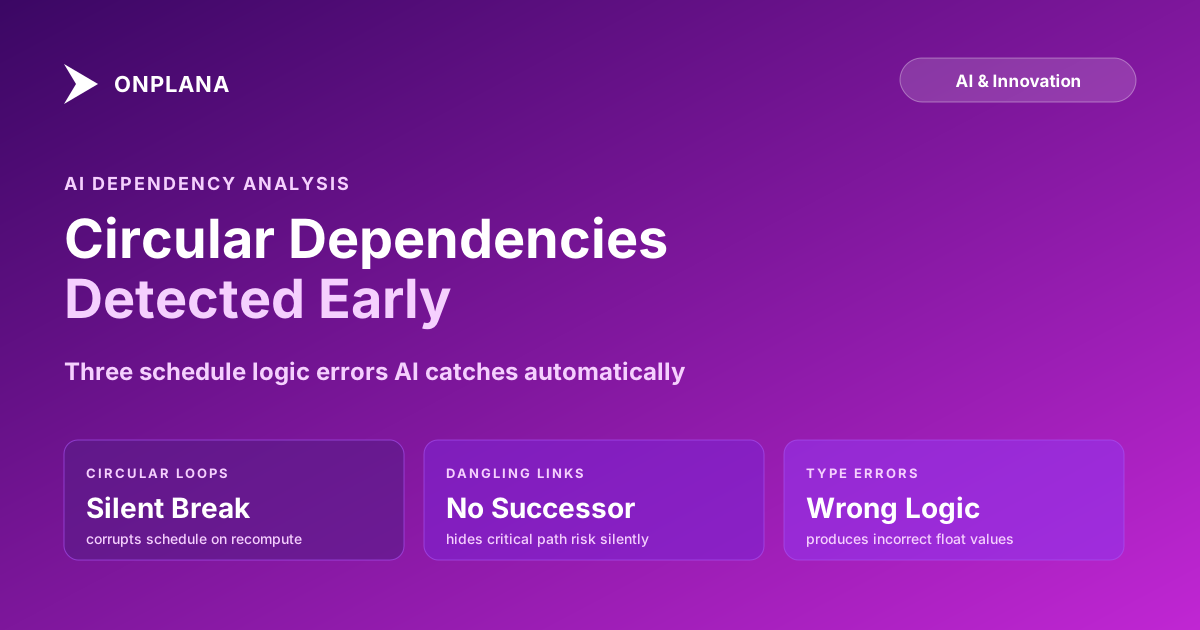
Circular Dependency in a Project Schedule: Fixing Loops
A circular dependency in a project schedule forms when tasks loop back on each other, and most schedulers resolve it silently. Here's how to spot and fix it.
Most PMs assume their scheduling tool would catch a circular dependency the moment it forms: an error dialog, a refused save, a red flag on the offending link. That assumption holds for a simple two-task loop. It falls apart for the loop that actually costs a project time, closed three, five, or eight tasks deep by a well-meant Start-to-Start link someone added months into the build.
A circular dependency in a project schedule exists when Task A depends on Task B, and Task B depends, directly or through a chain of other tasks, on Task A. Neither task can get a valid start date because each is waiting on the other.
Direct answer: A circular dependency forms when a predecessor link closes a loop back to one of its own successors, usually added late by someone who didn't trace the full chain first. Most scheduling engines only validate the single edit being made, not the whole graph, so multi-hop loops slip past the tool that would have caught a simple two-task version instantly. The fix that costs the least is almost always breaking the most recently added link in the loop, not the one that "looks most wrong."
How a Circular Dependency Forms in a Project Schedule
Textbook circular dependencies look deliberate: Task A depends on Task B, Task B depends on Task A. In a real schedule they almost never start that way.
A typical formation: a PM builds a clean phase with a linear chain, Design finishes to start Build, Build finishes to start Test. Weeks later, under schedule pressure, a different PM (or the same one, in a different session) wants Test to start earlier to compress the timeline. They add a Start-to-Start link from Test to an earlier task in the chain, say a Final Review task that itself already depends on Test being complete somewhere else in the network. The link looks locally reasonable. It is not: Test now needs Final Review to start, and Final Review needs Test to finish. The loop is closed, and nobody who made either edit saw the whole chain at the moment they made it.
This is the pattern behind almost every real circular dependency: not one bad decision, but two or three individually defensible edits, made in different sessions, that never got checked against each other. The lead vs. lag guide covers a related failure mode: negative-lag links that are trying to describe genuine overlap but instead paper over exactly this kind of unchecked reverse dependency.
Why the Scheduler Errors Out, or Just Stops Calculating
Whether a circular dependency throws a visible error or fails silently depends on when the scheduling engine checks for it.
A direct two-task loop (A depends on B, you then try to make B depend on A) usually trips validation the instant you make the edit, because the tool only has to check one relationship against one other. Most desktop and web schedulers catch this case reliably.
A multi-hop loop rarely gets caught at edit time, because the tool would have to re-walk the entire dependency graph on every single link change to catch it, which is expensive to do continuously on a schedule with thousands of tasks. Most tools skip that check until the next full recalculation, triggered by opening the file, changing a working calendar, or running an import or export. At that point the tool has two options, and neither one is a clean error message: it can refuse to compute dates for the cyclic tasks and leave them stale, or it can arbitrarily pin them (commonly to the project start date) so the schedule still "calculates" and produces dates that look plausible and are wrong. The second behavior is the dangerous one, because nothing in the interface tells you which tasks got the arbitrary treatment.
A second reason loops survive: tool inconsistency. A schedule authored in one tool and opened in another may expose a loop the second tool's validation catches but the first one didn't. If that import or format-conversion event is also the first time anyone re-checks the graph, it's also the moment the schedule breaks mid-project, often right before a status report is due.
Two Other Logic Errors That Travel With Circular Loops
Circular dependencies are the most consequential logic error, but AI dependency analysis catches two related ones in the same graph traversal, and they're worth checking whenever you're already looking for loops.
Dangling links. One side of a predecessor-successor relationship is broken: a predecessor was deleted but the successor still references it, or a successor was removed and the predecessor now has no outgoing link. The second case is the more dangerous one. A task in the middle of the schedule with no successor silently exits the critical path calculation; it floats freely, and its date stops meaning anything.
Dependency type mismatches. The four dependency types (Finish-to-Start, Start-to-Start, Finish-to-Finish, Start-to-Finish) each drive a different calculation. Using Finish-to-Finish where Finish-to-Start was intended shifts the successor's finish date without throwing any alert; it just produces a float value that's wrong. The dependency types deep dive covers the mechanics of each type and the specific miscalculation each mismatch produces.
The diagram below shows a circular loop and a dangling link side by side, in the same simple network.
How AI Walks the Graph to Name the Cycle
AI dependency analysis treats the schedule as a directed graph: each task is a node, each predecessor-successor relationship is a directed edge. Detection runs a depth-first traversal that records the path taken through the network. If any traversal returns to a task already in the current path, a cycle exists, and the algorithm identifies the specific edge that closes the loop, not just the three or four tasks involved. That distinction matters: it's the information you need to remove the right link instead of breaking the loop at whichever point looks most convenient.
The same pass also checks connectivity (tasks with no predecessor that aren't the project start, and tasks with no successor that aren't the project end) and dependency type consistency (a Finish-to-Finish between a 20-day task and a 2-day successor, with no lag, is almost always a mislinkage rather than a genuine parallel-finish constraint). Running all three checks together matters because a schedule that has one of these logic errors usually has the other two as well; they come from the same root cause, which is nobody re-checking the full graph after each edit.
Four Fixes for a Circular Dependency, Ranked by Replanning Cost
Not every fix costs the same amount of rework, and the cheapest correct fix isn't always the one that feels most "correct" on inspection. Work through these in order.
- Break the most recently added link. If the loop was just created, one specific edit closed it, and undoing that edit is almost always the right move because nothing downstream has been re-planned around the corrupted dates yet. Check the schedule's edit history first; the newest link in the loop is usually the culprit, not the oldest.
- Convert the link to lag or lead instead of a hard dependency. When the link genuinely represents overlap, not a real ordering requirement, replacing a Start-to-Start dependency with a Finish-to-Start plus negative lag can preserve the scheduling intent without keeping the reverse relationship that closes the loop.
- Re-sequence which task is the true predecessor. Sometimes both tasks in the disputed pair have a legitimate claim to come first, and the fix is renegotiating the pair's actual order with whoever owns each task, then updating durations or dates to match. This costs more because it usually touches resource assignments on both tasks.
- Replan the phase's logic from scratch. Reserved for loops that have been in the schedule long enough that a baseline was set, or other tasks were sequenced against the corrupted dates. Unwinding this means identifying every downstream decision that assumed the wrong dates and rebuilding the phase's dependency structure before re-baselining. It's the most expensive fix, and the reason to run dependency analysis before every baseline update instead of only when something visibly breaks.
The seven hidden killers of MS Project schedules covers a related set of float errors that surface the same way circular loops do: quietly, until a full recalculation forces the issue.
Preventing Loops Before They Form
Circular dependencies are cheaper to prevent than to remediate. Three patterns reduce how often they form:
Limit multi-author editing during active phases. Most loops are created when two PMs edit overlapping task chains in the same window, or one PM adds a link without checking the full predecessor chain first. A single editor for dependency-critical sections, or a logic check required after any session that touched predecessor links, catches loops before they sit undetected.
Audit the dependency network at each phase gate. A phase-gate review is a natural checkpoint to verify the completed phase's network structure is sound before the next phase builds on it. Logic errors in a closed phase don't usually surface until they affect a downstream task, at which point the originating edit is much harder to trace.
Run dependency analysis before every baseline update. A clean network is the prerequisite for a meaningful baseline. The Schedule Health Check runs cycle detection, dangling-link flags, and type-mismatch checks in one pass, in under a minute, so the check happens before the baseline locks in a loop rather than after.
What Clean Dependencies Enable
Reliable AI analysis elsewhere in the schedule depends on the same clean dependency network. Scope-change impact analysis, baseline drift detection, and critical-path risk detection all read the same predecessor-successor graph. When that graph has an unresolved loop, every calculation built on top of it inherits the error, whether or not the interface shows a warning.
The AI risk detection in project management post covers how AI combines dependency structure with resource loading, baseline drift, and velocity signals to flag project risk beyond dependencies alone. That combined signal is only as reliable as the graph underneath it.
The critical path method calculates the longest chain of dependent activities through a forward and backward pass, and that calculation only produces valid dates when the underlying task network is a directed acyclic graph: relationships flowing one direction, no cycles. A circular dependency isn't a stylistic problem; it violates the assumption every downstream calculation depends on.
Run the free Schedule Health Check Upload your .mpp or MSPDI XML file and get circular loop detection, dangling link flags, and a type mismatch report in under a minute. Fix the logic errors before they corrupt your next baseline. No signup required. Open the Schedule Health Check
Frequently asked questions
What is a circular dependency in a project schedule?
A circular dependency occurs when Task A depends on Task B, and Task B depends, directly or through a chain, on Task A. The scheduling engine cannot resolve start dates for either task because neither can start until the other finishes. Simple two-task loops are usually caught immediately; loops that close through three or more intermediate tasks can survive undetected for weeks.
Why doesn't my scheduling tool flag a circular dependency immediately?
Most tools only validate the specific edit you're making, not the full dependency graph. A two-task loop trips that check instantly. A multi-hop loop closes gradually as separate edits over separate sessions, so no single edit looks wrong at the time it's made, and the tool doesn't recheck the whole network until the next full recalculation.
How does AI dependency analysis detect a circular dependency?
It runs a depth-first traversal across every predecessor-successor relationship in the schedule, similar to standard cycle detection in a directed graph, and flags any path that returns to a task already in the current chain. It names the specific link that closes the loop, not just the tasks involved, which is what you need to fix the right one.
What's the cheapest way to fix a circular dependency?
Rank the fix by how much replanning it forces: breaking the most recently added link is cheapest because nothing downstream has been built on top of it yet. Converting the link to a lag or lead is next. Re-sequencing which task in the pair is genuinely the predecessor costs more. Rebuilding the phase's logic from scratch, needed when a baseline was already set against the corrupted network, costs the most.
Can a circular dependency corrupt a project baseline?
Yes. If a loop exists when a baseline is set, the scheduling engine may resolve the cyclic tasks differently across save operations or tool versions, producing inconsistent baseline dates. Fix logic errors before setting or updating a baseline; a baseline set against a broken network isn't a reliable variance reference.
Ready to make the switch?
Start your free Onplana account and import your existing projects in minutes.