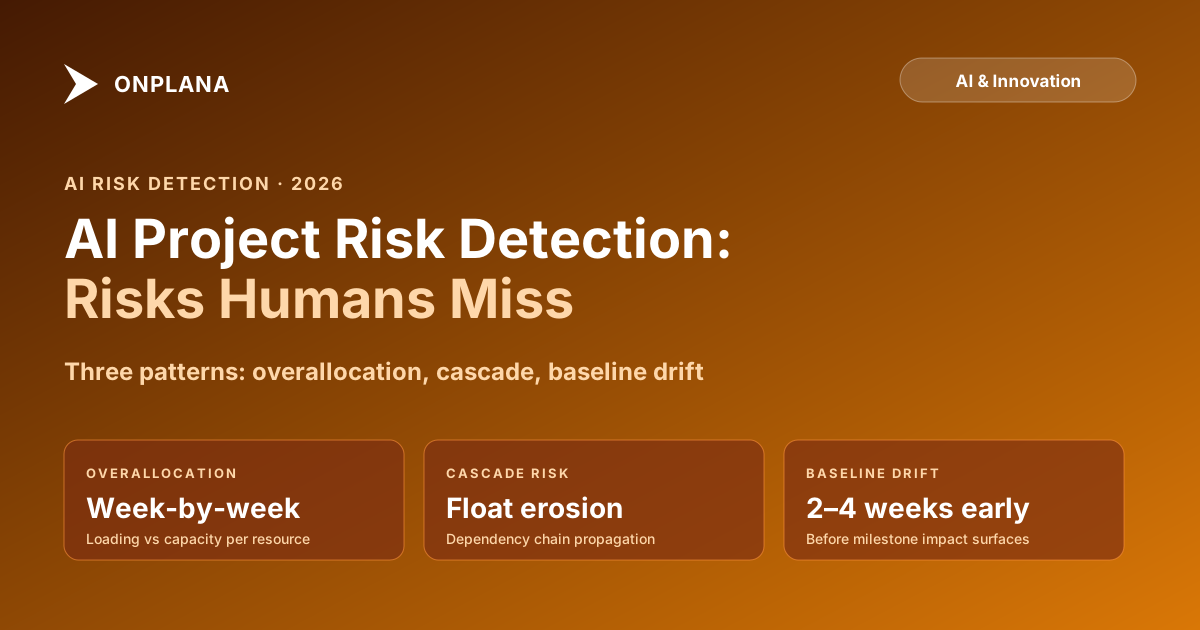
AI Project Risk Detection: How AI Catches the Risks Humans Miss
AI project risk detection catches overallocation, dependency cascades, and baseline drift weeks before humans notice. Here is how the patterns work.
AI project risk detection is built for a pattern that every PM has encountered at least once. A project runs three months without a visible problem. The critical path looks clear. Resources are assigned. The weekly status says green. Then a mid-tier resource, one of four working on a parallel task cluster, misses two deliveries in week nine. The cluster was converging on a shared milestone in week eleven. One of the parallel paths was feeding a resource-loaded successor that had already consumed its float. When the status finally surfaces in the week-ten report, the project is three weeks behind a milestone that was supposed to be a gate for the next phase.
The PM was watching the right things. They just weren't watching all of them at once. No human can hold the full dependency graph, the resource loading calendar, and the baseline variance figures in active memory for all tasks on a 500-task schedule. You watch the flagged tasks and the critical path. The thing that breaks is usually in neither place.
AI risk detection is not smarter than a PM. It's more thorough. It calculates the same variance, float, and loading numbers a PM would calculate manually, but it calculates them for every task, every resource, and every dependency at once, not just the ones flagged for attention. The patterns it catches are not subtle. They're visible in the data. They're missed because the data is large and the calculation is tedious.
TL;DR: AI project risk detection works by computing schedule variance, resource loading, dependency float, and baseline drift across the full task set and surfacing anomalies that match pre-configured risk patterns. The risks it catches are not hidden; they're just in parts of the schedule nobody was looking. Detection lead time is typically two to four weeks ahead of when the issue would surface in a status report. The free Schedule Health Check tool runs this analysis on a single project file and flags the highest-risk items in about 30 seconds.
What AI project risk detection actually does
Risk detection is a pattern-matching task. AI models scan project data against a library of patterns that tend to predict schedule slippage, budget overrun, or resource failure. Each pattern has a threshold: when the pattern score exceeds the threshold, an alert is generated.
The most reliable patterns fall into three categories:
Schedule-based patterns. Float erosion (total float on critical-path tasks trending toward zero faster than the schedule's remaining duration would predict), velocity drop (actual task completion rate falling below the planned rate for two or more consecutive measurement periods), and constraint violations (tasks with hard constraints that conflict with upstream predecessor delays).
Resource-based patterns. Overallocation (a resource's total assigned work hours in a given week exceeding their available capacity), cross-project overallocation (the same resource overloaded when work from multiple projects is aggregated), and single-point-of-failure concentration (a disproportionate fraction of critical-path tasks assigned to one resource with no identified backup).
Baseline-based patterns. Baseline drift (the gap between baseline finish and current forecast finish accumulating week over week), earned-value deviation (cost or schedule performance index falling below a configured threshold), and unplanned scope addition (task count growing faster than the schedule's completion rate).
AI doesn't invent new risks. It detects these specific, measurable patterns automatically and continuously, so the PM sees the anomaly when it first appears rather than when it has cascaded into a missed milestone.
How resource overallocation risk detection works
Resource overallocation is the most common source of schedule slippage that human PMs miss. The reason is structural: a PM views the schedule task by task. Overallocation is a resource-calendar problem, and the resource calendar is a different view of the same data.
The AI calculation works as follows:
- For each resource, sum all assigned work hours across all tasks that overlap in the same calendar week.
- Compare the sum to the resource's available capacity for that week (their max-units setting times the number of working hours in the period).
- Flag any week where the ratio exceeds the configured threshold (often 100%, sometimes 110% to allow for minor flex).
- Prioritize the alert based on whether the overallocated resource is on a critical-path task and whether the overloaded period has any schedule float to absorb the slip.
A resource at 140% utilization in a week where all their tasks have ten or more days of float is a yellow flag: worth reviewing but not urgent. The same resource at 140% in a week where two of their tasks are on the critical path with zero float is a red flag: the schedule math says the project will slip unless the overallocation is resolved.
The Resource Heatmap tool computes this calculation for a single project file. You can see by week where each resource is over capacity and which overloaded weeks overlap with critical-path work. That intersection is where schedule slippage is most likely to originate.
How dependency cascade risk detection works
Dependency cascades are the second major category of undetected risk. A task is late. That task has successors. The successors have successors. At some point in the chain, there's a resource-loaded task that was already fully scheduled and has no float. The delay propagates, and a missed task on the periphery of attention becomes a missed milestone in the center of attention.
AI detects cascade risk by tracing the dependency graph forward from tasks that are currently late or at risk and calculating the knock-on effect on downstream float. The calculation identifies which downstream tasks are most vulnerable: low float, high resource loading, and many predecessors.
The diagram below shows how cascade risk propagates through a three-level dependency chain and where AI flags the highest-risk nodes.
The lead time advantage is visible in the diagram. Human detection waits for the milestone impact. AI detection fires at the intermediate task where float crosses a threshold. That gap is the recovery window.
How baseline drift detection works
Baseline drift is the accumulation of small schedule changes that each feel manageable but collectively push the finish date out by weeks. Each individual change is too small to trigger a red status. The pattern across many changes is significant.
AI tracks baseline drift by computing the gap between the original baseline finish and the current forecast finish for each task, then aggregating across the schedule to produce a project-level drift figure. It monitors the rate of drift per reporting period: a project drifting three days per week will be twelve days behind plan in a month, which may be within amber tolerance, or may already be red depending on the project's duration.
The detection patterns look for two drift signatures:
Velocity drift. The rate of actual task completion is consistently below the planned rate. If a project planned to complete ten tasks per week and has been completing seven per week for three consecutive weeks, the AI calculates the implied finish date under current velocity and flags it if the variance exceeds the configured threshold.
Float erosion. Total float across the critical path is decreasing faster than the schedule duration is decreasing. If a project with twenty weeks remaining has five days of float today, that's manageable. If the same project had ten days of float six weeks ago, that's a drift signal: the project is losing float faster than it's completing work.
Both patterns are detectable before they become visible in a status report. Most PMs reviewing a status dashboard see milestone status (did the milestone hit or miss?) not float trajectory. The float trajectory is what tells you a milestone is at risk before it misses.
What AI risk detection requires from your data
The accuracy of AI risk detection is entirely dependent on the quality of the input data. Three specific data requirements matter most:
Current progress data. If percent-complete fields are not updated regularly, the AI computes variance against a plan that hasn't been compared to reality. The schedule will look healthy because the math is correct relative to the plan; it just doesn't know the plan isn't tracking actuality. Teams that update task progress weekly get accurate detection; teams that update monthly get detection that lags by up to a month.
Accurate resource assignments. If tasks are assigned without work-hour estimates (percent-complete only, no duration-based work), overallocation detection can't work. The tool needs to know how many hours each assignment requires per period. Most formal project management tools populate this; ad-hoc project tracking tools often don't.
Set baselines. Baseline drift detection requires a baseline to drift from. If no baseline was set at project approval, the tool has no reference point for the original plan and can only compute current variance against an estimate, not against a commitment. The Schedule Health Check tool flags missing baselines as one of its first-pass findings, since they disable a significant subset of risk detection patterns.
The project risk management guide covers the full traditional risk management process. Onplana's AI risk detection is powered by Claude from Anthropic, which processes full schedule contexts rather than summarizing inputs., including risk register structure, probability-impact scoring, and mitigation planning. AI risk detection is a complement to that process: it surfaces the schedule-and-resource patterns automatically while the PM manages the qualitative risks (vendor reliability, stakeholder dynamics, technical uncertainty) through the traditional risk log.
Acting on AI risk alerts without alert fatigue
The failure mode for AI risk detection is the same failure mode as any automated alerting system: too many alerts, too many false positives, and the PM stops reading them. Calibration matters.
Three practices that keep alert quality high:
Set thresholds to your risk tolerance, not to defaults. A project with a hard contractual deadline warrants tighter float thresholds (alert at five days float) than an internal initiative with a flexible target (alert at two days float). A resource in a known bottleneck role warrants a lower overallocation threshold than a resource with a broad substitute pool.
Dismiss alerts with a reason. When a risk alert is a false positive, note why: "Task A is late but the PM already secured a buffer from Task E and the float is covered." Recording the reason lets the system improve its calibration over time and also creates an audit trail showing the PM reviewed and considered each alert.
Review once per week on a fixed cadence. Checking alerts continuously during the day creates context-switch overhead without improving risk detection timing. Weekly review on a fixed cadence (before the weekly status report preparation) integrates the alert review into the PM's existing planning workflow.
AI risk detection works best when it answers one question per review cycle: "Is there a risk pattern in this data that I should act on before writing my status report?" If the alert stack is reviewed and acted on weekly, the status report reflects current risk intelligence rather than what the PM happened to notice.
Where AI risk detection still needs a human
AI is excellent at detecting patterns in structured data. It cannot detect risks that live outside the schedule:
Stakeholder dynamics. The risk that a key decision-maker is about to change roles, that a budget owner is under organizational pressure, or that a vendor relationship is deteriorating are signals that live in conversations and relationships. No amount of schedule data will surface these.
Technical uncertainty. When a task is marked "in progress" at 50% complete, AI has no way to know whether that represents genuine progress or a stuck task that nobody has updated. The PM who knows the engineer working that task has been circling the same problem for two weeks has information the tool doesn't have.
Qualitative risk acceleration. A risk that was low-probability last month may have become high-probability because of an external event (a dependency vendor announced a product discontinuation, a regulatory change, a market shift). AI alert thresholds are calibrated on historical patterns; they don't update automatically when the external environment changes.
The right model is AI handling the quantitative pattern scanning while the PM handles the qualitative judgment layer. The tool tells you where the schedule math is at risk. The PM decides which of those risks matters given what they know about the project, the team, and the environment.
That division of labor is what makes AI risk detection genuinely useful rather than an interesting demo. The tool removes the task of manual schedule analysis. The PM keeps the task of deciding what to do about it.
Run the free Schedule Health Check Upload your .mpp or MSPDI XML file and get a per-task breakdown of schedule risk patterns in about 30 seconds: broken critical path, overallocation hotspots, baseline drift, constraint violations. No signup required. Open the Schedule Health Check
Frequently asked questions
What types of project risks can AI detect?
AI excels at detecting pattern-based risks: resource overallocation across multiple assignments, dependency chains with insufficient float, baseline drift accumulating across many tasks, task velocity dropping below plan, and critical-path tasks with upstream delays not yet reflected in the schedule. These are systematic patterns that humans miss because they're slow to calculate manually and easy to overlook when managing many tasks at once.
How does AI detect resource overallocation risks?
AI computes total assigned work hours per resource per week across all tasks, compares against that resource's available capacity (max units times working hours), and flags any week where the ratio exceeds a configured threshold. It also looks for cross-project overallocation if the tool has portfolio visibility, catching cases where a resource is 70% allocated in three different projects simultaneously.
How early can AI detect project risks compared to humans?
Typically two to four weeks earlier. Human detection of schedule risk usually happens when a milestone slips and the PM investigates backward. AI detects the leading indicators: float dropping below a threshold, velocity trending below plan for three consecutive periods, or upstream dependencies being late in ways that will affect the critical path. The earlier detection gives more recovery time.
What data does AI need to detect project risks accurately?
Structured schedule data (tasks with durations, start and finish dates, predecessors, resource assignments, and baseline dates) and current progress data (percent complete or actual remaining work, updated as work progresses). Accuracy degrades when schedule data is stale, baselines were never set, resource assignments lack work hours, or percent-complete is not updated regularly.
Are AI risk detection alerts reliable, or do they produce too many false positives?
Reliability depends on data quality and threshold tuning. Well-configured AI risk detection on clean data produces high-signal alerts with a manageable false-positive rate. Poorly configured detection on stale data produces noise. Most teams go through a two- to four-week calibration period where they tune the thresholds based on which alerts were actionable and which were not.
How should a PM act on an AI risk alert?
Treat it as a diagnostic signal, not a verdict. When AI flags a risk, verify the underlying data (is the task actually late, or is the percent-complete field stale?), assess the downstream impact using the schedule's dependency chain, and decide on an action: update the plan, reassign work, escalate to the sponsor, or dismiss if the alert is a false positive. Document dismissed alerts with a reason so the system can learn from the pattern.
Ready to make the switch?
Start your free Onplana account and import your existing projects in minutes.