AI Scope Change Impact Analysis: Schedule and Resources
AI scope change analysis estimates schedule and resource impact in under a minute. Here's how the workflow runs and where human verification matters most.
The scope change request arrives in a task comment: "The client wants to add an analytics dashboard module before launch. Should be a few weeks of work." Nine weeks to launch. A 320-task schedule. Six developers, two of them shared with another active project. Four days of float on the critical path. AI scope change analysis answers the schedule and resource impact question in under a minute. But most teams are still doing it the hard way: opening the schedule, tracing the dependency chain, recalculating resource loading, and iterating when the first conflict produces a second. That process takes the better part of an afternoon.
The right answer to "should be a few weeks of work" depends on which tasks the new module will depend on, which resources it needs, whether those resources have capacity in the next nine weeks, whether the addition creates new critical-path tasks, and what it does to the float already at risk. Getting that answer manually on a 320-task schedule is feasible. It is also unnecessary.
AI scope change impact analysis produces that calculation in under a minute. The tradeoff is that the output requires verification before it informs a decision. This post explains the workflow, what the AI actually calculates, and where the verification step changes the output most.
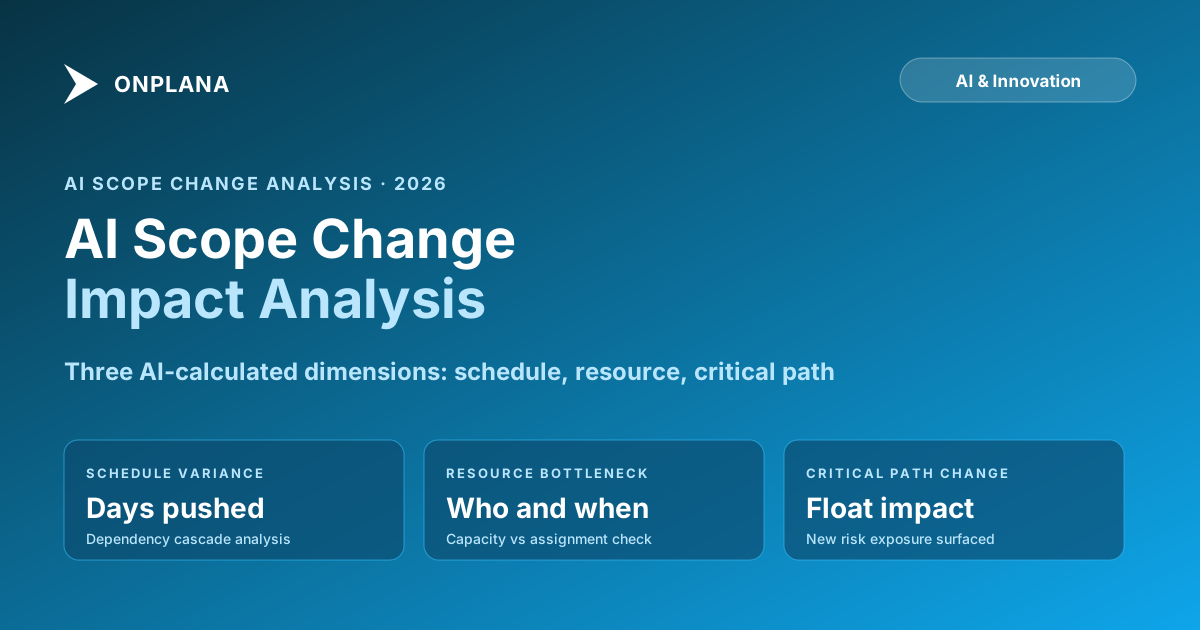
TL;DR: AI scope change analysis runs dependency mapping, schedule variance calculation, and resource loading analysis for a proposed scope addition in under a minute. It returns three dimensions of impact: schedule variance (days pushed), resource bottlenecks (which people are affected and when), and critical path changes (which new tasks join the critical path). The output is a starting point for a human decision, not the decision itself. Verify the predecessor links the AI infers and the resource assumptions before committing to the change request. A clean schedule is the prerequisite: run a Schedule Health Check before the AI analysis to surface broken dependencies and missing baselines that would corrupt the impact estimate.
What AI scope change analysis actually does
Scope change analysis is a calculation problem wrapped in a judgment problem. The calculation: given these new tasks, how do they integrate into the existing schedule in terms of dependencies, resource requirements, and timeline effects? The judgment: given the calculation, should we approve the change?
AI handles the calculation reliably when the underlying data is clean. It handles the judgment approximately at best.
The calculation runs through four sequential steps:
Task decomposition. Translate the scope change description into a set of tasks with estimated durations. This is the least reliable step because it depends on interpreting natural language, and the AI does not have direct knowledge of your codebase, architecture, or team's specific expertise.
Dependency mapping. Identify where the new tasks connect to the existing schedule. Which existing tasks must complete before the new work can start? Which existing tasks does the new work feed? The AI infers these connections from the task descriptions and the scope change description.
Resource assignment. Map the new tasks to the resources most likely to perform them, based on their current schedule assignments and any skill or role signals in the task descriptions.
Impact calculation. Recompute the schedule with the new tasks included and report the change in project finish date, changes to the critical path, and resource loading changes by person and week.
Steps two through four are reliable when the underlying schedule is clean: baselines are set, dependencies are complete, and resource assignments carry work-hour estimates. Step one is where the PM should spend the most attention when reviewing the output.
The three dimensions AI calculates
The diagram below shows the three dimensions of scope change impact that AI can calculate reliably, and the one dimension that requires human assessment regardless of what the AI produces.
The AI produces the three calculable dimensions in under a minute. The human provides the strategic fit assessment, informed by what the AI found. Conflating the two, or expecting the AI to produce a go or no-go recommendation, is the most common way scope change analysis goes wrong.
How AI calculates schedule impact
The schedule impact calculation starts from the dependency graph. Given the new scope's tasks, the AI identifies predecessor tasks (what must be done before the new work starts), successor tasks (what gets affected if the new work takes longer than estimated), and the net change to the project finish date.
A three-week scope addition that plugs into a non-critical branch may not change the finish date at all if there is sufficient float in that branch. The same addition that creates a new task on the critical path can push the finish date by more than its own duration, because it generates new dependencies downstream.
Before running an AI scope change analysis on any non-trivial schedule, run a health check on the schedule first. The AI's impact calculation is only as reliable as the dependency network and baseline it calculates against. Broken dependencies, constraint violations, and tasks without baselines all produce errors in the impact estimate that will not be obvious in the AI's output. The free Schedule Health Check tool surfaces these issues in about 30 seconds and is the right precondition for a reliable AI scope analysis.
How AI calculates resource impact
Resource impact is often more significant than schedule impact, and it is the dimension that surprises teams most often.
The AI maps new tasks to the resources most likely to perform them and checks whether those resources have capacity in the weeks when the new tasks would be scheduled. The key variables:
Work-hour estimates. The AI estimates work hours for each new task based on the task description and the existing schedule's duration and effort patterns. This estimate is the least reliable part of the resource calculation because it depends on how well the AI interprets the scope description and how representative the existing schedule's patterns are for this type of work.
Resource availability from current assignments. How much capacity does each likely resource have in the relevant weeks? This is calculable directly from the existing schedule's resource assignments and is the most reliable part of the resource impact analysis.
Cross-project loading. If any likely resources are shared with other active projects, the AI needs visibility into those commitments to calculate true availability. A resource the AI marks as "60% available" in this project may simultaneously be 40% committed to another project, making them 100% loaded with no real capacity for new work.
The Resource Heatmap tool shows per-person, per-week loading across all projects visible in the tool. Cross-check the AI's resource impact summary against the heatmap for any resource the analysis flags as a bottleneck before concluding they have capacity.
Three AI failure modes to check before committing
The AI's output needs verification on three specific points that fail often enough to be worth checking on every scope change analysis:
Optimistic task decomposition. The AI translates a natural-language scope description into a set of tasks based on patterns from similar projects in its training data. It may underestimate integration complexity specific to your architecture, dependencies on third-party services that have their own delays, or testing overhead that your team's standards require. Compare the AI's task list against how similar work has been scoped and executed in this project before accepting the duration estimates.
Implicit dependency inference. When the AI identifies predecessor tasks for the new work, it infers connections from task descriptions. Some inferences will be correct; some will miss context the PM holds about the project's specific architecture or design decisions. A PM who knows "the authentication layer from Task 47 is not the same auth the dashboard will use" needs to override that dependency link in the AI's output before running the schedule impact calculation.
Single-project resource view. Unless the tool aggregates resource commitments across all active projects, the resource impact analysis is based only on this project's assignments. Cross-project overallocation, the most common resource problem in multi-project PMOs, may not appear. Check the Resource Heatmap or your portfolio scheduling view for any resource the AI flags as having capacity before the PM concludes that capacity is real.
The critical path method explainer provides background on why the dependency analysis step matters as much as it does; the CPM algorithm identifies the longest dependent task sequence and defines the project's minimum duration, which is why any task added to that path extends the finish date directly. A scope change that creates a new critical-path task is categorically different from one that adds work to a non-critical branch. The AI distinguishes these, but only if the predecessor links in the schedule are complete enough for the dependency calculation to be reliable.
The full workflow from change request to decision
A scope change analysis workflow that produces reliable results:
Capture the change in structured form. Name the deliverable, the requestor, the reason it is needed, and the deliverables it relates to in the existing scope. Vague descriptions produce unreliable AI task decomposition.
Run a schedule health check. Verify that the underlying schedule has complete dependencies, set baselines, and work-hour estimates on resource assignments. Fix any issues before running the AI analysis. A broken dependency that the health check surfaces could be the difference between "this change adds three days" and "this change adds twelve days."
Run the AI impact analysis. Feed the structured description to the AI scope change feature. Receive: schedule variance estimate, resource impact summary by person and week, and critical path changes.
Verify the predecessor list. Review the dependency links the AI inferred. Correct any that do not match your architecture or the PM's knowledge of the project's specific technical constraints.
Cross-check resource availability. Open the Resource Heatmap for the resources the AI flagged in the weeks the new tasks are scheduled. Confirm or correct the AI's availability estimate against the portfolio-level view.
Assess strategic fit. Apply the human judgment layer: is the change worth the cost the AI just calculated? Frame the ask and the tradeoffs clearly for the change control board or sponsor.
Document the analysis. Whether approved or rejected, record the analysis results, the verification steps, and the decision rationale. This is the change log entry that matters most if the project slips later and someone questions why the scope changed.
The project risk management guide covers how to structure the risk register entry for a scope change that was approved with known uncertainties, which is the standard case when a change is approved but the resource or schedule impact is at the edge of acceptable variance.
When to decide without full AI analysis
Some scope changes are safe without full analysis. Some are unsafe regardless of what the analysis shows. AI matters most in the range between.
Clearly safe: the new work is small and self-contained, it connects to a non-critical branch with significant float, and the resources doing it have obvious capacity with no other commitments. A PM with experience can often approve these in ten minutes without running a full AI analysis.
Clearly unsafe: the new work requires the same resources as a current critical-path task during the same weeks, or it compresses an already-thin float buffer on a schedule with a hard deadline. No AI analysis changes the fundamental constraint. Approve with a full schedule revision or reject.
The middle range is most of what a PMO actually sees: scope additions of moderate size where the dependency and resource picture is complicated enough that intuition is unreliable but the addition is not obviously impossible. This is where AI scope change analysis earns its keep. The calculation it produces in under a minute would take the PM an afternoon, and the PM gets the same answer from the AI that they would get from the manual calculation, without the time cost.
Run a free Schedule Health Check before your next scope change analysis A clean schedule is the prerequisite for reliable AI impact analysis. Upload your .mpp or MSPDI XML file and get a fast read on broken dependencies, missing baselines, and constraint violations before the AI runs its impact calculation. No signup required. Open the Schedule Health Check
Frequently asked questions
What is AI scope change impact analysis?
AI scope change impact analysis is an automated workflow that translates a proposed scope addition into task estimates, maps those tasks into the existing schedule's dependency network, checks resource availability, and returns a schedule variance and resource bottleneck summary. It compresses a manual afternoon of analysis into under a minute. The PM reviews and verifies the output before committing to a decision.
How accurate is AI scope change impact analysis?
Accuracy varies by step. Resource availability calculations (from existing schedule data) are reliably accurate. Dependency mapping is reliable when the schedule has complete predecessor links. Task decomposition from a natural-language description is the least reliable step and should always be reviewed against the PM's knowledge of the project's architecture. Overall, treat the output as a well-informed estimate, not a definitive calculation.
What data does AI need to calculate scope change impact?
A clean schedule with complete dependencies, set baselines, and work-hour estimates on resource assignments. The scope change description, preferably structured (what is being added, why, and which existing deliverables it relates to). If any of those inputs are missing, the calculation degrades: missing baselines prevent schedule variance from being computed, and missing work-hour estimates prevent resource loading from being calculated.
How long does AI scope change impact analysis take?
Under a minute for the AI calculation, given clean input data. The rate-limiting steps are preparing the structured scope description (5 to 10 minutes) and verifying the AI's predecessor and resource assumptions (10 to 20 minutes). Total workflow from change request to decision: 30 to 45 minutes, down from several hours of manual recompute.
What AI gets wrong most often in scope change analysis?
Three failure modes: optimistic task duration estimates (the AI doesn't know your architecture's specific complexity); implicit dependency inference that misses project-specific constraints the PM holds in their head; and single-project resource view that misses cross-project overallocation if the tool doesn't aggregate across all active projects.
When should I not rely on AI for scope change impact?
When the scope description is vague, when the schedule has no set baseline, when key resource assignments lack work-hour estimates, or when the change involves technical complexity the PM knows is unusual relative to the existing task history. In these cases, use the AI output as one input among several, not as the primary basis for the impact estimate.
Ready to make the switch?
Start your free Onplana account and import your existing projects in minutes.