AI-Generated Status Reports: What Works and What Doesn't
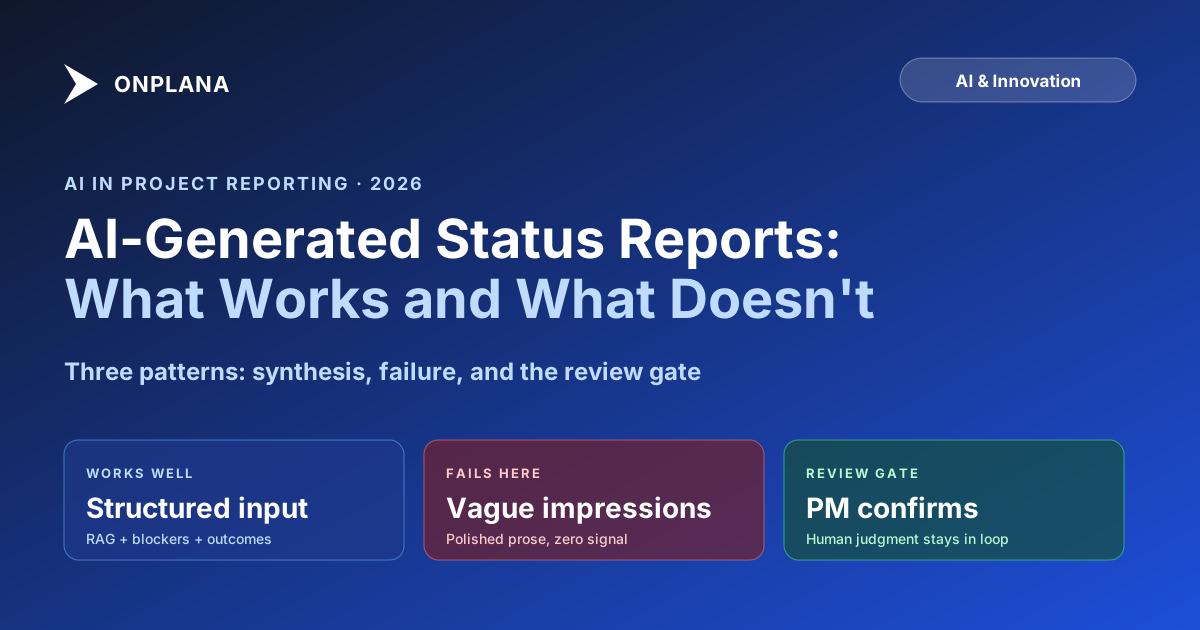
AI status report drafting succeeds when input is structured data and the PM reviews output. Here's the dividing line between useful AI and polished noise.
Here's what AI-generated status reports actually look like when the inputs are bad. The PM feeds the tool: "had a productive week, things moving in the right direction, some blockers but team is handling them." The AI generates: "The project continued to make steady progress this week, with the team demonstrating strong execution against key deliverables. Several challenges were encountered and are being actively managed. The trajectory remains positive heading into next week." That report is 48 words of nothing. It will not help the sponsor make any decision. It will not help the steering committee understand anything about the project.
This is the failure mode that causes skepticism about AI status reporting: PMs see polished-sounding output that contains no real information and conclude that AI can't help with status reports. The conclusion is almost right. AI can't help when the input is vague. It can help considerably when the input is structured.
The dividing line between useful AI status drafting and expensive noise is not which AI model you use or how sophisticated the tool is. It's whether the PM has prepared the inputs the tool needs to do real synthesis.
TL;DR: AI generates excellent status report drafts when you give it structured inputs: RAG status with a specific reason, named blockers with owners and dates, concrete accomplishments, and an explicit ask. It generates polished noise when you give it impressions. The Status Report Writer tool makes the input structure explicit and produces audience-matched output in seconds. The PM reviews and confirms; the AI formats and drafts.
What AI is actually doing when it writes a status report
AI status report generation is a text synthesis task. The model takes structured inputs, identifies the audience and tone, applies formatting patterns, and produces prose. What it does not do is make judgments about the inputs.
When you tell an AI tool the project is amber because a vendor missed a delivery, the AI will write a sentence explaining the amber status in audience-appropriate language. It won't ask whether you've escalated to the vendor's account manager, whether this is the third time the same vendor has missed a date, or whether the sponsor already knows. It synthesizes what you give it into the format you ask for.
This is why the human role in AI-assisted status reporting is not "review the output" in a cursory sense. It's "ensure the inputs are complete before the AI runs." The review step after AI generation should be fast, under five minutes for a typical weekly report. If you're making major changes to an AI-generated draft, your inputs were incomplete.
The three things AI does well in status reporting:
Tone translation. The same underlying status needs to read differently for a sponsor (concise, action-oriented, no jargon) versus a steering committee (detailed, with technical context) versus the project team (conversational, wins acknowledged). Writing all three from scratch is tedious. AI generates all three from the same structured input in seconds.
Format enforcement. Good status reports have RAG first, then the ask, then blockers, then accomplishments, then next week. Bad status reports have those elements in random order. AI applies a consistent structure every time, eliminating the "buried the ask in paragraph seven" problem.
First-draft acceleration. The blank-page problem is real. Starting a status report from nothing takes longer than reviewing and editing one. AI eliminates the blank page. The PM reviews, edits, and approves rather than composing from scratch.
The input structure that separates good AI output from noise
Before you run any AI status report tool, prepare these inputs explicitly:
1. RAG status and reason. Not "amber because things are tricky" but "AMBER: schedule variance is 8% due to vendor API delay on the authentication module; recovery plan targets a catch-up by July 15." The reason must be specific enough to distinguish this project from any other project in your portfolio.
2. Blockers with owners and dates. Each blocker needs a name, an owner, and either a target resolution date or a next action. "Authentication vendor delay: escalated to account manager Maya Chen, expected resolution by June 28" is a blocker. "Vendor integration challenges" is not a blocker.
3. Accomplishments as outcomes, not activities. "Completed unit test suite for the payment processing module" is an accomplishment. "Did testing" is an activity. The test suite being complete is information the sponsor can evaluate. "Did testing" could mean anything.
4. Next-week planned outcomes. What will be true at the end of next week that isn't true today? Two to three commitments, stated as outcomes. "Ship the beta build to QA environment" is an outcome. "Continue development work" is not.
5. The ask, stated directly. What does the reader need to do, if anything? "No action required: report for awareness only." Or: "Need sponsor approval for a 72-hour schedule extension to absorb the vendor delay." One of these two forms covers most weekly status reports.
With these five inputs structured, an AI tool generates a high-quality draft in seconds. Without them, it generates plausible-sounding prose that misrepresents the project.
Where AI-generated status reporting succeeds
Recurring project cadence. Teams running weekly status reports find the biggest benefit because the input structure becomes routine. By week four, most PMs can prepare inputs in under five minutes. The tool generates the draft. The PM reviews for accuracy, adjusts the tone line if needed, and sends. Total time: ten minutes versus sixty to ninety.
Multi-audience delivery. When a project requires weekly status for the sponsor (executive tone), bi-weekly updates for the steering committee (detailed tone), and a Friday team summary (conversational tone), maintaining three separate drafts is expensive. AI generates all three from one set of inputs, with each tone variant in the appropriate format. The PM reviews each and sends.
Projects with consistent data pipelines. When the project management tool tracks task completion, schedule variance, and budget variance automatically, the PM can pull quantitative inputs directly rather than estimating. The AI report is then a synthesis of real numbers, not impressions, and the output quality is higher because the inputs are objective.
The diagram below shows the AI-assisted drafting pipeline and where PM judgment fits at each stage.
The pipeline works because the PM's role is concentrated in the input preparation (which requires full project context) and the final review (which catches anything the AI misread or missed). The AI handles the mechanical translation in between.
Where AI-generated status reporting fails
Thin or absent inputs. If the PM hasn't engaged with the project data before running the tool, the AI generates narrative from nothing. It will sound confident. The output will be wrong in ways that are hard to spot unless you know the project well.
Novel situations. When a project has an unusual blocker, a stakeholder change, or a political dynamic that the PM knows about but hasn't named explicitly in the inputs, the AI can't surface it. The PM's knowledge about "the VP of Engineering is leaving next month and that's why this dependency is now uncertain" is not visible to the AI unless the PM writes it down.
First-person voice. AI-generated status reports have a slight formal quality that differs from how the PM would write the same report in their own voice. Some sponsors notice this. The fix is a light editing pass for voice, not a complete rewrite. One or two sentences adjusted to match how the PM normally writes resolves most cases.
Crisis communications. When a project surfaces a significant issue mid-week that requires escalation (not a routine weekly report), the PM should write the escalation message directly. AI-assisted tone translation can help, but the initial communication of a crisis should reflect the PM's personal voice and judgment, not a structured synthesis.
How to use the review gate to stay honest
The review step exists to catch two types of problems: factual errors in the AI output, and omissions in the input.
Factual errors are usually traceable to ambiguous inputs. If the AI writes "the milestone was achieved on schedule" and you didn't explicitly tell it the milestone was achieved, check what you said in your accomplishments field. The AI probably extrapolated from a vague accomplishment description. The fix is to be explicit in future inputs.
Input omissions are the more common problem. After reviewing the draft, you realize you forgot to mention that the schedule variance figure already accounts for a two-week recovery buffer you negotiated last month. The draft is accurate to the literal inputs but incomplete given the project context. Add the context to the next iteration's inputs and document it in your standard input template.
The review gate is not optional. AI-generated text can be wrong in plausible-sounding ways. The PM who sends an AI draft without reviewing it is the PM who eventually sends a report containing incorrect information to a steering committee. "The AI wrote it" is not a defensible explanation when a sponsor asks why the status said green when the project was amber.
The input template that makes weekly reporting routine
Preparing good inputs is the work that makes AI status reporting useful. Build a weekly input template in whatever format your tool accepts, and fill it in as part of your weekly project review rather than as a separate step:
Status input template:
- RAG: [color] because [specific, quantified reason]
- Blockers: [blocker name] / owner: [name] / due: [date] / status: [active/resolved]
- Accomplished this week: [outcome 1], [outcome 2], [outcome 3 max]
- Planned next week: [outcome 1], [outcome 2]
- Ask: [specific decision or "no action required"]
This template takes two to three minutes to complete if you've been tracking the project through the week. It produces inputs good enough for the AI to generate a high-quality draft.
The Status Report Writer tool accepts inputs in this format and produces executive, steering committee, and team tone variants in seconds. The underlying model is Claude from Anthropic, which handles long-context synthesis and tone matching across audience types. The PMO guide on cutting status report time covers the broader time-saving strategies in more depth, including how to reduce the data-gathering step by keeping project data current through the week rather than hunting for it on report day.
When AI status drafting pays off most
The clearest case for AI-assisted drafting is a PM running three or more projects simultaneously. Each project has a weekly report. At six minutes of input preparation per report, that's eighteen minutes of structured thinking. The AI generates drafts for all three in under a minute. Review takes ten minutes total. Total time: thirty minutes, down from three hours of manual drafting.
The second clearest case is a PMO standardizing status reporting across a team of ten or more PMs. Without AI assistance, each PM writes in their own style, their own structure, their own interpretation of what "amber" means. With a shared AI drafting tool and a shared input template, the sponsor can read any report in the portfolio and expect the same structure, the same RAG definition, and the same ask format. The dashboard becomes readable as a system rather than as a collection of individual authoring styles.
For a deeper look at how AI handles the broader set of project management tasks beyond status reporting, including risk detection, plan generation, and natural language task parsing, see the AI project management guide. The risk detection piece specifically is worth understanding before evaluating any AI status reporting tool: a tool that only generates report prose is doing the formatting job; a tool integrated with live schedule data is doing the analytical job too.
Run the free Status Report Writer Paste in your structured inputs, pick a tone, and get a polished report draft in about 10 seconds. The tool handles formatting, structure, and tone; you handle the inputs and final review. No signup required. Open the Status Report Writer
Frequently asked questions
What can AI do to help write status reports?
AI can synthesize structured project data (task completion rates, milestone status, blocker lists, schedule variance) into a formatted first draft. It handles the translation from raw input to polished prose in seconds, covers tone variants for different audiences, and eliminates the blank-page problem. It cannot supply the PM's judgment about what the data means.
Where does AI-generated status reporting fail?
AI fails when the input is absent, thin, or misleading. A bad-input AI report is worse than a bad-input human report because humans improvise with judgment; AI produces plausible-sounding prose that looks polished but contains invented narrative. Common failure mode: PM feeds AI a vague 'things went well this week' note and receives a confident-sounding report about specific deliverables that are actually stalled.
What inputs does an AI need to write a good status report?
Structured inputs: current RAG status with a reason, a list of blockers with owners and due dates, accomplishments in concrete terms (task names or milestone names, not activities), next-week planned outcomes, and any explicit ask to the reader. Quantitative inputs (schedule variance percent, budget variance) make the output more defensible. Vague inputs produce vague outputs.
Does AI replace the PM's judgment in status reports?
No. AI replaces the PM's typing, not the PM's judgment. The judgment calls (which blockers matter, how red is red, what the ask is, what went well) stay with the PM. AI translates the judgment into prose appropriate for the chosen audience and tone. Division of labor: human decides, AI formats.
How long does AI take to generate a status report draft?
Under 30 seconds for a standard weekly executive report, given good inputs. The constraint is not AI speed; it's input quality. Preparing structured inputs from a project file or meeting notes is the step that takes time. A PM who keeps their project data current can prepare the inputs in 3 to 5 minutes and receive a draft in seconds.
Should I use AI for board-level or regulatory reports?
Not as the primary author. Board-level reports are strategic documents where the writing process is the thinking process; you want a senior PM or PMO director authoring directly. Regulatory reports have specific language requirements that require legal review before submission. AI assists with routine weekly and bi-weekly operational status reports; higher-stakes reports still want human authorship with AI as an optional editing aid.
Ready to make the switch?
Start your free Onplana account and import your existing projects in minutes.