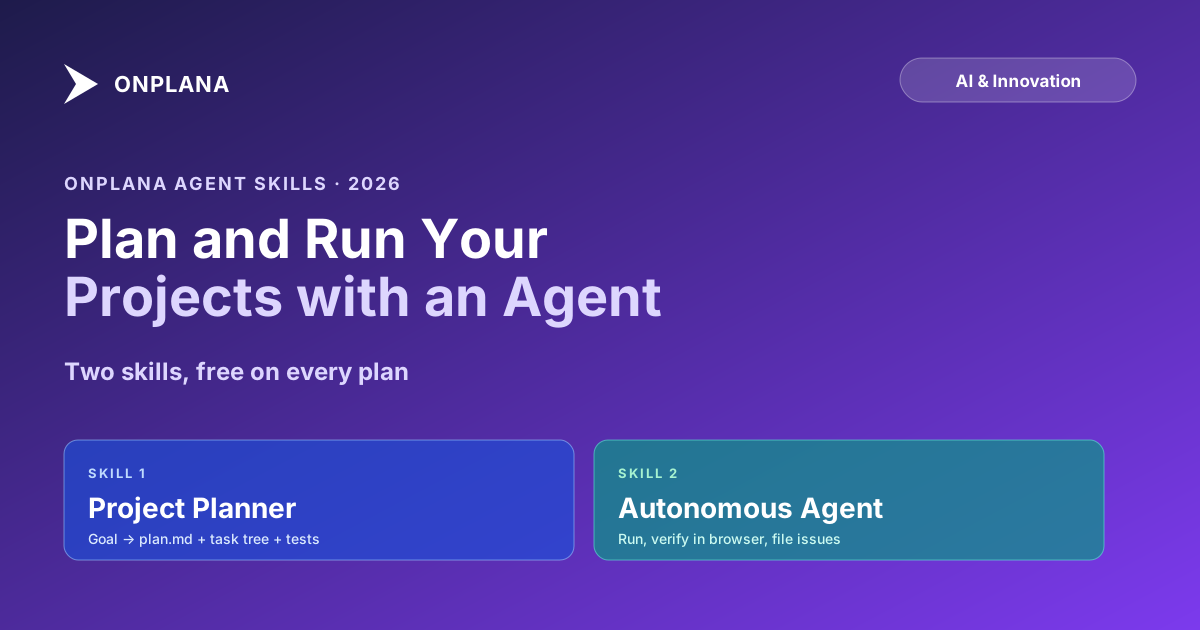
Plan and Run Your Projects with an AI Agent: The Onplana Agent Skills
Two Onplana agent skills turn an MCP-connected AI agent into a project teammate: one plans, one runs the work, free on every plan, verify-before-done built in.
We shipped two new skills for connecting an AI agent to Onplana over our MCP server. The first, onplana-project-planner, turns a goal into a real project plan with dates, owners, and test cases. The second, onplana-autonomous-agent, runs the resulting work, verifies it, and reports back. Either alone is useful; both together is what we built for. Both are free on every plan, bounded by your org's one-time AI token allowance.
The skills are plain markdown prompt files. Drop them into a client that speaks MCP, point that client at mcp.onplana.com/mcp with a personal access token, and the agent is a project member that can pick up tasks like any teammate.
Two skills, plan it then run it. The planner reads a goal and writes a plan.md plus a task tree (dates, dependencies, owners, test cases, downstream-surface tasks). The autonomous agent picks up open tasks, does the work, verifies it (runs tests, drives the app in a browser, attaches a screenshot), files issues for real problems, and never lets one stuck task halt the run. A guided mode pauses for human go-ahead. Both skills are free on every Onplana plan, bounded by the one-time AI token allowance. Download from /agent-skill, connect with a PAT, you are a minute away.
The two skills sit on either side of the same workflow. The diagram below shows the handoff.
The two skills in motion: the planner turns a one-sentence website-launch brief into a populated project, then ChatGPT, Claude, and Onplana's own AI each pick up their tasks (copy, build, publish, launch email) and execute, with the human at the final-approval gate.
Skill 1: the planner
The planner reads a goal and produces a project plan that an autonomous agent (or a human) can actually execute against. Concretely it does this pipeline:
- Frames the goal as outcomes. Vague requests like "fix the billing system" get turned into testable deliverables before any tasks land. The frame is written to the plan, not just held in the chat, so a second agent or a different PM sees the same scoping work later.
- Writes
plan.mdand attaches it to the project. The plan itself is a durable artifact in the project, not a one-shot chat output. Anyone on the project can read it, comment on it, and version it as scope shifts. - Decomposes into tasks and subtasks. The plan becomes a real task tree in Onplana, not a markdown checklist trapped in the chat window. Parent tasks for each phase, subtasks for each deliverable, no work stranded outside the board.
- Sets dates, dependencies, owners. Start and due dates land on every task. Dependencies are linked so the critical path computes correctly. Owners are assigned where the planner can identify the right person; where it cannot, it leaves a proposed assignment for the PM to ratify rather than picking randomly.
- Adds test-case subtasks per deliverable. Every deliverable gets its own test-case subtasks so "done" has a definition before work begins, not after.
- Adds downstream-surface tasks. Docs, tests, API changes, data migrations, permission updates, analytics, the things that get forgotten in the first plan and surface a week before launch as panic. The planner asks the question every PM eventually learns to ask and writes the tasks before they are urgent.
- Hands off for review or runs the fast path. For larger plans the planner emits a single plan a human reviews and approves. For the common case there is an
instantiate_planone-shot fast path that produces the same shape in one tool call.
The planner does not pick a target system, sign off on scope, or take accountability for a missed milestone. It removes the cold-start tax on the parts of planning that follow patterns, so the PM spends time on the parts that require judgment. The role of AI in Onplana post covers the boundary in detail.
Skill 2: the autonomous agent
The autonomous agent runs the work. The default autonomy is high: act, report, and keep moving, pausing only for the guardrails (irreversible operations, external-facing actions, scope or quota walls). A autonomy: guided prefix flips the agent to a slower posture where it plans and drafts each step, then waits for a human comment or request_user_input before committing. Both modes share the same sweep shape and the same verify-before-done discipline; only the gating cadence differs.
The shape of the sweep: an opening cold-start of two calls (agent_bootstrap returns identity plus a capabilities summary plus the entity-name index plus the assigned-task count; whoami confirms which org, which role, which project scope the token permits). Then the agent lists open work (list_tasks for the project, list_assigned_tasks for what is assigned to the agent persona, list_overdue to prioritise). For each task: move it to IN_PROGRESS, do the work, verify (run the build, run the tests, drive the app in a browser if user-visible, attach a screenshot or log as evidence), comment as it goes, close to DONE or REVIEW only when the evidence supports it. A blocked task gets a comment naming what is needed and the sweep continues; a stuck task gets an Issue with the failure mode named, linked back to the task. The sweep ends with a project-level summary comment and end_session.
The discipline that separates this from a chatbot wrapper is the verify step. For server-side work the agent runs the tests and the build, reads the real output, never reports green it did not see scroll past. For anything user-visible the agent drives the application in a browser (via its own client's browser tooling, not Onplana's MCP, typically Claude for Chrome or a Playwright MCP server), reads the DOM and the console and the network panel for errors, hard-reloads to defeat stale caches, captures a screenshot, and attaches the evidence to the task. "Verified, here is what it looks like" is a higher bar than "I marked it done," and the agent meets the higher bar every time.
When the agent cannot complete a task, it does not paper over it. It files an Issue with the failure mode (what was tried, what broke, what evidence is attached) so a human can pick it up with full context. Issues are first-class records in Onplana, distinct from tasks. The categorical distinction matters: Tasks are planned work the agent will do; Issues are problems that have materialised and need triage; Risks are things that might happen (probabilistic, future); Change Requests are formal changes to the project's baseline (scope, schedule, budget, governance-gated). The agent puts the right thing in the right place, which is part of why the board stays trustworthy over a quarter.
The 15 tools the agent actually uses
Onplana exposes about 250 MCP tools total, but a steady-state autonomous-agent run only touches around 15. Grouping them by phase:
| Phase | Tools |
|---|---|
| Cold start | agent_bootstrap, whoami |
| Find work | list_tasks, list_assigned_tasks, list_related_tasks, list_overdue, list_related_issues |
| Understand | get_task, get_subtree, read_agent_brief, describe_schema |
| Do + report | update_task, append_log, create_comment, upload_task_attachment, draft_document |
| Problems | create_issue, link_issue, resolve_issue |
| Blocked / done | request_user_input, end_session |
| Lookup | describe_capabilities, lookup_help_topic, search_org_knowledge |
The skill does not hardcode the catalog. The agent calls describe_capabilities and describe_schema whenever it needs field definitions or allowed values, so an Onplana release that adds new fields or entities flows through to the agent without the skill needing an update.
How it stays trustworthy
Four properties decide whether an AI agent earns trust in a real PMO over a quarter.
Verify before done. The agent runs tests, builds, browser-drives user-facing changes, and attaches a screenshot. A task moves to DONE because the evidence supports it, not because the agent decided to call it done. False negatives (skip the action) are preferred over false positives (act incorrectly).
Issues, not silent failures. When work cannot be completed cleanly, the agent files an issue with the cause named and the evidence attached. The PMO gets a real record to triage, not a "looks fine" comment that masks a stuck task.
Scope = token scope. The MCP connection authorises against the same tenant boundary as the web app: the agent sees exactly what the issuing user can see, and nothing else. No special agent permissions, no special agent visibility. The PM that minted the token is the upper bound on what the agent can touch.
Guided mode for the cautious week. Teams new to autonomous agents start in guided mode for the first week, watch the agent's proposals, accept or redirect them, then flip the autonomy up when the acceptance rate is consistently high. Reversible in either direction.
Free on every plan, bounded by the token allowance
There is no upsell here. Both skills are free on every Onplana plan, including the Free tier. Usage is bounded by your org's one-time AI token allowance (the same allowance that powers the other AI surfaces inside Onplana), which is a fixed bonus, not a monthly reset. When the allowance is exhausted, AI features pause until you top up. We chose the one-time model deliberately so you can pace usage across whatever cadence fits your team.
For pricing context, see the pricing page. For the broader role of AI across the product, the how AI runs project management in Onplana post walks the seven non-agent surfaces (kickstart, plan generation, risk detection, status summaries, NL parsing, recommendations, portfolio Q&A) the agent skills complement.
How to get it
The whole flow is at /agent-skill. The shape:
- In Onplana, mint a personal access token. Settings → Agents → Connect an agent. Pick the scopes you want the agent to have. The token is the agent's identity and authorisation envelope; the agent cannot exceed what the token grants.
- Point your client at the MCP endpoint.
https://mcp.onplana.com/mcp. Bearer auth with the PAT. Claude Code, ChatGPT or Codex, claude.ai are the confirmed clients; any future MCP-aware client works the same way because the protocol is the protocol. See the MCP launch post for the integration architecture, or the engineering deep-dive on how we built the MCP server for the OAuth 2.1 + PKCE flow, Dynamic Client Registration, and the audit-log design. - Drop in the skill files. The two skills are plain markdown:
- Planner: /onplana-project-planner-skill.md
- Autonomous agent: /onplana-autonomous-agent-skill.md Save them into your client's skill or prompt directory. The client will surface them as available skills the model can invoke.
- Talk to the agent. Ask the planner to plan a project. Ask the autonomous agent to run open tasks. The agent persona shows up as a project member on the board, picks up work assigned to it, and reports back as the work completes.
For the step-by-step walkthrough with copy-paste prompts, the how to run a project with an AI agent post covers each step in order. For the larger argument about why MCP-connected agents are a different category than chat sidebars, the agent-native project management post is the share-on-LinkedIn version.
Get the skills: download both at /agent-skill. See the agent surfaces in the product at /agents. The broader category page is /mcp-project-management and the product MCP overview is at /mcp. Pricing and the AI token allowance at /pricing.
Microsoft Project Online™ is a trademark of Microsoft Corporation. Onplana is not affiliated with Microsoft.
Frequently asked questions
What are the Onplana agent skills?
Two prompt-style skill files that turn an MCP-connected AI agent (Claude Code, ChatGPT or Codex, claude.ai) into a project teammate working against your real Onplana data. The first, onplana-project-planner, takes a goal and produces a plan.md attached to the project plus a task tree with dates, dependencies, owners, test cases, and downstream-surface tasks. The second, onplana-autonomous-agent, runs the tasks, verifies the work in a browser, files issues for real problems, and keeps the board honest.
Which AI clients work with the agent skills?
Anything that can connect to an MCP server with a bearer token. Confirmed clients today are Claude Code, ChatGPT or Codex, and claude.ai. The skills are plain markdown files, so any future MCP-aware client picks them up without changes.
Do I need a paid Onplana plan to use the agent skills?
No. The skills are free on every Onplana plan. Usage is bounded by your org's one-time AI token allowance, not by a monthly reset, so you can run the agent until the allowance is exhausted and then top up if you want more.
How does the autonomous agent avoid breaking things?
Three guardrails: it verifies every change before marking it done (runs tests and build, drives the app in a browser for user-visible work, attaches a screenshot), it files an Issue instead of silently failing when something is wrong, and it has a guided autonomy mode that waits for human go-ahead before each step. Scope and permission boundaries from your token determine what it can touch in the first place.
How is the planner different from a regular AI plan generator?
It writes a plan.md and attaches it to the project so the plan is durable, not a one-shot chat output. The plan decomposes into real Onplana tasks and subtasks with start and due dates, dependency links, milestones, owner assignments (or proposed assignments for the PM to ratify), test-case subtasks per deliverable, and tasks for downstream surfaces like docs, tests, API, migrations, permissions, and analytics. There is also an instantiate_plan one-shot fast path for the common case.
Where do I download the skills and connect?
Both downloads and the MCP connection instructions live at /agent-skill. Mint a personal access token under Settings → Agents → Connect an agent in Onplana, point your client at https://mcp.onplana.com/mcp, and drop the two skill files into your client's skill or prompt directory.
Ready to make the switch?
Start your free Onplana account and import your existing projects in minutes.